


 视频转换大师
 屏幕录影大师
 视频修复
视频修复
 安全下载
安全下载如何免费在线将MP4转换为OGG
MP4是一个数字多媒体容器,用于存储视频,音频和字幕。 OGG是一种免费且开放的容器格式,用于高效的流传输和文件压缩。有时您需要将MP4转换为OGG格式才能在某些音频播放器上播放。这篇文章将分享3个免费的MP4到OGG转换器,以将MP4转换为OGG,而无需麻烦。

第1部分。免费将MP4转换为OGG的专业方法
如果你想找到最好的 MP4 转 OGG 转换器,可以试试 FVC Free FLV to MP4 Converter。它是一款适用于 Windows 和 Mac 的免费且易于使用的视频转换软件。你可以轻松将 MP4、FLV、MOV、MKV、MTS、M2TS 等各种视频格式转换为 OGG。此外,它还提供编辑功能,可在视频开头/结尾部分添加主题,并调整作者、时间、提供者等信息。

- 将MP4,MKV,AVI,MOV,MP3,AAC,AIFF等中的视频转换为OGG。
- 一键式从MP4文件导出OGG视频和无损音频文件。
- 允许用户编辑提供者,标题,作者,时间和添加主题。
- 将MP4批量转换为OGG,以便在某些便携式音频播放器上播放。
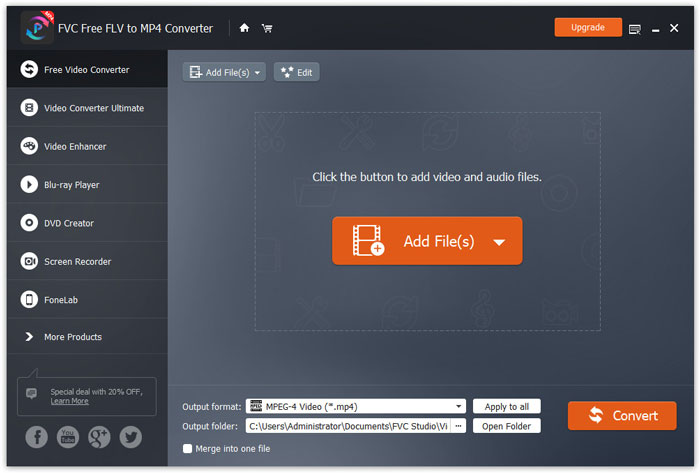
步骤 1: 下载后,在 Windows 或 Mac 上安装并启动 FVC Free FLV to MP4 Converter。点击 Add Files(添加文件) 按钮,从电脑中加载 MP4 文件。如果你想一次转换多个 MP4 文件,只需将它们全部上传即可。
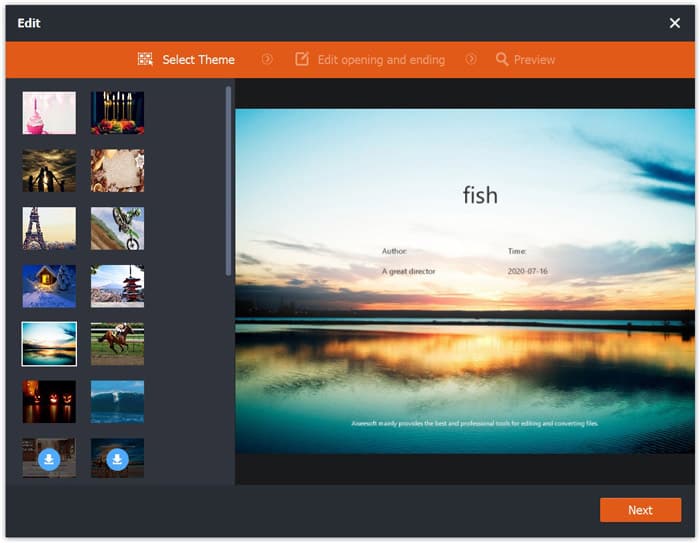
步骤 2: 点击你的 MP4 文件,然后点击 Edit(编辑) 按钮。你可以为 MP4 文件添加主题,并编辑开头和结尾的内容。然后点击 Next(下一步) 来预览并保存更改。
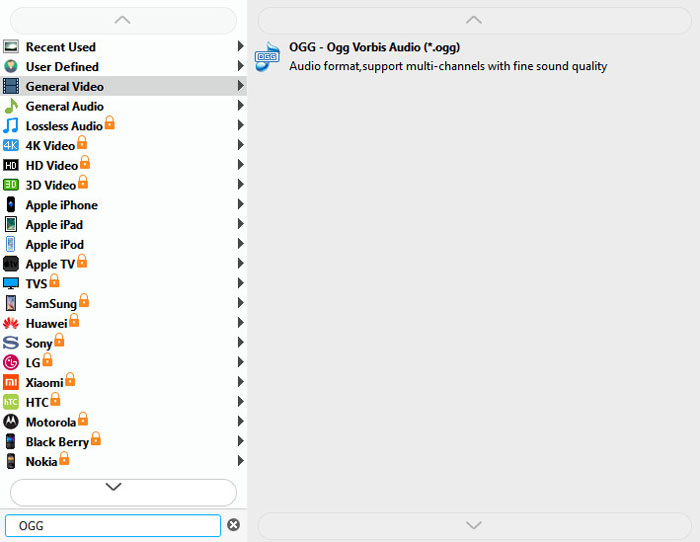
步骤 3: 点击底部的下拉 Output format(输出格式) 按钮,在列表中搜索 OGG 格式。你可以选择 OGG - Ogg Vorbis Audio(*.ogg)作为输出格式。
步骤 4: 在电脑上选择输出文件夹,然后点击 Convert(转换) 按钮开始将 MP4 转换为 OGG。
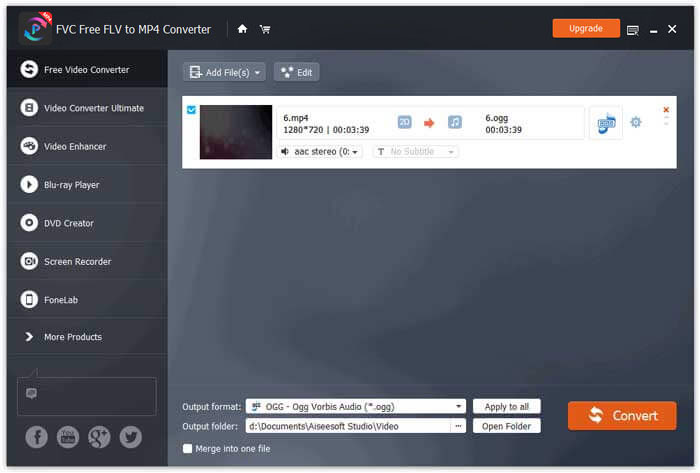
借助 FVC Free FLV to MP4 Converter,你还可以将多个 MP4 文件合并为一个。
第2部分。如何将MP4更改为OGG在线
与台式转换器相比,使用在线转换器是将MP4转换为OGG的省时方法。您可以选择许多在线MP4到OGG转换器。在本部分中,我们将共享2个MP4到OGG转换器,以将您的MP4文件免费在线转换为OGG。
1.扎姆扎尔
Zamzar是用于视频转换器,音频转换器,图像转换器和电子书转换器的多功能在线平台。使用Zamzar,您可以轻松地将MP4转换为OGG等多种其他格式。这是在线使用Zamzar将MP4转换为OGG的简单步骤。
步骤 1: 访问 www.zamzar.com/convert/mp4-to-ogg/,点击 Add Files(添加文件) 按钮上传你的 MP4 文件。
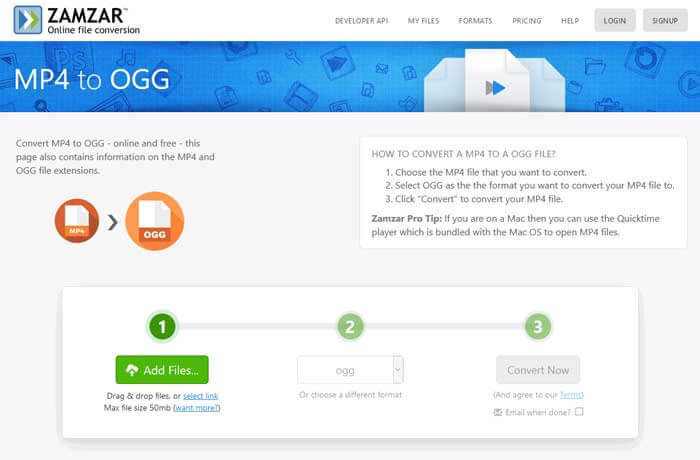
步骤 2: 默认输出格式已经设置为 ogg。点击 Convert Now(立即转换) 按钮开始将 MP4 转换为 OGG。
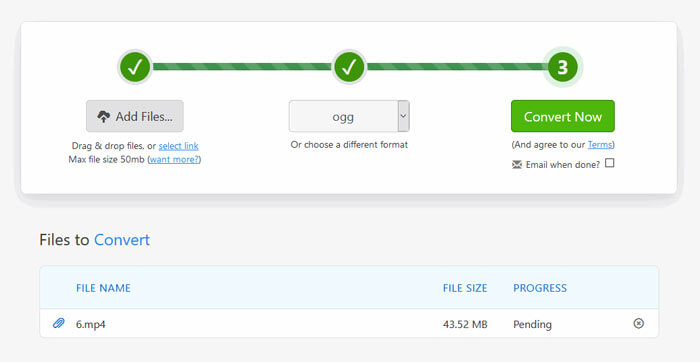
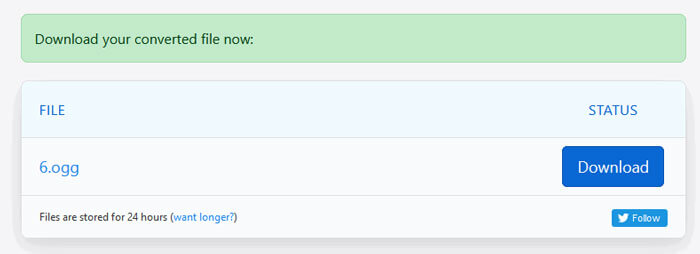
步骤 3: 然后页面会跳转到另一个界面。你可以点击 Download(下载) 按钮,把转换后的 OGG 文件保存到电脑。
当你转换体积较大的 MP4 文件时,使用 Zamzar 可能会出现转换卡住的情况,需要刷新页面后重新转换。如果你想要更流畅的转换体验,FVC Free FLV to MP4 Converter 会对你有很大帮助。(在这里查看更多MP4 播放器)
2. Convertio
Convertio是转换文档,图像,电子表格,电子书,音频和视频文件的简便工具。使用Convertio,可以将MP4文件以出色的精度转换为MP3。请按照以下步骤使用Convertio从MP4导出OGG。
步骤 1: 打开 Convertio MP4 to OGG Converter(convertio.co/mp4-ogg/)。点击 Choose Files(选择文件) 按钮上传 MP4 文件。你也可以从 Dropbox、Google Drive 添加 MP4 文件,或复制粘贴网址。
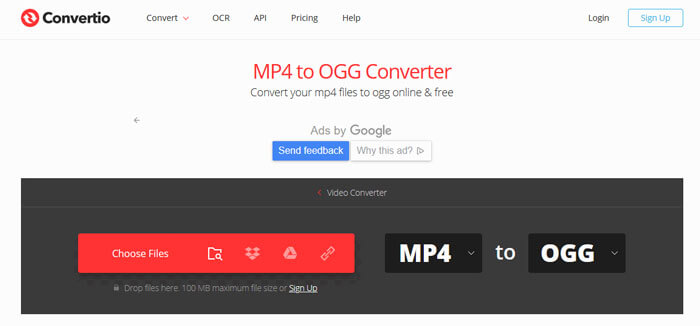
步骤 2: 在下拉菜单中选择 OGG,然后点击齿轮图标设置编码格式、音质、声道数、采样频率和音量。你还可以将 MP4 文件裁剪成所需片段。
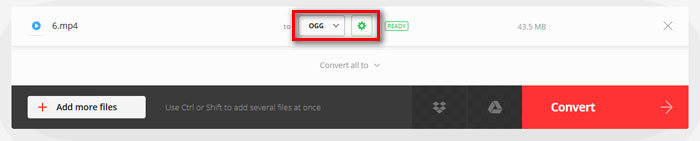
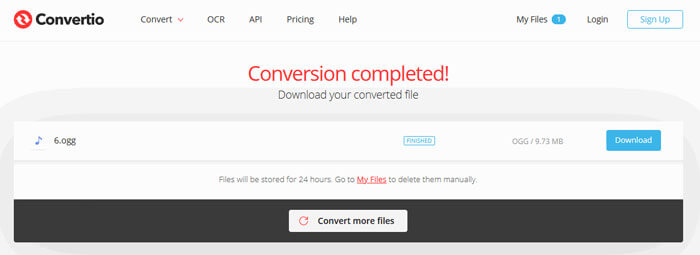
步骤 3: 完成所有设置后,点击 Convert(转换) 按钮将 MP4 转换为 OGG。转换完成后,点击 Download(下载) 按钮,将转换后的 OGG 文件保存到电脑。
第3部分。将MP4转换为OGG的常见问题解答
1.什么是OGG视频格式?
OGG是一种免费且开放的容器格式,可以包含音乐,视频,字幕等文本和元数据。
2.哪个播放器可以播放OGG文件?
有许多便携式播放器可以播放OGG文件,例如VLC,Windows Media Player,Adobe Audition,Audals,MPlayer等。
3.如何将MP4转换为MP3?
借助 FVC Free Online Video Converter,你可以轻松在线将 MP4 转换为 MP3。访问该在线网站并点击 “Add Files to Convert(添加文件进行转换)” 按钮安装启动器,然后从电脑中选择 MP4 文件,并勾选 MP3 作为输出格式。最后点击 “Convert(转换)” 按钮,将 MP4 转换为 MP3。
结论
我们主要介绍了3种MP4到OGG转换器,可在线和离线将MP4转换成OGG文件。使用桌面FVC Free FLV转MP4转换器,您可以轻松地从MP4导出开源OGG文件。如果您有更好的解决方案,请随时发表评论。
-
 WebM到MP4 |免费将WebM转换为MP4
 如何在没有Web浏览器的情况下观看WebM文件?您需要将WebM转换为MP4。这是在网上以及在Mac和Windows计算机上将WebM转换为MP4的十大免费WebM到MP4转换器。
-
 MP4到FLV |前3名免费转换器
 这篇文章是MP4到FLV转换的详细指南。您可以轻松地在Windows或Mac计算机上使用排名前3位的免费转换器将MP4在线转换为FLV。
-
 在Windows / Mac /在线上合并MP4文件的六大方法
 是否想为项目合并原始MP4文件?这篇文章收集了帮助您轻松组合Windows,Mac和在线上的MP4视频的前6种方法。
