


 视频转换大师
 屏幕录影大师
 视频修复
视频修复
 安全下载
安全下载Mac最佳5个免费ISO播放器的评论
你是否正在寻找一种简单的方法,在 Windows 7 或 Windows 10 电脑上播放 ISO 文件?哪一款是 Windows 和 Mac 上最好的ISO 播放器?
你可能对 ISO 以及如何播放 ISO 文件了解不多。实际上,ISO 文件是一种压缩文件,主要是为通过 DVD、CD 或蓝光光盘来播放而设计的。它们通常用来为 DVD 和 CD 光盘创建备份。不过,这些 ISO 文件不能被 Windows Media Player 和 QuickTime Player 直接打开。因此,寻找一些解决方案或 ISO 播放器来打开它们就显得非常必要。

本文将分享 5 款非常好用的 ISO 媒体播放器,帮助你在电脑上观看 ISO 电影。你可以查看每款ISO 播放器的主要功能,然后选择自己喜欢的来播放 ISO 文件。
第1部分。适用于Windows PC和Mac的免费ISO播放器-VLC媒体播放器
VLC media player 可能是最受欢迎的第三方播放工具之一,它几乎支持所有视频和音频格式。更重要的是,它还能在 Windows 10/8/7 电脑、Mac 和 Linux 电脑上充当 ISO 播放器。它具备播放 ISO 镜像文件、DVD、蓝光、VCD 和音频 CD 的能力。
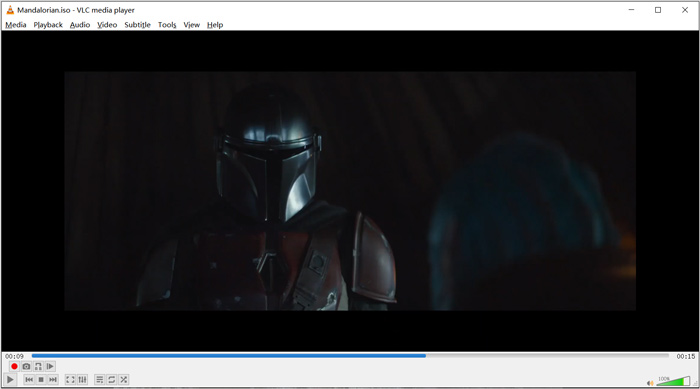
作为开源媒体播放器,VLC允许您下载其他编解码器以优化视频和音频播放。您可以右键单击ISO文件,然后选择VLC作为播放器。另外,您可以直接拖放以播放ISO视频。
第2部分。适用于Windows和Mac的蓝光ISO播放器-Aiseesoft蓝光播放器
Aiseesoft Blu-ray Player 是一款功能全面的蓝光与 DVD ISO 文件播放器。它高度兼容各类蓝光光盘、蓝光文件夹、DVD、CD 和 ISO 镜像文件。这款 ISO 播放器同时支持 Windows 10/8/7/XP/Vista 电脑和 Mac。它可以以真正高清的画质播放 ISO 文件、蓝光和 DVD 光盘。更进一步,它还能流畅无损地播放采用 H.265/HEVC 编码的 4K 视频。
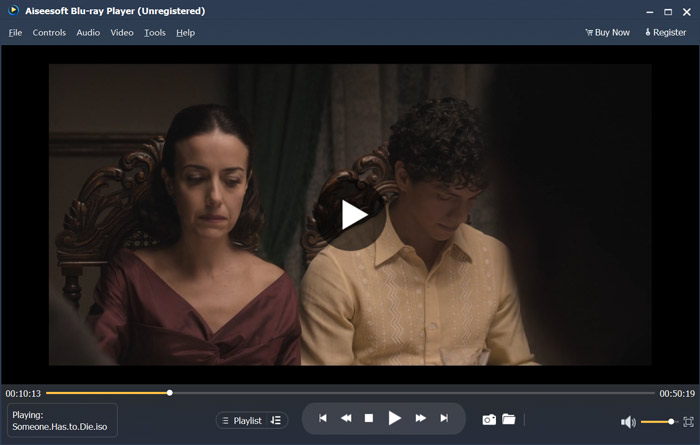
该ISO播放器软件提供了免费试用版,可以播放高质量的ISO文件。如果仅需要ISO播放,则需要升级到付费版本。它同时支持DTS-HD和Dolby TrueHD。因此,您可以在播放ISO视频时获得出色的声音体验。作为ISO图像文件播放器,它使您可以完全控制ISO播放。除蓝光,DVD光盘和ISO文件外,它还支持任何常用的视频和音频格式。
除了播放 ISO 文件外,它还可以作为一款4K UHD 播放器来打开 4K 电影。
第3部分。用于电视和PC的ISO Player-DVDFab Player 6
DVDFab Player 6 是一款出色的 4K 播放软件,同时具备 ISO 文件播放功能。它可以在电脑上高质量地播放 ISO 文件。不仅仅是 ISO 播放器,它还支持 DVD、蓝光和 4K 视频。DVDFab Player 6 还配备了“海报墙”功能,可高效管理整个媒体库。
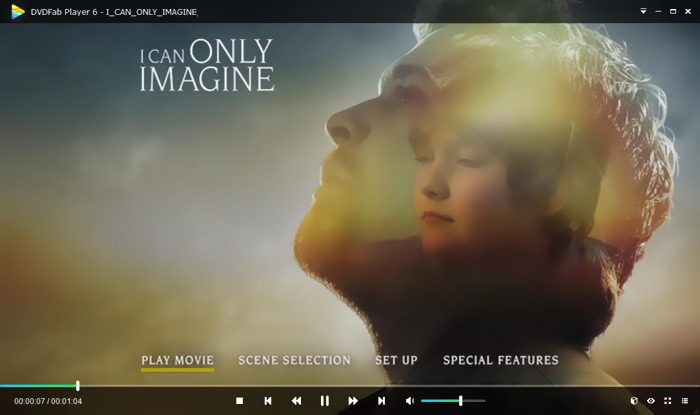
DVDFab Player 6为ISO播放提供了两种模式,即PC模式和TV模式。您可以打开此ISO播放器,然后使用“文件资源管理器”快速找到您的ISO文件。除了播放高清视频外,它还支持HDR10和高分辨率音频输出。此播放器还设计了许多其他功能。但是您应该知道,DVDFab Player 6并非完全免费。您需要升级到Standard或Ultra版本才能获得这些功能。
第4部分。ISO播放器软件-PowerDVD
PowerDVD 是一款功能强大的多媒体播放器,能够播放 DVD、蓝光电影、ISO 镜像文件以及多种视频音频格式。它可以作为 ISO 媒体播放器,帮助你在 Windows 电脑或 Mac 上观看 ISO 影片。它采用先进的 TrueTheater 技术,为你呈现更锐利的细节和流畅的视频播放体验。
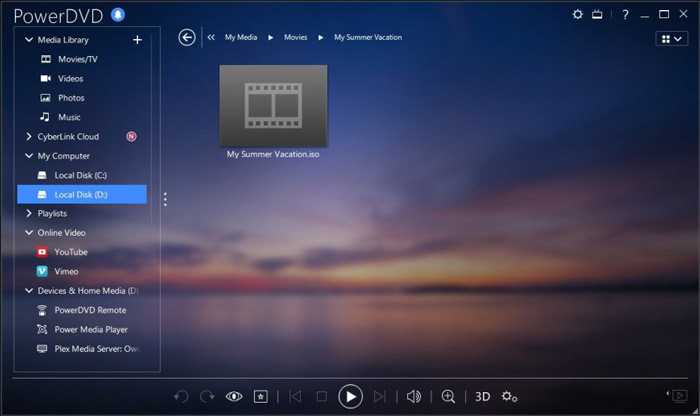
PowerDVD提供了一个免费版本供您播放ISO文件。但是它还具有许多其他功能。您可能对蓝光和4K电影的播放有一些限制。您必须升级到付费版本才能删除这些限制。
第5部分。适用于Windows 10/8/7 PC和Mac的免费ISO播放器-KMPlayer
KMPlayer 是一款广受欢迎的开源媒体播放器,可以高质量播放 ISO 镜像文件。这款免费的 ISO 播放器支持多核解码技术,能够以高画质和高音质播放任意 DVD 和 ISO 电影,同时占用较低的 CPU 资源。它还具备 3D 视频播放功能。
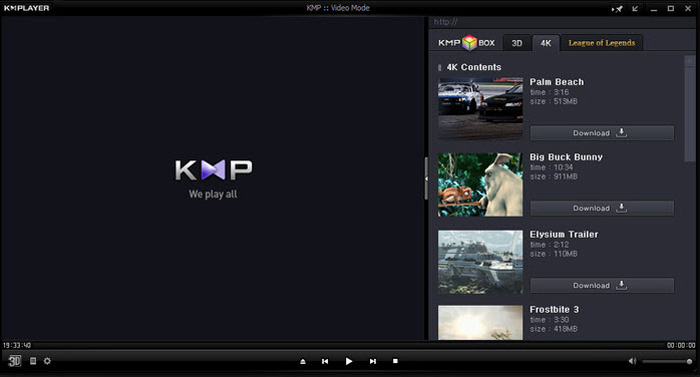
KMPlayer是一种无区域DVD播放器。它可以方便地管理您的DVD收藏。它为您提供了一种自定义DVD菜单,字幕,音轨和播放效果的简单方法。同样,它对ISO文件也有很好的支持。
第6部分。ISO播放器的常见问题解答
问题1.什么是ISO映像文件?
ISO映像文件实际上是整个CD,DVD或蓝光光盘的副本。它由光盘上每个已写入扇区的数据内容组成。可以通过光盘映像软件从光盘创建ISO。整个光盘内容可以精确地复制到一个ISO文件中。图像文件的最常规用法是将其写回到DVD或蓝光光盘。您需要依靠第三方实用程序将ISO映像文件刻录到DVD。
问题2.如何在Windows 10中挂载ISO映像?
Windows 10具有安装ISO映像文件的内置方法。您可以右键单击它,然后选择“挂载”选项。之后,ISO文件将在此PC下显示为新驱动器。
问题3.如何为Windows 10创建ISO文件?
当您要为Windows 10创建ISO文件时,可以转到Windows 10下载页面并安装媒体创建工具。进入页面后,可以单击立即下载工具按钮。打开创建软件,然后单击另一台PC的安装介质(如ISO文件)。您可以选择Windows的语言,体系结构和版本。之后,选择ISO文件,然后选择下一步以开始为Windows 10创建ISO文件。
问题4.如何将ISO文件转换为数字MP4视频?
如果你想将 ISO 转成数字 MP4 或 MOV 视频,可以下载 ISO 转换器,把 ISO 镜像文件高质量地转换成视频格式。
问题5. Kodi可以播放ISO文件吗?
是的,Kodi本身支持存储在ISO和IMG DVD图像或DVD-Video图像中的DVD-Video电影。您可以免费下载Kodi,向其中添加ISO文件,然后轻松开始播放。
结论
本文主要介绍了 ISO 以及 ISO 文件的播放方式。你可以在这里获得 5 款优秀的ISO 播放器推荐。当你想播放 ISO 文件或 DVD 电影时,都可以选择其中任意一款来使用。
-
 使用WebEx ARF Player打开和转换ARF文件的教程
 以下是使用WebEx ARF Player的详细步骤。您可以轻松地在Windows和Mac计算机上播放和转换WebEx ARF文件。此外,您也可以使用3rd ARF播放器来改善播放体验。
-
 GIF播放器-适用于Windows PC,Mac,Android和iPhone的5种最佳GIF播放器
 什么程序打开GIF文件?如何在Android上查看GIF? iPhone是否具有用于打开GIF的GIF播放器?此帖为您分享5个最佳GIF播放器。
-
 顶级8 MKV播放器以所需的字幕播放MKV文件
 当您想要以所需字幕播放MKV视频时,可以了解有关PC / Mac排名前8位的MKV文件播放器的更多信息,并根据需要选择所需的播放器。
