


 视频转换大师
 屏幕录影大师
 视频修复
视频修复
 安全下载
安全下载适用于 Windows 和 Mac 的 8 款最佳网络摄像头录像机
网络摄像头录制工具(Webcam Recorders)是捕捉视频同时记录你面部表情的好帮手。虽然现在很多笔记本电脑都内置了摄像头,但这些设备本身并不具备太多能增强视频录制效果的功能。因此,很多人都在寻找带有强大编辑功能的优秀摄像头录制软件。如果你想知道有哪些最佳的网络摄像头录制工具,请继续阅读本文。

第 1 部分。适用于 Windows 的 5 款最佳网络摄像头录像机
您可以找到很多工具来帮助您进行网络摄像头录制。但是,并非所有工具都具有出色的功能并且可以制作高质量的视频。阅读本部分后,您将了解可以在 Windows 设备上下载的五款最佳网络摄像头。
Aiseesoft屏幕录像机
价格:$47.20(终身授权)
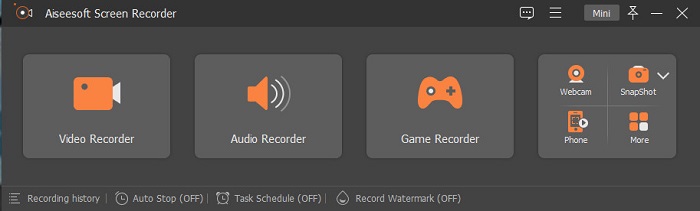
Aiseesoft Recorder 是一款可以在 Windows 上下载使用的网络摄像头视频录制工具。这款屏幕录制软件可以帮助你用非常简单的步骤完成摄像头录制。此外,它拥有直观、易上手的用户界面,并且可免费使用。如果你正在寻找一款可以只录制屏幕指定区域的录屏工具,那么它也提供该功能。更进一步,它还具备高级功能,例如通过内置的游戏录制器录下你的游戏高光时刻。这款录屏工具还提供任务计划功能,你可以在离开电脑时预先设定录制时间。很多用户选择这款软件,也是因为它同时支持视频和音频录制。
优点
- 它有一个易于使用的软件界面。
- 它允许您录制屏幕、音频和游戏。
- 它允许您录制水印并为您的录制创建时间表。
- 可在所有媒体平台上下载,包括 Windows 和 Mac。
缺点
- 在使用其独特功能之前,您需要购买该应用程序。
班迪康
价格:$39.95
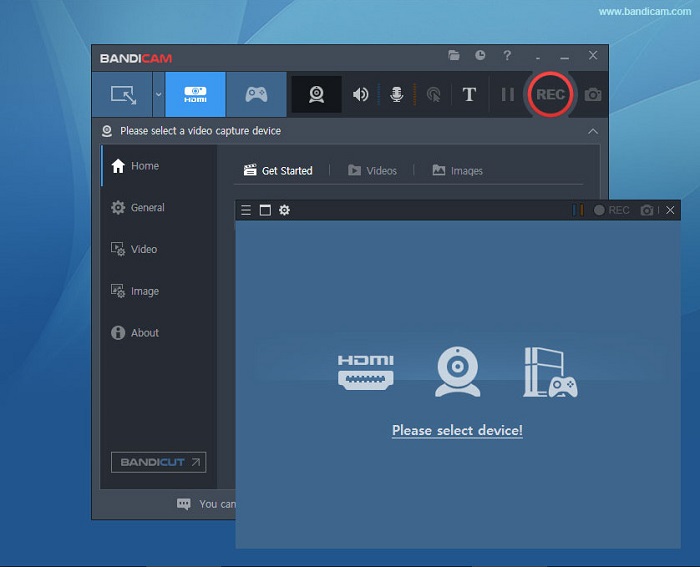
Bandicam 是一款被众多专业人士使用的摄像头录制软件。Bandicam 允许你同时录制摄像头画面以及设备音频。此外,你还可以合并两个视频文件,并选择屏幕的特定区域进行录制。更重要的是,它能够输出高质量视频,并以 .avi 和 .mp4 格式保存。如果你正在寻找一款自带声音混音功能的录屏软件,Bandicam 是不错的选择。不过,由于界面操作相对复杂,这款工具并不算特别适合初学者。但它依然值得投入时间学习,因为它能够产出专业水准的视频成品。
优点
- 录音机文件的文件大小比其他软件小得多。
- 它允许您录制高质量的 2D 和 3D 视频。
- 它有一个内置的网络摄像头和录音机。
缺点
- 它有一个难以使用的软件界面。
- 它无法对直播视频进行操作。
学校学
价格:$7.5-$10
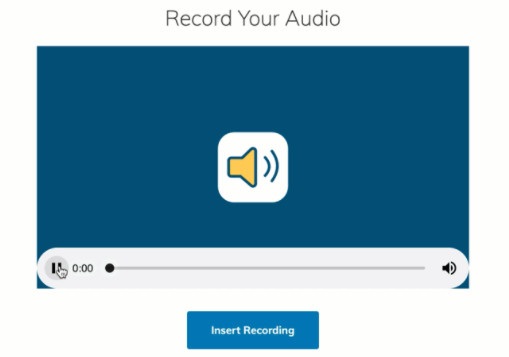
Schoology 是一款 HTML5 网络摄像头录制工具,也就是说你可以录制 HTML5 视频。该工具主要用于录制课程讲解、演示文稿以及其他与学校相关的视频内容。此外,它还支持录制设备的音频和视频。更棒的是,它同时也是一个交流平台,为学生提供在线互动的学习环境。它的界面设计简洁,整体操作友好,非常容易上手。
优点
- 即使没有互联网访问,您也可以下载您的录音输出。
- 它有一个简单的图形用户界面。
- 它是学生和教师的交流中心。
缺点
- 它使用有限的编辑功能。
多摄
价格:$99(高级版)
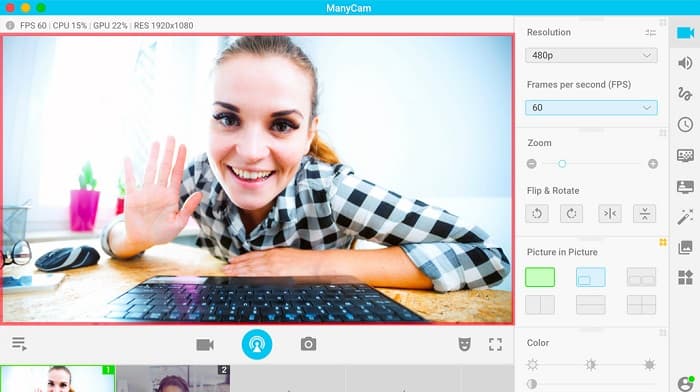
ManyCam 是一款适用于 Windows 10 的屏幕及摄像头录制软件。它可以顺畅地录制高质量视频,操作也十分简便。由于界面简单明了,这款软件的用户体验较为友好。人们通常使用这款摄像头录制工具进行直播、授课和讲座录制。此外,它还支持 4K 视频推流,并具备投屏(屏幕广播)功能。如果你正在寻找一款带有实时相机控制设置的工具,它也可以满足你的需求。不过,它的许多功能需要手动调整和设置。
优点
- 它允许您流式传输 4K 视频并记录其高质量。
- 即使使用免费试用版,它也不包含水印。
- 这是一个易于使用的工具。
缺点
- 您必须先购买该应用程序,然后才能访问其特殊功能。
偏航摄像头
价格:免费
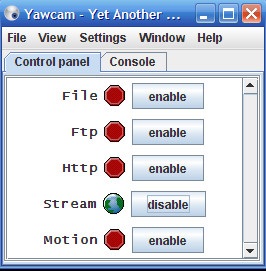
最后要介绍的摄像头录制软件是 YAWCAM。这款工具可以进行视频流媒体推送和本地录制,适合个人使用,并支持包括 PNG、JPG、GIF 和 MJPEG 在内的大多数常见文件格式。它以界面极其简洁著称,是所有摄像头录制工具中最简单易用的之一。如果你是新手,正在寻找一款最易上手的软件,那么一定要试试这款工具。
优点
- 它支持最常见的文件格式,如 PNG、JPG、GIF 和 MJPEG。
- 它有一个简单的图形用户界面。
- 它不产生水印输出。
缺点
- 它几乎没有编辑功能和过渡效果。
第 2 部分。适用于 Mac 的 3 款最佳网络摄像头录像机
在过去的几年里,Mac 的视频编辑软件并没有太大的变化。但是,Mac 没有内置的网络摄像头记录器。但在这一部分中,您将了解最适合 Mac 用户的网络摄像头录像机。
iMovie
价格:免费(Mac)
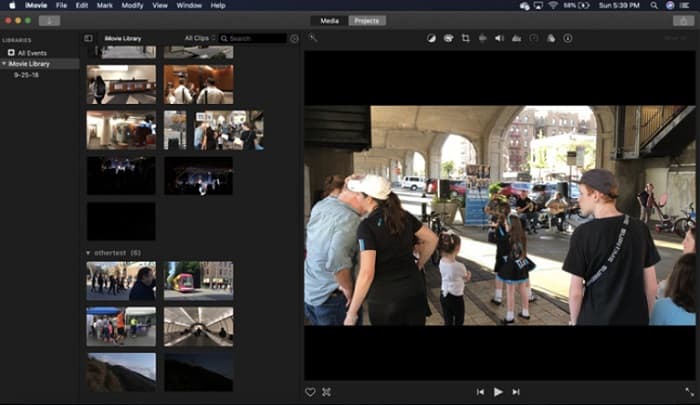
iMovie 是 Mac 系统内置的视频编辑软件。它是 Mac 用户中最受欢迎的视频剪辑工具之一,因为功能十分强大。而如果你想在 Mac 上录制摄像头视频,iMovie 也完全可以胜任。它拥有干净整洁的界面,操作逻辑清晰易懂。此外,它还提供诸多功能,例如添加背景音乐、剪切或裁剪视频/音频、添加文字字幕等。
优点
- 它有一个直观的用户界面。
- 它具有许多编辑功能,包括分割、修剪、裁剪等。
- 它支持高清和 4k 视频。
缺点
- 它支持的视频输出较少,并且存在 MP4 兼容性问题。
- 仅在 Mac 上兼容。
CamWiz 网络摄像头录像机
价格:$9.99(专业版)
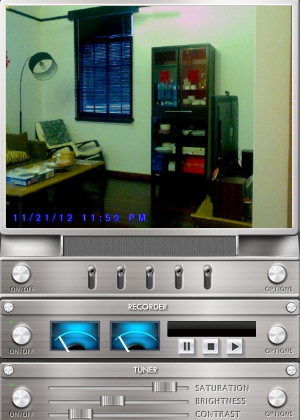
CamWiz Webcam Recorder 是一款可在 Mac 上下载使用的摄像头视频录制工具。这款软件同样支持录制系统音频。除此之外,你可以用它查看、录制以及回放摄像头视频。如果你想要一款可以自由选择输出质量的工具,它也能满足这一需求。并且,如果你在光线较暗的房间或夜间进行录制,这款软件还提供夜视模式,即便在黑暗环境下也能比较清晰地看到摄像头画面。
优点
- 它有一个内置的调谐器模块来调整视频的对比度和亮度。
- 它有夜视模式。
- 它有一个易于使用的软件界面。
缺点
- 它使用有限的编辑功能。
- 它有错误问题。
OBS工作室
价格:免费
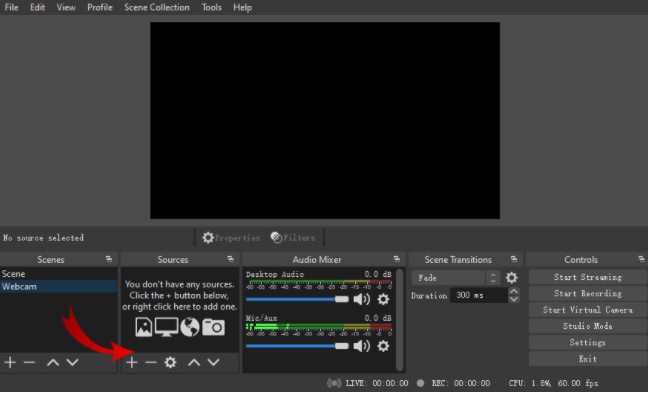
另一个你可以使用的屏幕和摄像头录制工具是 OBS Studio。这款开源的网络摄像头录制软件在 Mac 用户中非常流行。许多人使用它的主要原因是可以免费下载安装。此外,它支持录制屏幕的指定区域。许多专业人士也会选择这款工具来制作行业标准的视频作品。
优点
- 它具有高级编辑功能可供使用。
- 它有一个直观的用户界面。
缺点
- 由于它是一个开源应用程序,因此很容易崩溃。
相关内容:
部分 3. 关于网络摄像头记录器的比较表
还在犹豫要使用哪款网络摄像头?我们将帮助您决定使用哪个应用程序。在这一部分中,您将了解每个工具所具有的更详细的特征和功能。全面阅读,我们希望您能最终决定哪种工具最适合使用。
| 特征 | Aiseesoft屏幕录像机 | 班迪康 | 学校学 | 多摄 | 偏航摄像头 | iMovie | CamWiz 网络摄像头录像机 | OBS工作室 |
| 允许您录制您的音频系统 |  | | | | | | | |
| 易于使用的软件界面 | |  | | | | | | |
| 支持的系统 | 适用于所有媒体平台,包括 Windows、Mac 和 Linux | 在 Windows 上可用 | 适用于 Windows 和 Mac | 在 Windows 系统上可用 | 适用于 Windows 和 Mac | 在 Mac 上可用 | 适用于 Windows 和 Mac | 适用于 Windows、Mac 和 Linux |
| 具有编辑功能 | | | | | 有限的 | | 有限的 | |
| 产生高质量的输出 | | | | | | | | |
第 4 部分。有关最佳网络摄像头记录器的常见问题解答
如果您是网络摄像头录制,它会录制音频系统吗?
是的。如果您正在进行网络摄像头录制,它会附带来自网络摄像头的音频。但是,如果您正在进行屏幕录制,某些工具不会同时录制音频。
网络摄像头录制常用什么格式?
大多数网络摄像头记录器都会生成 MP4 输出格式的网络摄像头记录。
笔记本电脑网络摄像头可以到达多远?
在 10 兆像素的笔记本电脑网络摄像头的最高设置下,它可以看到 10-15 英尺的范围。
结论
如您所见,有许多网络摄像头录像机可用于进行网络摄像头录制。但是,并非所有网络摄像头都具有相同的功能和价格。因此,如果您正在寻找物有所值并具有最佳功能的网络摄像头录像机,请下载 Aiseesoft Screen Recorder 并体验此工具提供的卓越品质。
-
 7 个可在所有平台上访问的 Magnificent Voice Recorder
 您想学习如何进行录音吗?然后转到这篇文章,因为我们谈论可以满足您需求的最佳录音机。
-
 4 款适用于 Windows 和 Mac 的最新录音软件
 需要桌面上的录音软件?在这种情况下,这篇文章充满了关于最佳和更多的想法。因此,如果您需要阅读这篇文章。
-
 Android 和 iOS 上 5 款最受欢迎的录音机应用程序 [2022 年更新]
 不知道应该使用什么录音机应用程序?如果是这样,本文将帮助您选择哪个应用程序可以帮助您完成录音任务。
