


 视频转换大师
 屏幕录影大师
 视频修复
视频修复
 安全下载
安全下载选择一款不限时长屏幕录像机:10 个选项
我兴致勃勃地想下载个屏幕录像机,结果发现只能录个10分钟或5分钟的视频。没有什么比这种情况更烦人的了。
为了避免这种情况,我们在选择和下载工具时必须找到一款无时间限制的屏幕录制软件。要一个个去试太麻烦了,不如直接在本指南中查找吧?这里有十款工具,随时满足你的需求。继续往下看,找出最适合你的那一款。

第一部分:十大无时间限制的屏幕录像机
FVC 屏幕录像机
最适合: 录制游戏画面;制作教程视频
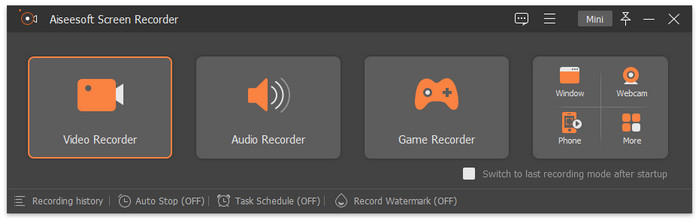
我们将FVC Screen Recorder放在第一位,是因为它的功能非常全面。录制电脑屏幕、摄像头、系统声音和麦克风,它都能轻松胜任。它还内置了完善的视频编辑和标注工具,是制作游戏视频、教学视频和网络研讨会录制的最佳选择。
FVC 屏幕录像机的免费版本足以满足您的日常使用。
永远不会有任何录音时间限制来打扰您。
优点
- 功能齐全,使用方便。
- 支持录制手机屏幕内容。
- 没有使用时长、水印等限制。
缺点
- 只有通过订阅才能解锁完整的录音选项。
OBS工作室
最适合: 制作游戏录制视频
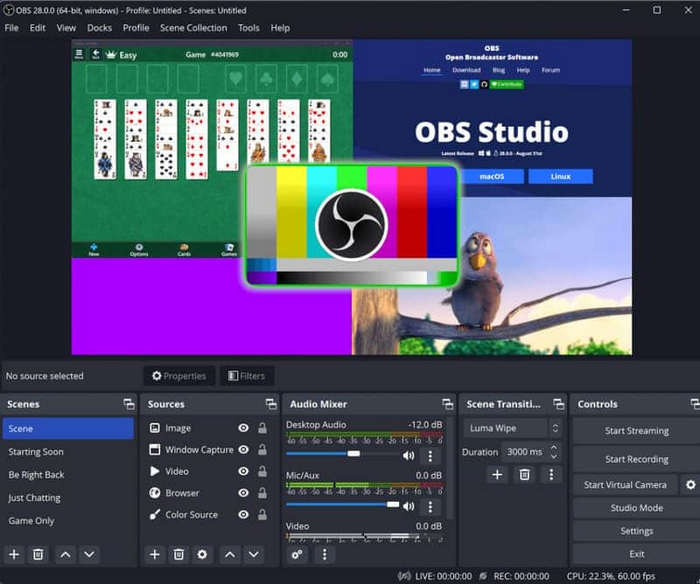
OBS Studio 以开源和免费著称。这款最佳游戏录制工具提供了非常灵活的录制和编辑设置。你甚至可以在这个平台上开启游戏直播。对于游戏玩家和博主来说,OBS Studio 是最佳的永久免费、无水印、无时间限制的屏幕录制软件。
优点
- 100%免费。
- 适应性广,包括Windows、Mac、Linux。
- 录制和编辑功能非常灵活和细致。
缺点
- 界面复杂,不适合新手。
CamStudio
最适合: 在 Windows 上完成基础录屏任务
CamStudio 是一款不受时间限制的 PC 屏幕录制软件,不仅免费,还支持无损录制。该程序的首个版本发布于 2001 年,因此您可以完全放心使用。
优点
- 免费,没有时间限制。
- 运行无滞后,且占用极少的运行内存。
- 提供基本的视频编辑选项。
缺点
- 不适用于 Mac 电脑。
- 界面有点过时。
- 不支持 MOV 和 MKV 格式。
分享X
最适合: 个性化设置录制参数.
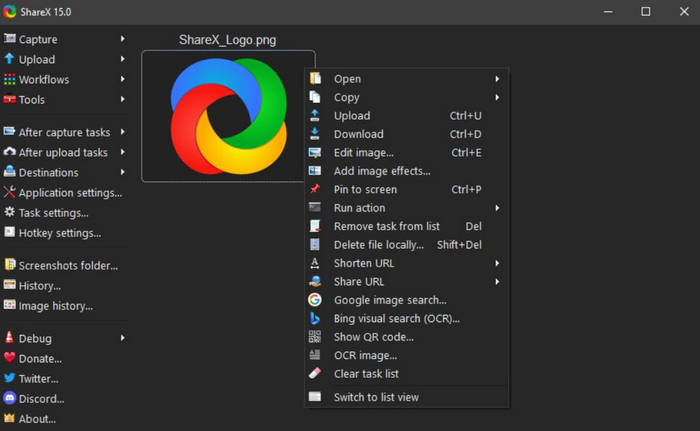
Sharex 是一款非常个性化的屏幕录制软件。同样,它完全免费。这里有十几种录制模式,可帮助您轻松录制全屏、菜单、特定区域或特定窗口的内容。
此外,这款免费的 Windows 屏幕录像机上还提供了很多注释工具,没有时间限制。
优点
- 个性化设置很多。
- 提供多种视频上传和共享选项。
缺点
- 使用起来复杂。
- 没有基本的视频编辑功能。
屏幕录制
最适合: 分享录制内容
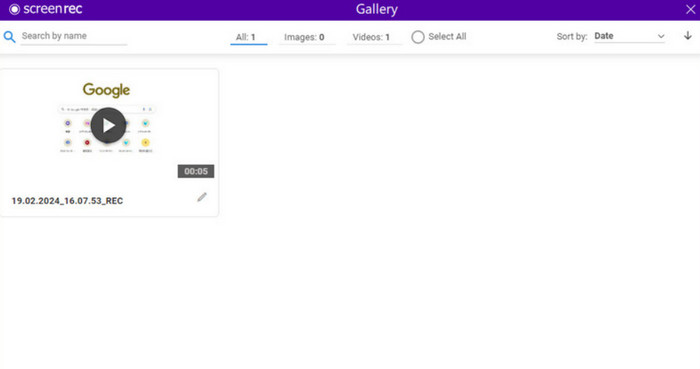
录制的视频过大,难以分享。这个问题一直困扰着用户。但如果您选择 ScreenRec,就无需再为此担忧。它免费、没有时间限制,并且不会在视频上添加水印。录制完成后,您的作品将保存在线,您可以轻松地与团队或同事分享。
优点
- 支持用户群组分享视频。
- 易于使用且反应灵敏。
- 将显示该视频已被观看。
缺点
- 不适用于 Mac 电脑。
- 没有视频编辑功能。
免费凸轮
最适合: 上传录制视频到 YouTube
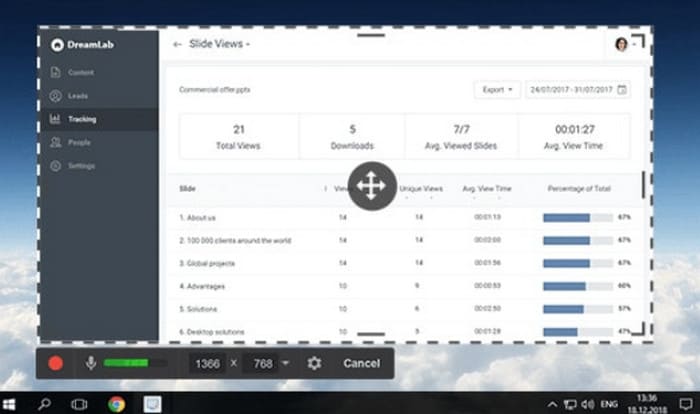
每次录制完毕,想要将作品上传到YouTube等平台时,不仅需要修改视频参数以符合平台的要求,还需花费大量的时间。
幸运的是,我们有这款免费的屏幕录像机——Free Cam,没有时间限制。它支持录制视频和音频,并提供基本的编辑功能。Free Cam 与 YouTube 完美集成,因此您可以轻松地将录制的作品上传到这个视频网站。
优点
- 用户界面组织良好,非常清晰。
- 支持 YouTube 集成上传。
缺点
- 不适用于 Mac 和 Linux。
RecCloud
最适合: 创建协作播放列表
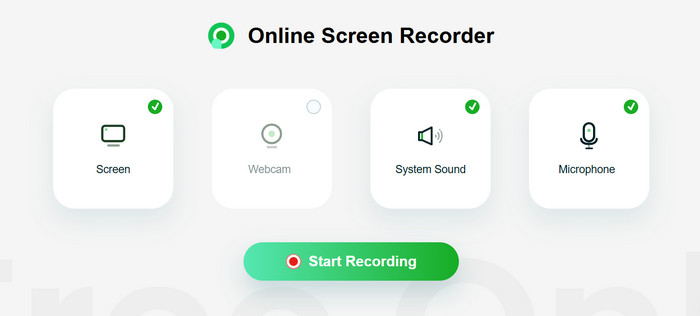
了解完桌面软件后,我们来了解一下一款没有时间限制的免费在线屏幕录像机 RecCloud。您无需执行下载和安装步骤即可使用此屏幕录像工具。
它最棒的功能是你可以与团队或家人一起创建视频播放列表。如果你想保护某个特定的录音,还可以为其设置密码。
优点
- 无需安装下载,使用非常方便。
- 支持私人屏幕录制的密码保护。
缺点
- 编辑和标记的选项很少。
超棒的截图和屏幕录像机
最适合: 录制时添加标注
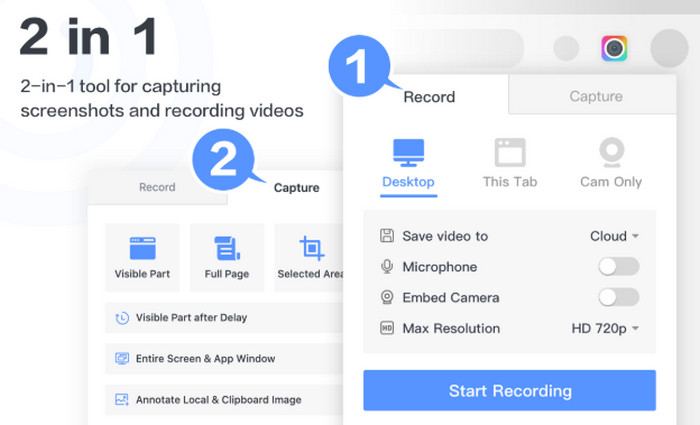
除了在线工具之外,还有另一种形式——浏览器插件。Awesome Screenshot and Screen Recorder 就是这样一款屏幕录制工具。您可以在使用 Chrome 时随时调用它来录制屏幕、摄像头、麦克风和系统声音。
录像机提供了丰富的注释工具。您可以轻松创建教程视频、培训视频等。
优点
- 最高支持4K输出清晰度。
- 注释工具很多,而且很好用。
- 支持将录制的视频保存在云端。
缺点
- 支持有限的输出格式。
适用于 Chrome 的 Movavi 屏幕录像机
最适合: 无限时长录制
这款屏幕录制工具是 Movavi 为 Chrome 用户开发的插件,支持免费录制屏幕内容,且无时间限制,非常适合日常教学、演示或电话会议。
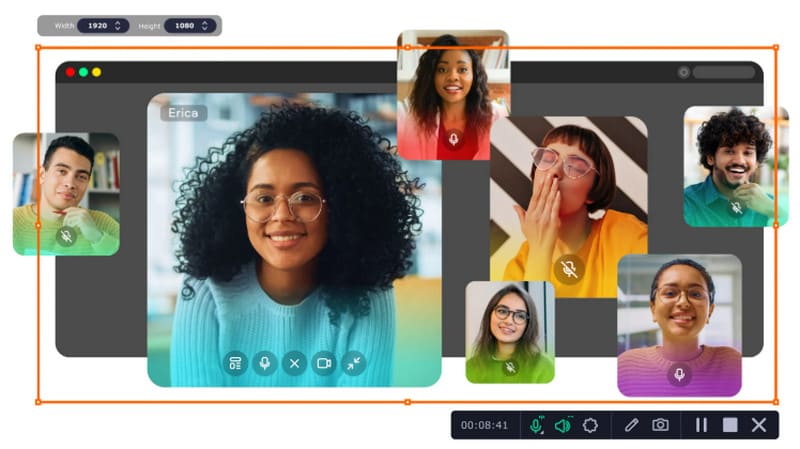
不过需要注意的是,免费版会在视频中添加水印。要去除水印,您需要选择升级到付费版。
优点
- 安装和使用步骤非常简单。
- 录制屏幕时没有任何限制。
缺点
- 免费版本导出带有水印的视频。
Nimbus 截图和屏幕录像机
最适合: 使用快捷键控制录制工具
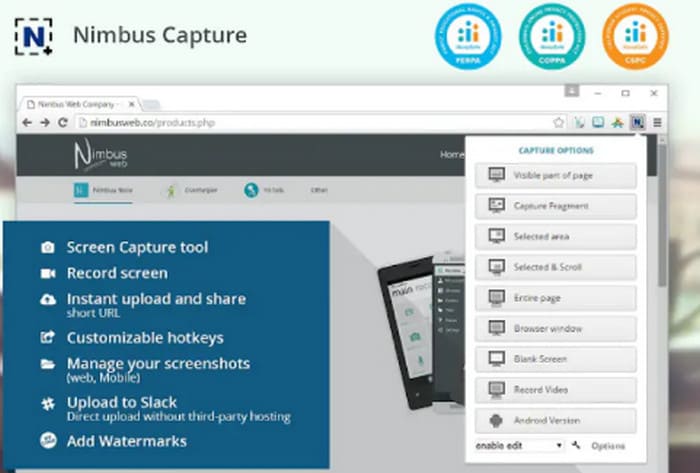
Nimbus 截图和屏幕录像机之所以被推荐,不仅是因为它对新手非常友好,还因为它支持在浏览器窗口中编辑录制的视频。它还可以将文件转换为 GIF。
优点
- 易于使用的步骤。
- 支持通过热键控制开始和结束录制。
- 可以将视频输出为 MP4 或 GIF。
缺点
- 某些功能需要升级到您的帐户才能解锁。
第 2 部分。选择最佳的无限制时间屏幕录像机
| FVC 屏幕录像机 | Windows,Mac | 免费与否 | 时限 | 水印 | 易于使用 |
| OBS工作室 | Windows、Mac、Linux | 免费和付费 | 没有 | 没有 | 简单的 |
| CamStudio | 视窗 | 自由 | 没有 | 没有 | 复杂的 |
| 分享X | 视窗 | 自由 | 没有 | 没有 | 不容易 |
| 屏幕录制 | Windows、Linux | 自由 | 没有 | 没有 | 美好的 |
| 免费凸轮 | 视窗 | 自由 | 没有 | 没有 | 美好的 |
| RecCloud | 线上 | 免费和付费 | 因计划而异 | 是 | 美好的 |
| 超棒的截图和屏幕录像机 | Chrome 扩展程序 | 免费和付费 | 因计划而异 | 是 | 简单的 |
| 适用于 Chrome 的 Movavi 屏幕录像机 | Chrome 扩展程序 | 免费和付费 | 没有 | 是 | 简单的 |
| Nimbus 截图和屏幕录像机 | Chrome、Firefox、桌面版 | 免费和付费 | 因计划而异 | 是 | 简单的 |
第三部分:无限时屏幕录像机常见问题解答
有没有不限制时间的录屏软件?
是的,而且有很多。FVC 屏幕录像机、OBS Studio、ScreenRec、ShareX 等都是免费的,而且没有使用时间限制。它们绝对安全可靠,而且输出质量很高。
1小时的屏幕录制是多少GB?
一般来说,文件大小可能达到几GB,但如果你录制高分辨率的视频或者使用无损编解码器,那么它的大小可能会达到几十GB。
如何录制高质量的屏幕录像?
首先,选择一款可靠的屏幕录制软件,例如 FVC Screen Recorder。然后,你需要关闭其他应用程序和网页,以避免弹窗打断录制过程。同时,确保你周围环境安静。框选录制区域时也要精准。
结论
随便搜索一下都能找到所谓的无时间限制屏幕录制软件,但它们真的免费又好用吗?别担心,我们已经为你筛选出 10 款真正可靠、安全的产品,比如功能最全面的 FVC Screen Recorder、设置最灵活的 OBS Studio 等等。阅读本文获取你需要的信息,锁定最适合你的那款录屏工具。
-
 2025 年你必须购买的 5 款 Android 屏幕录像机应用
 因为无法在 Android 上进行屏幕录制而遇到麻烦?如果是这样,本文回顾了您可以下载的 Android 屏幕录像机。
-
 5 款最佳 Zoom 会议录制器,用于录制 Zoom 上的会议 [2024]
 需要录制缩放会议以免错过会议的重要细节?如果是这样,这篇文章提供了你应该知道的最好的变焦记录器。
-
 适用于 Windows 和 Mac 的 8 大最佳网络摄像头录像机
 如果您正在寻找最好的网络摄像头录像机,我们有您想要的。阅读本文,了解适合您的 Windows 和 Mac 的八个最佳选择。
