


 视频转换大师
 屏幕录影大师
 视频修复
视频修复
 安全下载
安全下载以高质量录制 WebM 视频的前 5 名 WebM 录制器
WEBM 文件扩展名通常由网页浏览器使用,其中大多数是现代浏览器,如 Google Chrome、Opera、Firefox、Safari 和 Edge。一般来说,这些浏览器支持 HTML5 网站的视频直播流媒体播放。一个很好的例子就是 YouTube、Twitch 以及其他媒体平台。此格式支持从 360p 到最高分辨率的视频。如果拿这种格式来比较,它是一种类似于 MKV、MOV 和 MP4 的压缩格式,不同之处在于其文件内容结构。只要播放器安装了正确的编解码器和插件,Windows 和 Mac 都可以播放这种特定文件。同时,如果你在寻找更好的方式来录制或获取 WebM 文件,可以查看下方推荐的最佳WebM 录制工具列表。

第 1 部分。 最佳 WebM 记录器:FVC 屏幕记录器
使用 FVC Screen Recorder 以最简单的方式通过三个简单的步骤拍摄快照、录制屏幕和录制 WebM 视频文件。这款适用于 Windows 和 Mac 的 .webm 屏幕录像机可以录制 YouTube、Skype 通话和直播等 WebM 站点,其他站点支持 WebM 格式。在不影响视频质量的情况下捕获您的游戏直播。另外还可以录制视频、音频和麦克风。保证没有背景噪音,因为它会记录系统声音。因此,使用 FVC 屏幕录制体验视频教程的无缝录制和出色的编辑功能。另一方面,这是您使用该工具的方式。
步骤 1. 使用下方下载按钮下载 FVC Screen Recorder。
步骤 2. 按照安装向导完成设置后,安装并启动应用程序。
步骤 3. 当悬浮工具栏出现后,点击视频录制器(Video Recorder)。
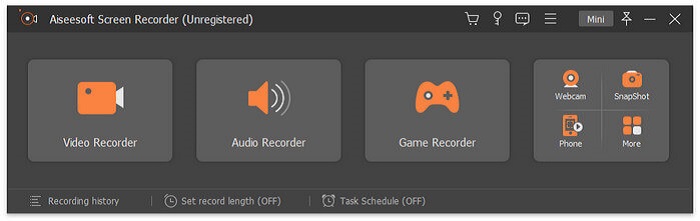
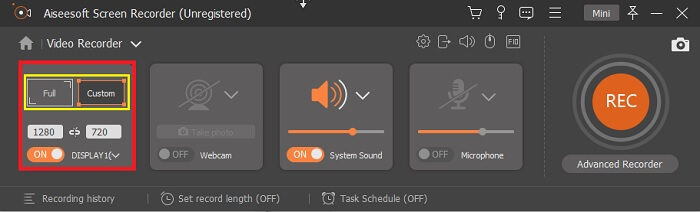
随后会弹出另一个窗口,此时点击自定义(Custom)或全屏(Full Screen)。如果选择自定义,请根据需要调整录制画面的尺寸。
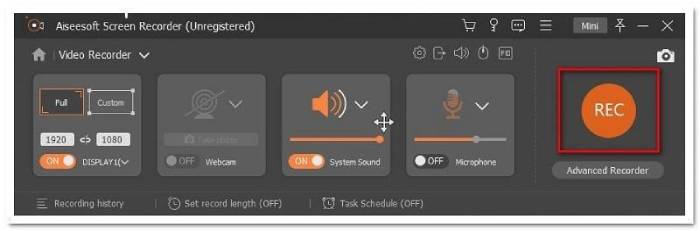
步骤 4. 要开始录制,点击REC 按钮,然后像平时一样进行你的操作即可。
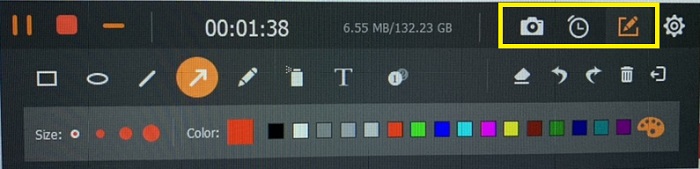
然后,您可以对录音进行注释、添加箭头和文本。
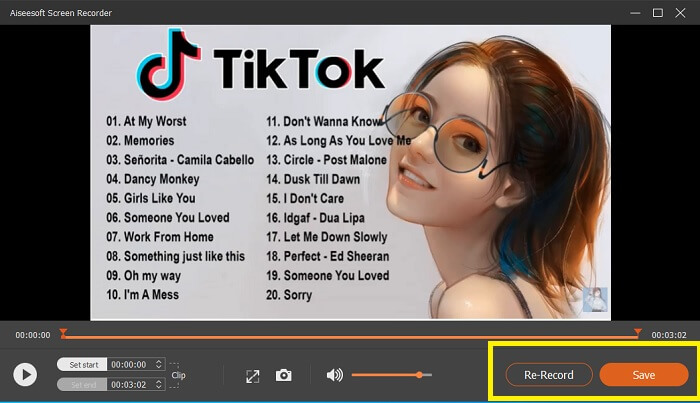
步骤 5. 然后点击红色方块按钮停止录制。接着会弹出一个新窗口,让你选择保存还是重新录制。要查看录制文件,请查看悬浮工具栏底部的列表。
第 2 部分。 适用于您的计算机的其他流行的 WEBM 记录器
1. FVC 免费屏幕录像机
特色功能: 无病毒、无恶意软件。100% 安全可靠。
如果第一个工具没有让你满意,你可能在寻找一个更实用的工具。FVC Free Screen Recorder 是你想要在不花钱的前提下,最大化使用强大功能时的首选工具。虽然免费工具通常被认为比付费工具画质更低,但这个工具把标准提高了一些。即使是免费版本,它也能够录制高质量的视频并提供清晰的音频。除此之外,它还非常易于使用。请按照下方步骤进一步了解。
步骤 1. 通过网页浏览器在电脑上启动该应用。你使用哪种浏览器都没关系,这个工具足够灵活,几乎可以在任何地方访问。点击这个 链接 可直接前往官方网站页面。
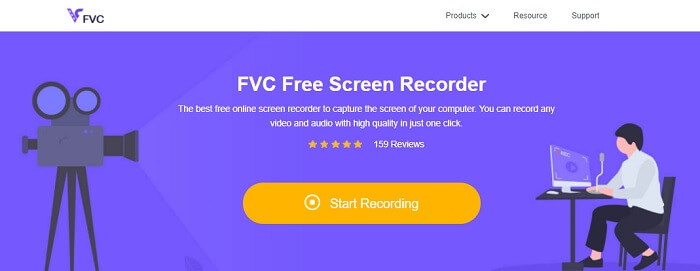
步骤 2. 点击开始录制(Start Recording)按钮启动工具。
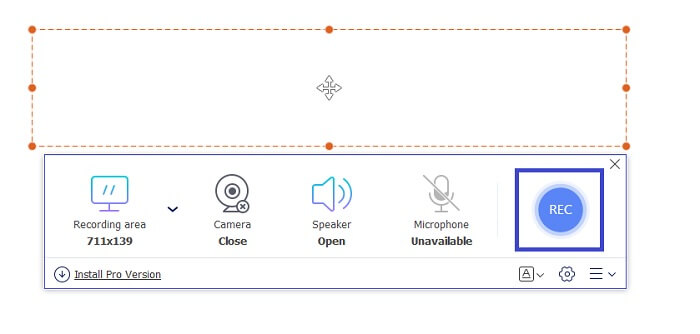
步骤 3. 启动工具后,你会看到悬浮工具栏出现。通过拖动边框来调整录制区域的宽高比,然后点击REC 按钮开始录制。
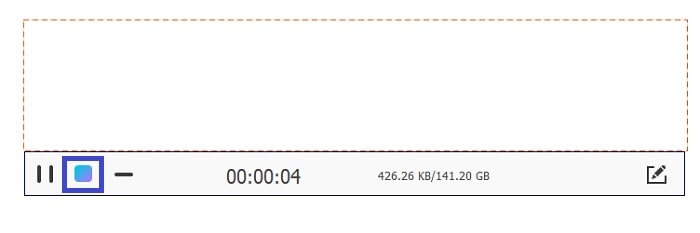
步骤 4. 要停止录制,请点击下图所示的方形停止按钮。
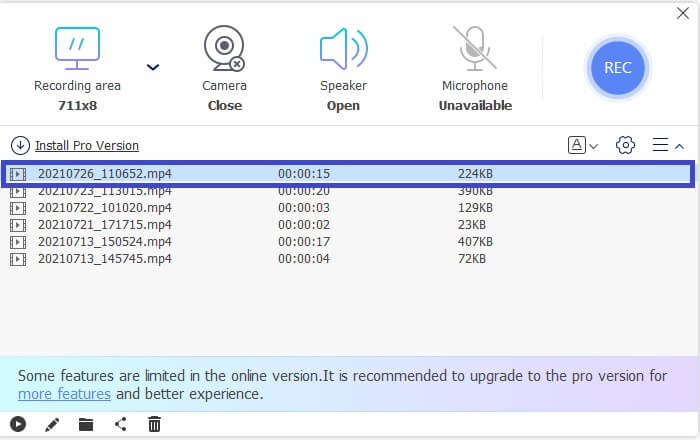
步骤 5. 要查看你录制的文件,请查看悬浮工具栏下方的文件列表。
优点
- 100% 免受恶意软件攻击。
- 它可以灵活地调整宽高比、比特率和帧率。
- 支持画中画。
缺点
- 它不支持硬件加速。
2. 小拿
特色功能: 支持协作或远程办公使用。
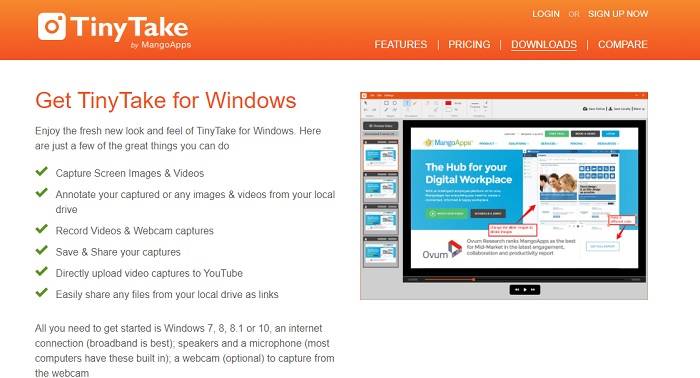
TinyTake 是 Mango Apps 开发的一款视频录制和免费屏幕捕捉工具。 Tiny Take 为简单的屏幕捕获或录制专业或个人会议提供了出色的解决方案。使此工具流行的是协作功能,您可以在其中远程工作、进行文件批量共享、使用注释功能和长期存储以及图库(在线)。
优点
- 它可以从您的本地驱动器捕获图像和视频。
- 直接在 YouTube 上分享。
- 录制时注释。
缺点
- 没有锁定窗口功能。
3. Screencast-O-Matic
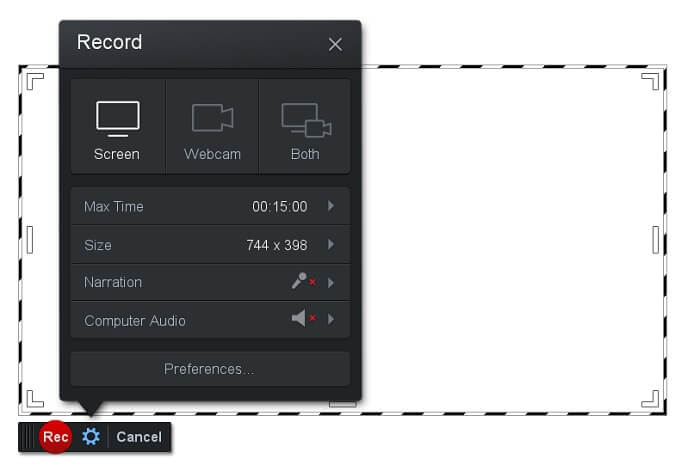
特色功能: 工具界面简单易用、操作直观,非常容易上手。
Screencast-O-Matic 是许多人最常用的软件之一。它可以在注册后免费录制电脑屏幕。建议先创建一个账号以使用这款免费工具。除此之外,开发者还加入了视频编辑功能,你可以在导出前直接对视频进行编辑。你还可以借助工具内置的素材库获取灵感,不断提升你的视频质量。同时,它也支持截图,并将所有内容分享到你的社交媒体账号。
优点
- 它具有云托管功能。
- 上传视频进行编辑。
- 主机内容。
缺点
- 需要注册。
4. 截屏
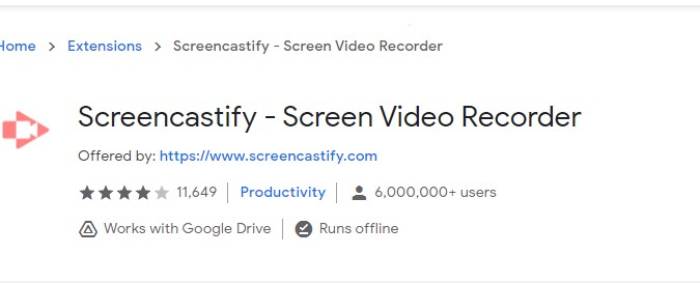
特色功能: 提供网页浏览器扩展。
让我们为列表增加一点多样性。 Screencastify 是一种依赖于网络的工具,专门用于 Chrome 浏览器的扩展。这主要由教育工作者和学生使用。主要是因为该工具的简单性和注释功能使教育者和学生能够专注于课堂。大多数通过 Udemy 和此类学习网站学习的人都使用此屏幕录像机。如果你也在做同样的事情,你可以考虑使用它。同时,这里是有关该工具的更多详细信息。
优点
- 兼容所有媒体平台。
- 主机内容。
- 上传视频进行编辑。
缺点
- 尽管因为它依赖于浏览器所以很容易访问,但它也可能是不利的。
- 它需要很多权限才能使用它。
第 3 部分。 关于 WebM 记录器的常见问题解答
为什么我的 WebM 文件打不开?
我理解你的困惑,你可能会想,明明在使用现代浏览器,却仍然无法播放。你是否检查过自己使用的是不是该浏览器的最新版本?如果不是,请先更新浏览器。这是视频无法播放的最常见原因之一。但请注意,下面这些是部分支持 WebM 文件的浏览器版本:Chrome 6、Firefox 4 以及 Internet Explorer 9 及以上版本。或者,你也可以尝试使用 WebM 播放器 来帮助你打开该文件。
为什么我无法在 Mac 上播放 WebM 视频?
我强烈建议为 Mac OS X 插件下载 VLC 播放器或 VLC。它必须具有 64 位 Intel 处理器。
第 4 部分。 比较图表
| 特征 | FVC 屏幕录像机(高级版) | FVC 屏幕录像机免费 | TinyTake | ScreenCast-O-matic | ScreenCastify |
| 音频和视频录制 |  | | | | |
| 视频编辑功能 | | |  | | |
| 锁定窗口功能 | | | | | |
| 注释特征 | | | | | |
| 支持 WebM | | | | | |
| 恶意软件安全 | | | | | |
| 可调比特率和纵横比 | | | | | |
结论
本文中回顾的所有 WebM 记录工具都是可靠且高效的。您只需要查看哪种工具适合您的 PC 和操作系统的要求。大多数人会通过使用基于网络的应用程序安全地前进。但这仍然是您的决定。
-
 公正的Cinch评论录音机和最佳选择
 Cinch Audio Recorder是从流媒体网站下载音乐的最佳方法。只需从本文中了解有关公正评论和最佳替代方法的更多信息即可。
-
 适用于Windows和Mac的5大最佳鼠标和键盘记录器
 这是可以保存鼠标移动和键盘单击并重复事件的前五名最佳鼠标和键盘记录器程序。
-
 最受欢迎的4种AVI屏幕录像机,可将屏幕视频捕获为AVI文件
 为了以高质量的AVI文件记录屏幕,本文确定并分享了本文中排名前4位的免费AVI屏幕记录器。了解更多详细信息以找到所需的内容。
