


 视频转换大师
 屏幕录影大师
 视频修复
视频修复
 安全下载
安全下载选择适用于所有平台的最可靠的 XviD 屏幕录像机
XviD 是一款强大的免费视频编码压缩器。它因压缩速度快、画质高而受到用户的欢迎和支持。它非常适合用于 DVD 播放器的视频压缩,因为在这方面的表现十分出色。此外,一些进行屏幕录制的用户,也会将视频压缩为 XviD 文件,以便压缩不同类型的视频,或者节省存储空间。如果你正在寻找一款支持 XviD 文件的优秀屏幕录制工具,请仔细阅读下文,了解这些XviD 录制工具的独特功能,以便选择最符合你需求的产品。下面我们详细展开说明。

第 1 部分。 适用于 Windows 和 Mac 的前 3 个 XviD 录制器录制屏幕 Xvid 视频
随着我们继续确定这些工具是什么以及最适合用户需求的工具是什么。它还列出了有关它及其独特功能的详细信息。以下是一些您可以选择的最佳 XviD 录制工具屏幕录像机,请继续阅读本文以获取以下更多信息:
FVC免费屏幕录像
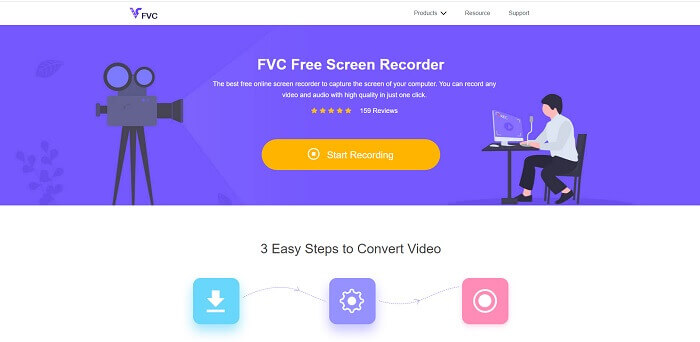
使用该工具可以录制游戏画面、直播、视频和语音通话,或任何屏幕上的音视频操作。这款 FVC Free Screen Recorder 是一款在线工具,任何人都可以免费使用。如果你不介意输出视频上带有水印,那么这会是你的最佳选择之一。此外,你还可以通过一些快捷键来控制屏幕录制。另一个特点是,尽管默认格式为 MP4,你仍然可以将录制内容保存为 XviD 文件。以下是这款 XviD 录制平台的一些显著特性。
同时,这里有一些关于如何使用录音机的步骤。
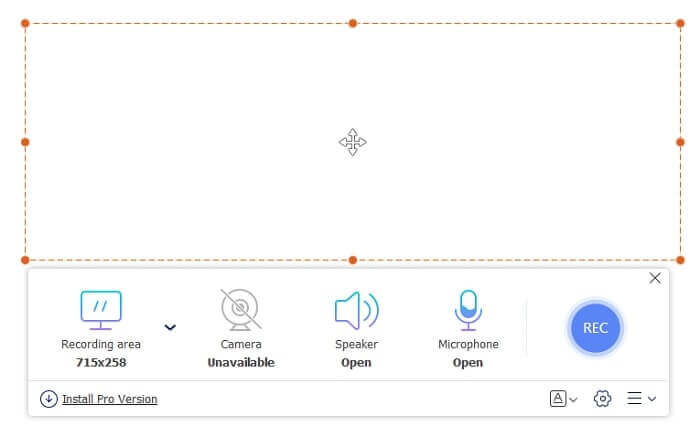
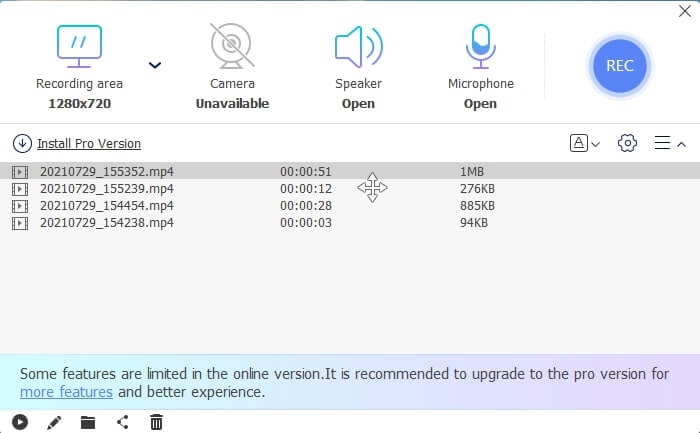
步骤 1: 打开官方网站:https://www.free-videoconverter.net/free-screen-recorder/。然后点击Start Recording(开始录制)按钮启动应用程序。接着会弹出一个浮动工具栏。
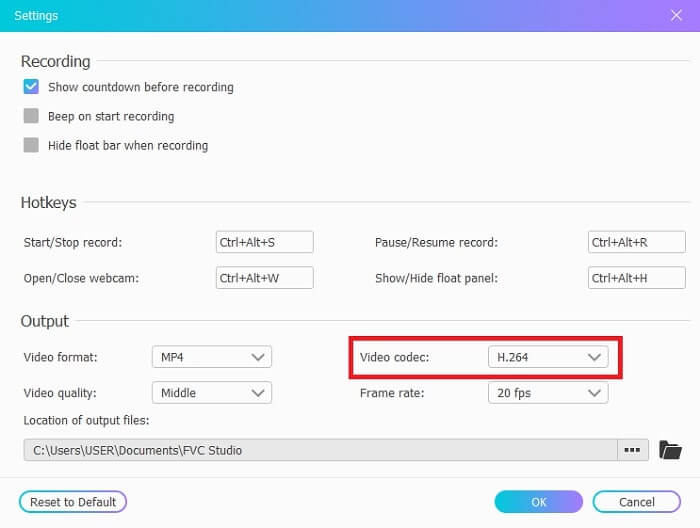
步骤 2: 点击浮动工具栏左下角的Cog(齿轮)图标。将视频编码格式更改为 XviD 或你偏好的其他编码格式。点击OK(确定)保存设置。
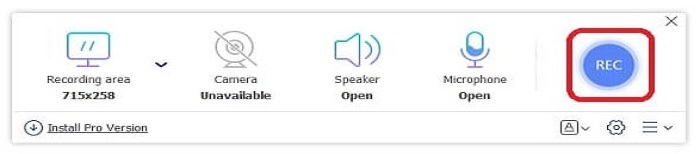
步骤 3: 完成设置后,可在浮动工具栏中使用其他可选项,比如Speakers(扬声器)用于录制系统声音。你还可以开启Webcam(摄像头)加入你的画面,以及使用Microphone(麦克风)录制你的声音。点击浮动工具栏右侧的REC(录制)按钮开始录制。录制开始前会有 3 秒的倒计时延迟。
步骤 4: 如果想结束录制,点击Square(方形)按钮停止视频。

步骤 5: 保存好的输出文件会按从新到旧的顺序排列。点击对应的录制视频,即可欣赏你录制的 XviD 文件。
优点
- 它是一个免费的在线工具,任何人都可以访问它。适用于所有不同平台。
- 在记录历史列表中轻松检查所有成品。
- 录制任何在线视频、视频通话、在不同平台上录制游戏,而没有质量损失和清晰的音频。
- 可用的录音质量最低、低、中、高。
缺点
- 需要互联网连接才能进行屏幕录制。
- 不提供锁定屏幕录制。
FVC 屏幕录像机
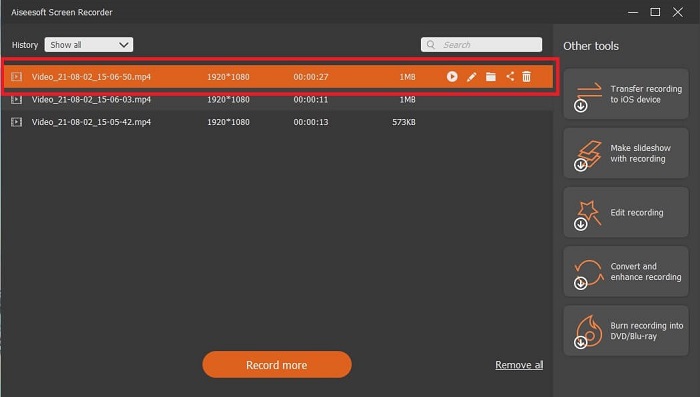
该工具还有一个高级版本。 FVC Screen Recorder 是一款桌面软件,可将您带到另一个级别的屏幕录制。大多数功能都是免费的。如果互联网不可用,您应该怎么做?我想获得最简单但专业的录音方式。它提供了录制时的屏幕截图、最佳音视频质量、更多细节的每秒帧数、不同的输出格式选择等功能。所以现在,你想知道这是怎么回事吗? ?然后让我们探索这款出色的 XviD 录音机。
确实,请按照步骤操作并仔细阅读。
步骤 1: 先选择你所使用的软件类型,是 Windows 还是 Mac。然后点击“Free Download”(免费下载),接着安装并根据你的喜好进行设置,最后点击“Finish”(完成)启动程序。
步骤 2: 在浮动工具栏中点击Video Recorder(视频录制)。
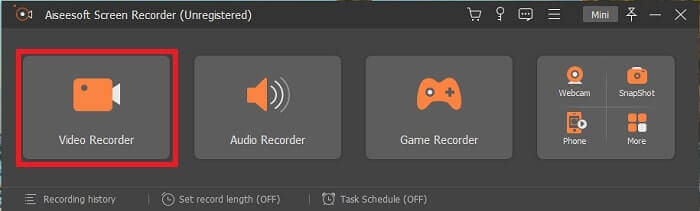
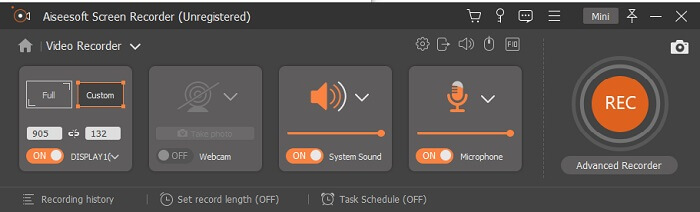
步骤 3: 在Display(显示)选项中,点击Full Screen(全屏)以录制屏幕上的全部操作。你还可以选择Speaker(扬声器)来录制系统声音。若要加入你的面部画面,开启Webcam(摄像头)。最后点击Mic(麦克风)以录制你的声音。
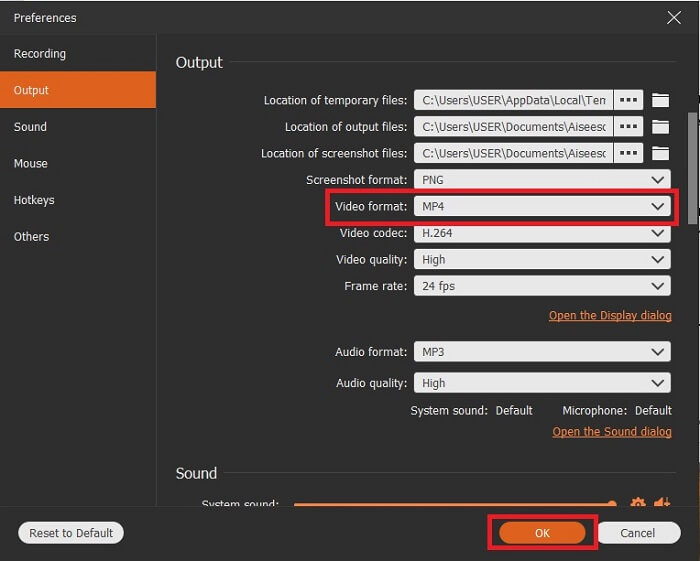
步骤 4: 前往Mic(麦克风)上方的Record-setting(录制设置)。会弹出Preferences(偏好设置)窗口,然后在界面左侧点击Output(输出)。选择你想要保存的 视频格式(如 XviD),然后点击OK(确定)保存设置。接着点击REC(录制)按钮开始录制。你还可以截图、设置定时录制以及进行标注。
步骤 5: 录制完成后,点击Square(方形)按钮停止录制,并点击Save(保存)按钮。所有录制完成的输出文件会按最新在上、最旧在下的顺序排列。现在,你就可以欣赏自己录制的 XviD 文件了。
优点
- 录制时,此工具具有锁定屏幕功能,适合不想被打扰的用户。此外,硬件加速以获得最佳性能。
- 想要体验高品质输出的初学者的最佳选择。而且,对于想要体验全面屏幕录像机的专业人士。用于在线和离线屏幕录制。
- 如果您改变主意,30 天退款保证。
- 录制输出结束时没有水印。
缺点
- 付费使用工具。
- 使用前需要下载。
班迪康
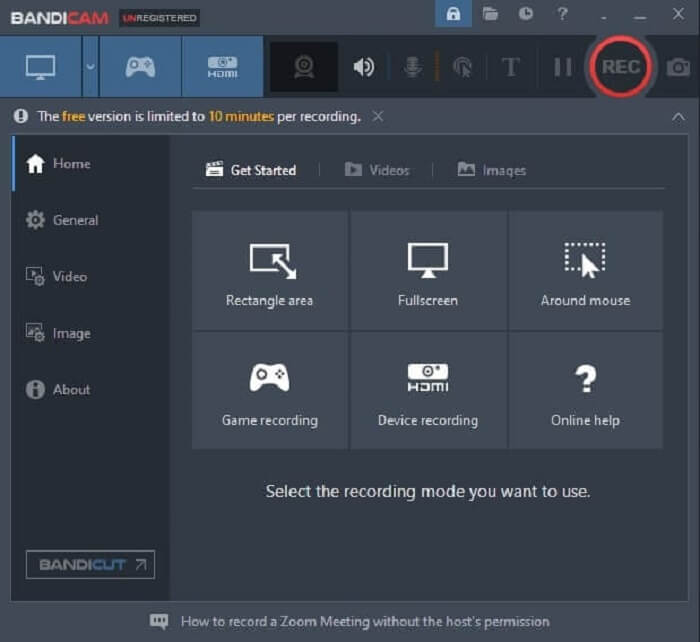
用于 XviD 录制的著名屏幕录制器是 Bandicam。它不支持 Windows 以外的平台。另一个令人印象深刻的功能是 480 fps DirectX/OpenGL/UWP/Vulkan hooking 和 4k 超高清视频的硬件加速技术。但是,与其他屏幕录像机不同,如果您选择这种类型的格式,则预计它会占用更大的存储空间。但它只能以溢价获得。
优点
- 高达 480 帧/秒。
- DirectX/OpenGL/UWP/Vulkan 挂钩。
- 具有 4k 超高清视频的硬件加速技术。为溢价。
- 记录屏幕上发生的一切。
缺点
- 不适用于 Microsoft 以外的其他平台。
- 免费版只能录屏10分钟,需要下载。
视频剪辑

另一个基于标准的免费源工具是 XVidCap。它是 2010 年末最好的 XviD 屏幕录像机之一。它于 2006 年 10 月 30 日发布。此外,该工具的最佳功能是它具有音频记录,如果您单击目标按钮,它会激活全屏。但是,它在 XviD 记录列表中。选择此工具并不是进行截屏的最佳选择,因为有很多更好的屏幕录像机。但值得一提的是,因为这个工具并没有发布。所有屏幕录制工具都无法发挥其全部潜力。
优点
- 通过单击目标按钮录制全屏。
- 录音带。
- 适用于 X Window 系统和 Unix。
缺点
- 不是屏幕录像机的最佳选择。
- 不支持其他格式。
- 上次更新是在 2013 年。
第 2 部分。 比较图表
| 特征 | FVC免费屏幕录像 | FVC 屏幕录像机 | 班迪康 | Bandicam Xvidcap |
| 桌面录音机音频和视频 |  | | | |
| 视频编辑 |  | | | |
| 锁屏功能 | | | | |
| 恶意软件安全 | | | | |
| 任务时间表 | | | | |
| 硬件加速 | | | | |
| 录音质量 | 最低,低,中,高 | 最低,最低,中间,最高,最高,无损 | 40、60、80、90、100、480 帧/秒 | |
| 输出格式 | WMV 和 MP4 | WMV,MP4,MOV,F4V,TS,AVI,WMA,MP3,M4A,AAC,PNG,JPG / JPEG,BMP,GIF,TIFF | MP4、AVI | |
| 系统要求 | 适用于所有最新平台 | 适用于所有最新平台 | 仅限 Windows 操作系统 | X 窗口系统和 Unix |
| 价格范围 | 自由 | 1个月:$25.00 一年:$31.20 终身许可证:$55.20 | 可免费使用,但也提供高级付费版本。 1 台电脑:$39.95 2 台电脑:$59.96 Bandicam 搭配 Bandicut:$60.95 | 免费 |
第 3 部分。 关于 XviD Recorder 的常见问题解答
什么是最好的选择? XviD 还是 Divx?
XviD 是由世界各地的志愿者开发人员建立的。它也是一个在线使用的开放访问平台。另一方面,Divx 是自有编解码器,仅在某些平台上可用。
为什么我需要 XviD?它的目的是什么?
它允许视频输出进行压缩。另一个目的是以有效的方式和更少的存储在其他计算机网络上更快地传输。
VLC 是否支持 XviD 文件?怎么做?
是的,VLC Media Player 支持在电脑上播放 XviD 文件。要观看 XviD 文件,你需要先下载并安装 VLC Media Player,然后通过'媒体'找到并打开该文件,或者直接拖放 XviD 文件到播放器中播放。你也可以继续阅读 Xvid 播放器 一文,获取更多关于 XviD 回放的解决方案。
结论
总结所有细节,XviD 屏幕录像机可在线或离线使用。列出的每个屏幕录像机都有其独特的功能。虽然,有些工具是免费或付费的。此外,它们都可以保存到 XviD 文件中。因此,用户可以在不影响音视频质量的情况下欣赏他们的视频。
如果您想制作高质量的视频,FVC Screen Recorder 是一款顶级的录音机。此外,它适用于所有不同类型的平台。因此,无需担心转移到 windows、mac 和任何其他可用平台。如果您想进行更改,为什么要留在一个受支持的平台上。不要满足于 A-好的,选择最适合您的屏幕录像机 XviD。
-
 Snagit 2025 评论 – 优点、缺点和最佳替代方案
 什么是Snagit的最佳替代品?有像Snagit这样的屏幕捕获工具吗?这篇文章将回顾Snagit,并分享Snagit捕获屏幕的最佳替代方法。
-
 适用于 Windows PC 和 Mac 的前 5 名 MOV 录像机
 如果您需要以与 iOS 设备兼容的较小文件大小录制 MOV 视频,请继续阅读本文。
-
 QuickTime屏幕录制–在Mac和PC上录制带有音频的视频
 在Mac上带有音频的录制屏幕会派上用场。内置播放器QuickTime Player可以做到。阅读他的文章,并了解如何在Mac和PC上用声音捕获屏幕。
