


 视频转换大师
 屏幕录影大师
 视频修复
视频修复将 F4V 文件转换为 AVI 媒体文件格式的 4 种最简单方法
Macromedia 推出了 F4V,后来 Adobe 开发了它以与现代的高质量视频存储竞争。此外,它是作为 FLV 的替代格式创建的,因为 FLV 有一个限制。进一步的解释是 F4V 文件使用带有 H.264 编解码器的 ISO 基本媒体文件格式来降低文件的大小。尽管该格式确实包含高质量的输出,但 F4V 的兼容性不如其他格式。不仅如此,这种格式也已被淘汰,因为 Adobe Flash Player 已经退役。
所以,如果你和其他人一样遇到 .f4v 无法在播放器中播放的问题,请继续往下看。我们整理了多种工具,帮助你通过将格式转换为 AVI 来播放原本无法播放的 .f4v 文件。现在,让我们开始了解如何使用在线和离线工具将 F4V 转换为 AVI 格式。

第 1 部分。了解如何使用非凡的 F4V 到 AVI 转换器将 F4V 转换为 AVI
如果你正在寻找一款能够真正解决你问题的最佳转换器,那么 FVC Video Converter Ultimate(FVC 视频转换器终极版)绝对值得一试。我们亲自测试了这款工具,也阅读了不少用户评价,“Ultimate(终极版)”不仅是它的名字,它的性能和功能同样“终极”。此外,这款软件最令人印象深刻的功能之一,就是超快的转换速度和硬件加速支持,让用户在转换时无需长时间等待。
另外,如果你想制作 GIF、加速或减速视频、倒放、增强音频等,这款工具也提供了高级功能。不过,在使用这些功能之前,你需要先付费购买授权,但不用担心,价格不会超过一百美元。所以,如果你还在犹豫是否要购买,不妨先参考下方步骤,按照教程 将 F4V 文件转换为 AVI。
步骤 1. 在使用这款强大的工具之前,你需要先将其下载到电脑桌面上。然后安装并完成快速设置,点击 Start Now(立即开始) 启动程序。
步骤 2. 打开工具后,点击 Add Files(添加文件) 或“+”按钮,随后会弹出文件夹窗口,找到 .f4v 文件并点击 Open(打开)。
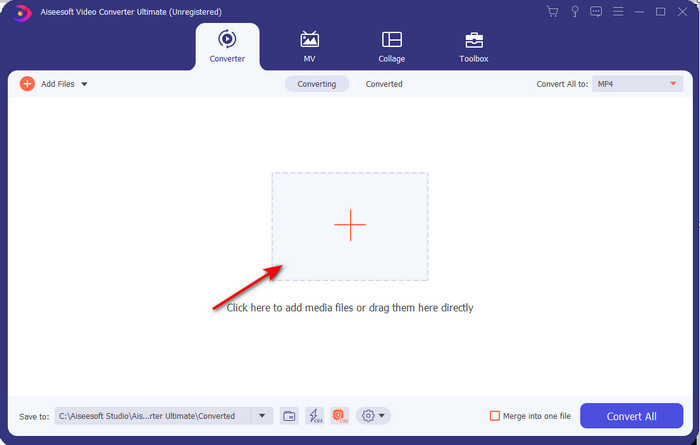
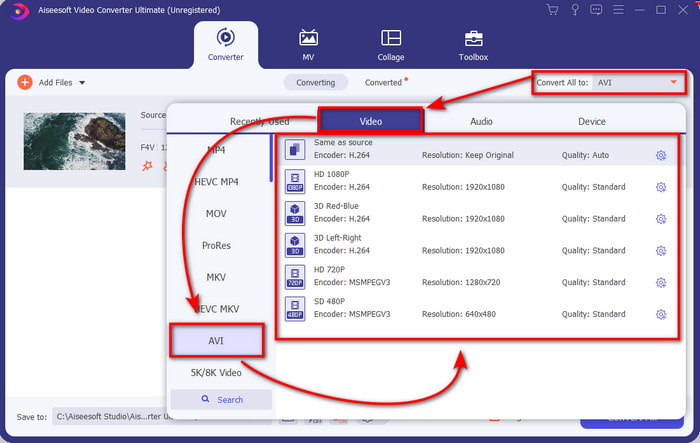
步骤 3. 导入文件后,点击界面右上角的 Convert All to(全部转换为),然后选择 AVI 格式。
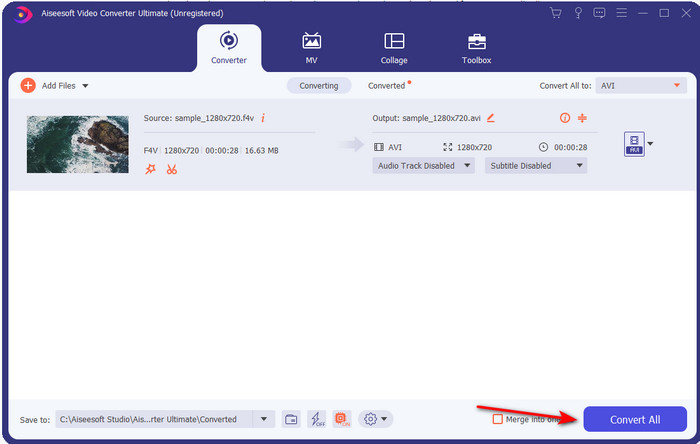
步骤 4. 现在,点击 Convert All(全部转换) 即可开始转换过程。等待数分钟,你的文件就会从 F4V 转换为 AVI。
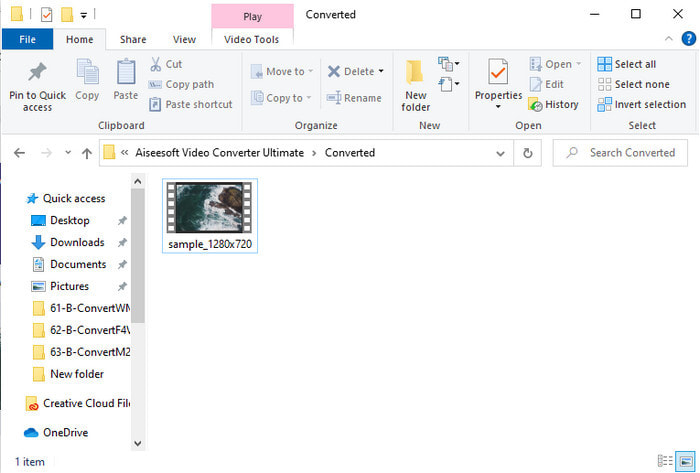
步骤 5. 转换完成后,一个文件夹会自动在桌面上打开,里面就是你刚刚转换好的 .f4v 文件对应的输出文件。点击该视频即可在电脑上播放此前无法播放的视频,如有需要,也可以将它传输到手机上观看。
第 2 部分。了解如何使用 3 个可用的 Web 转换器在线将 F4V 转换为 AVI
1. FVC 免费在线视频转换器
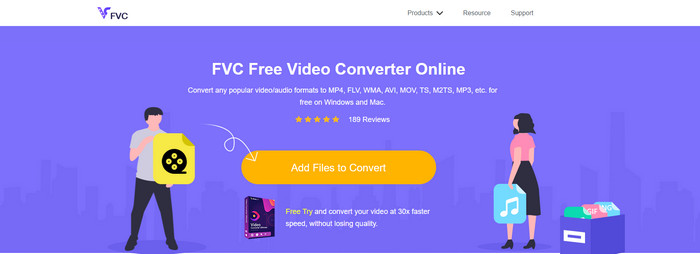
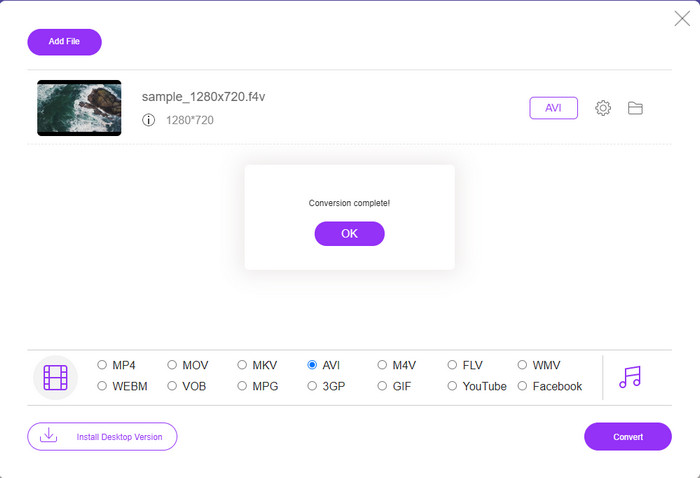
如果你想知道哪款在线视频转换器更好用,那么 FVC Free Video Converter Online(FVC 免费在线视频转换器) 可能就是最佳选择。你想用的大部分功能这里都具备,比如在转换前可以调整视频码率和帧率(fps),以获得更高画质。已有数百万网民称赞这款网页工具的整体表现。此外,该工具支持中等范围的多种格式上传与转换。不过,它不像终极版桌面工具那样具备让视频更炫酷的深度编辑功能。尽管如此,如果你只是想尝试将 F4V 转换为 AVI 格式,可以按照下方步骤操作。
步骤 1. 点击此链接访问 FVC Free Video Converter Online。
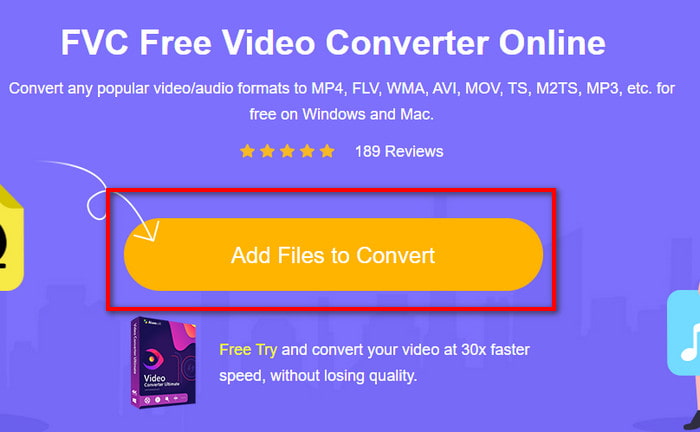
步骤 2. 然后点击 Add Files to Convert(添加待转换文件) 启动工具,在弹出的文件夹中选择你想转换为新格式的文件,并点击 Open(打开)。
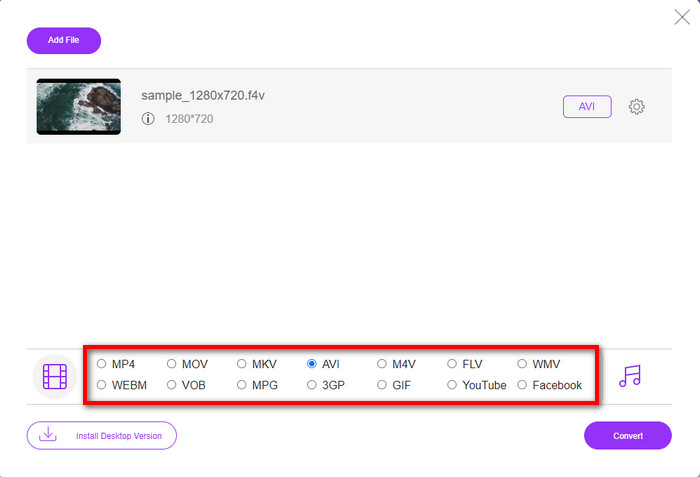
步骤 3. 文件导入完成后,在下方格式列表中选择 AVI 作为输出格式。
步骤 4. 选好 AVI 格式后,点击 Convert(转换) 按钮开始转换。
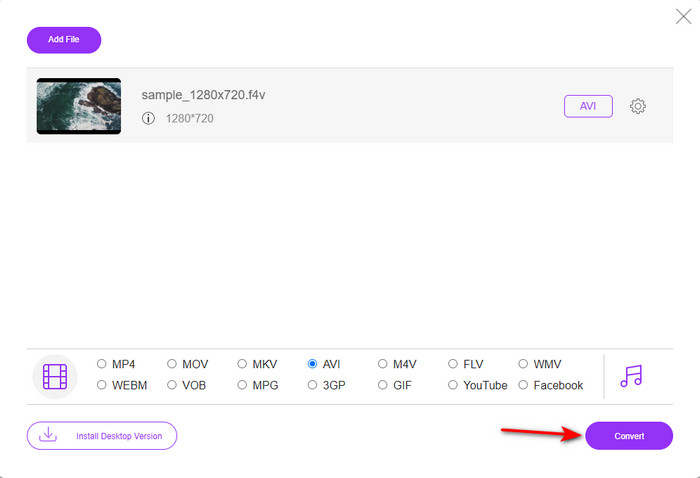
步骤 5. 等待数分钟下载完成,随后会弹出一个文件夹,里面就是转换好的文件。
2.扎姆扎尔
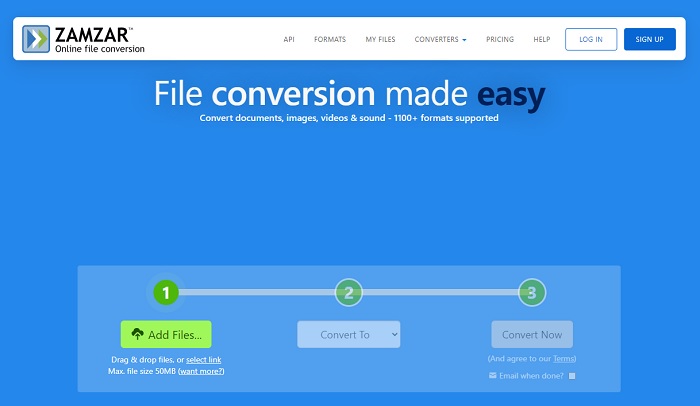
你还可以选择另一个在线视频转换工具:Zamzar。和其他在线转换工具一样,它需要在有网络连接的情况下才能使用。本文中介绍的所有网页转换工具都需要互联网才能完成转换。由于用户众多,Zamzar 因其支持多种格式而非常受欢迎,而且使用完全免费。但它对可转换的文件大小有一定限制。如果你的 .f4v 文件超过 50MB,就无法在这里转换,具体限制说明见下文。如果你的文件小于该大小限制,可以按照下面的步骤尝试用它来 在线将 F4V 转换为 AVI。
步骤 1. 打开浏览器并搜索 Zamzar。
步骤 2. 点击 Add Files(添加文件) 并找到你想转换的文件。然后在“Convert to(转换为)”中选择 AVI 格式,接着点击 Convert(转换)。
步骤 3. 等待转换完成,会出现一个新界面,点击 Download(下载) 保存文件。
3. 转换文件
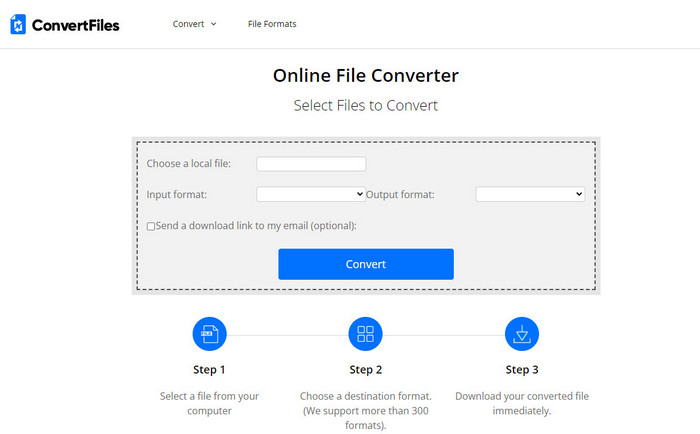
如果你想要更加简单、用时更少的转换过程,可以尝试使用 ConvertFiles。该工具在转换过程和转换结果方面表现都不错。但界面中的广告非常多,严重影响使用体验。此外,与其他在线和离线转换器相比,它的总体处理时间也偏长。好处是,这里允许上传的文件大小比 Zamzar 更大。因此,如果你想用这个工具将 F4V 文件转换为 AVI,可以参考以下步骤。
步骤 1. 打开浏览器,搜索 ConvertFiles,然后进入该网站。
步骤 2. 点击 Choose a Local File(选择本地文件) 打开文件夹并找到你的文件。在 Output Format(输出格式) 中选择 AVI,然后点击 Convert(转换) 开始转换。
步骤 3. 转换结束后,点击蓝色高亮的链接地址(URL),它会在新的网页中打开。点击该链接即可下载转换后的文件。
第 3 部分。哪种格式更好; F4V 与 AVI
好吧,F4V 和 AVI 充其量只是一个容器。但是,这些格式有很多共同点,它们的用途也不尽相同。例如,如果您想以较小的文件大小存储高质量的视频并保存和保护 DRM MPEG-4 视频数据,F4V 是最佳选择。但是假设您要存储支持同步媒体播放的高质量视频。在这种情况下,您必须选择 AVI 格式,因为它具有不同的音频和视频容器。尽管如此,AVI 文件太大,许多设备甚至台式机都无法处理,因为它是未压缩的。
第 4 部分。 有关 F4V 到 AVI 转换的常见问题解答
转换后转换F4V会降低分辨率吗?
即使将视频转换为新格式后,视频的分辨率也必须保持其原始质量。在某些情况下,很多用户会体验到他们的 F4V 质量变低了。原因之一一定是你设置的画质率低,或者你使用的工具不支持1080或4k视频。
为什么不能在我的媒体播放器上播放 F4V?
这种格式可以在部分媒体播放器中播放,但并不是所有播放器都支持。因此,如果你想正常观看这种格式的视频,最好的办法是将其转换为其他常见格式,或者寻找一款第三方的媒体播放器来播放你的 F4V 视频。
我是否需要压缩 F4V 以减小它的大小?
F4V 文件的体积通常比 AVI 要小。不过,如果你尝试进一步压缩这种文件容器,视频质量可能会有所下降。你可以在这里了解如何压缩 F4V 视频。
结论
在我们结束本文时,我们现在对 F4V 是什么以及为什么需要转换它有了深入的了解。本文中提到的所有在线和离线软件都运行良好。尽管所有工具都很棒,但 FVC Video Converter Ultimate 仍然在其他工具中脱颖而出。因为这个软件甚至做得很好,你没有互联网连接,这个工具可以在眨眼间完成转换过程。所以现在,如果您想体验我们正在谈论的非凡转换,请立即下载。
-
 如何在Win / Mac上免费在线将TS转换为AVI / MKV / MOV / WMV
 想要将TS文件快速转换为AVI / MKV / MOV / WMV?本文介绍了在线和离线视频转换器以及完整的指南。也许您可以在这里获得最好的免费TS转换器。
-
 [免费在线] 在 Mac/Windows 计算机上将 MTS 转换为 AVI 的 7 种方法
 如何轻松将MTS转换为AVI?在本指南中,您将找到7种免费且简便的方法,可以在Windows或Mac上将MTS文件转换为AVI而不会造成质量损失。
-
 使用7个免费视频转换器将MP4转换为AVI文件的教程
 想要获得将 AVI 转换为 MP4 视频的所有免费方法吗?你不应该错过这篇文章。这里有 7 种在 Windows、Mac、iPhone、Android 和在线上免费将 AVI 文件转换为 MP4 的方法。
