


 视频转换大师
 屏幕录影大师
 视频修复
视频修复使用 5 个可访问的 MPEG 到 AVI 视频转换器将 MPEG 转换为 AVI
MPEG 是一种你可能已经接触过的最佳格式之一,因为它用于存储视频和音频文件。而且,它不仅仅是一个容器格式,还使用了 MPEG‑1 和 MPEG‑2 压缩。不过,MPEG‑1 和 MPEG‑2 都是较为老旧的格式,以前常用于蓝光光盘上。因此,接下来我们将说明如何通过将其格式转换为 AVI 来加以改进。下面的列表中,我们将介绍可用于将 MPEG 转换为 AVI的不同工具,并更深入地说明 MPEG 和 AVI 的相关细节。
第 1 部分。 关于 MPEG 和 AVI 文件格式的简要说明
MPEG 和 AVI 是可用于存储媒体文件的一流格式之一。虽然它们很棒,但仍有一些原因需要使用 MPEG 到 AVI 视频转换器。但是现在,我们将解释有关这两种格式的很多细节,并对 MPEG 和 AVI 有所了解。
如前所述,MPEG 不仅是一个容器,它还有一个内置的压缩器。基本上,它是一种双重用途的文件格式。此外,由于它提供的质量和压缩率,这种格式是蓝光上最常用的格式。此外,MPEG 格式分为 6 种,但我们将讨论常用的两种,即 MPEG-1 和 MPEG-2。此外,MPEG-1 是第一代 MPEG。此格式存储基于标准的分辨率,但与其他格式的分辨率相比,MPEG-1 的分辨率要低得多。虽然 MPEG-2 的质量比 MPEG-1 好得多,但它在蓝光和 DVD 上效果最好。此外,这种格式最常被电视台用来传输和播放视频。
但 AVI 与 MPEG 有很大不同,因为它是不压缩的格式。此外,由于它不压缩其中包含的文件,因此能提供较高的画质。尽管这种格式的文件体积非常大,但与 MPEG 文件相比,它在各个平台上都获得了更广泛的支持。
第 2 部分。用于将 MPEG 脱机转换为 AVI 格式的最佳转换器的 2
1. FVC Video Converter Ultimate
如果你在寻找一款多功能的 MPEG 转 AVI 转换与下载工具,那么 FVC Video Converter Ultimate 一定是你的首选。这款工具之所以在本文中占据靠前的位置,是因为它提供了强大的功能和简洁易用的操作界面。虽然使用起来非常简单,但你仍然可以获得一直想要的卓越输出效果。而且,与其他转换器不同,这款软件将转换标准提升到了一个更高的层级。所以,如果你希望在转换前、中、后三个阶段都取得 100% 的成功,那么这款工具是必用之选。现在,让我们进入关于如何使用 FVC Video Converter Ultimate 的分步教程。
步骤 1. 要在桌面端下载此工具,请点击下方提供的按钮。下载完成后进行安装,快速完成设置,然后点击立即开始。
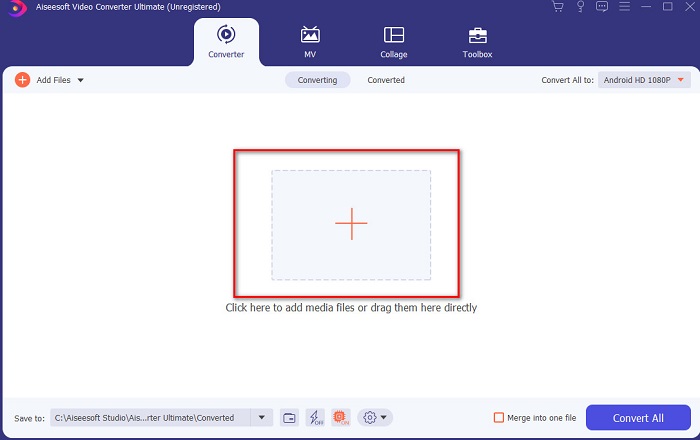
步骤 2. 工具的界面应如下图所示,然后点击中间的 + 号。接着屏幕上会弹出一个文件夹窗口,选择你想要转换的 MPEG 视频文件,并点击打开。
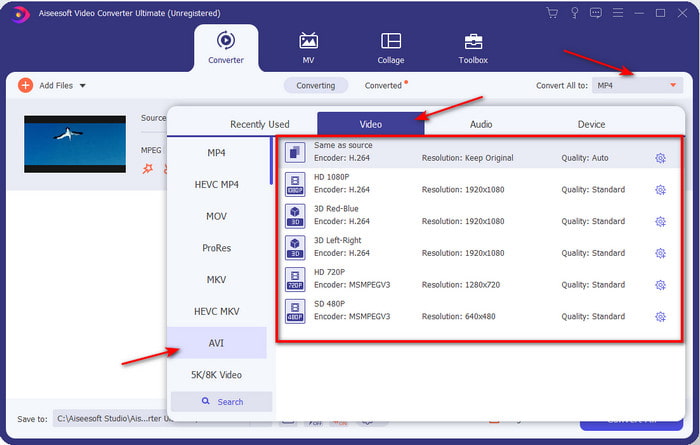
步骤 3. 当文件已经添加到界面上后,点击全部转换为:,然后找到 AVI 格式。
步骤 4. 现在,要开始将 MPEG‑4 影片转换为 AVI 格式,请按下全部转换。
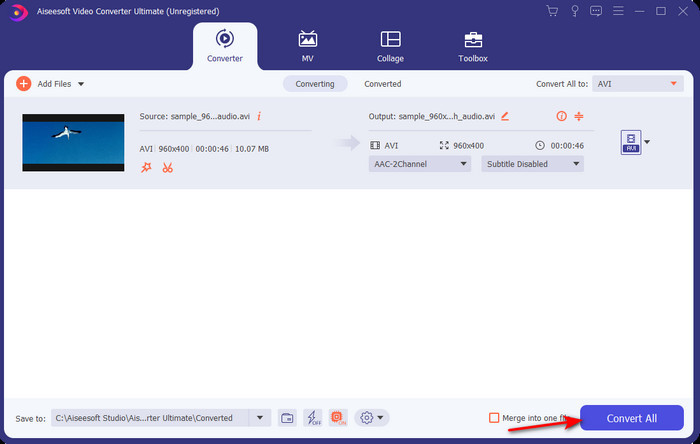
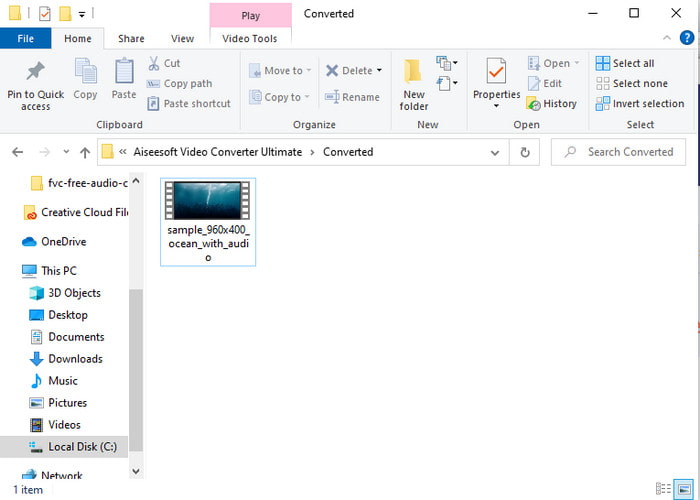
步骤 5. 文件的下载只需几分钟时间,完成后会弹出一个包含已转换格式文件的文件夹。此时点击该文件,即可观看你刚刚转换好的 MPEG 新格式视频。
2.FFmpeg
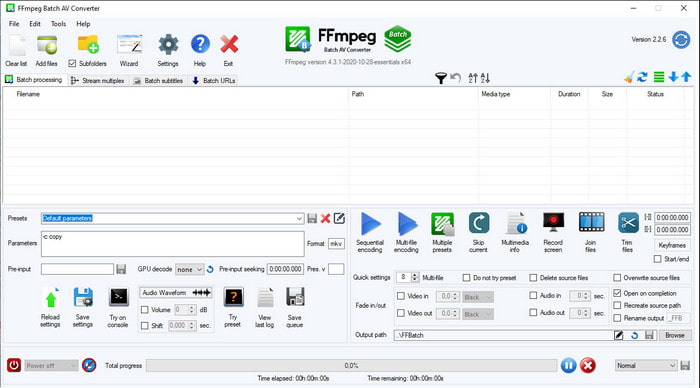
本列表中的另一款软件是 FFmpeg。如果你在寻找开源软件,这是你在网上能找到的选项之一。不过,这款工具的界面对于新手甚至有经验的用户来说都比较难以理解。它的转换过程整体表现出色,生成的输出质量也与其他转换器一样很高。所以,如果你想用 FFmpeg 将 MPEG 转换为 AVI,请按照下面的步骤操作,我们已经尽量将其说明得通俗易懂。
步骤 1. 在桌面端下载 FFmpeg,并创建一个新文件夹,然后将下载的压缩包解压到该文件夹中。
步骤 2. 在Windows 中搜索CDM(命令提示符)并将其打开。
步骤 3. 在命令提示符中找到相应文件所在位置,然后输入以下代码:ffmpeg -i input.mpeg -vn -ar 44100 -ac 2 -b:a 192k output.avi,接着按下键盘上的Enter 键以开始转换过程。
第 3 部分。用于将 MPEG 在线转换为 AVI 格式的最佳转换器的 3
3. FVC 免费视频转换器
如果你在寻找一款免费的在线 MPEG 转 AVI 转换器,那么 FVC Free Video Converter 将非常符合你的需求,因为该网页工具的界面十分简洁易用。此外,这款在线工具的一大优点是你可以在任意常用浏览器中轻松访问。而且,使用此工具转换并没有次数限制,也就是说你可以在任何时间转换任意格式。不过,与FVC Video Converter Ultimate 不同的是,它不支持批量转换。如果你想尝试使用这款在线工具,请按照下方步骤进行操作。
步骤 1. 要进入 FVC 转换器的主网页,首先需要点击此链接。
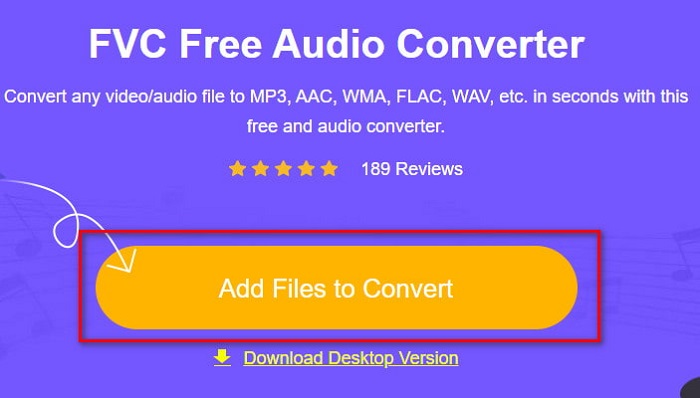
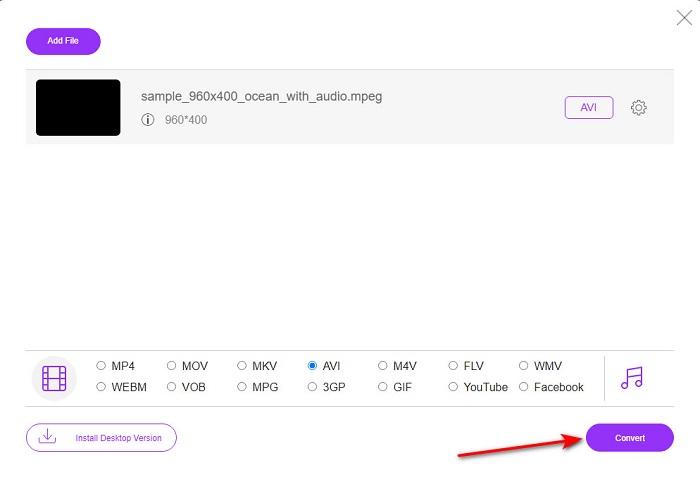
步骤 2. 点击添加文件进行转换,随后网页工具会启动,并弹出一个文件夹窗口。找到文件后点击打开。
步骤 3. 当网页工具完全加载完成后,在该区域中选择你需要的输出格式。
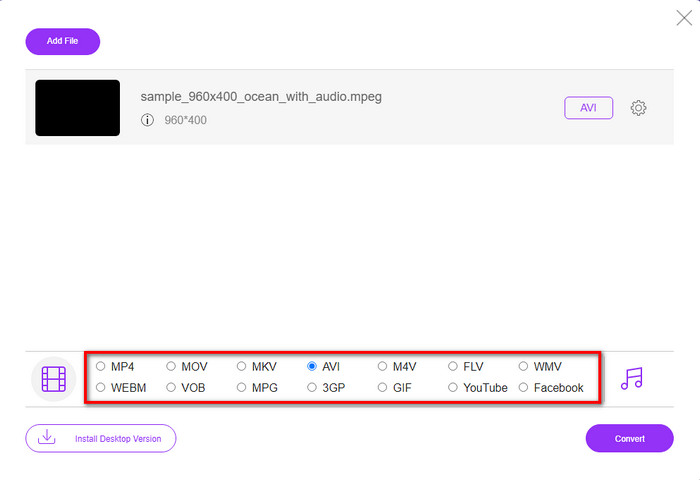
步骤 4. 选定格式后,就可以点击转换按钮开始转换。
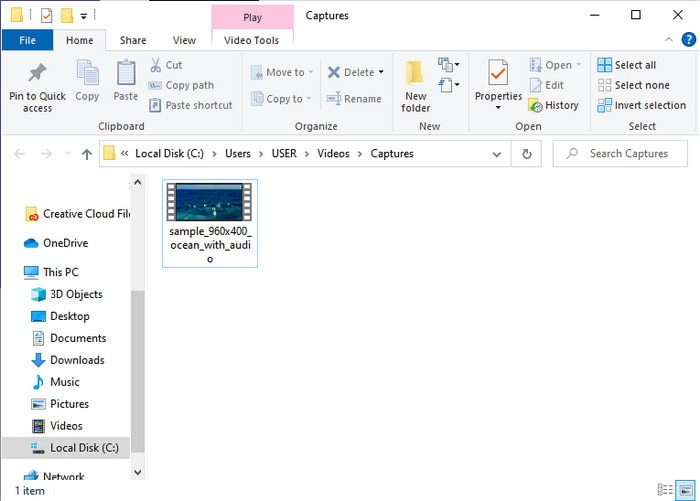
步骤 5. 稍等片刻以便转换过程开始并完成。完成后会弹出一个文件夹,其中包含你刚刚转换好的文件。
4. Freeconvert.com
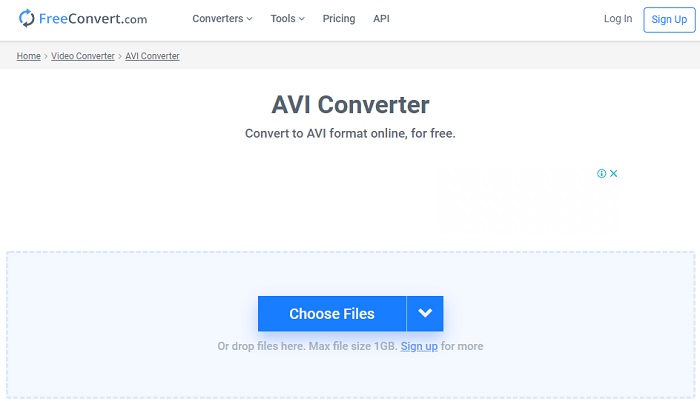
与上面提到的在线工具一样,Freeconvert.com 也是你可以使用的另一款在线工具。这款网页工具已经在网络用户中获得了相当高的人气。许多用户称赞它的原因在于其操作简单以及附带的其他功能。不过,如果你选择这款工具,有一个主要缺点:它所支持的格式比较有限。另一个不足之处是,它的转换过程比预期略慢。现在,如果你想了解如何使用这款在线转换器,请按以下步骤进行。
步骤 1. 在浏览器中搜索 freeconvert.com 网站,然后在视频转换器下点击AVI。
步骤 2. 点击选择文件,在随后弹出的文件夹中找到 MPEG 文件。选定文件后,点击转换为 AVI。
步骤 3. 等待上传过程完成,然后点击下载 AVI 来保存文件。
第 4 部分。 有关 MPEG 到 AVI 转换的常见问题解答
转换 MPEG 会丢失质量吗?
嗯,这取决于你将它变成什么格式。因此,如果您将 MPEG 转换为 GIF,那么预计会发生巨大变化,因为与其他格式相比,它支持的颜色组合更少。但是,如果您使用 GIF 以外的其他格式,则不会有任何损失。
MPEG 是有损还是无损?
MPEG 支持有损压缩,因此如果您使用这种格式,那么即使您有很长的视频和音频,文件也会更小。
MPEG 是一种好的格式吗?
之前它是您可以用来在 DVD 上存储数据的最佳格式之一。然而,在这个时代,MPEG并不是存储数据的最佳选择。但是,如果您想将其存储在 DVD、CD 或蓝光光盘上并更快地传输它们,那么这必须是一个选择。
结论
总而言之,这里介绍的所有在线和离线软件都非常适合用于转换格式。但是,有一种工具可以证明您可以使用 FVC Video Converter Ultimate 轻松实现惊人的转换。事实上,我们可以用3个词来解释它,而且使用方便、有效和安全。因此,如果您想成就卓越,请立即下载此工具并尝试一下。
-
 如何在Windows,Mac,在线上免费将MPEG转换为MP4文件
 阅读并获取3种免费方法,将MPEG转换为计算机上的MP4文件。您可以使用在线和桌面视频转换器轻松地将MPEG转换为MP4格式。
-
 [2021] 将 MPEG 转换为 MP3 的最佳工具和简单方法
 本文主要讨论如何使用列表中最可靠的工具将 MPEG 视频转换为 MP3。
-
 使用7个免费视频转换器将MP4转换为AVI文件的教程
 想要获得将 AVI 转换为 MP4 视频的所有免费方法吗?你不应该错过这篇文章。这里有 7 种在 Windows、Mac、iPhone、Android 和在线上免费将 AVI 文件转换为 MP4 的方法。
