


 视频转换大师
 屏幕录影大师
 视频修复
视频修复关于如何使用 5 个转换器将 SWF 文件转换为 AVI 的完整评论
由 ShockWave Flash 与 Adobe 联合推出的一种格式就是 SWF。该格式旨在在 Flash Player 上或通过浏览器中的 Flash 插件来容纳并播放视频动画。然而,以 SWF 格式观看动画视频非常困难,因为除了 Flash Player 之外,所有媒体播放器都不支持这种格式。因此,你需要寻找一个转换器,才能在桌面上观看 .swf 文件。下面我们将为你介绍几款可以在线和离线将 SWF 转换为 AVI 的转换器。
第 1 部分。 SWF 与 AVI:哪个更好?
早些时候,我们解释了我们在研究 SWF 文件时收集的一些数据。但是你知道这个文件使用的是矢量而不是像素吗?为了更好地理解它,让我们更深入地研究它。像素是显示在屏幕上的小盒子。基本上,所有这些小方块都有不同的颜色,并且所有这些都连接在一起以创建视觉效果。但是,矢量使用数学方程来计算将要在屏幕显示上呈现的形状。因此,如果我们尝试观看 SWF 视频,那么期望比任何格式都具有更好的视觉质量。
AVI 是著名的文件格式之一,与其他格式相比,它的文件大小很大。而AVI的文件大的主要原因仅仅是因为它是未压缩的。并且因为它是未压缩的,所以希望文件保持质量但尺寸要大得多。
您需要学习如何将 SWF 文件转换为 AVI 的唯一原因是观看文件扩展名为 .swf 的视频。此外,由于我们编译了您可以选择的不同工具,因此我们已经使您的搜索变得比以往任何时候都容易。此外,下面提到的所有工具都提供了很好的转换,可以帮助您解决这个问题。
第 2 部分。桌面和 Web 上可用的最佳 SWF 到 AVI 转换器的 5
1. FVC Video Converter Ultimate
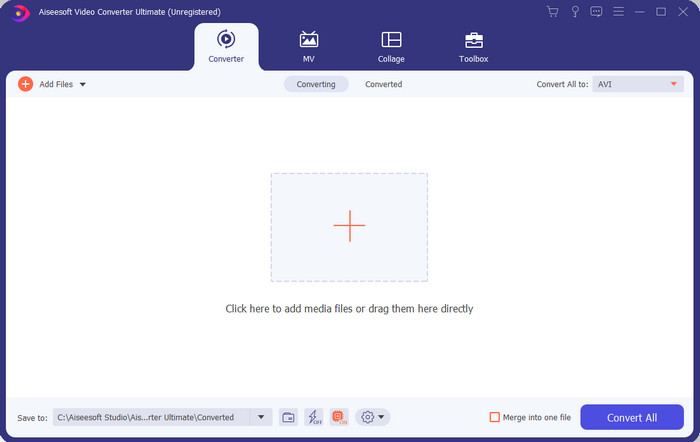
如果你正在寻找一款顶级而出色的 .swf 转换软件,那么 FVC Video Converter Ultimate 就是那个答案。若不是转换效果卓越,它也不会被排在第一位。此外,它支持 200 多种格式,包括你熟知的和不太熟悉的。与下文列出的转换器不同,这款软件在界面、功能、先进特性、易用性等方面都更胜一筹。如果你在寻找一款出色的转换器,那么可以告诉自己:到此为止,你已经找到了。并且,如果你对这款工具仍有疑虑,那就先下载这款最好的免费 SWF 转 AVI 转换器,亲自体验一下。
优点
- 它支持硬件加速和快速转换,眨眼间转换。
- 广泛支持的媒体文件格式。
- 付款完成后可以使用编辑功能。
- 可以轻松完成批量转换。
缺点
- 需要先付款才能使用,但它非常便宜。
- 需要先下载到您的驱动器上。
2. VLC媒体播放器
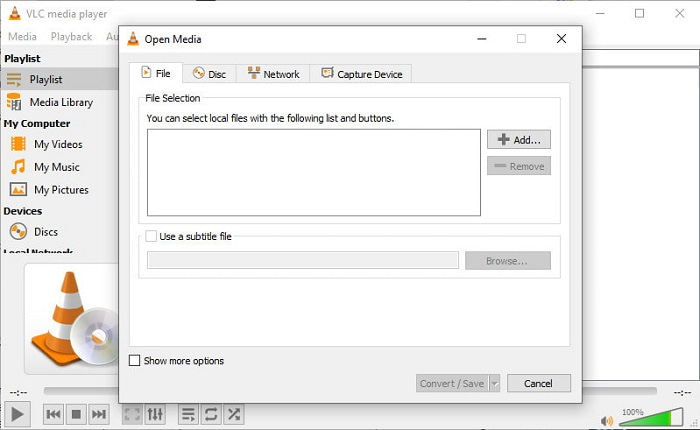
这款媒体播放器有一个你会喜欢的隐藏功能。VLC Media Player 不仅仅是一个媒体播放器,它同样内置了转换功能。不过,这个内置转换器所支持的格式非常有限,而且你不能自定义分辨率。另外,在这里进行格式转换的流程比使用其他转换器要麻烦得多。但如果你仍想尝试并使用这款免费的 SWF 转 AVI 转换器,那么可以先下载安装这款媒体播放器。
优点
- 它在媒体播放器旁边有一个内置转换器。
- 可在任何平台免费下载。
- 下载是安全的,转换过程也受到保护。
缺点
- 与此列表中可用的其他转换器相比,支持的格式较少。
- 在您进行转换之前,转换过程有很多工作要做。
3. Convertio
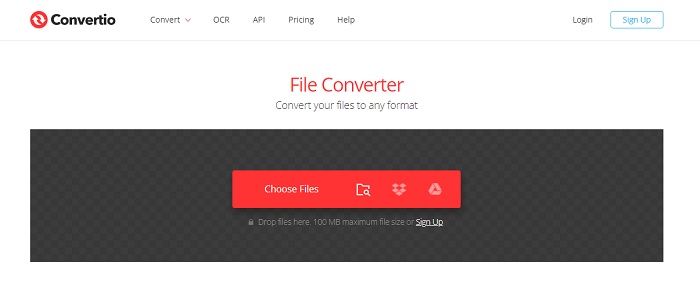
如果你想在线将 SWF 转换为 AVI,可以试试 Convertio,它提供简单而高效的转换体验。这款在线工具使用安全,通过该工具转换过的所有文件都会从网站上删除。另一个令人满意的功能是,如果你注册账号,就可以进行批量转换。不过,上传和下载的过程会占用你不少时间,对用户来说多少有点麻烦。如果你不想在转换上花一分钱,可以考虑使用它。
优点
- 无需在驱动器上下载软件即可使用。
- 它支持中等级别的格式,您可以从中选择。
- 可以同时转换 2 种文件格式。
缺点
- 转换后上传和下载文件会花费您很多时间。
- 互联网依赖这意味着如果您的互联网速度很慢,那么预计需要很长时间。
4. OnlineConvertFree.com
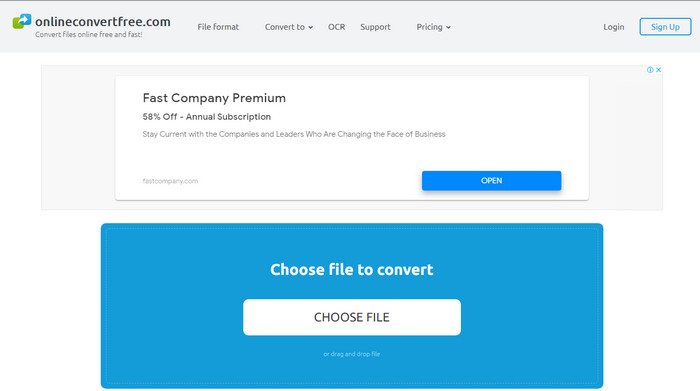
你还能使用的另一款在线 SWF 转 AVI 视频转换器是 OnlineConvertFree.com。如果你认为“简洁就是美”,那么在转换这类任务上它会是你的选择。不同于前面提到的在线工具,它更加简单,但支持的可选格式较少。而且,这款在线工具对文件大小有限制。如果你的文件大于 20MB,那么就无法使用它来转换。不过,如果你想用它来转换文件,又不想花太多钱,那么可以考虑这款工具。
优点
- 可以免费访问。
- 如果您有互联网连接,则可以使用此转换器。
- 整体界面看起来整洁。
缺点
- 如果互联网不可用,则无法访问。
- 广告正在扼杀网站。
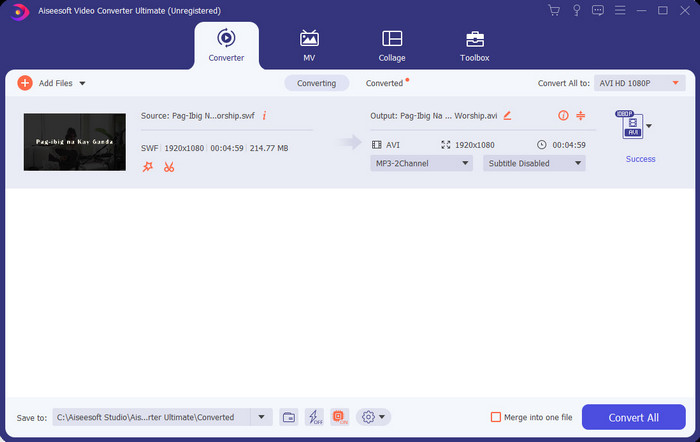
第 3 部分。如何在 FVC Video Converter Ultimate 上将 SWF 转换为 AVI 的 5 个步骤
以下是有关如何使用 FVC Video Converter Ultimate 的详细步骤。此处提供的所有步骤将保证您获得轻松而非凡的体验。
步骤 1. 首先,必须将该工具下载到你的电脑本地磁盘上,选择是安装在 PC 还是 Mac。然后在你的磁盘上安装软件,按照提示轻松完成设置,然后点击 Start Now。
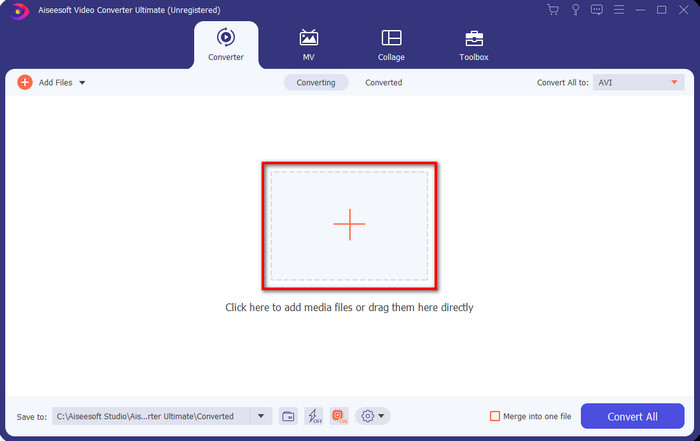
步骤 2. 打开你安装到磁盘中的软件,点击 + 按钮,然后在随即弹出的文件夹中找到目标文件。按下 Open 继续。
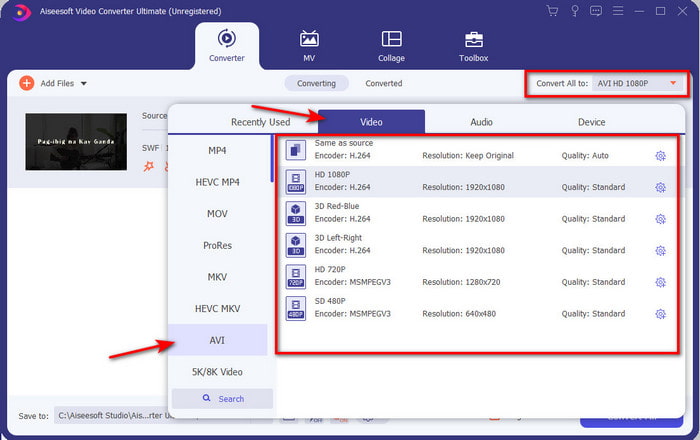
步骤 3. 若要将 SWF 文件转换成 AVI 格式,点击 下拉 按钮,选择 AVI 格式,然后再选择分辨率。
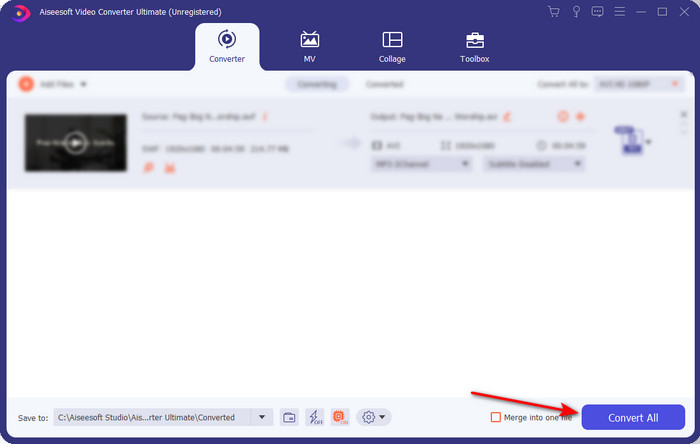
步骤 4. 当你选择好格式后,点击 Convert All 以开始转换过程。
步骤 5. 转换完成后,将会弹出一个包含已转换文件的文件夹。点击新生成的 AVI 文件即可观看,如有需要,你也可以稍后将其转移到其他位置。
第 4 部分。 关于 SWF 和 AVI 的常见问题解答
我可以在其他媒体播放器上播放 SWF 吗?
绝对不行,因为即使你使用第三方应用程序,你的媒体播放器也不支持 .swf 格式。若想播放 .swf 文件,最好的办法就是把它转换成其他新格式才能播放。但如果你不想转换文件,那就必须使用 Flash Player 来播放 SWF 文件格式。
.swf 的大小是否更小?
完全可以。除了体积小之外,它的加载速度也比其他格式更快,这与它本身的结构设计有关。如果 SWF 文件过大,你可以尝试使用视频压缩工具来压缩 SWF 文件。
我的 SWF 文件可以调整透明度吗?
好吧,如果您愿意,您可以将其设置为透明,如果您不想,您可以将其设置为透明。同样,您可以添加带有显示器颜色或灰度的 Alpha 通道以将其设置为透明。
结论
在我们结束本文时,我们已经了解了什么是 SWF 以及它的另一个目的。此外,我们还了解到,如果您不使用 Flash Player,则无法使用 .swf 文件,否则您将无法播放它。所以现在,播放 SWF 文件的最佳解决方案是将其转换为 AVI 等新格式。此外,上面提到的所有工具都可以作为转换器执行它们的工作。但是没有任何工具可以提供比 FVC Video Converter Ultimate 更快、更简单的解决方案。
-
 SWF到MP4:免费将SWF转换成MP4在线和PC
 如何在没有Adobe Flash Player的情况下打开SWF文件?利用免费的前3个SWF到MP4转换器,可以在3步之内将SWF转换为MP4在线和在PC / Mac上免费转换。
-
 [2 解决方案] 如何轻松免费将 SWF 文件转换为 GIF 文件
 当您通过Flash软件导出GIF格式失败时,您可以先尝试将文件保存为SWF格式。然后,您可以从本文中学习 2 种将 SWF 转换为 GIF 文件的简单方法。
-
 将 MKV 转换为 AVI 格式的绝佳选择
 掌握如何通过专门为您提供的简单步骤转换 MKV 视频。你想知道怎么做吗?然后单击此链接以了解更多信息。
