


 视频转换大师
 屏幕录影大师
 视频修复
视频修复用于将 XviD 文件转换为 AVI 格式的前 3 名在线和离线转换器
XviD 是一款知名的编码器,因为它是 DivX 的竞争对手。毕竟,这款编码器是开源的,并且受 GNU 许可证支持。它通常用于压缩和解压以该编码格式保存的文件。虽然这种编码器可以让你的视频体积更小,但仍有部分媒体播放器无法解析这种编码格式。所以,如果你的媒体播放器不支持 XviD 编解码器,你就必须将文件转换为 AVI。下面为你整理了一些最受欢迎的转换工具,用来将 XviD 转换为 AVI。
第 1 部分。 XviD 和 AVI - 概述
关于 XviD 的进一步解释是,此编解码器不是像 AVI 或任何其他媒体容器那样的格式或容器。在 XviD 的帮助下,您的视频文件可以压缩成更小的尺寸而不会破坏其质量。此外,XviD 可以将 AVI 编码为更小;但是,并非所有 AVI 格式都使用 XviD 作为编解码器。因为 AVI 格式是一种未压缩的可访问格式,如果您有一个文件名为 .avi 的文件,那么该文件会很大。也许您想知道为什么需要转换 XviD,仅仅是因为并非所有媒体播放器都支持此编解码器。那么现在,让我们通过学习如何将 XviD 转换为 AVI 格式来尝试将您无法播放的文件变成可播放的文件。
第 2 部分。关于如何将 XviD 离线转换为 AVI 的第一种和第二种方法
第一种方式。 FVC Video Converter Ultimate
要转换扩展名为 .xvid 的已编码文件,你最好交给专业工具来完成将该文件转换为新格式的工作。FVC Video Converter Ultimate 不仅在将文件或格式转换为新版本方面表现出色,你还可以使用这个工具编辑视频、增强音频、制作 GIF、加速视频等。该软件堪称多功能瑞士军刀,是一款你会爱不释手的全能工具。不过,在使用此工具前,你需要购买授权才能解锁软件提供的高级功能。就整体性能而言,这款软件几乎可以将任何格式转换为 200 多种新格式供你选择。所以现在,如果你想了解如何使用这款工具将 XviD 转换为 AVI,请阅读下方的操作步骤。
步骤 1. 点击下载按钮,将软件下载到你的磁盘。随后进行安装,按照安装向导完成设置,然后点击立即开始以启动工具。
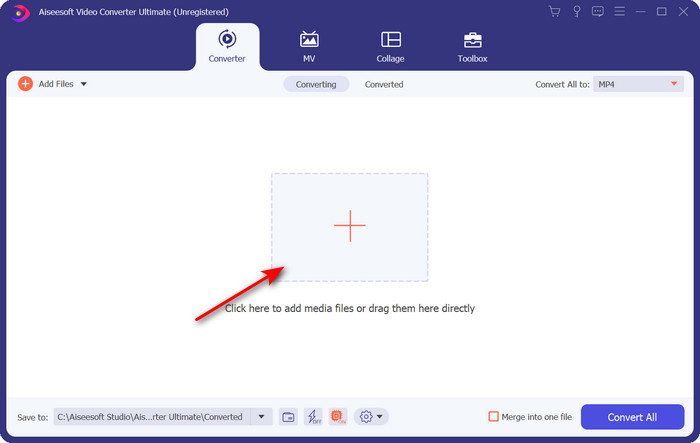
步骤 2. 点击“立即开始”后,工具会自动打开。在中间区域点击 + 按钮,导入扩展名为 .xvid 的文件,然后点击打开。
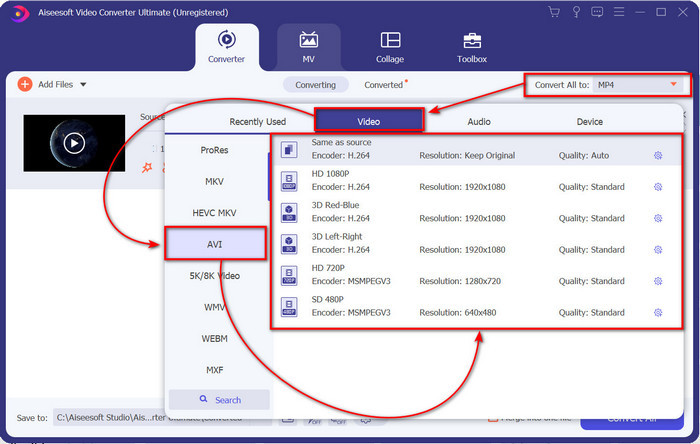
步骤 3. 若要将格式改为 AVI,点击全部转换为:,找到AVI 格式,并选择分辨率。请记住,分辨率越高,画质越好,但文件体积也会更大。
步骤 4. 选择好格式后,点击全部转换按钮开始转换。
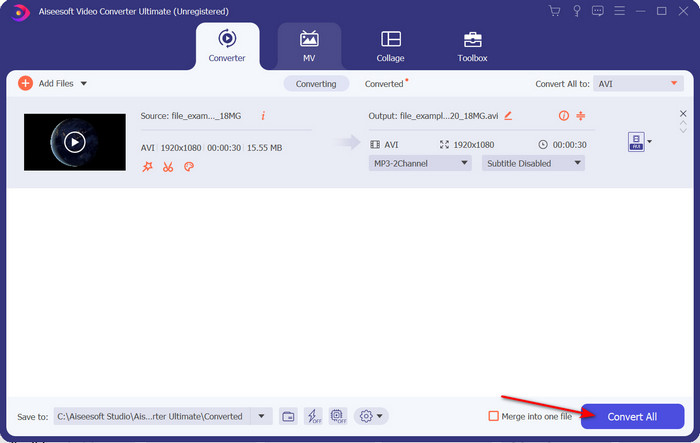
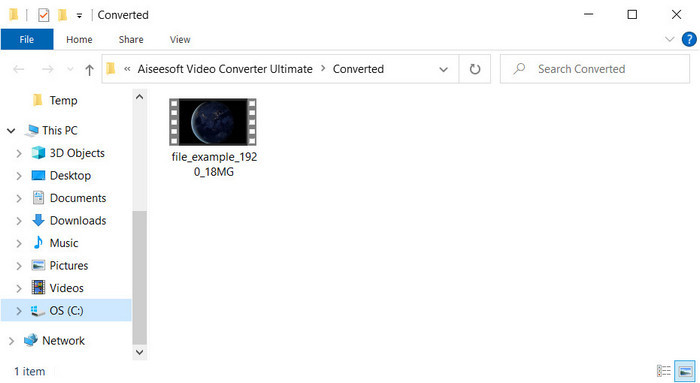
步骤 5. 文件转换一般在一分钟内即可完成;转换完成后会自动弹出一个文件夹,其中包含转换好的 AVI 文件。要观看转换后的视频,双击该文件即可畅享播放。
第二种方式。 VLC
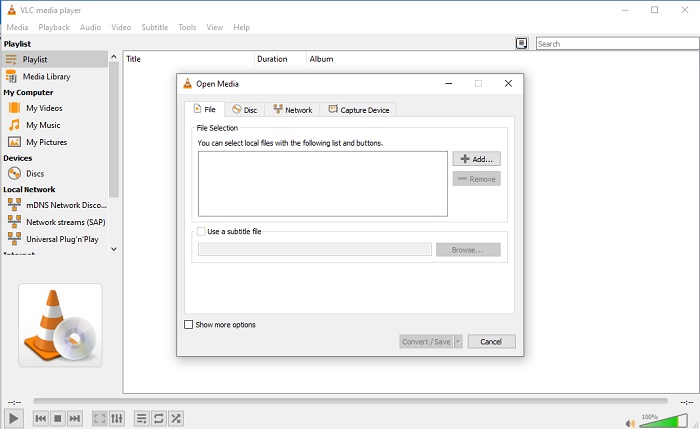
如果您正在寻找免费的 XviD 到 AVI 转换器,请尝试使用 VLC。这个开源软件不仅仅用于播放视频,您还可以使用此工具来转换文件或格式。尽管该工具仍然是免费的,但您只能为此转换器选择几种格式。所以现在,如果您想将您的 XviD 文件转换为像 AVI 这样的新格式,请按照以下步骤操作。
步骤 1. 在桌面上启动 VLC,然后点击媒体菜单;在其中选择转换/保存。
步骤 2. 点击添加,在文件夹中找到目标文件,点击打开,然后再点击转换/保存。
步骤 3. 通过点击下拉按钮来更改输出格式,再点击浏览选择保存文件夹,最后点击开始即可。
第 3 部分。将 XviD 转换为 AVI 的第三种最佳免费方式
第三种方式。 FVC 免费在线视频转换器
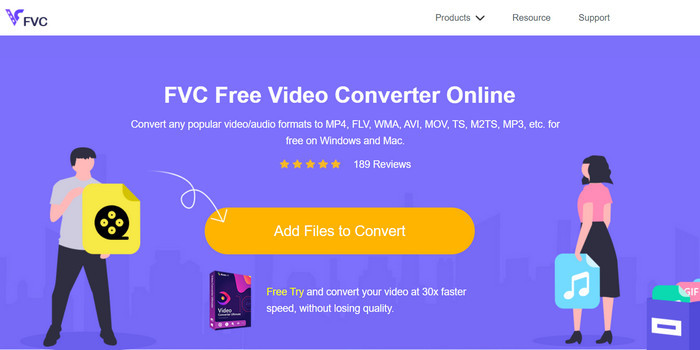
你是否正在寻找一款可以将 XviD 在线免费转换为 AVI 的网页转换器?FVC Free Video Converter Online 是一款可以在浏览器中使用的优秀在线转换工具。这个网页工具已经帮助许多用户解决了格式转换难题,也许下一个就是你。它的一个优点是,无需在电脑上安装软件,只要在你喜欢的浏览器中就能随时随地访问。不过,它的一个缺点是,如果你没有流量或网络连接,就无法使用该工具。总的来说,在进行格式转换时,这款在线工具依然是一个不错的选择。现在,让我们来试用一下这款在线软件,并按照以下步骤操作。
步骤 1. 要访问此网页工具,请点击此链接。
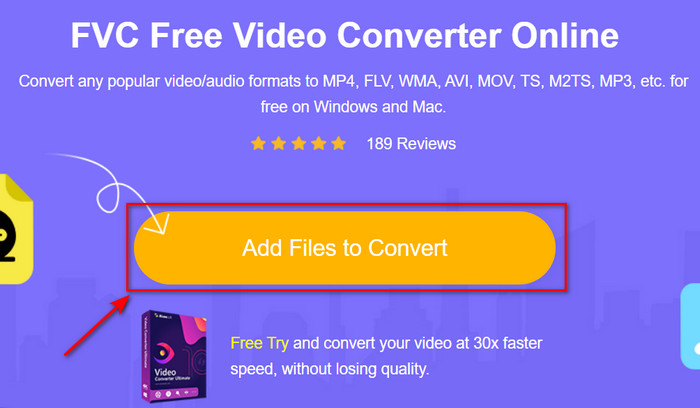
步骤 2. 然后点击添加文件开始转换以打开网页工具。点击后会弹出一个文件夹窗口,在其中找到 .xvid 文件,然后点击打开。
步骤 3. 文件上传完成后,在子菜单中选择 AVI 格式。
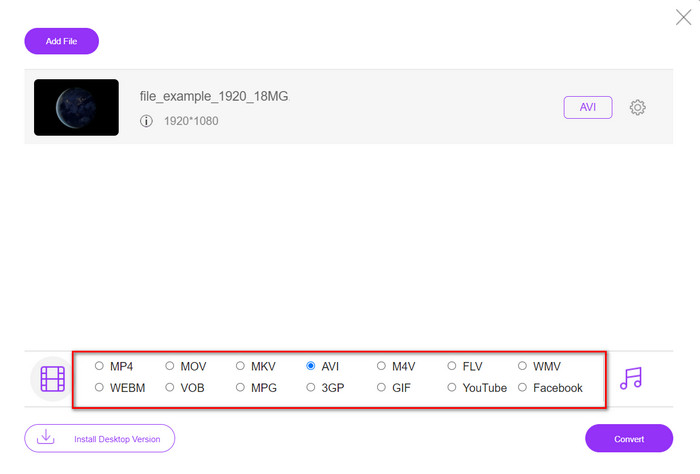
步骤 4. 选定格式后,点击转换开始进行格式转换。

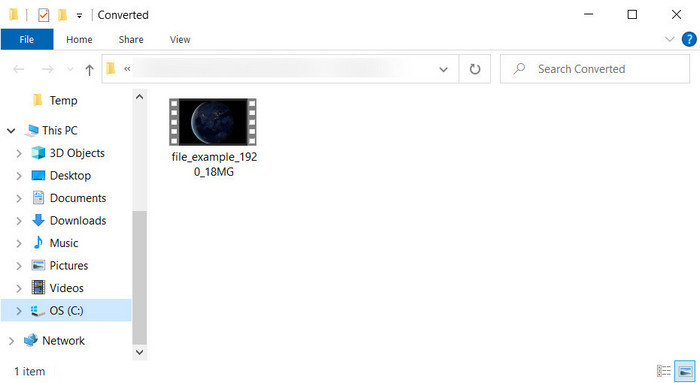
步骤 5. 转换完成后,屏幕上会弹出一个文件夹,其中包含新的 .avi 文件。
第 4 部分。常见问题解答 XviD 到 AVI 转换
XviD转AVI后,质量一样吗?
嗯,当然,转换后 XviD 视频文件的质量一定不能改变。但是,如果您更改输出质量并将其设置为低或中,则预期质量会发生变化,尤其是当您的 XviD 为 1080 或 4k 像素时。
转换后 XviD 的文件大小会改变吗?
这取决于你将它变成什么格式;例如,当您将 .xvid 转换为 .avi 时,预计视频文件大小会略有变化。不过应该不会和之前的尺寸相差那么大。
我在哪里可以播放我的 Xvid 视频?
如果你正在寻找一款能够支持 XviD 编解码器的优秀媒体播放器,可以点击这个链接,我们已经为你整理了适用于 Windows、Mac、iOS 和 Android 的七大 XviD 播放器。
结论
最后总结一下,如果你使用上文推荐的工具,将 XviD 进行转换会变得非常简单。此外,文中提到的这些工具性能出色,能够帮助你顺利解决与 XviD 相关的问题。现在选择权在你手中,你可以决定使用哪款转换工具:无论是下载安装使用,还是在线访问操作,都可以期待获得理想的转换效果。但如果你仍不确定该选哪一款,我们建议你下载FVC Video Converter Ultimate,以获得出色的转换结果。而且,一旦你下载了这款软件,就不仅可以进行格式转换,还能解锁更多强大功能,只需点击下载按钮即可。
-
 如何使用 Web 和桌面上的最佳转换器将 M2TS 转换为 AVI
 想将您的 M2TS 文件转换成 AVI 格式吗?然后阅读此内容,因为我们指定了有关如何转换以及您可以使用哪些可用工具的详细信息。
-
 4 个顶级 MXF 转换器将 MXF 转换为 AVI [免费和付费]
 什么是 .MXF 文件?如何将 MXF 转换为 AVI?这些是我们回答的几个问题。所以,如果你有同样的问题,那么请阅读这篇文章。
-
 将 3GP 转换为 AVI 格式的 4 种最有效方法 [2025]
 我可以将我的 3GP 文件转换为 AVI 格式吗?好吧,如果您尝试使用这些可用工具,您可以轻松转换它,因为我们收集了所有可能的解决方案来解决您的 3GP 到 AVI 转换问题。
