


 视频转换大师
 屏幕录影大师
 视频修复
视频修复关于如何将文本添加到视频的最佳指南,每个都有详细的步骤
想要制作视频教程吗?从理论上讲,用户往往会感到无聊,尤其是在观看难以理解的教程视频时。即使你的内容非常出色,用户也可能觉得你的视频吸引力不足,观看几分钟后参与度就会下降。但你知道吗,其实你可以通过添加文字来让视频对用户更有吸引力。要不现在就试试?而要帮助你给视频添加文字,你需要继续看下去,通读这篇文章的全部内容。

第 1 部分。使用终极工具向视频添加文本的最专业方式
大多数博主和内容创作者都喜欢制作带文字的精彩视频,而借助 Video Converter Ultimate,你就可以创作出优秀的视频。该工具支持多种编辑功能,在你给视频添加文字之后,还能进行更多处理。同时,它可以让你的视频更具互动性,只需几次点击就能变得格外出彩。这个工具是不是很让人惊喜?我们同样对它印象深刻。想要快速添加文字,只需按照下文的“如何给视频添加文字”步骤操作,几次点击就能成功完成。
步骤:如何使用终极工具把文字作为水印添加到视频中
步骤 1. 将程序下载到你的 Windows 或 Mac 磁盘上,然后快速安装工具并启动。我们在下文编写的指南非常容易理解和跟进。
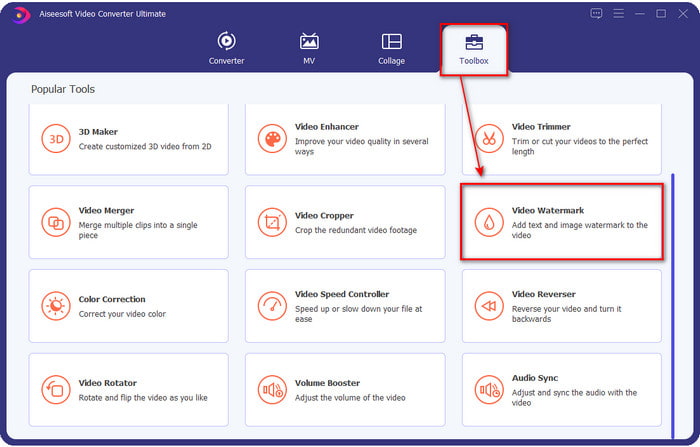
步骤 2. 在工具箱部分,找到视频水印并立即打开。
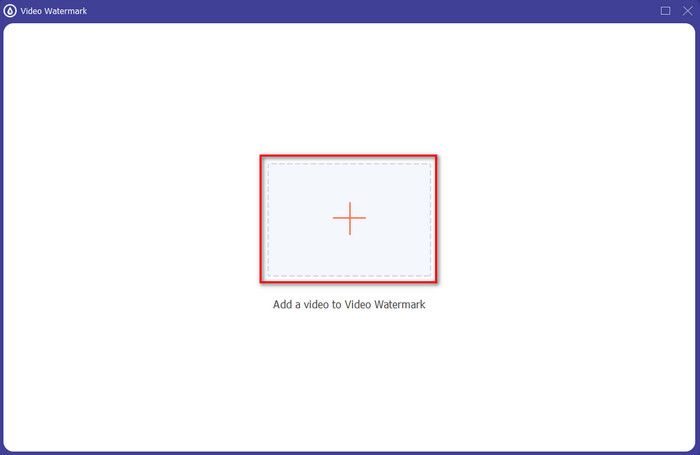
步骤 3. 点击+按钮,此时会打开硬盘文件夹。 在文件夹中查找视频文件,选中后点击打开,将其添加到水印处理队列中。
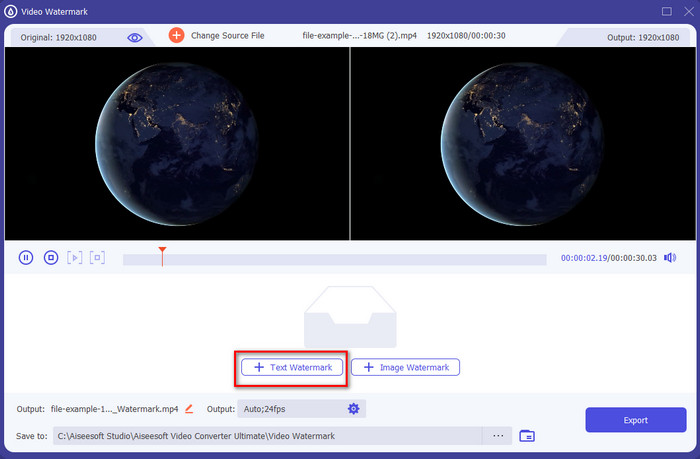
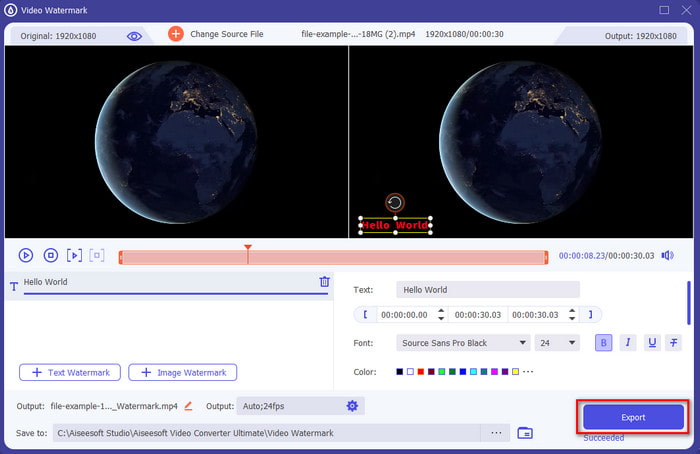
步骤 4. 在新弹出窗口的中下方,点击文字水印,即可开始给视频添加文字覆盖。
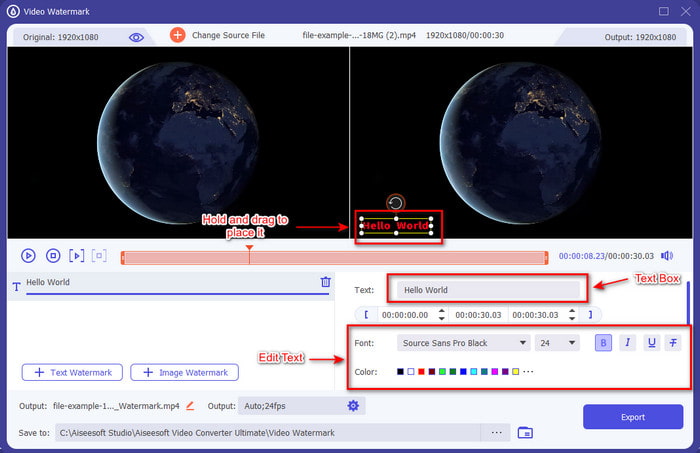
步骤 5. 点击后,在文本框中输入你想添加的文字,然后根据需要更改字体样式、颜色和大小。按住并拖动文字水印,将其放置在视频画面中的任意位置。
步骤 6. 如需将处理后的视频文件成功保存到你的磁盘上,点击导出按钮。由于该工具支持超高速处理,导出过程通常不到一分钟。搞定!你已经轻松完成了给视频添加文字水印。
优点
- 它支持高级编辑功能,使您的视频和添加文本比其他工具更好。
- 适用于各种情况和平台,例如 Windows 和 Mac。
- 它支持 200 多种视频格式,您可以上传和导出为 MP4、AVI、MOV、MKV、WMV、FLV 等。
缺点
- 需要购买该工具。
相关内容:
第 2 部分。 在 iOS 设备中的视频上添加或放置文本的便捷方式
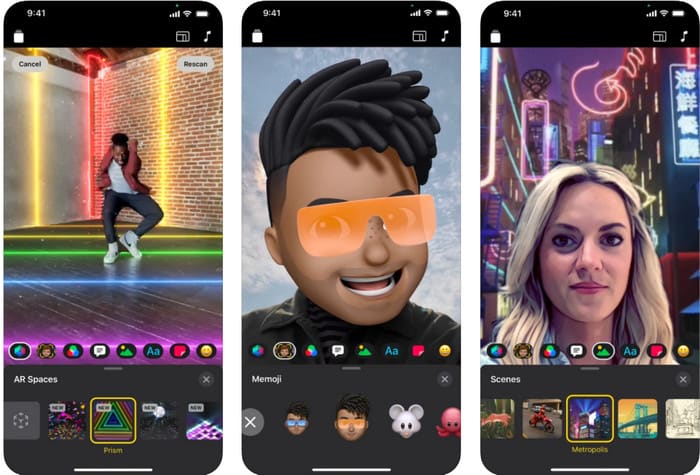
你可以使用 Clips 在 iPhone 或 iPad 上给视频添加文字。这个工具集录制与编辑视频功能于一身。另外,如果你需要,它可以在 App Store 上免费下载安装。尽管工具是免费的,但它不支持 Android,因此无法在安卓设备上使用。所以,以下步骤不适用于 Android 用户。
步骤 1. 在你的 iOS 设备上下载 Clips 并打开。
步骤 2. 点击多图像图标,然后选择照片,找到你相册中的视频,点击该文件,再点击添加,最后点击添加到项目。
步骤 3. 轻点该视频并点击效果;在其中点击Aa,选择你想添加的动态文字样式,然后输入你要添加的文字。点击导出按钮,再选择存储视频。
优点
- 它支持半高级编辑功能。
- 在任何 iOS 设备上免费下载。
- 它不仅支持编辑,还支持录制。
缺点
- 它提供的一些编辑功能仍然存在错误和故障。
- 新版本的比之前的版本更糟糕。
第 3 部分。 向 Web 上的视频添加文本的免费方式
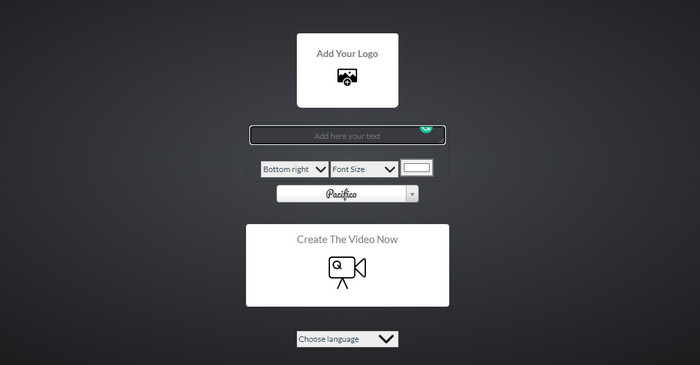
您想在在线视频中添加文字吗?好吧,您可以免费使用 voice2v.com。该网络工具支持在任何 MP4 视频上轻松免费添加文本水印。虽然该工具支持自由添加水印,但您不能将水印自由放置在除了提供的选项之外的任何地方。但是,如果您愿意,您仍然可以按照以下步骤操作。
步骤 1. 打开浏览器并访问voice2v.com的官方网站。
步骤 2. 点击Upload Your Video以上传你想添加水印的视频。
步骤 3. 在文本框中输入你想设置的水印内容,然后通过下拉选项更改水印的位置、字体样式、大小和颜色。点击Create The Video Now,随后点击三点图标将其下载。
优点
- 无需下载应用程序或软件。
- 在所有浏览器中免费访问。
- 简单而有效的编辑功能。
缺点
- 它没有预览窗格来查看水印的位置。
- 您不能随意将水印放置在您想要的位置。
第 4 部分。关于向视频添加文本的常见问题解答
我可以在文本水印上添加动画吗?
是的,您可以,但并非所有编辑器都支持文本水印上的动画。因此,如果要添加动画文本水印,请使用提供支持动画水印的专业功能集的工具。
文字水印的最佳位置在哪里?
如果您想要轻微的干扰,您可以将水印放在视频的边缘。但是,如果您要为您的工作增加额外的安全性,您可以在视频的中间部分添加水印。根据您的需要,它运作良好。
文字水印会增加视频的原始文件大小吗?
首先,来自水印视频的原始视频的文件大小会发生变化。文件大小会增加,因为您向视频添加了另一个元素。但是这个添加不会影响视频的文件大小,它会增加一倍的大小。而且,如果您遇到视频文件大小翻倍的情况,这意味着您用来添加文本水印的工具会这样做,而不是您。
结论
总而言之,我们选择的这些工具都是精选工具,这意味着我们只选择可用于添加文本水印的最佳工具中的最佳工具。由于存在差异,该工具对在视频中添加文本作为水印产生了显着影响。
尽管这些工具具有不同的功能集,但我们仍然认为 Video Converter Ultimate 让我们有机会成为不仅仅是一个编辑器。由于此工具与用户和工具本身建立了牢固的联系,因此通过查看这些步骤,我们可以说该工具让用户更轻松地添加文本作为水印,但很有趣。它引起了你的注意吗?好吧,如果确实如此,请在您的桌面上下载该工具并享受使用它!
-
 如何在计算机/电话上免费向视频添加音频和音乐
 本文介绍了4种免费的免费向视频添加音频的简便方法。无论您要将哪种音轨添加到视频中,都可以在这里获得满意的结果。
-
 将 GIF 转换为视频格式:将 GIF 模因转换为视频 [2021]
 借助下面列出的工具确定如何将 GIF 转换为视频格式。选择哪一个并学习如何做,因为我们收集了足够的证据。
-
 适用于 Android 和 iOS 设备的精彩 GIF 视频应用
 您知道吗,您可以使用手机将 GIF 转换为您喜欢的任何视频格式?在您的 Android 或 iOS 上选择最佳应用。
