


 视频转换大师
 屏幕录影大师
 视频修复
视频修复您可以在网上找到的适用于 Windows 的最佳 iMovie 替代品是什么
iMovie 是 Mac 上一款知名的免费视频编辑器,因为它是系统自带的默认编辑器,即使你只是介于新手和专业用户之间,也能很容易上手使用。尽管这款工具在剪辑方面表现出色,但目前还无法在 Windows 上使用。所以,下面列出了几款与 Windows 版 iMovie 类似的优秀视频编辑器,并附上它们的简介,方便你更轻松地判断哪一款工具在编辑功能和输出效果方面更适合你。

第 1 部分。 带有比较图表的 PC 的最佳 iMovie 替代品
| 编辑器功能 | 视频转换大师 | VSDC 免费视频编辑器 | 达芬奇决心 | 热门电影快车 | 视窗电影制作 |
| 编辑功能/秒 |  | | | | |
| 方便使用的 | |  | | | |
| 总体体验 | 它提供了全面的先进和专业输出,而且易于使用。 | 用于编辑具有专业经验的更详细视频的最佳工具。 | 该工具专用于大量编辑 | 提供比 VSDC 免费视频编辑器更多的编辑功能。 | 它具有基本的编辑功能,仅此而已。 |
| 文件大小 | 2.4 兆字节 | 99.2 兆字节 | 1.5GB | 1.2 GB 或更多 | 15.1 兆字节 |
| 价格范围 | 1个月:$25.00 一年:$31.20 终身许可证:$55.20 | $19.99 专业版 | 每个特性 $357.01 | $299(无订阅费) | 免费下载 |
| 系统要求:支持的平台、处理器和 RAM | 支持的操作系统:Windows 10,Windows 8,Windows 7,Windows Vista,Windows XP(SP2或更高版本)macOS 10.7或更高版本 处理器:1GHz Intel / AMD CPU或更高 RAM:1G RAM或更高 | 微软视窗 2000/XP/2003/Vista/Win7/Win8 处理器:Intel 或 AMD 或兼容处理器,最低 800 MHz 显示图形最低分辨率为 800x600x16 位颜色 RAM:128 兆字节 (MB) Microsoft DirectX 8.1b | Windows 10 Creators Update 或 Blackmagic Design Desktop Video 10.4.1 或更高版本 处理器:NVIDIA/AMD/Intel GPU 驱动版本 内存:至少 2GB 的显存 | Windows:Microsoft Windows 10(64 位) 处理器:第四代英特尔® 酷睿™ 处理器或 AMD 同等处理器。 内存:4GB(推荐 8GB) | Microsoft Windows XP(SP2 或更高版本)、Windows Vista、Windows 7、Windows 8、Windows 8.1、Windows 10 处理器:1GHz Intel/AMD 处理器或以上 内存:256MB内存(推荐512MB或以上) |
1. Video Converter Ultimate
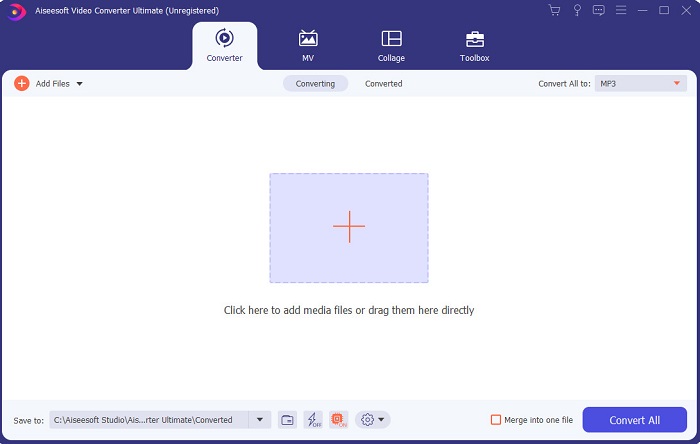
如果剪辑是你的难题,那么 Video Converter Ultimate 就能弥补这一点。因为它在剪辑方面提供的功能,比 iMovie 以及本列表中的其他工具都要多。同时,它也是 Windows 和 Mac 上最好的 iMovie 替代品。它让用户在几乎无需学习的情况下,就能体验到高质量的视频剪辑。这意味着,即使你是视频剪辑的初学者或新手,也可以用这款软件,以更简单的方式做出带有专业水准的视频编辑。并且,它只提供了易于理解的操作说明,帮助用户完成自己想要的剪辑效果。虽然该工具的界面已经不错,但仍有进一步优化的空间,正所谓“总有进步的余地”。
2. VSDC 免费视频编辑器
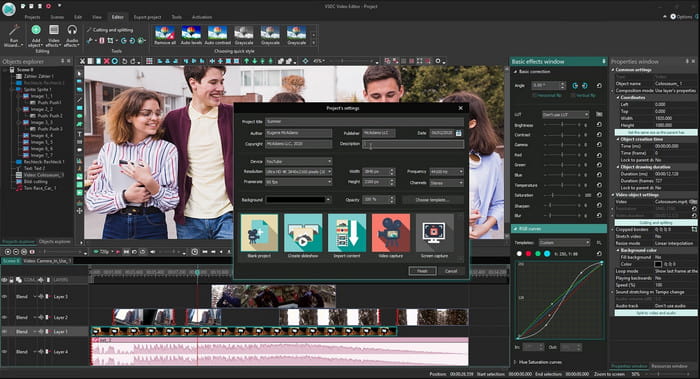
VSDC Free Video Editor 是 Windows 上一款值得称道的免费编辑器。每次开发者更新后,这款软件的用户界面都会变得更好。不过,他们依然需要继续优化,才能做到更出色。此外,这款 Windows 10 版 iMovie 的部分编辑功能隐藏在工具的子菜单中,因此你在查找想用的编辑功能时可能会比较费劲。但它专业版的价格非常便宜,比这里介绍的其他工具都要实惠。不过,从价格来看,它的编辑功能也算是“物有所值”,不能算特别强大。我们在试用这款工具时,也遇到了一些 Bug 和崩溃问题。
3.达芬奇决心
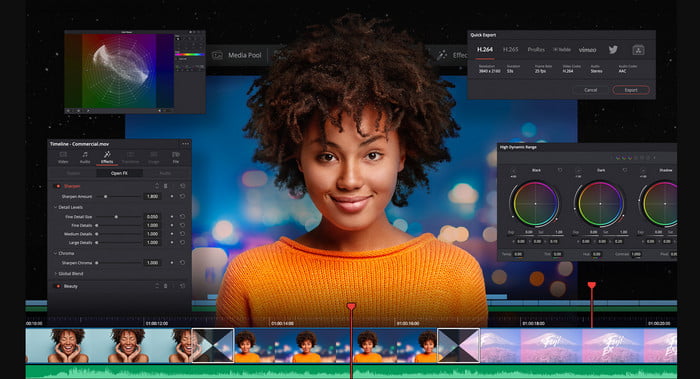
Davinci Resolve 提供了大量你在提升视频质量时会用到的编辑功能。有人说,它集合了 Adobe Premiere 和 Apple Final Cut 的剪辑功能于一身。正因为这种组合,你可以期待在这款工具中使用到众多高级功能,让你的视频效果比以往更出色。不过,对所有新手以及没有剪辑经验的部分专业用户来说,学习如何使用这款工具会相当吃力。此外,这款 PC 版 iMovie 是高级功能最丰富的替代方案之一,但价格并不亲民,因为它的售价超过 $300,是本清单中最昂贵的编辑器。
4. HitFilm Express
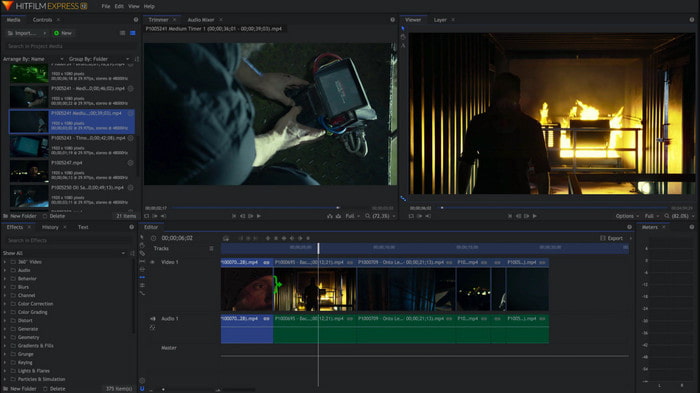
HitFilm Express 因其性能而受到许多用户的高度评价。尽管它也提供了一些教程,但仍不足以充分讲清楚如何使用这款编辑器。另外,它缺少一些用于打造炫酷视频必备的动画转场效果。不过,如果你只需要进行简单剪辑,那么可以尝试这款工具,因为它 和 iMovie 一样可在 PC 上使用。 但在使用过程中,你需要预料到可能会遇到一些大小不一的 Bug 问题,并留意可能出现的意外崩溃。
5. Windows 电影制作
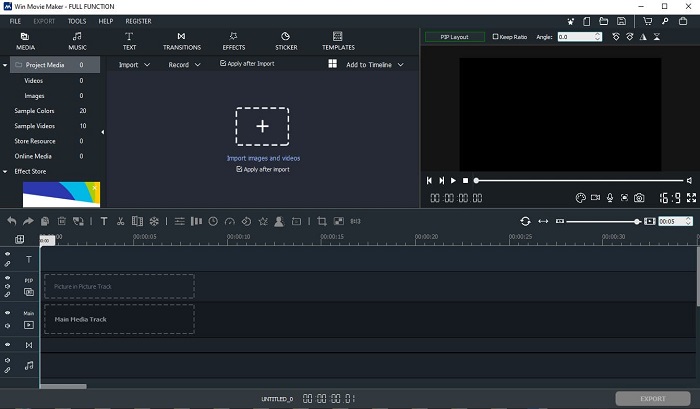
Windows Movie Maker 在 2016 年底非常流行,因为它提供了一些可以使用的进阶功能。尽管现在已经不再是 Windows 系统内置的媒体程序,但它仍然是 可在 PC 上下载的 iMovie 替代品 之一。此外,下载这款工具时一定要小心来源,因为很多用户在网上下载时,曾从未知网站获取安装包而使电脑感染病毒。它也提供你所需的基础编辑功能。所以,如果你想要获得非常出色的成片效果,那就没有必要下载这款工具。但如果只是做一些简单剪辑,那么可以尝试下载并使用它。
第 2 部分。 有关 Windows 版 iMovie 的常见问题解答
什么是编辑 GIF 的最佳工具?
随着 GIF 逐渐成为一种潮流,很多用户都喜欢自己制作 GIF。而且,GIF 的文件大小通常比其他视频格式小得多。那么现在,如果你点击这个链接,就会打开一个新页面,介绍 PC、Mac、iOS 和 Android 上最好用的 GIF 编辑器。
如何在视频中添加背景音乐?
视频剪辑固然重要,但你是否知道,添加背景音乐也是剪辑环节的一部分?如果想了解更多如何给视频添加音乐,请点击这个链接继续了解。
我们为什么要编辑视频?
因为它是后期制作的一部分,这将通过合并、剪切不必要的视频、添加背景音乐等来完善您的视频。因为有了这个编辑软件,我们才能够通过编辑来表达自己。
结论
总之,视频剪辑是一个非常重要的阶段,我们需要认真对待。即使你没有一整套完整的编辑工具,依然可以完成剪辑工作。借助本文介绍的 5 款工具,它们在理念和功能上与 iMovie 有许多共通之处。此外,Video Converter Ultimate 是你制作惊艳视频时所需的强大编辑器,能够带来超乎别人预期的成片效果。那么你还在等什么?如果你想以非常低的价格,就能体验到全面的高级剪辑功能,而且操作简单易上手,那就赶紧在你的电脑上下载这款终极转换编辑器吧。
-
 如何在线压缩MPEG-4文件–没有下载,没有水印
 没有足够的文件存储空间来保存所有 MPEG-4 文件?以下是一些可以帮助您缩小视频文件的解决方案。
-
 如何在线免费压缩 VOB 文件 [无需下载]
 您是否正在寻找压缩VOB文件的方法?在本文中了解减小VOB文件大小的最佳方法。
-
 如何在不损失质量的情况下压缩OGV文件
 不能发送大的OGV文件给别人?那么,本文将向您介绍2种简单的方法来帮助您轻松压缩OGV文件。
