


 视频转换大师
 屏幕录影大师
 视频修复
视频修复
 安全下载
安全下载如何毫不费力地从视频中删除可咬水印
如果你正在寻找从视频中去除 Biteable 水印的实用且最简单的方法,那你再也不用烦恼了。坦白说,看带有水印的视频既恼人又令人沮丧,你根本无法好好享受正在观看的视频。除此之外,这些水印也会打扰观众的观看体验。可以理解,水印是为了保护视频所有者的权益,但把水印做得很大并不好,只会给喜欢观看此类视频的人带来负面感受。Biteable 水印就是一个例子。这些 Biteable 水印来自 Biteable 这款应用程序,在你制作或保存视频后,水印会自动加在视频上。幸运的是,你可以使用一些应用程序来移除视频中的这些水印。这样你就可以在没有烦人水印的情况下观看你喜爱的视频。如果你想了解用于去除这些水印的最佳、最可靠工具,请继续阅读本文。

第 1 部分:从视频中删除可咬水印的最佳方法
Video Converter Ultimate 是你用来去除视频中 Biteable 水印的最出色应用程序。此外,这款优秀的软件还可以去除其他无关且干扰画面的对象,例如标志、文字、签名等。而且,它的去除与保存过程非常迅速,无需耗费太多时间。更重要的是,Video Converter Ultimate 提供两种简单的方法来移除视频水印:视频裁剪工具和视频水印去除工具。它还内置了更多你可以尽情使用的编辑功能,如视频变速器、视频转换器、视频压缩器、色彩校正、拼图制作、GIF 制作、视频裁剪、图片转换等。该工具最棒的一点是操作非常简单,界面直观,非常适合初学者使用。它还支持多种文件格式,如 MP4、MOV、FLV、MKV、OGV、DIVX 等。最后,Video Converter Ultimate 可在 Windows 和 Mac 上使用,对用户来说十分方便。如果你想从视频中移除水印,请按照下面这些简单易行的步骤进行操作。
使用视频水印去除工具
步骤 1: 访问 Video Converter Ultimate 的官方网站并下载程序。然后按照提示完成安装。安装完成后,启动该应用程序。
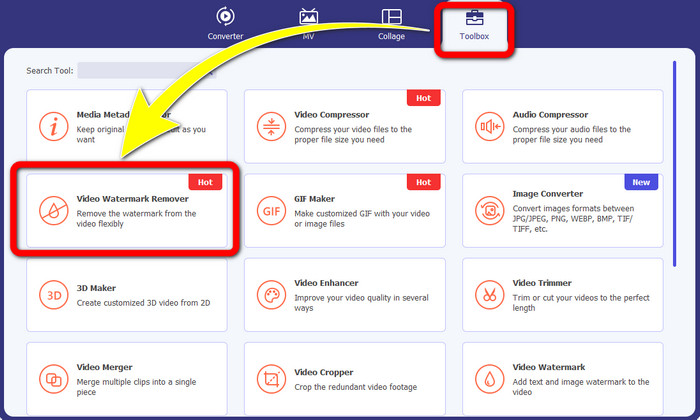
步骤 2: 打开 Video Converter Ultimate 后,点击工具箱 > 视频水印去除按钮。随后,屏幕上会弹出一个新的界面。
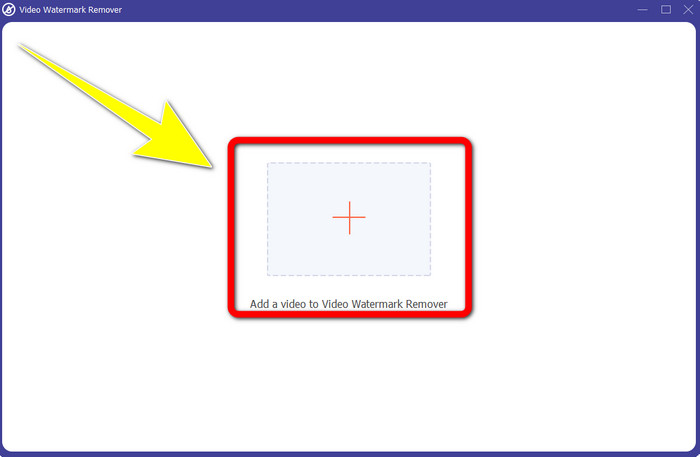
步骤 3: 当新界面出现在屏幕上后,点击加号按钮,导入带有 Biteable 水印的视频。
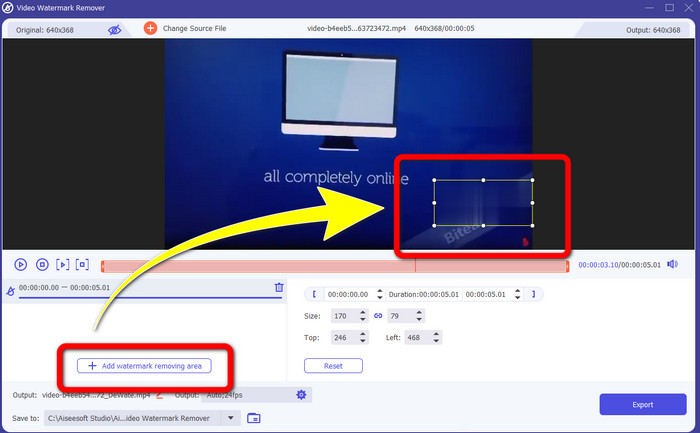
步骤 4: 添加视频后,点击添加水印去除区域。然后,你的视频上会出现一个小框。拖动该框,将其移动到水印位置并覆盖住水印。
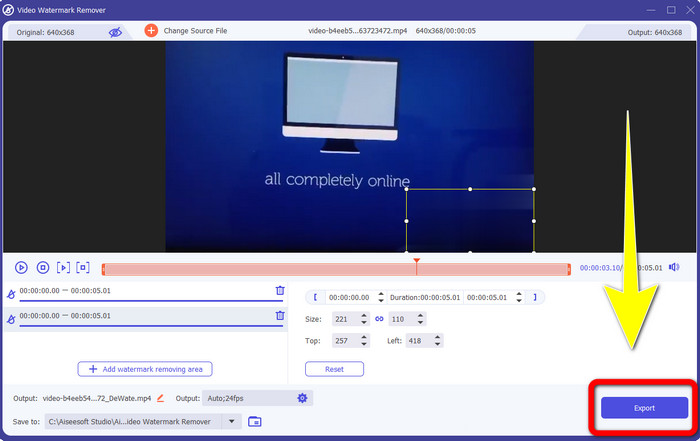
步骤 5: 当你已成功移除视频中的 Biteable 水印后,点击导出按钮保存最终成品。
使用视频裁剪工具
步骤 1: 启动 Video Converter Ultimate。点击工具箱 > 视频裁剪按钮。
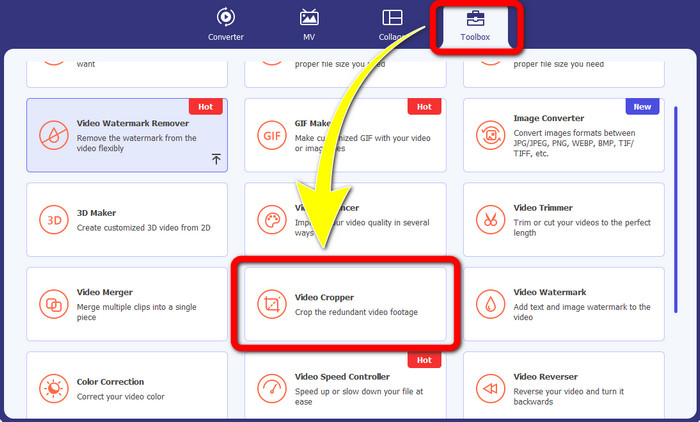
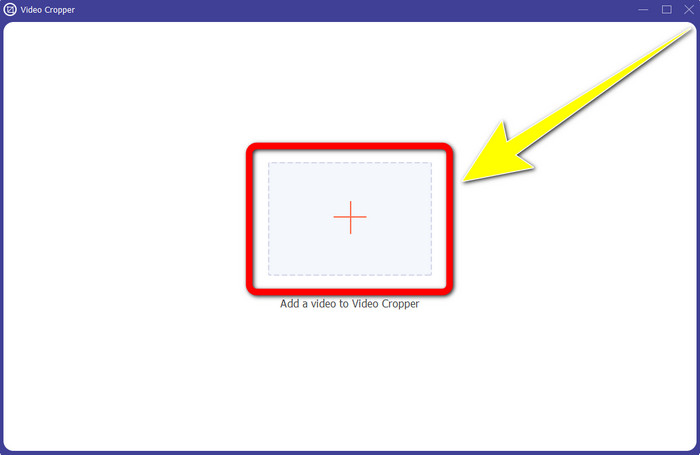
步骤 2: 点击视频裁剪后,屏幕上会弹出一个新界面。点击加号图标,添加带有 Biteable 水印的视频。
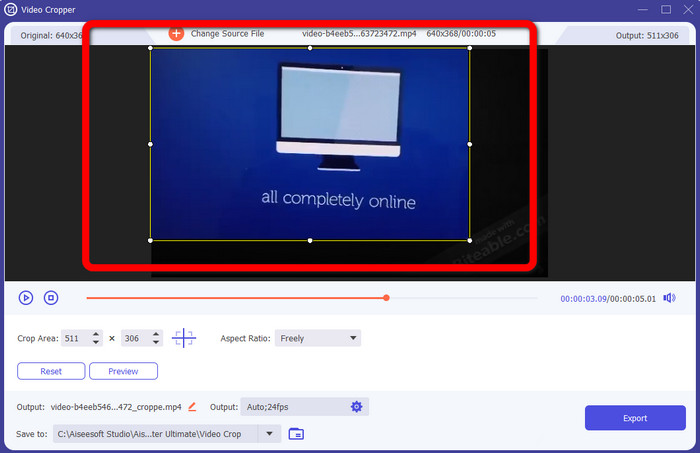
步骤 3: 添加视频后,你就可以开始对视频进行裁剪,以去除水印区域。
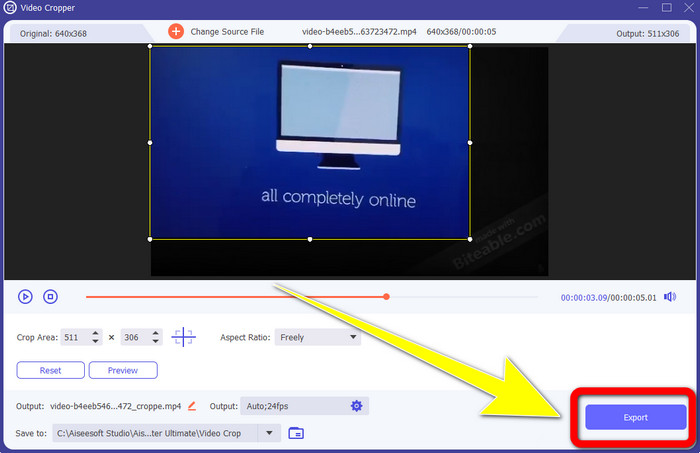
步骤 4: 完成视频裁剪后,点击导出按钮,保存已经去除 Biteable 水印的视频。
第 2 部分:如何从在线视频中删除可咬水印
1.使用BeeCut
如果您想免费在线删除可咬水印,BeeCut 是您可以使用的最佳在线应用程序。它能够从您的视频中删除水印。这是一个您可以使用的简单在线工具,非常适合初学者。只需几个步骤,您就可以从四个视频中删除可咬的水印。
此外,BeeCut 有许多编辑工具,如修剪、剪切、分割和组合视频。另外,如果你想制作视频,可以在下方为你的视频添加字幕,方便观众观看。但是,使用此工具上传文件和保存过程很慢。此外,如果您没有互联网连接,则无法使用此工具。如果您想使用此在线工具从视频中删除可咬水印,请按照以下几个步骤操作。
步骤 1: 访问 BeeCut 官网。然后点击从视频中去除水印按钮,并添加带有 Biteable 水印的视频。
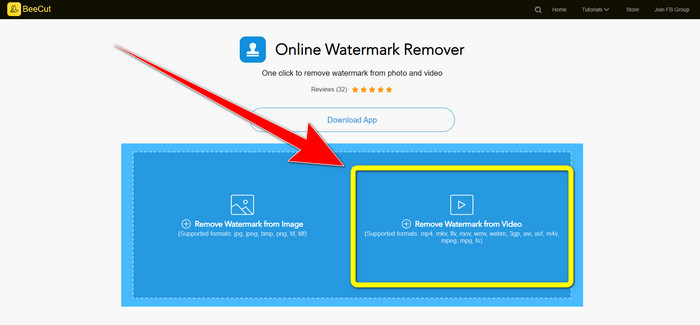
步骤 2: 添加文件后,你的视频上会出现一个小框。拖动该小框,覆盖 Biteable 水印。完成覆盖后,点击擦除按钮。
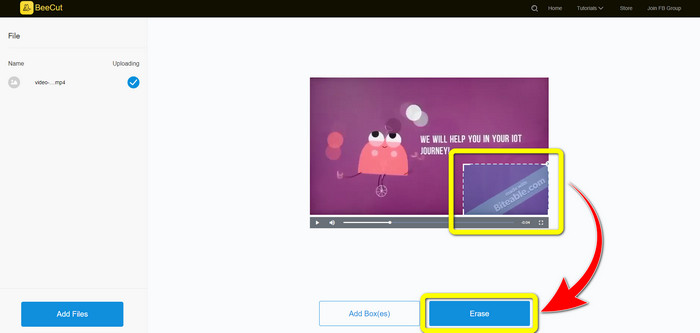
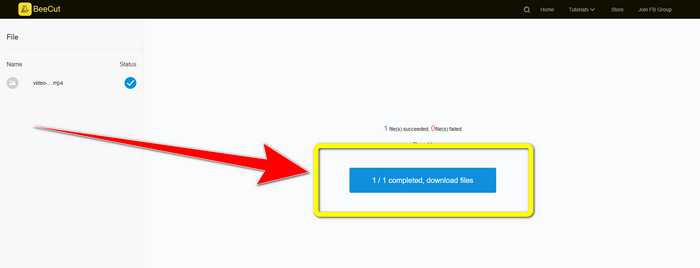
步骤 3: 点击擦除按钮后,等待水印去除过程完成。接着,你就可以下载该文件,畅快观看没有 Biteable 水印的视频。
2.在线使用模糊视频
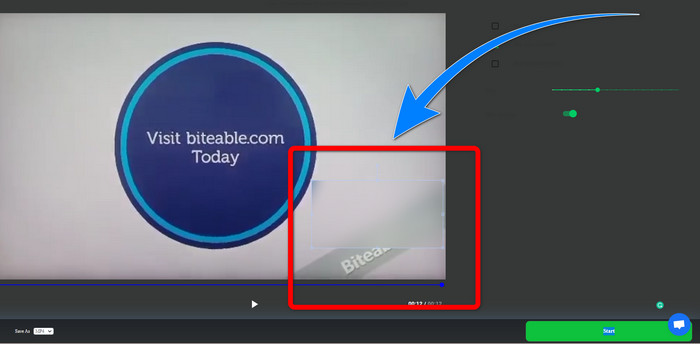
如果您仍在寻找可用于从在线视频中删除可咬水印的其他应用程序,Blur Video Online 对您来说是一个很好的工具。 Blur Video Online 适用于几乎所有设备和浏览器,例如 Google Chrome、Opera、IE、Mozilla Firefox 等。但是,这个依赖网络的应用程序在导入视频文件时速度太慢,而且去除水印的过程非常耗时。它也是一个依赖互联网的工具,这意味着它只有在你有互联网连接的情况下才能运行。按照以下简单步骤从视频中删除/模糊可咬水印。
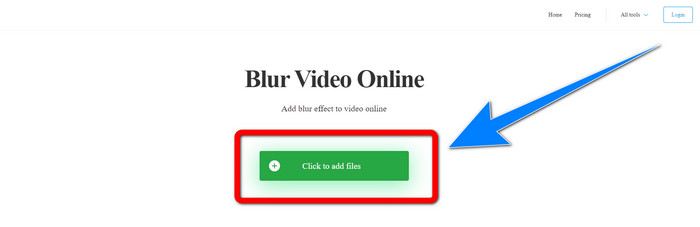
步骤 1: 访问 Blur Video Online 网站。然后点击点击添加文件按钮,添加带有水印的视频。
步骤 2: 插入视频后,你的视频上会出现一个框。将其拖动到水印位置进行覆盖,然后保存你的最终输出。
相关内容:
在 Windows 上移除 Camtasia 9 水印的最佳方法
第 3 部分:关于从视频中删除可咬水印的常见问题解答
我可以使用 Video Converter Ultimate 删除日期戳吗?
是的你可以! Video Converter Ultimate 可以帮助您消除视频中的干扰对象,例如日期戳、水印、文本等。
从我的视频中删除水印是否耗时?
这取决于您使用的应用程序。有些应用程序可以立即从您的视频中删除水印,有些应用程序需要一些时间才能删除水印。
有没有我可以使用而不会降低视频质量的水印去除器?
有的!你可以使用 Video Converter Ultimate。它不仅擅长去除水印和编辑视频,还可以在不损失视频质量的前提下帮你移除视频中的水印。
结论
从视频中去除水印非常有用,尤其是当你想无干扰地观看喜爱的视频时。本文为你介绍了多款实用工具,可用于从视频中去除 Biteable 水印。最后,如果你正在寻找一款出色而强大的软件来去除视频水印,那么使用 Video Converter Ultimate 将会是最佳选择。
-
 如何使用 4 种有效方法去除 Powtoon 水印
 阅读本文以了解如何使用我们在此处提供的最佳工具和教程来删除 Powtoon 水印。
-
 Apowersoft Watermark Remover 评测 – 功能、优缺点和价格
 Apowersoft Watermark Remover是最好的水印去除器之一,支持在线和离线,点击了解更多!
-
 您将需要的 3 个最新的 Shutterstock 水印去除剂
 不喜欢附加到导出视频的 Shutterstock 水印?您可以使用 Shutterstock 水印去除器来有效地擦除它。
