


 视频转换大师
 屏幕录影大师
 视频修复
视频修复
 安全下载
安全下载3 个 Shutterstock 水印去除器,用于使用和去除视频上的水印
你是否需要用于项目的高质量、授权 Shutterstock 视频,却发现它们都带有 Shutterstock 水印?借助 Shutterstock 水印去除器,你可以轻松擦除已下载视频上的水印。无论在专业用途还是个人用途上,我们都不希望视频上有水印,因为它会破坏整个视频的观感。因此,如果你想去掉 Shutterstock 的水印,可以继续阅读本文中提供的信息和简要教程。

第 1 部分。如何使用市场中的 Ultimate Watermark Remover 删除 Shutterstock 水印 [编辑选择]
FVC Video Converter Ultimate 能准确地帮助并引导你去除已保存视频上的 Shutterstock 水印。它是一款功能全面的解决方案,你可以在 Windows 和 Mac 上下载,用来调整视频,例如去除水印。尽管它是一款全能型软件,其开发者仍然保持了较低的使用门槛,界面友好,任何人即使没有深厚专业知识也能轻松上手。
即使是低级技能,一旦使用此编辑器,您也可以在最后获得顶级输出。仍然不相信我们添加的信息?为了证明这一点,我们将教您如何使用此视频编辑器免费删除 Shutterstock 水印。
步骤 1. 若要去除已下载视频上的水印,你需要先通过点击与你操作系统匹配的下载按钮获取这款编辑器。接下来会有一个简短的安装过程,完成后你就可以开始使用这款软件。
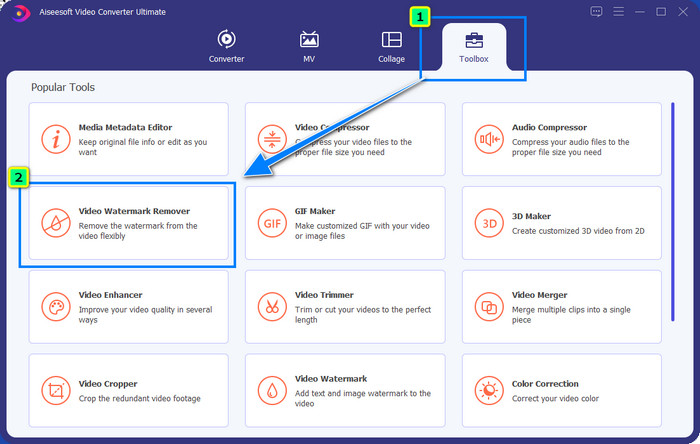
步骤 2. 接着使用 视频水印移除器(Video Watermark Remover) 功能,你可以在 工具箱(Toolbox) 下找到它。如你所见,你可以使用多种编辑功能来调整视频,使其达到你理想的效果。
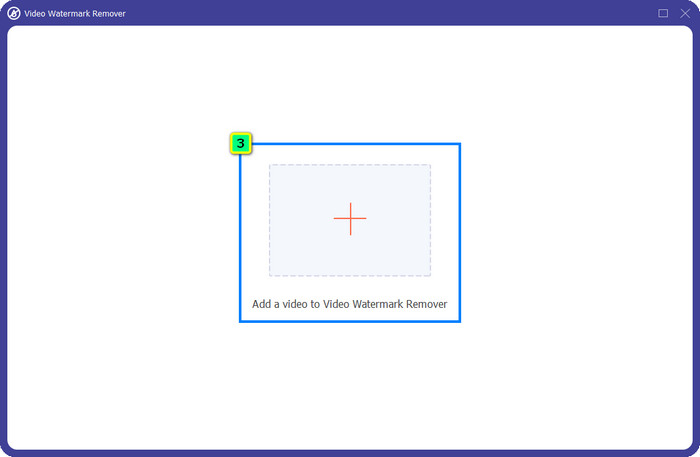
步骤 3. 点击加号图标,屏幕上会弹出文件管理器。选择带有水印的视频文件,然后点击 打开(Open) 进行上传。
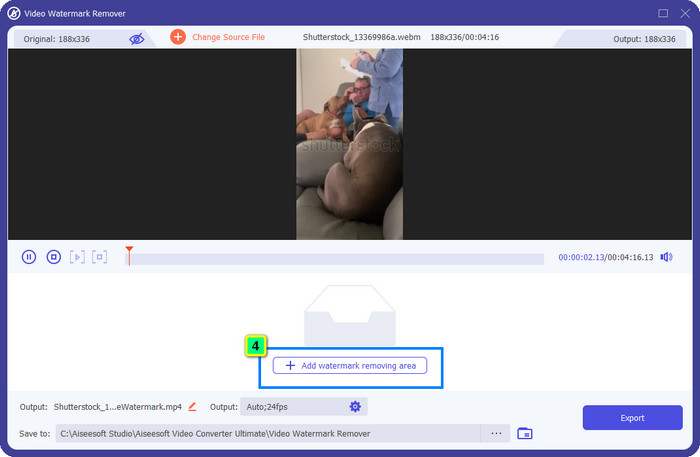
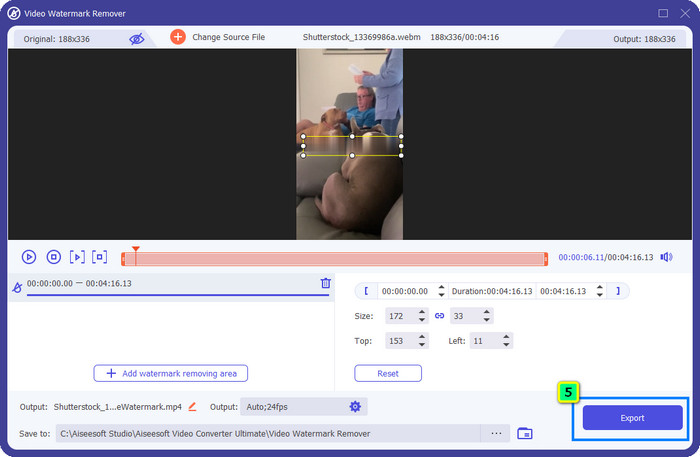
步骤 4. 若要擦除已上传视频上的水印,点击 添加去除水印区域(Add Watermark Removing Area),此时会出现一个新窗口。
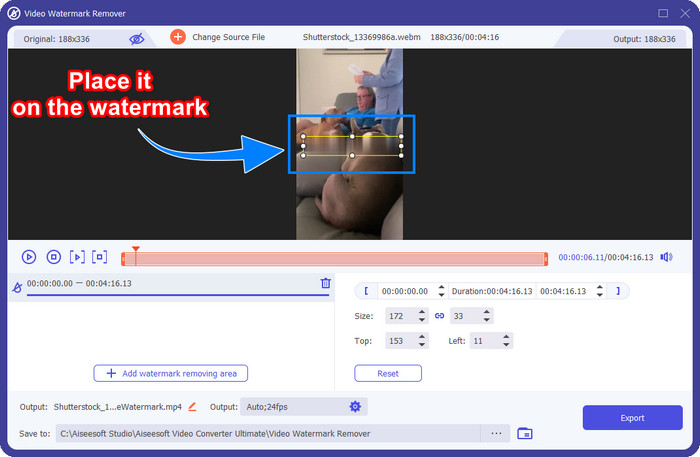
步骤 5. 在这一步中,视频上会出现一个方形框,将它放置到水印所在位置。你可以对其进行缩放、拖动、收缩或放大,以便精准覆盖你想要删除的水印区域。
步骤 6. 最后,点击 导出(Export) 按钮,将处理好的 Shutterstock 视频下载到你的设备。现在你就可以放心欣赏视频,而不用再担心水印,因为它已经被删除了。
第 2 部分。如何免费在线删除 Shutterstock 水印
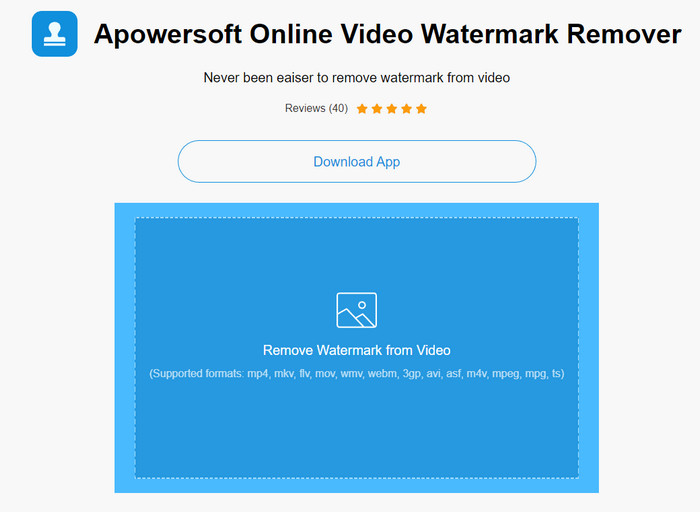
不想在桌面端下载水印去除工具?那么你可以使用 Apowersoft 在线水印消除,我们也会在这里教你如何在线去除 Shutterstock 水印。对于需要去除视频或图片水印的用户来说,它是一个极佳的选择。之所以推荐这款工具,是因为它可以直接在线使用,并且兼容你手头上的不同操作系统。
与离线工具不同,您需要稳定而强大的互联网连接才能使用它们。正如我们所承诺的,以下是使用此水印去除器去除 Shutterstock 留下的水印的教程。
步骤 1. 使用你常用的搜索引擎打开 Apowersoft 在线水印消除的官方网站,然后点击右侧的 + 按钮上传视频文件。
步骤 2. 将选框(selection box)拖拽到视频中 Shutterstock 水印所在的位置。
步骤 3. 完成后,点击 擦除(Erase) 以去除水印并查看效果。
步骤 4. 点击 下载文件(Download File),即可获取已无水印的 Shutterstock 视频。
第 3 部分。如何使用 Photoshop 删除 Shutterstock 水印 [付费]
许多用户都在询问如何使用 Photoshop 去除 Shutterstock 水印,我们也将在这里为你提供帮助!Adobe Photoshop 提供了专业的水印去除功能,你一定会喜欢使用。与本文中介绍的软件一样,它也能完成水印去除的任务,不过其方式是逐帧处理。也就是说,你需要逐帧消除视频中的水印;视频越长,帧数越多,所花的时间也就越长。如果你想了解该工具的具体操作方式,请阅读下面的详细步骤。
步骤 1. 在电脑上下载并安装该应用,然后点击 文件(File),在其下拉菜单中选择 打开(Open),导入保存在电脑上的视频。
步骤 2. 在左侧工具栏中选择 魔棒工具(Magic Wand Tool),然后点击你想去除的水印。该功能会自动勾勒出当前帧中的水印区域。
步骤 3. 在顶部菜单中进入 编辑(Edit),然后点击 内容识别填充(Content-Aware Fill),在选中水印之后进行处理。
步骤 4. 打开“内容识别填充”后,它会自动去除你刚刚选中的水印区域,然后点击 确定(OK)。
延伸阅读:
第 4 部分。有关如何删除 Shutterstock 水印的常见问题解答
如何在没有 Photoshop 的情况下删除 Shutterstock 水印?
您可以使用 FVC Video Converter Ultimate 删除绑定到您的视频的 Shutterphoto。它有一个强大的水印橡皮擦,你会很想尝试。按照我们在本文中添加的步骤,可以像 Photoshop 一样有效地执行此操作。
裁剪 Shutterstock 水印是否适用于视频?
如果您想通过更改尺寸来调整视频大小,您可以在线和离线使用多个视频编辑器来裁剪视频。由于 Shutterstock 的水印在中间,所以最好不要使用裁剪功能。许多水印去除器可以提供帮助;您可以阅读和复制我们添加的教程,以便您可以有效地擦除它而不会留下污迹。
删除 Shutterstock 水印是否合法?
去除 Shutterstock 的水印是不合法的,但如果您想将其用于非商业用途,您可以借助水印去除器来完成。如果您打算将其用于商业目的,最好在 Shutterstock 上购买您想要的照片;虽然它会花费你,但它至少会让你拥有使用它的合法权利。
结论
现在,你已经了解如何使用本文介绍的软件来去除 Shutterstock 水印。那么,你更偏好哪一种软件:付费版、免费在线工具还是这款终极软件?无论选择哪种方式,你都可以获得没有产品标志的 Shutterstock 图片或视频。但如果你想知道我们的推荐,不用犹豫,我们会选择 FVC Video Converter Ultimate,因为它在完成这项任务方面表现最为出色。即便它是一款功能强大的水印去除工具,操作依然十分简单。如果你想亲自体验这款软件,可以点击下载按钮,将它安装到你的电脑上。
-
 从 Renderforest 导出的视频中删除水印的终极工具
 要从 Renderforest 中移除水印,您需要在设备上安装水印移除器,您可以使用的所有工具都在这里。
-
 如何删除 WOW 滑块水印的简单步骤 [已解决]
 WOW Slider 是一款用于创建精彩幻灯片的应用程序。但是,它会在其输出中嵌入水印。阅读以下内容以了解如何删除 WOW Slider 水印。
-
 如何免费去除威力导演水印[完成]
 如何免费去除威力导演水印?消除水印的最佳工具在这里,所以通过阅读来学习它们。
