


 视频转换大师
 屏幕录影大师
 视频修复
视频修复
 安全下载
安全下载如何从屏幕截图中删除 Snapchat 文本的最佳技巧
你想知道如何从截图中去除 Snapchat 文字吗?那你就来对地方了。本文将为你提供几种最简单的方法,帮助你从照片和视频中移除 Snapchat 文字。这些方法步骤清晰、操作简单,非常适合非专业用户。如果你对这些简单的方法感兴趣,就先放下手头的事情,专心阅读这篇实用的文章吧。

第 1 部分:如何从图片中删除 Snapchat 文本和字幕
要从照片中去除 Snapchat 文字,最好的做法就是使用水印去除工具。这样你就可以删除照片中的任意元素,比如文字、标志、水印等。如果你正在寻找一款优秀又可靠的工具,可以试试 FVC 免费水印去除器。它可以帮你在线快速删除图片上的 Snapchat 文字。该工具拥有友好的界面、详细的操作指引和简单明了的按钮,上手非常容易。
此外,FVC Free Watermark Remover 支持常用的输入和输出图像文件格式,如 PNG、JPG、JPEG、BMP 等。此外,此工具可在 Windows 7、8、10、11 和 macOS 10.7 以上版本上使用。最后,此应用程序承诺保证每个用户的隐私,因此您无需担心您的图片或信息。如果您想从照片中删除 Snapchat 文本,请按照下面的简单指南操作。
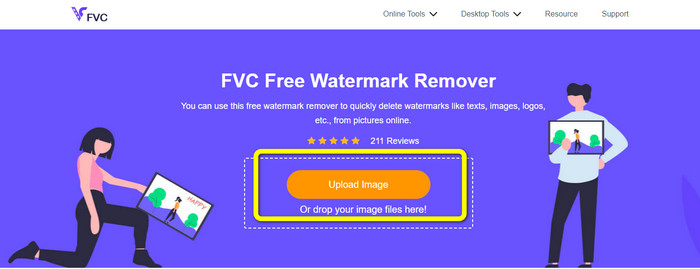
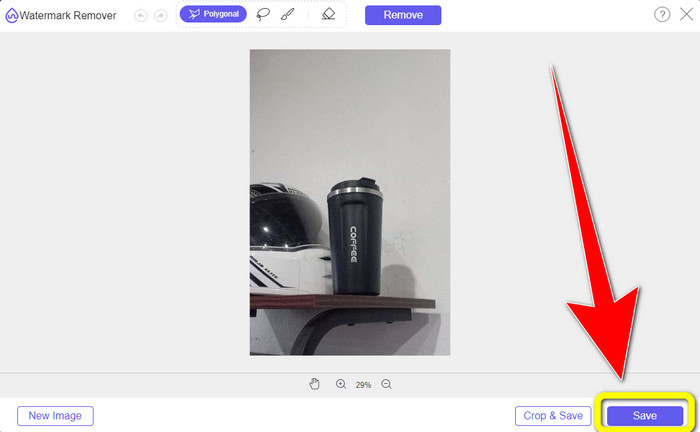
步骤 1: 先访问 FVC 的免费水印去除器网站。点击上传图片按钮,导入带有 Snapchat 文字的照片。
步骤 2: 导入照片后,你可以使用水印去除功能中的多边形工具、套索工具和画笔工具。
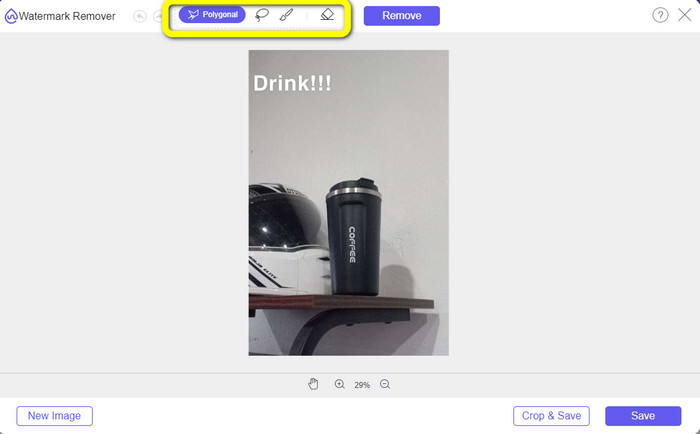
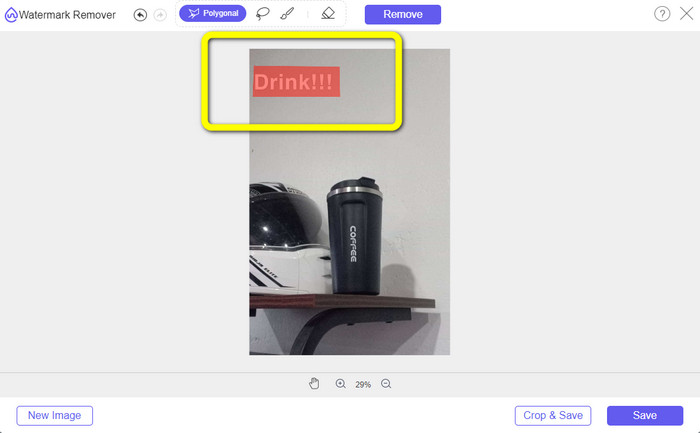
步骤 3: 使用这些工具,框选或涂抹出你想要删除的文字区域。
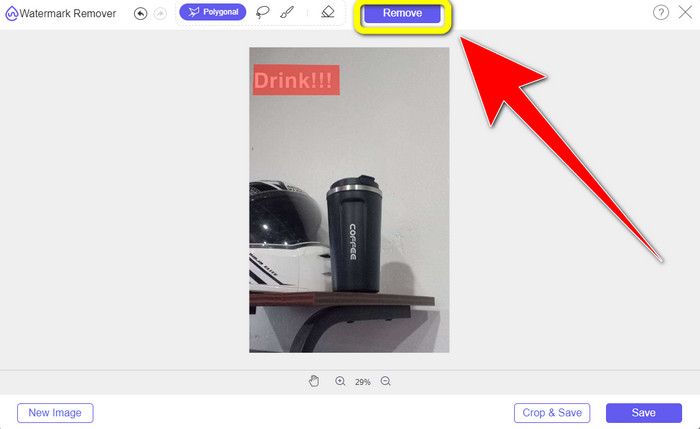
步骤 4: 当你完成对文字区域的标记后,点击去除按钮,将照片中的文字清除。然后等待处理过程完成。
步骤 5: 文字去除完成后,你可以点击保存按钮,将去除文字后的照片下载到本地。
第 2 部分:如何从视频中删除 Snapchat 文本
在学会从照片中去除 Snapchat 文字后,我们还可以教你如何从视频中去除 Snapchat 文字。在这一部分,你最好使用的工具是 Video Converter Ultimate。这款程序可以帮你去除视频中不需要的元素,比如文字、水印、标志等。你可以通过两种简单方式删除文字:使用视频水印去除工具,或使用视频裁剪工具。如果 Snapchat 文字位于视频的角落或边缘,你可以使用视频裁剪工具;如果文字位于视频中间位置,则适合使用视频水印去除工具。
此外,此应用程序具有各种您可以享受的编辑工具,如视频增强器、视频压缩器、视频反转器、添加和删除水印、视频修剪器、裁剪器、旋转器、GIF 制作器等。它还支持多种视频文件格式,如 MP4、FLV、MKV、MOV 等。此外,您可以在 Mac 和 Windows 上使用此应用程序,这对用户来说非常方便。如果您想使用两种简单的方法从视频中删除 Snapchat 文本,则必须按照以下简单步骤操作。
使用视频水印去除功能
步骤 1: 在 Windows 或 Mac 电脑上下载 Video Converter Ultimate。安装完成后,启动程序。
步骤 2: 接着,在界面上方你会看到四个选项。点击工具箱面板,然后选择视频水印去除工具。
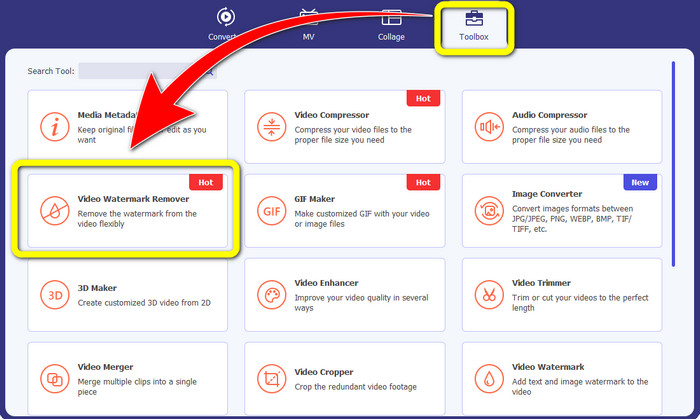
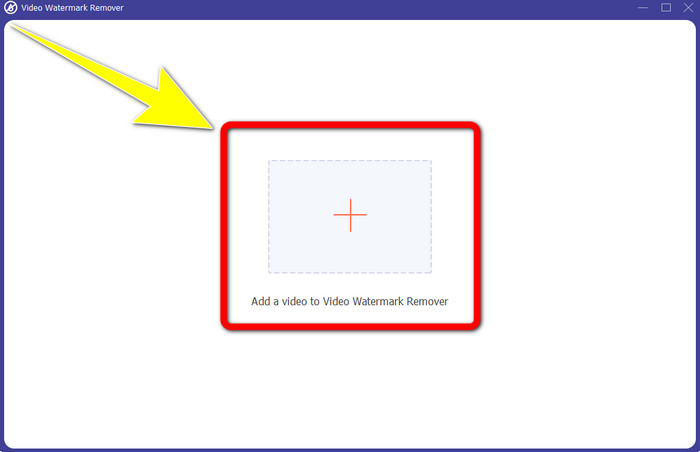
步骤 3: 随后会弹出一个新窗口。点击 + 图标,导入带有 Snapchat 文字的视频。
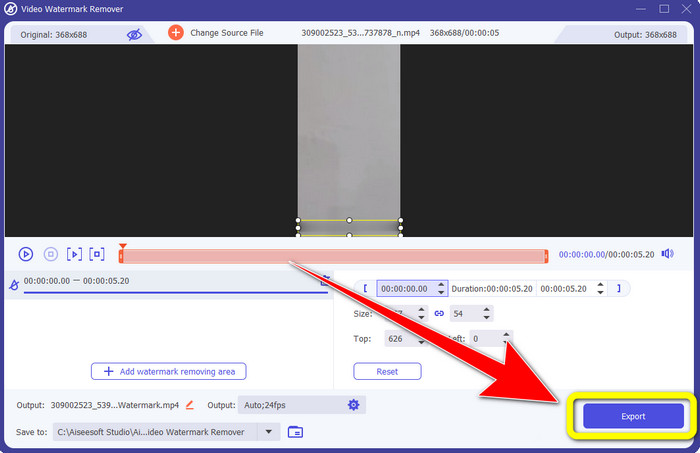
步骤 4: 导入视频后,点击添加去水印区域功能。此时视频上会出现一个小框,拖动该小框覆盖 Snapchat 文字区域。
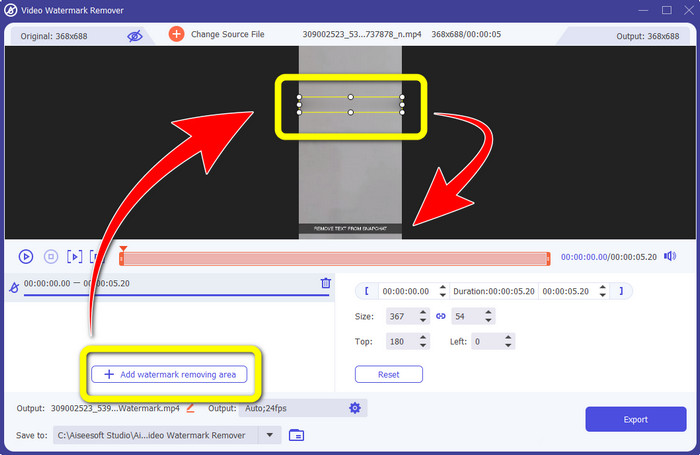
步骤 5: 当你把小框拖动到 Snapchat 文字上方后,你会发现文字已经被去除。最后点击导出按钮,将处理完成的视频保存下来。
使用视频裁剪器功能
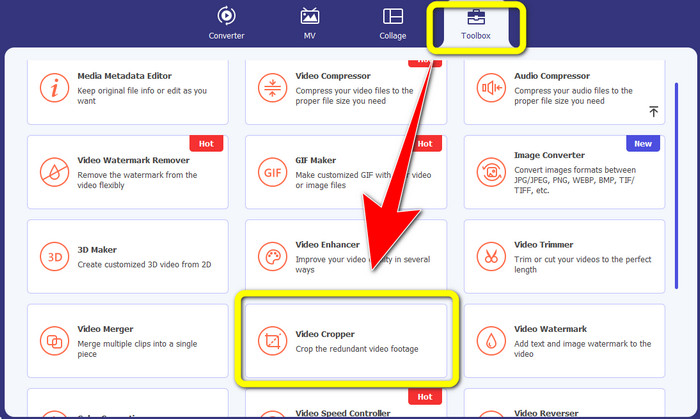
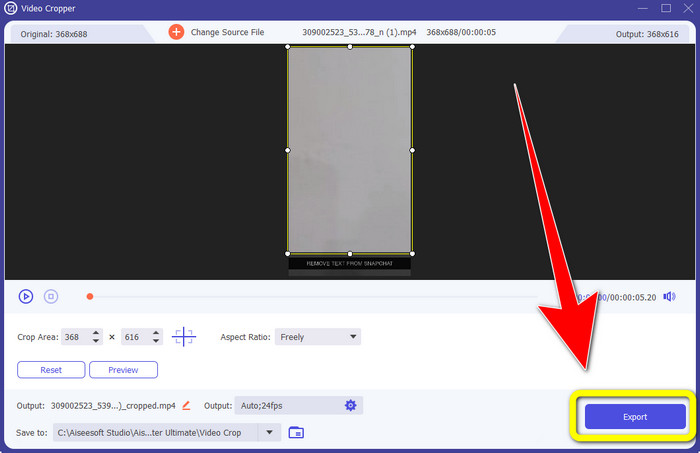
步骤 1: 在电脑上启动 Video Converter Ultimate。选择工具箱面板,然后进入视频裁剪工具。
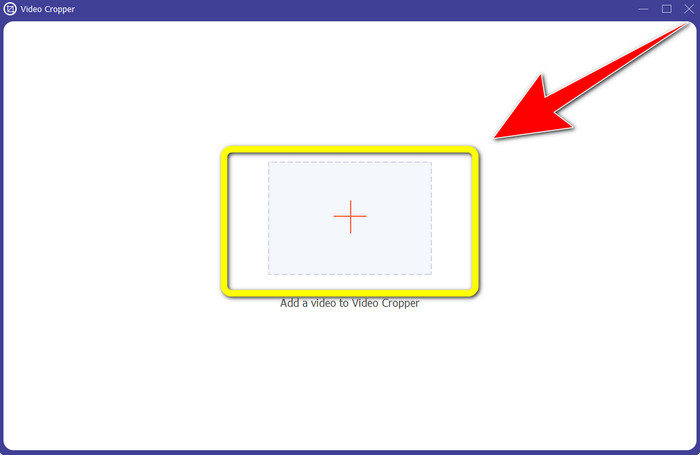
步骤 2: 点击视频裁剪工具后,会弹出新的界面。点击 + 按钮,导入你想要去除 Snapchat 文字的视频。
步骤 3:在这一部分,你可以通过拖动边框来裁剪视频,从而去除 Snapchat 文字。你可以剪掉视频的边缘区域。
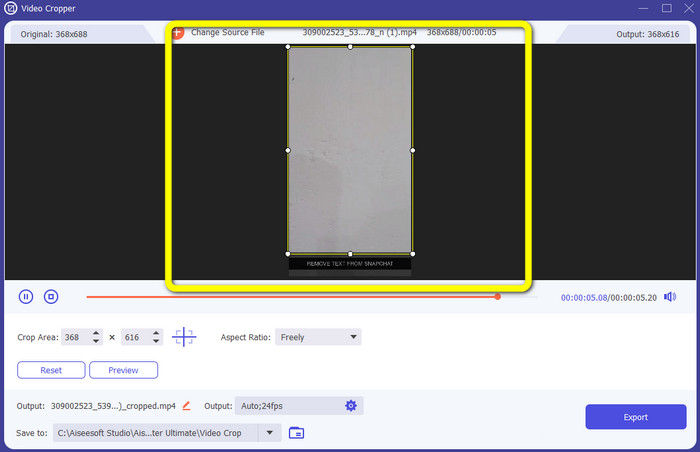
步骤 4: 裁剪完成并确认没有 Snapchat 文字后,你就可以点击导出按钮,保存去除文字后的影片,作为最后一步。
第 3 部分:有关从照片和视频中删除 Snapchat 文本的常见问题解答
我还可以使用手机从照片中删除 Snapchat 文本吗?
是的你可以。您可以将许多应用程序与水印去除器一起使用,例如 PicLab、Photo Retouch-Object Removal、Airbrush 等。
我可以从我的照片中删除 Snapchat 文本而不损失我的图像质量吗?
如果你不想在去除 Snapchat 文字后损失照片画质,那么你必须使用FVC 免费水印去除器。在去除完成后,你依然可以保留图片的原始清晰度。
如何关闭 Snapchat 字幕?
Snapchat 字幕由发布者手动上传,以提高字幕的准确性。屏幕底部的对话气泡开关可用于打开或关闭字幕。
我可以在桌面上使用的最好的水印去除应用程序是什么?
如果你正在寻找一款处理视频的应用,可以选择 Video Converter Ultimate。这款软件可以让你轻松去除视频中的水印。此外,它还具备许多其他实用功能,供你体验。
照片或视频中的水印是什么?
水印是您可以在照片或视频中看到的签名、徽标和文本。它只会告诉其他人谁是图像或视频的实际所有者。水印是保护照片和宣传某些产品名称的最佳方式之一。
结论
综上所述,从照片和视频中去除 Snapchat 文字的最佳方式,就是使用具备水印去除功能的专业应用。本文向你展示了如何利用FVC 免费水印去除器来删除照片中的 Snapchat 文字;同时也介绍了如何通过 Video Converter Ultimate 去除视频里的 Snapchat 文字,其中包括两种出色的方法:使用视频水印去除工具和使用视频裁剪工具。
-
 如何使用 Windows Movie Maker 从视频中删除徽标
 如果您想了解如何使用 Windows Movie Maker 和其他替代方法从视频中删除徽标,请阅读本文。我们为您提供简单的方法。
-
 如何轻松地从视频中删除 VideoScribe 徽标
 您无需再担心从您的视频中删除 VideoScribe 徽标。本文将给出无故障的方法。阅读这篇文章以了解更多信息
-
 在 Adobe Premiere Pro 中从视频中删除徽标的最快方法
 尝试使用这些简单快捷的方法从 Adobe Premiere Pro 中的视频中删除徽标。本文将为您提供尝试使用设备的最佳方式。
