


 视频转换大师
 屏幕录影大师
 视频修复
视频修复如何添加和制作 Snapchat 过滤器并使用它们创建有趣的视频
Snapchat offers its users a unique set of filters and effects that they can use to make their videos distinctive; It is a face modifier. With approximately 293 daily users worldwide and increasing, Snapchat users share more than 4 billion snaps per day; undoubtedly, this app became popular with mobile users, especially teenagers. And right at this moment, we will present the six best Snapchat animated filters you can use to make you look funny, great, and weird.

第 1 部分。什么是 Snapchat

在我们继续前六名 Snapchat 动画过滤器之前,我们将简要介绍 Snapchat 应用程序。首先,Snapchat 提供了多种滤镜和效果,您可以在视频、图像甚至手机上的图片库中使用这些滤镜和效果。
最初,Snapchat 并没有因其过滤器而出名。但对于它的移动消息应用程序。在 Instagram 和微信复制此功能之前,该应用程序是第一个支持自毁消息应用程序的应用程序。因此,开发人员添加了新功能,聊天和故事,为他们的应用程序增添趣味。我们今天可以使用的功能不在应用程序的第一个版本中。
发布一年后,很多应用开发者都想购买这款应用,主要是 Facebook 的 CEO 和创始人。但上述移动消息应用程序开发人员相信它有一天会流行起来,他们是对的。是不是很神奇? Snapchat 成为全世界下载量最大的移动应用程序。它甚至比具有过滤器等其他功能的消息传递应用程序还要好。但问题是,您可以使用的最佳 Snapchat 动画滤镜是什么?要回答这个问题,请继续阅读第 2 部分。
第 2 部分。 2022 年 6 大最佳选择 Snapchat 过滤器
您可以在 Snapchat 上使用许多免费过滤器;它们对您拍摄的每个快照都有不同的影响。你想知道这些过滤器是什么吗?下面,我们列出了我们最喜欢的六个过滤器,如果您这样做的话,可以让您拍得更好。此外,我们列表中的这些过滤器是 Snapchat 上选择最多的,您还在等什么?阅读下面的详细信息。
卡通 3D 风格滤镜
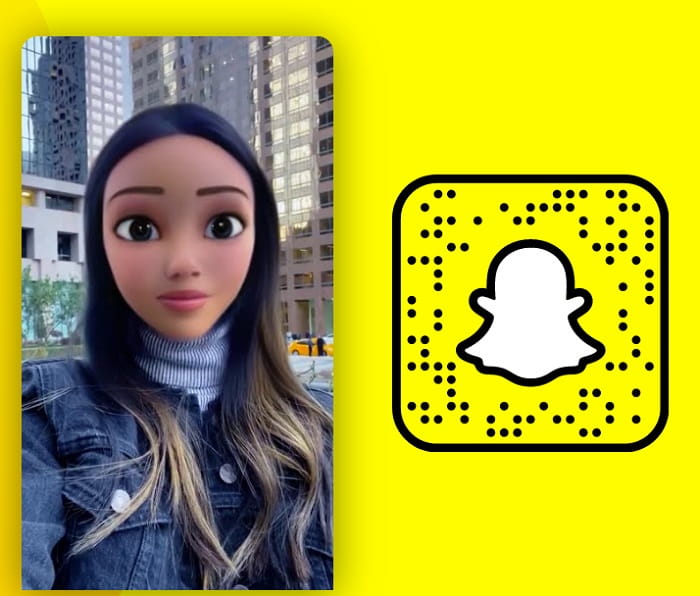
每个人都喜欢 Snapchat 卡通滤镜;因为它可以把你的脸变成卡通人物。由于合理的理由,这个过滤器是 Snapchat 上选择最多的。使用此过滤器,您无需成为专业人士即可看起来像卡通人物。因为它会自动将动画放在您的脸上,看起来像电影中出现的迪士尼角色,所以现在试试看,看看您是否可以完美地适应下一部迪士尼动画电影。
狗过滤器
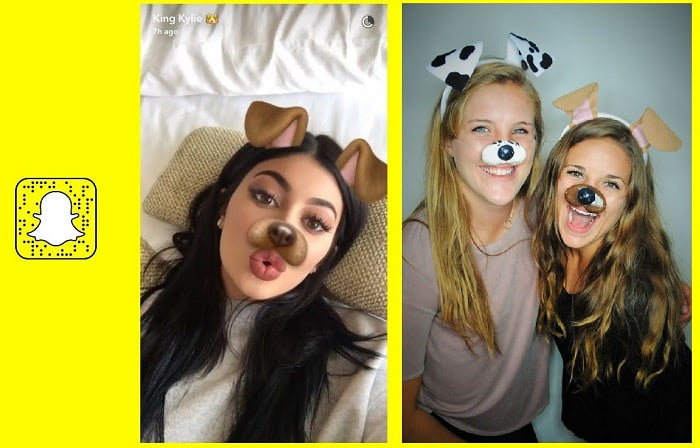
谁爱狗?我们大多数人都喜欢狗,因为它们被称为人类最好的朋友。使用 Snapchat 狗过滤器,您可以在快照中添加狗过滤器。这个滤镜不会把你的脸变成一只真正的狗;好吧,如果是这样,那就太酷了;它只是一个过滤器,可以像狗一样添加耳朵、鼻子甚至舌头。此外,您可以尝试与您的朋友一起使用此过滤器,看看你们两个之间谁更可爱,并与您的朋友分享,让他们判断。
去除胡须过滤器
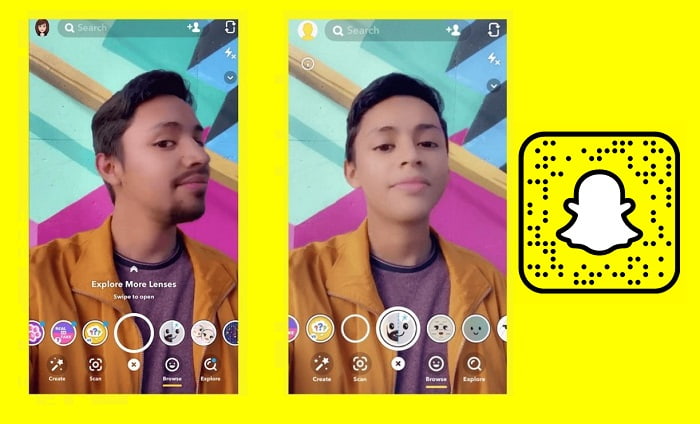
这个过滤器现在很流行,因为它可以去除你伴侣的胡须,看看他们没有它的样子。 Snapchat 上没有胡须过滤器是一种让您或您的伴侣看到没有胡须的方式。由于每个尝试使用过滤器的用户的搞笑结果,它变得流行。许多人尝试使用此过滤器,但大多数结果都出人意料地有趣。因此,如果您正在考虑剃胡须或要求您的伴侣去除胡须,您必须先尝试此过滤器以查看可能的结果。我们承诺如果您有胡须,这个过滤器是必须尝试的。
秃头过滤器

你想把头发剪成秃头吗?想看看秃头是什么样子吗? Snapchat 上的秃头过滤器非常有趣。因为此过滤器不分性别,这意味着您可以将此过滤器用于任何您想看到秃头的人。此滤镜通过添加胡须、眉毛等附加效果使用户看起来秃顶。正如我们之前所说,该应用程序是一个中性过滤器,这意味着通过使用此过滤器,您可以将某人视为秃头并对此大笑或测试它是否适合您,如果您要秃顶.试试这个过滤器,看看秃顶对你来说是不是一个不错的选择。
新娘面纱过滤器
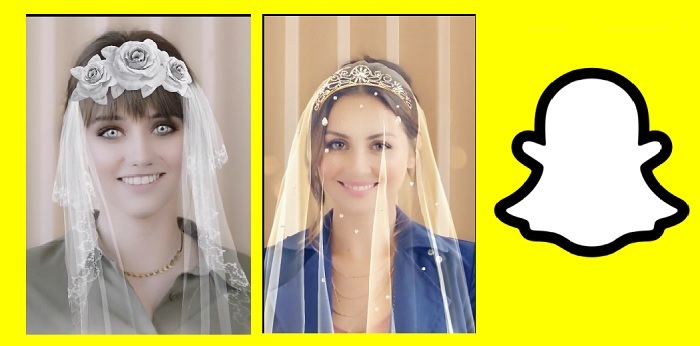
这个婚礼 Snapchat 过滤器可以帮助您添加效果,就像您正在举办婚礼一样。从技术上讲,你不会像典型的婚礼那样拥有面纱和婚纱,但这两者都是动画版本。虽然这不是您想要的完美婚礼,但它是您需要的最有趣的婚礼过滤器。此滤镜在套装中不可用,因为它经常更改,但您可以在探索镜头上搜索它并查看其他新娘滤镜套装。
生日蛋糕过滤器
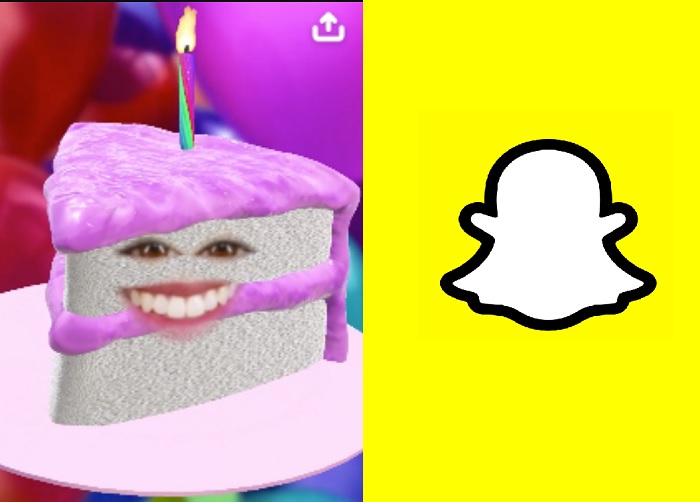
想用蛋糕给某人一个惊喜吗?好吧,你可以用这个过滤器成为蛋糕。您可以使用 Snapchat 生日过滤器来问候某人或与生日相关,例如蛋糕。您可以在探索镜头上找到不同的生日派对过滤器,让庆祝者感到高兴,或者您可以尝试使用此过滤器。
既然我们已经提到了我们对 Snapchat 过滤器的所有选择,你有没有想过你是否可以创建一个?令人惊讶的是,您可以制作过滤器。不知道该怎么做?阅读下一部分,了解如何制作可在 Snapchat 上使用的过滤器。
第 3 部分。关于如何在线制作 Snapchat 过滤器的简化教程
Snapchat 有一个在线版本,您可以在其中创建过滤器,想知道如何制作 Snapchat 过滤器吗?如果是这样,您可以按照以下指南成功创建一个。此外,这些步骤不会教您动画滤镜,但会教您如何在拍摄的快照上添加徽标、区别、背景等。
Step 1. Open your browser and look for create.snapchat.com. Click Get Started, then Submit Now.
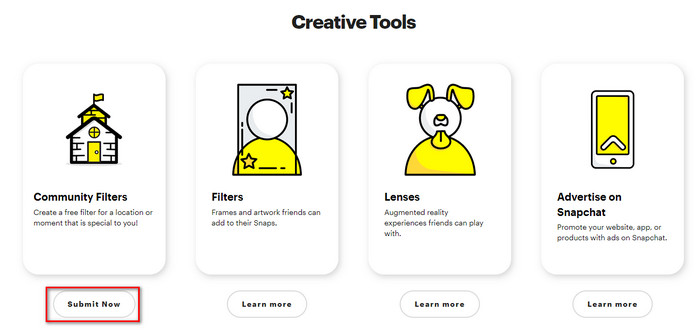
在继续下一步之前,请记住在 Snapchat 上登录您的帐户。之后,执行下一步。
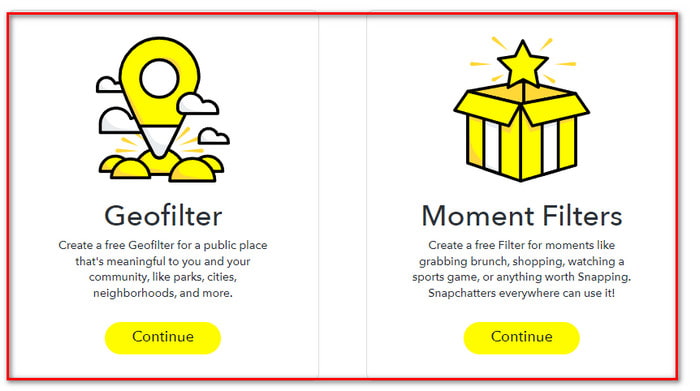
Step 2. Choose between GEOFilter and MomentFilter; choose either, but today we will select GEOFilter. Press upload to insert the filter you've made; please ensure that the filter is in .png. Then click continue, choose the fence on where your filter will be available.
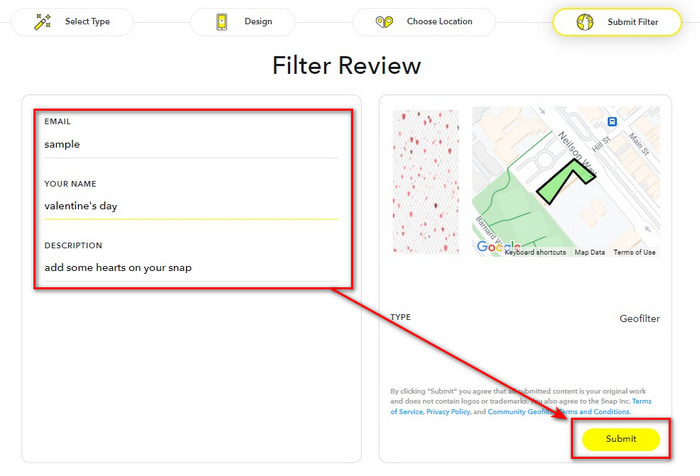
Step 3. Lastly, fill in the needed information and click Submit.
第 4 部分。如何使用 Windows 和 macOS 上的终极软件为视频添加漂亮的过滤器
With the expertise of the filters you can use on Snapchat, it seems that you can do everything, but did you know you can make it better? With the help of FVC Video Converter Ultimate, you can turn your snap videos into a much more appealing look. This video editor is available on any Windows and Mac software, and it is easier to use than the other video editors you can use on the said platform. Are you interested in making a much amazing video within a few clicks? Follow the steps we provide below to bring your Snapchat video into a much livelier one.
“在执行以下步骤之前,请记住先在计算机上传输视频快照。”
Step 1. Before using this video editor, you must download it first on your drive by clicking the presented download button below. Install it promptly, then open it to proceed to the next step.
Step 2. After you open the tool, click the + button to add the Snapchat video you want, press Open to upload it into the editors' waiting list of videos.
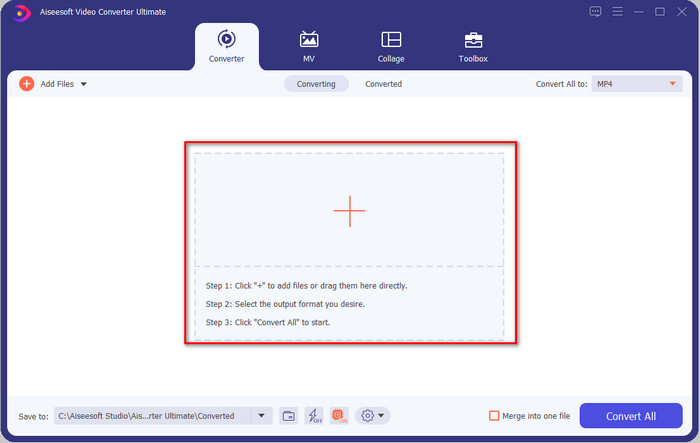
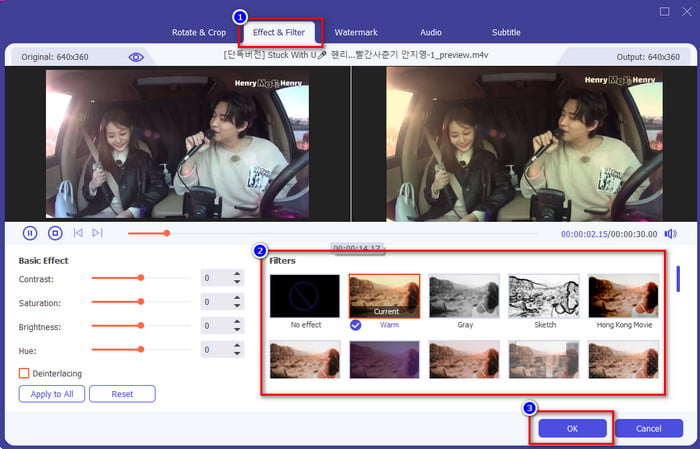
Step 3. Press the wand button to add the filter to your snap video to make them even better. You can locate the filters available in this tool by clicking Effects & Filters. Select the filter you want to apply to your video; you can try all of them. If you decide to use the filter you've chosen, click OK.
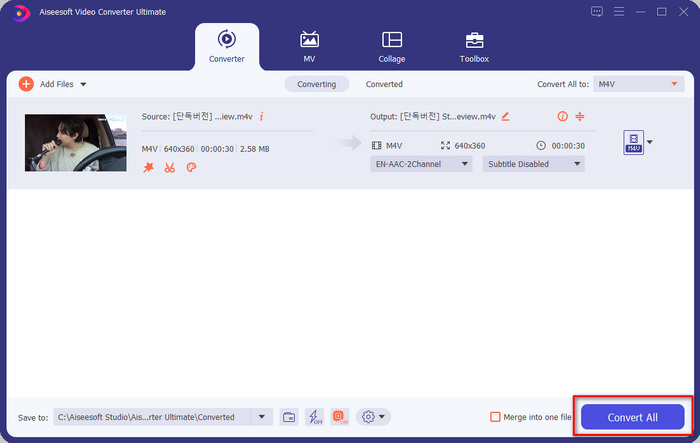
Step 4. Finally, by clicking the Convert All button, saving the filtered video snap will start immediately. With that, you can now share or post the video online and impress the other internet users with the result you've gotten on the ultimate tool.
第 5 部分。关于 Snapchat 过滤器的常见问题解答
哪个应用有更多过滤器? Snapchat 还是 Instagram?
Snapchat has more filters than Instagram. But did you know that Instagram has this unique filters you can use to make your video or photo even better? We researched the best filters on Instagram; you can click the link and read more about it.
为什么我在 Snapchat 上找不到过滤器?
Snapchat 上的过滤器会旋转更改,这意味着它们不是永久列表中的。但是你可以通过去探索镜头找到一个特定的过滤器,通过点击星形图标,你可以将它保存为收藏夹。
导出 Snapchat 是否有水印?
到目前为止,如果您将视频或图像保存在手机上,Snapchat 不支持为您的视频或图像添加水印。这样,您就可以享受没有水印的快照。
结论
With all the information we gathered, we think it is wise to say that Snapchat is the topmost filtering app you can download for free on your mobile device. Although the tool did reach its great potential, the developer will not stop on the features and filters and will strive even further in the future. Same as going with the FVC Video Converter Ultimate, this tool does have the ultimate filtering option you can have at a low cost. So, if you want to make your snap video even better, then let's add the magic of the ultimate tool to make it the best!
-
 在 Mac 和 iPhone 上使用 iMovie 向视频添加文本的简单方法
 需要使用 iMovie 向视频添加文本?阅读整篇博文,了解如何通过详细步骤在 iMovie 上添加文本标题。
-
 在 Windows 和 macOS 上为视频添加滤镜的 4 种惊人方法
 想知道为视频添加滤镜的最佳方式吗?幸运的是,我们找到了您可以在此任务中使用的三个视频编辑器;继续阅读这篇文章以了解更多信息。
-
 终极指南如何更改跨平台可用的视频分辨率
 需要更改视频的视频分辨率?如果是这样,请了解您可以轻松更改正在观看的视频的视频分辨率的不同方法。
