


 視頻轉換大師
 屏幕錄影大師
 影片修復
影片修復使用 8 款頂級 4K 視訊轉換器來提高您的視訊質量
你是否正在尋找將 4K 影片轉檔並提升品質的最佳工具?那就別再找了!在這篇全面的評測中,我們將為 Windows 和 Mac 使用者介紹多款頂級的4K 影片轉檔器。不論你需要的是桌面軟體,還是偏好線上方案,我們都一一替你整理好。這些工具具備極為豐富多樣的功能,可滿足你各種特定需求。一起深入 4K 影片轉檔的世界,找出最適合你的工具,將影片品質提升到全新境界。

第 1 部分:適用於 Windows 和 Mac 的 4 個頂級 4K 視訊轉換器
FVC Video Converter Ultimate
FVC Video Converter Ultimate 以其在 4K 影片轉檔方面的卓越能力而聞名,支援 4K MP4、4K MKV、4K MOV、4K AVI 等格式。與其他 4K 影片轉檔工具相比,它不只支援格式轉換,還具備將影片升級至 4K/5K/8K 的功能。此外,你還可以自訂與編輯視訊與音訊的編碼器、影格率、解析度以及位元率。而且,它提供 AI 影片增強選項,只需一鍵便可自動修正並提升影片解析度。
值得注意的是,該工具在 GPU 加速支援下,轉換速度提高了 120 倍,即使對於大型影片檔案也能快速處理。最後,如果您有多個剪輯需要轉換為 4K 並合併為一個文件,您可以在軟體中無縫地完成此任務。
支援作業系統:
◆ 視窗。
◆ macOS。
主要功能特色:
◆ 直覺且使用者友好的4K 轉換介面。
◆ 將視訊或音訊轉換為 1000 多種格式。
◆ 工具箱中有超過 20 個工具可用於最佳化您的 4K 素材,如視訊浮水印移除器、視訊壓縮器等。
◆ AI 技術可提高您的視訊品質,例如消除視訊雜訊、優化視訊和對比度以及減少視訊抖動。
最適合用於:
最適合所有類型的用戶,特別是那些尋求在一個軟體中包含更多功能的 4K 視訊轉換器工具的用戶。
缺點:
◆ 它可能缺少進階編輯選項。
FVC 免費影片 4K 轉換器
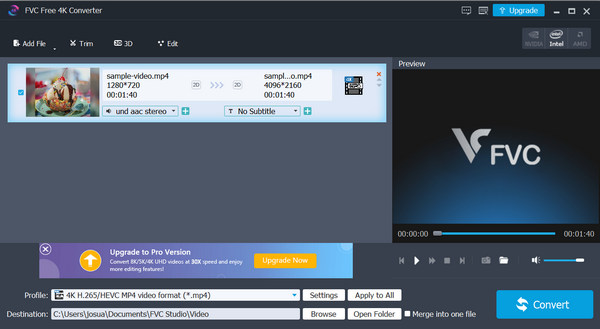
FVC Free Video 4K Converter 是一款操作簡單的工具,用來處理並提升 4K 影片。它能輕鬆將 SD、1080p 等解析度的影片轉換成 4K,依照你的偏好與需求進行調整。
此外,它還可以將影片轉換為您選擇的各種 4K 格式,例如 4K MP4、4K MOV、4K WMV、4K AVI 等,隨時隨地觀看。憑藉其快速的轉換速度和批次功能,它是快速管理 4K 影片庫的絕佳選擇。
支援作業系統:
◆ 視窗
主要功能特色:
◆ 支援常見的高畫質視訊格式,包含4K 解析度。
◆ 提供使用者友善的介面,實現無縫操作。
◆ 批量轉換。
最適合用於:
需要免費且簡單的解決方案來轉換 4K 影片和其他高清內容的 Windows 用戶。
缺點:
◆ 與付費軟體相比,功能有限。
◆ 僅適用於Windows。
任何免費視訊轉換器
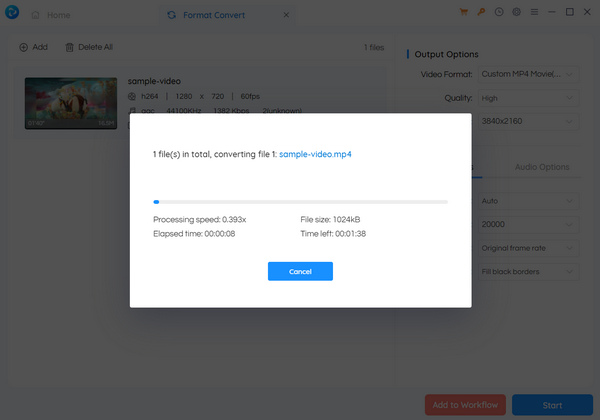
Any Video Converter Free 是一款方便的工具,用於轉換各種視訊分辨率,如 480p、720p、1080p、4K 等。此外,該工具還可讓您調整解析度和位元率等設定。該軟體具有簡單的介面,使其易於使用。然而,該工具可能缺乏一些高級功能,並且與付費選項相比可能會更慢。但它仍然是您可以使用的最好的 4K 視訊轉換器之一。
支援作業系統:
◆ 視窗。
◆ macOS。
主要功能特色:
◆ 將影片轉換為4K 和其他流行格式。
◆ 調整解析度、位元率和幀率。
◆ 友善直覺的使用者介面。
最適合用於:
Any Video Converter Free 是尋找簡單的 4K 視訊轉換器的用戶的理想選擇。其可自訂的設定和易於使用的介面使其適合需要簡單而有效的視訊轉換工具的個人。
缺點:
◆ 它可能缺乏高階軟體中的進階編輯功能。
◆ 與付費選項和其他選項相比,效能較慢。
VideoProc 轉換器 AI
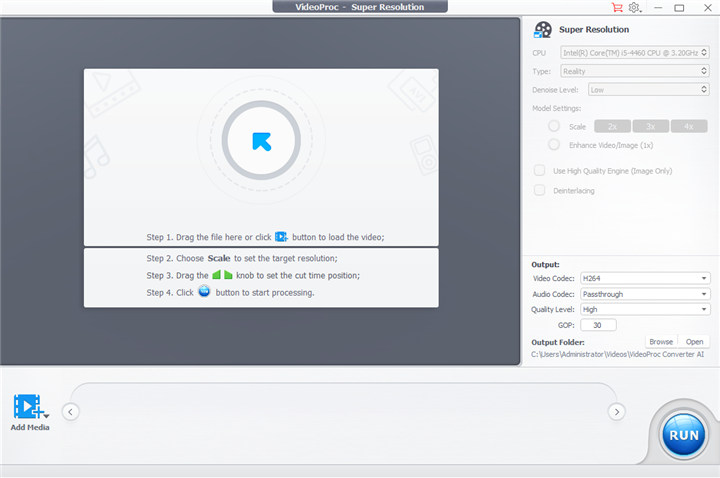
VideoProc Converter AI 是一款進階的 4K 影片轉檔軟體,可利用超高解析度技術,將 240p/360p/480p/720p/1080p 等影片放大 2 倍、3 倍或 4 倍。此外,它還提供 AI 驅動的增強功能、批次處理等進階工具,是處理 4K 解析度影片轉檔的理想選擇。藉由運用 AI 技術,使用者可以提升 4K 影片的畫質,並以最佳速度與效率完成流暢的轉檔作業。
支援作業系統:
◆ 視窗。
◆ macOS。
主要功能特色:
◆ 批量轉換。
◆ 相容於多種格式,包括4K解析度。
◆ 進階編輯和處理功能可增強您的影片效果。
◆ AI提升視訊品質。
最適合用於:
需要高級影片編輯、處理和轉換功能,尤其是處理 4K 影片等高清內容的內容創作者、電影製作人和攝影師。
缺點:
◆ 與免費或基本視訊轉換器相比,成本更高。
◆ 對於新手使用者來說,學習曲線可能比較陡峭。
◆ 需要購買才能使用全部特性和功能。
第 2 部分. 4 個最佳免費 4K 影片線上轉換器
轉換
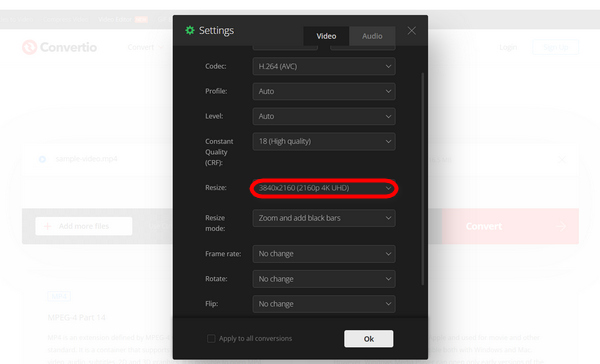
Convertio 是一款線上轉換工具,可以成為出色的 4K 視訊轉換器。該工具專為適應各種視訊格式而設計,包括 4K 解析度。用戶可以輕鬆轉換最大 100MB 的視頻,而不會遇到任何限制。轉換過程並不複雜,使用者可以自由調整視訊解析度、品質和寬高比等多種設置,選擇編解碼器,並輕鬆操縱素材方向。
最適合用於:
Convertio 最適合尋求簡單且多功能的線上轉換工具的使用者。
限制:
◆ 與桌上型軟體相比,轉換速度可能較慢。
◆ 對於較大的視頻,100MB 的檔案大小限制可能會受到限制。
高清轉換視頻
HD Convert Video是一款專注於將影片轉換為高清格式的線上工具。它允許用戶上傳各種解析度的視頻,並將其轉換為高清格式,如 720p、1080p 甚至 4K,具體取決於用戶的喜好。該應用程式對於想要提高視訊品質的個人非常有用,以便在電視、顯示器或投影機等高清相容設備上獲得更好的觀看體驗。 HD Convert Video 通常支援多種輸入格式,並提供自訂輸出設定的選項,使其成為最好的 4K 視訊轉換器之一。
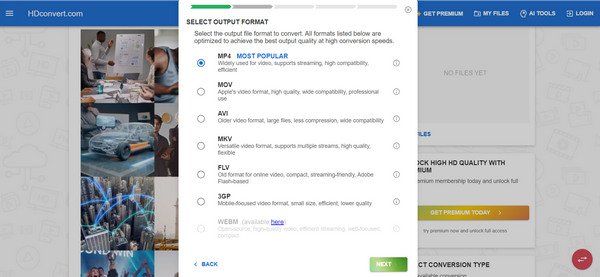
最適合用於:
高清轉換影片適合優先考慮高品質視訊轉換(包括 4K)並且可能更喜歡用戶友好介面的用戶。
限制:
◆ 在支援的輸入和輸出格式方面可能有限制。
◆ 轉換速度可能會因使用者的網路連線而有所不同。
◆ 與桌面軟體相比,缺乏進階客製化選項。
自由轉換
FreeConvert 是一款多功能線上檔案轉換器,可讓用戶將任何影片轉換為 4K 解析度。透過其高級自訂選項,用戶可以轉換 4K 影片。此功能使他們能夠顯著提高視訊質量,從而產生令人驚嘆的視覺效果,將觀看體驗提升到一個全新的水平。
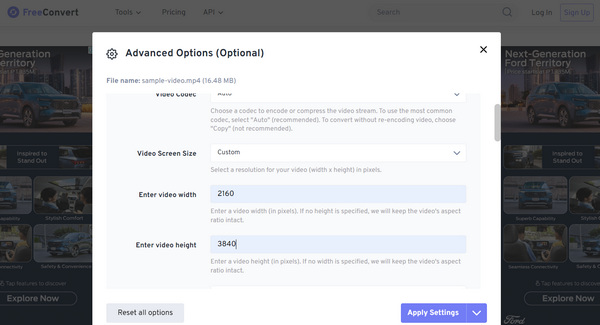
最適合用於:
Freeconvert 最適合需要自訂首選解析度的使用者。儘管它已經預設了格式品質輸出,但有些使用者可能更喜歡根據自己的需求進行自訂。
限制:
◆ 處理速度慢,特別是對於較大的檔案或複雜的轉換。
◆ 不支援所有文件格式。
媒體.io
Media.io 現已更名為 Online UniConverter,專精於 4K 影片轉檔。此工具可讓使用者輕鬆將影片升級至 4K 品質,呈現極佳的清晰度與細節。此外,它也讓提升影片至最高解析度變得格外簡單,確保你在使用4K 播放器時能享有沉浸式的觀影體驗。
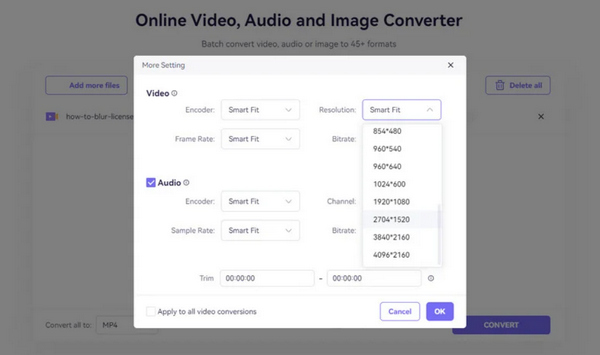
最適合用於:
Media.io 最適合預算有限、希望將影片升級到 4K 解析度以增強視覺品質和清晰度的用戶。
限制:
◆ 免費版本的功能有限。
◆ 您需要一個進階帳戶才能享受其全部功能。
第 3 部分. 有關 4K 視訊轉換器的常見問題解答
可以將影片轉換為 4K 嗎?
有多種線上影片轉換工具或可下載的軟體可用於將影片轉換為 4K 解析度。借助這些工具,可以將較低解析度的影片升級為 4K,或將現有的 4K 影片轉換為不同的格式,而不會損失解析度。
4K 視訊轉換器是免費的嗎?
4K 視訊轉換器提供免費和付費選項。某些線上平台和軟體提供功能受限的免費版本,而其他平台和軟體可能需要購買或訂閱才能完全存取高級功能。人們可以根據自己的具體要求和預算做出選擇。
我可以將 4K 視訊轉換為其他分辨率,例如 720p 或 1080p 嗎?
使用視訊轉換工具可以將 4K 視訊轉換為不同的分辨率,例如 720p 高清或 1080p 全高清。這些工具可讓您根據您的偏好或需求修改解析度設定。您可以在轉換過程中選擇所需的分辨率,以縮小影片尺寸以與特定裝置相容或減小檔案大小。透過這些可用的解決方案選項,您可以輕鬆實現您想要的結果。
結論
總結來說,在 4K 影片轉檔方面,有多種選擇可因應不同需求與偏好。從 FVC Video Converter Ultimate Online、Aiseesoft Free Video Converter 等桌面軟體,到 FreeConvert.com、FlexClip 等線上平台,使用者都能找到具備各種特色與功能的工具。無論你只是需要基本轉檔功能、進階編輯工具,還是講求線上轉檔的便利性,都能找到符合需求的4K 影片轉檔器。此外,由於同時有免費與付費版本可選,使用者可以依照預算與工作流程選擇最合適的解決方案。
-
 十大高清視頻轉換器軟件(免費和商業版)回顧
 閱讀並比較,以從10條建議中獲得最佳的高清視頻轉換器軟件。這是每個用於多平台的高清視頻轉換器的詳細評論。
-
 5種將AVCHD轉換為MP4的方法(免費,批量,快速和安全)
 有5種簡單的方法可以將AVCHD轉換為計算機上的MP4視頻。您可以在這里通過任何轉換器將AVCHD視頻批量轉換為MP4,而不會損失質量。
-
 如何將 4K 影片轉換為 1080p 影片 [終極指南]
 您是否正在尋找縮小影片尺寸的方法?我們';可以滿足您的需求!在本指南中,了解如何輕鬆將影片從 4K 解析度轉換為 1080p 解析度。
