


 視頻轉換大師
 屏幕錄影大師
 影片修復
影片修復了解可以在桌面和手機上使用的 7 個最佳音量增強器應用程序
如果影片的音量小到即使把設備音量調到最高也完全沒差,是不是很惱人?音訊音量變小的原因有好幾種,與其對著影片抓狂,不如試試用音量增強工具,讓聲音變得更大、更清楚。今天算是你的幸運日,我們要介紹多款可以選擇的音量放大器。本文所介紹的所有工具,作者都實際使用過,並依照你目前使用的平台來說明各款工具的實際情況。接下來,就讓我們開始逐一帶你認識在 Windows、Mac、iPhone 和 Android 上可以使用的各種音效增強工具。

第 1 部分。 4 款適用於 Windows PC、Mac 和在線的最佳音量增強器
1.Video Converter Ultimate
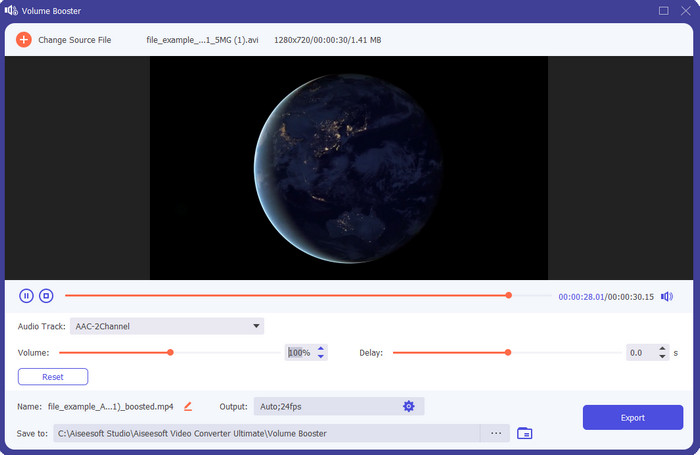
如果你正在尋找最好的音量放大器 App,那麼Video Converter Ultimate絕對值得一試。這款工具能在不損害喇叭的情況下,提升音訊品質。所以,若你用它調整音量,就不用擔心喇叭出現爆音、沙沙聲。此外,如果你的音訊品質本身較差,也可以用這個工具來做強化。即使不是專業人士,也能輕鬆用這款工具完成音量提升。而且不只如此,這套軟體還內建許多實用功能,只要下載後就能一併利用。與其他音量放大工具不同的是,它提供多種增強功能,讓聲音聽起來更好。如果你有音訊延遲的問題,也可以靠它來調整。若把所有工具拿來相比,這款可以說是名列前茅的神器。所以,如果你想體驗全方位的 8D 或 16D 震撼音效,就趕快下載這個工具吧。
優點
- 自動調整均衡器和預設,讓您的工作更輕鬆、更好。
- 音頻的最終輸出比以前好得多,而且不會損壞您的聽力甚至揚聲器。
- 非常直觀,即使沒有boosting經驗的用戶也能做到。
缺點
- 它僅在桌面上可用,沒有手機版本。
- 在您可以訪問它之前購買,但它並不昂貴。
2.VLC 媒體播放器
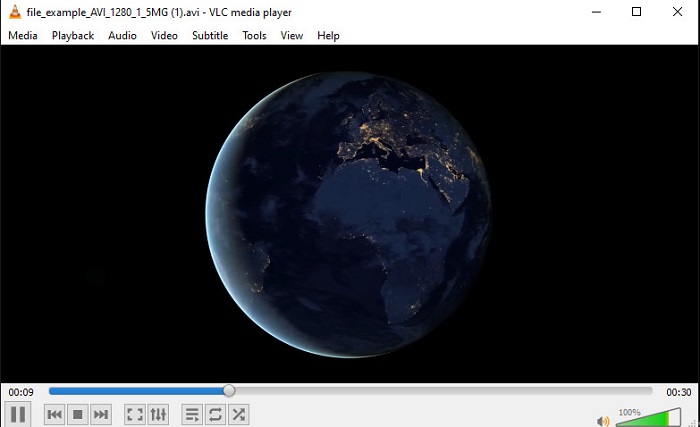
VLC Media Player是目前網路上最好的媒體播放器之一。它的介面中內建免費的音量放大功能,音量最高可以提升到 125%%。不過,這個桌面工具並不會偵測你的喇叭承受能力,也就是說,如果長期把音量拉到極限來使用,喇叭在日後就有可能出現輕微爆音,尤其是內建喇叭。但在本文介紹的工具中,它是唯一同時具備播放器與放大器功能的 App。所以,如果你想一邊看片、一邊直接把聲音放大,不妨試試這款工具。雖然它能提高音量,但因為只是單純把音量放大,並不能保證音質一定會變好。
優點
- 內置音頻增強器。
- 將您的音頻提升至 125%,使其聽起來更響亮。
- 在 PC 或 Mac 上免費下載。
缺點
- 該工具沒有內置均衡器來提高音頻質量。
- 它不會監控您的音頻應該有多大。
相關閱讀:
3.繁榮3D
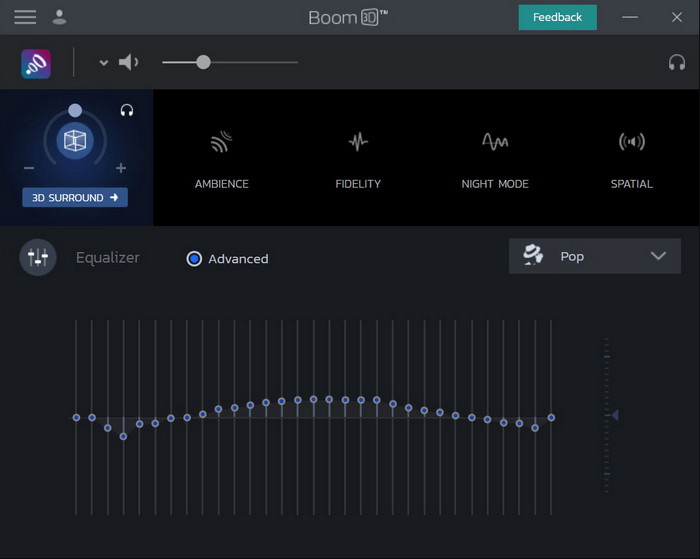
Boom 3D是音效強化領域中相當先進的一款工具。這款支援 Windows 10 和 Mac 的音量放大器,提供多種進階音效增強功能供你使用。你可以手動調整等化器與預設值;與 Video Converter Ultimate 不同的是,這款工具並不會自動幫你全部設定好。雖然整體功能相當強大,但對初學者來說仍有一些門檻,因為它需要事先設定,換句話說,新手要花一點心力來熟悉操作。不過,只要願意花時間研究如何使用,最終會覺得很值得。
優點
- 手動覆蓋均衡器和預設。
- 無需互聯網即可訪問該工具。
- 非常適合想要獲得優質音頻的專業人士使用。
缺點
- 對於不了解均衡器和預設是什麼的初學者來說,這不是最佳選擇。
- 需要大量時間來研究如何使用這個工具。
4. 音量增強器
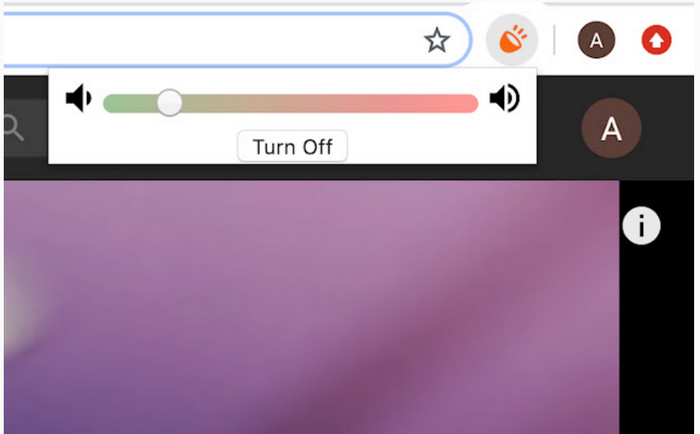
Volume Booster是一款Chrome 音量放大器擴充功能,只要有網路就能輕鬆使用。這款工具任何人都可以免費使用,而且由於是來自 Chrome,安全性也有一定保障。實際使用時,你可以明顯感受到音量被大幅提升。不過,它只能在 Chrome 瀏覽器內使用,無法用在瀏覽器以外的程式上。因此,如果你想增強的是保存在本機硬碟中的音訊,就不能依靠這個工具。不只如此,在我們把音量拉到最大時,確實有聽到一些爆音。所以為了避免這種情況,建議只把音量調到略高,而不要直接推到最頂。
優點
- 該工具是安全的,因為它是 chrome 的擴展。
- 方便使用的。
缺點
- 不能在鍍鉻之外使用。
- 如果你把它調到最大,會聽到一些聲音的破裂。
- 它不支持均衡器。
第 2 部分。 iPhone 和 Android 的前 3 名音量助推器應用程序
1. 音量增強器 - 均衡器 FX
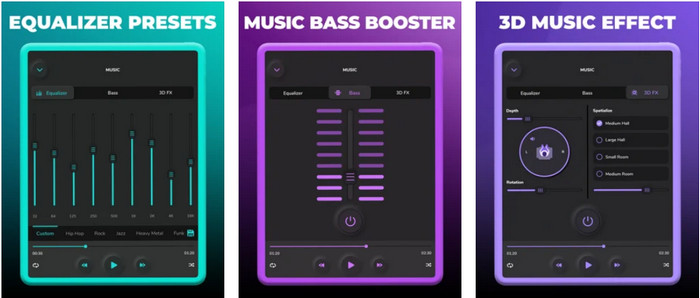
Volume Booster – Equalizer FX會把 iPhone 的音量極限推到最高,讓你聽到更大聲、效果更好的音訊。這款iPhone 音量放大器已經被許多 iOS 用戶拿來做自訂音效等化,App 也獲得約 3.9 顆星的評價,算是中等偏上、不好也不壞。不過,它無法對線上串流內容做音量增強,而且廣告過多,嚴重影響使用體驗。除此之外,像是程式閃退、錯誤等問題也仍然存在。然而,如果你只是想在 iPhone 上加強低音,這款 App 仍然值得一試。
優點
- 對於 iPhone 用戶來說,這是一個很好的助推器。
- 您可以執行基本的均衡和音頻調整。
缺點
- 大多數情況下,該工具會崩潰。
- 它對您可以在哪裡使用音頻增強有限制。
2.AmpMe – 揚聲器和音樂同步
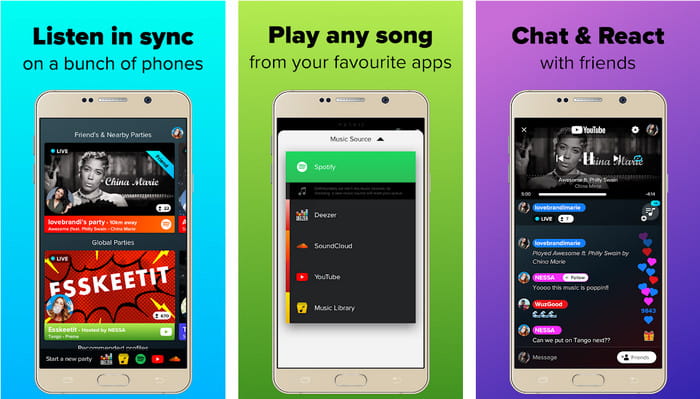
AmpMe - Speaker & Music Sync是一款非常好用、可下載的Android 裝置音量放大器。它不只是單純的放大器,你可以成為主辦人播放自己的播放清單,或是加入其他人的即時派對。簡單來說,透過這款 App,你可以一邊聽音樂,一邊與他人互動聊天。儘管這個工具整體表現可圈可點,但在使用過程中仍可能遇到一些錯誤與閃退問題。此外,有些使用者反映要把音樂加入播放清單並不順利,頗為惱人,且如果不熟悉它的各種功能,操作起來會有點吃力。不過整體來說,對 Android 使用者而言仍是一款很棒的選擇。
優點
- 您可以使用 AmpMe 成為您自己的 DJ,並使用同一個應用程序將其分享給附近的其他人。
- 邊聽邊聊。
- 它產生高質量的音頻。
缺點
- 如果你想更便宜,訂閱費太多了。
- 即使您刪除了帳戶,也很難取消訂閱。
- 有時,當您加入現場派對時,應用程序會自動斷開連接。
3.Volume Booster GOODEV
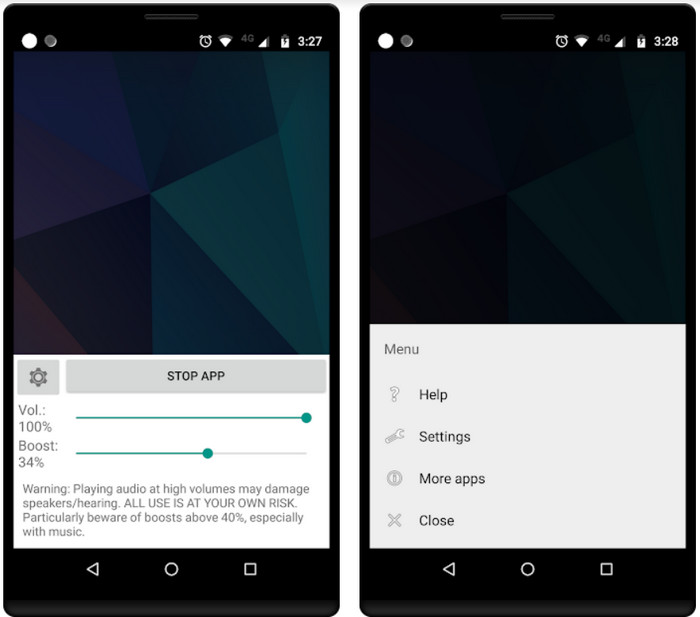
Volume Booster GOODEV擁有簡潔、好上手的操作介面。這款音量放大器已獲得使用者 4.4 顆星的高評價,許多評論都表示它在本身的用途上表現非常出色。但目前在實際使用時,會遇到一些程式閃退的情況,而且常常發生即使啟動 App,音量也沒有被放大的問題。要讓它重新恢復正常,通常得重新啟動手機或關閉後再打開 App,如此才能暫時解決問題。
優點
- 易於理解的音頻增強器,可以在您的 Android 手機上輕鬆下載。
- 方便使用的。
缺點
- 廣告無處不在。
- 大多數情況下,應用程序會在沒有未知原因的情況下自行崩潰。
- 這個應用程序的舊版本比更新版本好得多。
第 3 部分。哪一個是最好的音量助推器
下面是一張比較圖表,用於比較您可以使用的工具與其他工具沒有的工具的哪些功能。
| 工具特性/s | 視頻轉換大師 | VLC媒體播放器 | 繁榮 3D | 音量助推器 | 音量增強器 - 均衡器 FX | AmpMe – 揚聲器和音樂同步 | 音量增強器 GOODEV |
| 音頻增強器 |  | | | | | | |
| 音頻增強器 | |  | | | | | |
| 音視頻同步功能 | | | | | | | |
| 方便使用的 | | | | | | | |
| 支持的平台 | 基於桌面的工具 | 基於桌面的工具 | 基於桌面的工具 | Chrome 擴展工具 | 基於 iOS 可下載的工具 | 基於安卓下載的工具 | 基於安卓下載的工具 |
| 價格範圍 | 1個月:$25.00 終身許可證:$55.20 多用戶許可證有效期/5 台 PC:$119.00 | 免費下載 | $11.99 和 $23.99 | 自由 | 3到20個$ | 每件 $0.99 – $99.99 | 自由 |
第 4 部分。有關 Volume Booster 的常見問題解答
提高音量會損害聽力嗎?
其實,是。特別是如果您使用耳機或頭戴式耳機並將音頻音量調到最大,然後添加音量增強器。然後期待從長遠來看你的聽力會慢慢地毀壞。所以,為了避免這種情況,你可以。我們的建議是您必須將其限制在中或低,不要追求最大值。
揚聲器音頻增強的其他缺點是什麼?
如果聲音很小,我們會使用音頻增強器來更好地聽到音頻。但您幾乎不知道揚聲器也有其能夠達到的赫茲限制。赫茲越高,聲音越大,但在某些內置揚聲器上,它們無法處理超響亮的聲音。因此,揚聲器可能會爆裂,這意味著揚聲器無法處理音頻。
揚聲器的低音和高音有什麼區別?
這兩個是最著名的內置揚聲器,但它們有自己的目的,為什麼要安裝在揚聲器中。對於低音,它可以處理低頻的音頻而不能處理高頻,而且它專門讓我們感受到音樂的轟鳴聲。而高音則專注於低音無法處理的高音頻率。
結論
總結來說,只要配合使用電腦、Mac、線上與行動裝置上的音量放大器,你就不必再忍受低品質、聲音又小的音訊。本文介紹的這些工具,都很適合想在音樂上追求全新體驗的使用者。不過,其中有一款工具特別致力於讓使用者更輕鬆、更有效率地完成音量增強,那就是Video Converter Ultimate。你無需自己研究如何調整等化器或預設值,因為這套軟體已經幫你做好設定。若想親自體驗它有多好用,不妨下載到你的裝置中,自己試試看。
-
 如何在計算機/電話上免費向視頻添加音頻和音樂
 本文介紹了4種免費的免費向視頻添加音頻的簡便方法。無論您要將哪種音軌添加到視頻中,都可以在這裡獲得滿意的結果。
-
 公正的Cinch評論錄音機和最佳選擇
 Cinch Audio Recorder是從流媒體網站下載音樂的最佳方法。只需從本文中了解更多有關無偏見評論和最佳替代方法的信息即可。
-
 如何使用 VLC 播放器錄製音頻的可行方法
 通讀本文,了解使用 VLC 播放器和其他實用工具錄製音頻的最佳方法。
