


 視頻轉換大師
 屏幕錄影大師
 影片修復
影片修復使用 Android 上的實用應用程式加速 Android 上的影片播放速度 [2025]
如今手機是我們每天使用、功能最齊全的科技產品。這個裝置幫助我們溝通、錄製、剪輯,例如裁切、剪裁、加快速度等等,即使沒有太多設備可以架設也沒問題。所以今天我們要來了解如何利用可下載的第三方應用程式在 Android 上加速播放影片。補充說明,你的 Android 手機本身並沒有內建讓影片加速播放的功能。如果你想擁有這樣的功能,就請繼續閱讀本文,我們會整理出多款你可以依賴的應用程式。

第 1 部分。 如何在 Android 上加速視頻
1.FilmoraGo
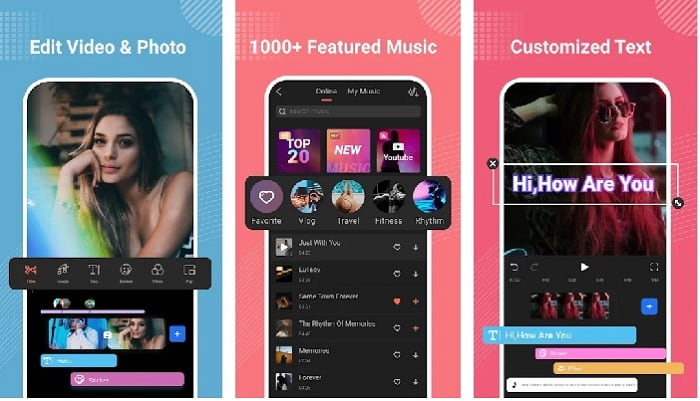
Filmora 推出了一款可以下載到 Android 的 App,讓你體驗與桌面版工具幾乎相同的功能。Filmora Go 是你可以用來製作精彩影片的最佳免費影片剪輯器之一。而且,即使你沒有剪輯影片的經驗,也能用到這款工具幾乎所有實用功能。不過,免費版本只支援部分可用功能。像是在 Android 上加速影片這項功能雖然免費,但有使用限制。儘管這款工具看起來幾乎完美,仍有一些使用者在評論中提出希望能改進的問題。
優點
- 它是一款免費但功能強大的視頻編輯器,您可以在 Android 設備上使用。
- 該工具獲得了我們見過的最好的評價之一,並獲得了 4.6 顆星。
- 該工具已經建立了作為桌面上最好的編輯器之一的聲譽。
缺點
- 丟失文件有時會發生在這裡。
- 有時即使您編輯文件,導出文件也會一團糟。
- 大多數情況下,音頻和視頻不同步。
2. 超延時攝影
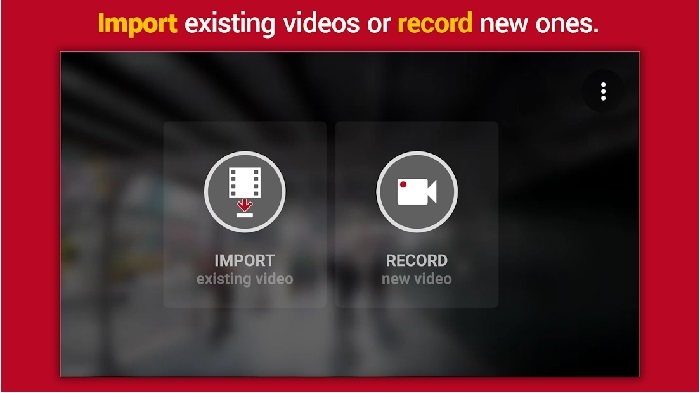
Hyper Timelapse 是一款可以在 Android 上加快影片播放速度的免費下載 App。這款 App 已經獲得 4.1 顆星的評價,算是相當不錯。然而,實際評論內容卻讓人看得有點難受,因為有不少抱怨。當我們實際試用時,介面其實不差,加速效果也很好,但在匯出影片時 App 卻會當機。之後我們試著使用縮時拍攝功能,卻發現影片檔案大小會隨著每分鐘不斷變大。基本上,在這裡你沒辦法錄製太長的縮時影片。
優點
- 即使您是初學者,該應用程序也非常易於使用。
- 它有一個內置的時間流逝。
- 工具界面不行。
缺點
- 此工具中仍會發生崩潰和錯誤。
- 它不會保存最終輸出,因為每次執行它都會崩潰。
3. 失效
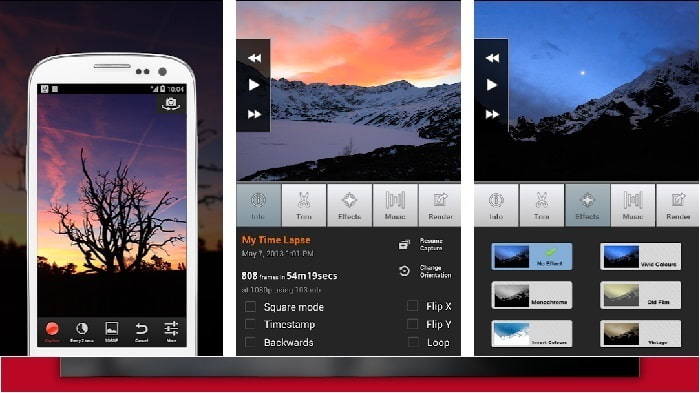
如果你正在找一款可以在 Android 上加速影片的 App,可以試試看 Lapse It。這個工具結合了前面兩款的特色,因為它同時具備縮時攝影、定格動畫以及剪輯功能。雖然聽起來是在 Android 上很好用的工具,但在本文幾款 App 中,它的評價卻是最低的。這個 App 只有 3.5 顆星,評論區許多人都認為這個 App 根本沒什麼用。不過也有部分留言表示,這曾經是他們製作精彩影片的首選 App,只是現在已經有更多表現比它更好的工具了。
優點
- 它具有許多用戶喜歡使用的獨特而強大的功能。
- 這個應用程序可以在 Android 上有最好的渲染。
- 借助 Android 上的此應用程序,可以輕鬆自定義視頻。
缺點
- 該工具從 S 類更改為 D 類,因為即使進行了更新,崩潰和錯誤仍在發生。
- 關於如何執行它的說明不清楚。
- 在每個視頻結尾,總會有一個彈出式廣告出現。
第 2 部分。想要更專業的速度控制器?試試 Video Converter Ultimate!
Video Converter Ultimate 是一款相當獨特的工具,如果你想獲得令人驚豔的輸出效果,這大概會是你最常用到的軟體。在這裡加速影片非常簡單,只要借助這款工具就能輕鬆完成。而且從整體功能來看,它比這些 Android 工具都還要出色。不過,這款軟體無法在 Android 裝置上使用,因為並不支援。雖然不能直接用在手機上,但在使用這款工具時,你完全不會遇到當機、崩潰或是程式錯誤的問題。所以,如果你想學習如何在 Android 上加速影片,請照著下面的步驟操作。
步驟一: 首先你需要先下載這款工具。下載完成後安裝程式,接著完成快速安裝設定,最後點擊「完成」即可繼續。
步驟二: 接著前往工具箱,找到影片速度控制器,點擊它來開啟功能。
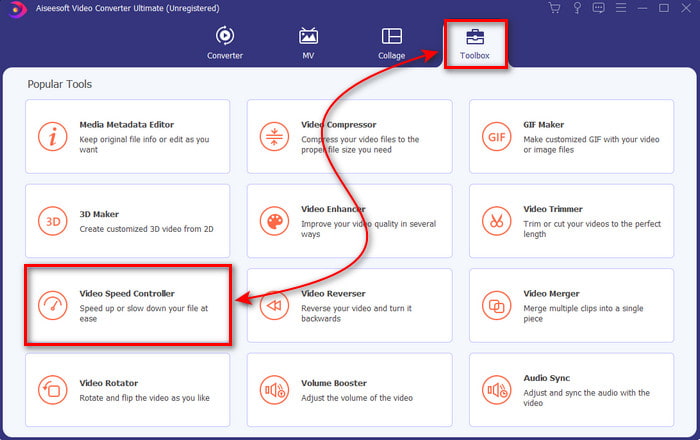
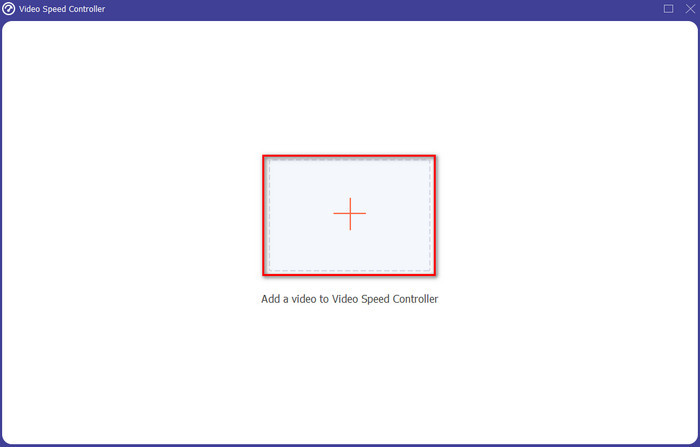
步驟三: 接下來會出現一個介面,點擊 + 按鈕匯入檔案。點擊後會跳出資料夾視窗,選擇你想加速的影片檔案,然後點選開啟。
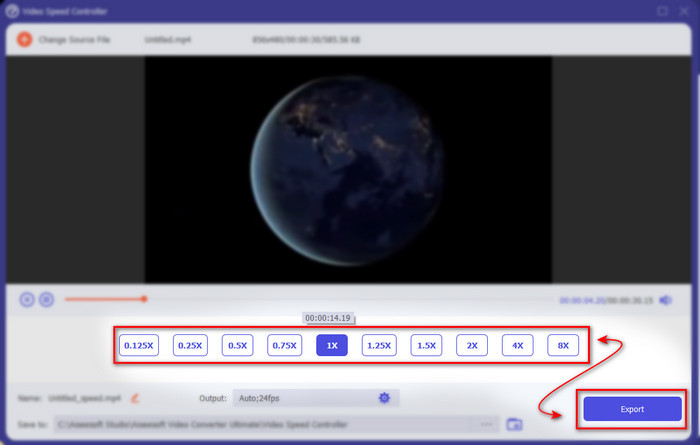
步驟四: 之後會再次跳出新的介面,在這裡於小方框中選擇你想要的播放速度。如果已經準備好輸出加速後的檔案,就點擊匯出。
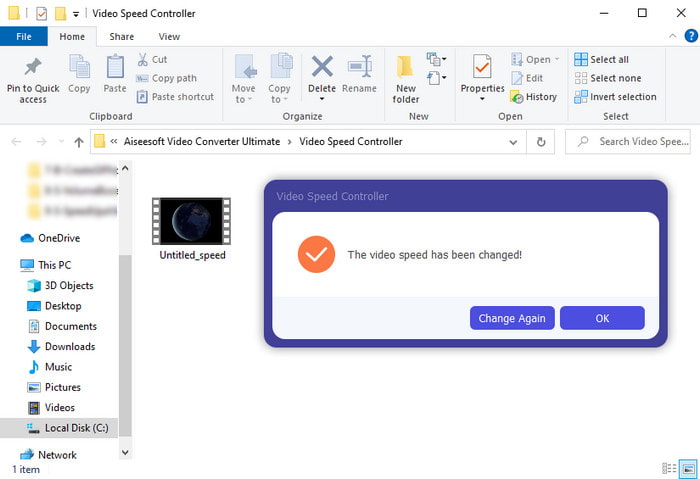
步驟五: 稍等片刻,當影片處理完成後,會自動跳出一個資料夾,裡面就是你剛剛製作好的加速影片。點擊該影片檔案即可觀看加速後的版本。
第 3 部分。 關於在 Android 上加速視頻的常見問題解答
加速我的視頻會破壞其質量嗎?
如果您要加快視頻速度,則預計視頻質量不會發生變化。但是,如果您使用的應用程序不支持高質量視頻輸出,那麼預計視頻輸出會自動減少。
我可以觀看慢動作視頻嗎?
當然可以!只要利用這篇5 大最佳慢動作播放器的介紹,點擊連結即可前往新的文章閱讀。
為什麼我需要讓我的視頻加速?
你會需要把影片播放速度調到 2 倍或更快,理由有非常多種。如果你想知道原因,可以閱讀這篇文章,專門在談什麼是 2x 影片。
結論
最後做個總結,本文介紹的所有工具,在你擁有 Android 手機時都相當好用,但其中仍有一款特別突出。這款表現最亮眼的工具就是Video Converter Ultimate,因為使用這款軟體時,你完全不會碰到程式錯誤或問題。不過它並不支援在 Android 手機上使用,如果你想試試看的話,請立即在桌面電腦上下載,才能充分享受這套強大軟體的完整功能。
-
 如何在 iPad 2025 上播放 MKV 文件
 如何在iPad 2上播放MKV文件?我可以將MKV轉換為MP4以便在iPad Pro / Air / 2上播放嗎?這篇文章分享了2種在iPad上播放MKV的簡單方法。
-
 [已解決] VLC 無法播放 DVD,如何修復
 VLC 可以播放 DVD 嗎?為什麼't VLC 不能播放我的 DVD?如何讓 VLC 在 Windows 10 上播放 DVD?這篇文章分享了 3 個修復 VLC 不播放 DVD 問題的技巧。
-
 [已解決]在 Chromebook 2025 上播放 MP4 文件
 您可以在Chromebook上播放視頻嗎?如何在Chromebook上通過USB播放MP4文件?這篇文章分享了3種在Chromebook上播放MP4的方法。
