


 視頻轉換大師
 屏幕錄影大師
 影片修復
影片修復詳細了解適用於 PC 的 5 款最佳視頻編輯器並進行比較
A lot of people nowadays love to take videos to save memorable moments and most of them use it to make money. Like vloggers and influencers, they always took a video of themselves on what they are doing for their fans. Also, to gain more popularity than the other influencers or vloggers. So, if you are an aspiring vlogger or influencer who loves to take videos of yourself. Then you must consider having the best Windows 10 video editor to enhance and create an impressive video, gain more likes, views, subscribers, and also profit in the long run.So, before we start, we would like to congratulate you because you already take the first step on becoming a successful vlogger or influencer. But choosing the right tool you're supposed to use is one of the crucial parts you will encounter. So now, we gathered different video editors and as effective as ever for you to choose below.

第 1 部分。 在線和離線前 5 名 Windows 視頻編輯器
頂部 1. Video Converter Ultimate
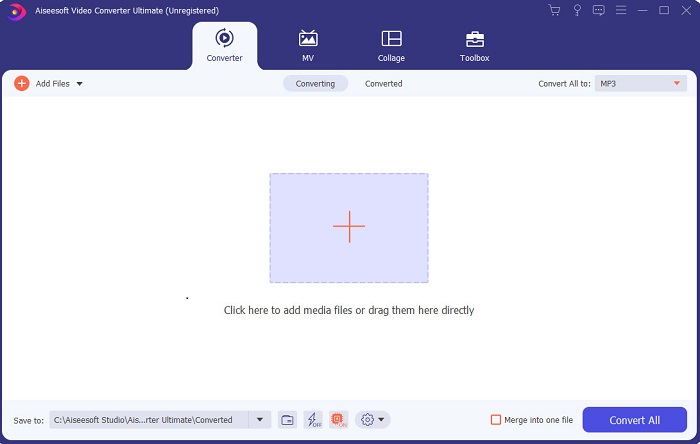
If you want to have the upper-hand and have the best videos like your idols have, then use the FVC Video Converter Ultimate. This converter and Windows video editor already helped a lot of its customers to become popular worldwide and maybe you're next. Most of the known influencers, vloggers, and video editors use this as their editor, enhancer, booster, and more. So, if you want to have a professional output like your idols and make some real cash on it. Then you must download this software immediately to become the new internet sensation and also the best version of yourself. Also, we provided pros and cons for you to understand this tool more.
優點
- 對於初學者來說,這個工具是他們的正確選擇。因為它提供了簡單的說明供您遵循且更易於理解。基本上,它是在點上。
- 對於專業人士來說,不同於其他任何 PC視頻編輯器 這個工具有很多未來的功能。例如,如果您想提高音頻質量並增強視頻效果,則可以使用此工具。此外,如果您的音頻未與視頻同步,它具有音頻同步功能來修復它。
- 總的來說,這是您可以依賴的非凡轉換器和編輯器。特別是如果您想以驚人的方式進入視頻博主和影響者的世界。
- 編輯器軟件是可下載的,並且沒有具有與此相同功能的編輯器工具。
缺點
- 該工具不是免費的,但價格低廉。換句話說,它很便宜並且可以產生高質量的輸出。
頂部 2. Windows Movie Maker
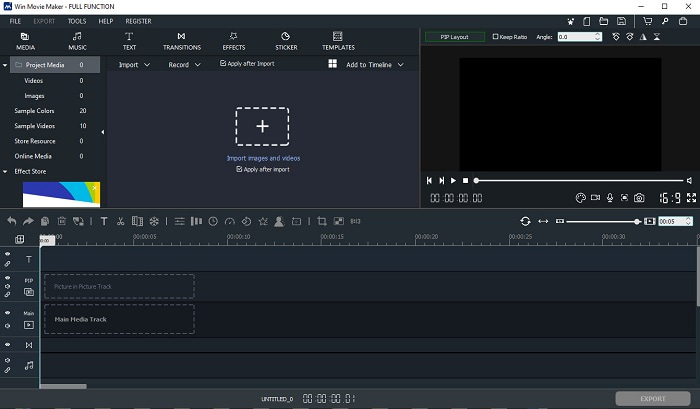
This video editor for Windows 7, 8, 10 and XP is one of the best at creating and editing. The Windows Movie Maker has already been downloaded by many users to edit their own videos. As it provides complicated editing features. But the tool is too overwhelming for those who are new in making and editing. But if you are a pro or should we say you have the experience of editing then you must try to use this tool. This tool has a premium version and it is a lot similar to the free tool it provides but the output has no watermark if you export.
優點
- 對於初學者來說,這個工具並不理想,但它可以進行複雜的編輯。
- 對於專業人士,如果您有經驗,這裡介紹的功能是可行的。
- 它提供過渡、效果和貼紙等。
缺點
- 由於您可以在此處執行工具功能,因此該工具有點令人不安。此外,它是壓倒性的,並且沒有關於如何操作它的說明。
- 如果您使用此工具的免費版本,則希望在導出視頻後在視頻本身上帶有水印。
頂部 3. OpenShot
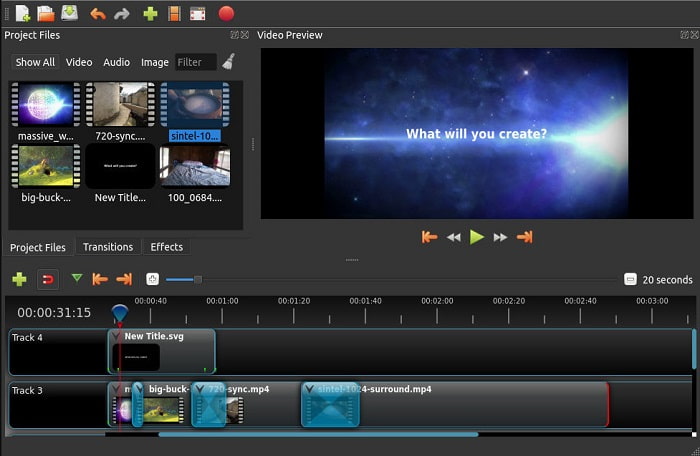
Another free video editing software with no watermark is the Openshot. As it provides simpler to understand functions than the Windows Movie Maker. Moreover, after you installed the tool there will be a simple tour on the tool functions. Although, it is explained but the basic features are only explained. But this tool only provides the basic editing features only which means you can't be creative. Also, if you install this tool, it is a bit boring to look at because of the monochrome color of the interface.
優點
- 對於初學者來說,這是一個更簡單的 Windows Movie Maker 版本。您可以添加效果、過渡等。
- 對於專業人士來說,他們可以使用它,但它不是最好的。
- 如果軟件帶有簡單的編輯功能,則可以。
缺點
- 無法改變它無聊的界面,而且交互性較差。
- 即使在更新之後,這裡仍然存在一些主要和次要錯誤。
頂部 4. Lightworks
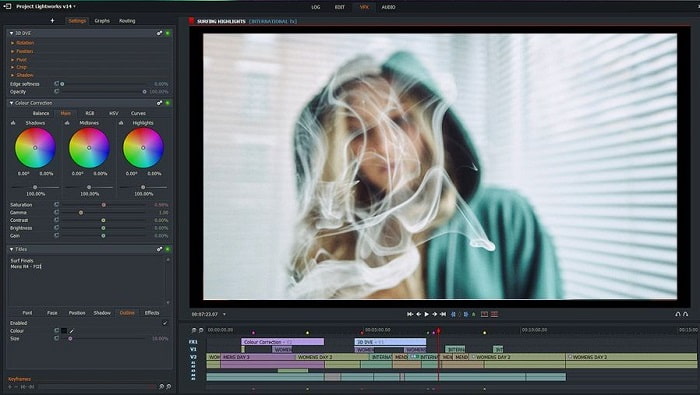
Lightworks is a free video editor for Windows but it also has a premium version. But when we tried and downloaded the tool it said that it has a .exe file that can harm our computer. So, we didn't download the tool and we did deep research about this tool. So, if you install the tool into your drive you will need to register first before you can use it. The editing features this tool provides is a lot to take in if you are a beginner but for pro it is a bit hard also. But no need to worry because you can learn how to use it by trying it.
優點
- 對於初學者來說,這個工具太複雜了,處理起來可能太多了。特別是如果您想嘗試只進行簡單的編輯。
- 對於專業人士,您可以使用此工具提供的實時編輯功能。雖然有些功能是新的,而且大部分都是付費的。
- 該工具的整體性能在編輯和製作視頻方面被歸類為 A 級。
缺點
- 如果您想獲得 1080 像素的輸出,則必須購買該工具。甚至在您甚至可以使用它之前,您都需要註冊。
- 該軟件包含有害的 .exe 文件,因此請自行承擔下載風險。
前 5. ClipChamp
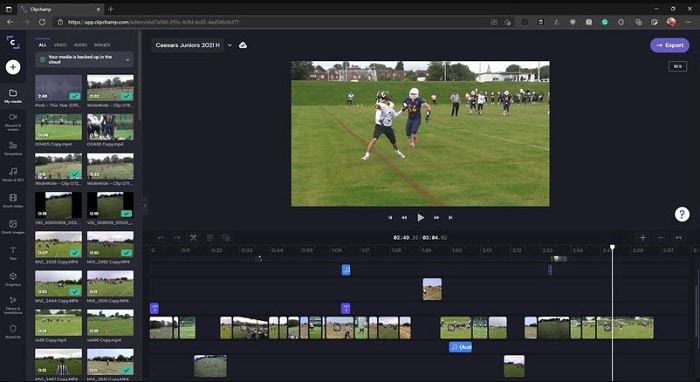
This online tool has if you upgrade the plan. Also, it is one of the easy to access tools you can use to edit the videos without downloading a specific software. Clipchamp is a great tool to use but you will need to register before you can access it. This Windows 10 video editor online has similar features with Lightworks but it is online. Nevertheless, if you import video files here to be edited you must expect a slow process of importing it. But the advantage of it is that you won't need to download the tool to function.
優點
- 對於初學者來說,這個工具是必須嘗試的,但在這裡編輯和插入視頻的過程有點慢。
- 對於專業人士來說,使用和編輯資源有限的簡單視頻是可以的。
- 總的來說,該工具比 Windows Movie Maker 更容易理解。
缺點
- 互聯網依賴,這意味著如果您的互聯網速度較慢,那麼預計過程會不穩定。
- 在您甚至可以使用網絡工具之前需要一個註冊表。
第 2 部分。 適用於 Windows 的 5 個視頻編輯器的比較圖表
| 特徵 | 視頻轉換大師 | 視窗電影製作 | 開槍 | 燈飾 | 剪輯冠軍 |
| 視頻編輯,如修剪、剪切、合併等。 |  | | | | |
| 視頻增強器 | |  | | | |
| 水印 | | | | | |
| 支持的程序 | 基於桌面的工具 | 基於桌面的工具 | 基於桌面的工具 | 基於網絡的工具 | 基於網絡的工具 |
| 價格範圍 | 1個月:$25.00 一年:$31.20 | $39.95 一次性付款 | 免費但你可以捐贈 | QScan Pro QScan Pro – 每月訂閱激活 $59.99 | 創作者- $9/月 商務- $19/月 |
| 終身許可證:$55.20 | QScan Max QScan Max – 每月訂閱激活 $119.99 | 商務白金 – $39/月 |
第 3 部分。 有關 Windows 視頻編輯器的常見問題解答
我可以使用的最好的 Mac 視頻編輯器是什麼?
Although, the tools presented here are all Windows editors except for the Video Converter Ultimate. So, to know what the other Mac video editors are then you must click this link and choose in the list.
為什麼我的視頻不能在 Android 上播放?
There are a lot of reasons why videos can't be played on your Android. So, to know what the reasons are then it is a must to know it immediately and fix the problem by reading on How to Repair Videos Not Playing on Android Phones.
如何壓縮我的長視頻並在 YouTube 上分享?
As for now you can upload 256 file sizes maximum so the best way to fix this is to compress it. If you want to share your videos on YouTube then let's learn how to deduce the file size and post on YouTube.
結論
Before you become one of the vloggers or influencers you always look up, you will need to have the ability to do your own editing. As of today, this is your chance to use the phenomenal editor that provides Hollywood-like editing features and quality. In that way, you will impress your viewers, followers and even yourself. So, shine bright like a diamond and let the ray of light create a way to succeed with the help of FVC Video Converter Ultimate.
-
 2025 年適用於 Windows 和 Mac 的最佳 MP4 編輯器
 無論您是使用計算機進行 MP4 視頻編輯還是只是在手機上工作,您都可以在這裡找到一些不錯的選擇,包括適用於 Windows 和 Mac 的最佳 MP4 編輯器。
-
 如何在計算機/電話上免費向視頻添加音頻和音樂
 本文介紹了4種免費的免費向視頻添加音頻的簡便方法。無論您要將哪種音軌添加到視頻中,都可以在這裡獲得滿意的結果。
-
 如何在線剪切和合併歌曲——您應該知道的 4 種最佳方法
 當您想在線剪切和合併歌曲以創建一段音樂時,您可以從文章中詳細了解 4 種最佳在線工具來剪輯歌曲和合併文件。
