


 視頻轉換大師
 屏幕錄影大師
 影片修復
影片修復
 安全下載
安全下載123rf 水印去除器 - 評論、優點和缺點以及替代方案
123RF 是一個免版稅許可網站,用於在線存儲圖像、鏡頭和音頻。它提供了許多負擔得起的免版稅庫存照片,許多人都購買了這些照片。 123RF 是一家擁有數千到數百萬張可下載庫存照片的公司。
123RF 是一家經營超過 15 年的公司,也推出了適用於大多數主流手機的行動應用程式。這款行動 App 可讓你搜尋素材庫、建立燈箱,並使用一些進階技術工具。123RF 擁有許多令人驚豔且高品質的圖片可供下載。然而,你下載的 123RF 照片會帶有惱人的浮水印。因此,如果你想去除照片上的 123RF 浮水印,請閱讀本文。看完之後,你就會知道哪一款是最好的123RF 浮水印去除工具。

第 1 部分。 終極 123rf 水印去除劑的評論
許多水印去除器可在您的設備上下載或在線使用。但是,並非所有產品都易於使用並且具有驚人的編輯功能。因此,如果您想知道哪個是最好的水印去除器,請廣泛閱讀本部分。
水印去除器.io
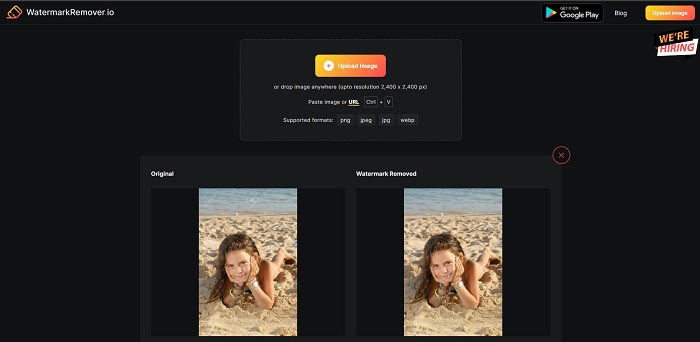
Watermark Remover.io 是一款在網路上相當受歡迎的 123RF 線上浮水印去除工具。許多人使用這個工具是因為操作方便。此外,它支援大多數常見的圖片格式,包括 PNG、JPEG、JPG、WEBP 等。它也支援解析度高達 2,400 x 2,400 像素的圖片。而且你無需擔心資料安全性,因為這款線上工具在使用上是 100% 安全的。更厲害的是,當你上傳想要處理的 123RF 圖片後,它會自動將嵌入在照片中的所有浮水印全部去除。
優點
- 它有一個直觀的用戶界面。
- 它可以免費使用。
- 它不包含討厭的廣告。
- 快速處理界面。
缺點
- 它依賴於互聯網。
水印去除器.net
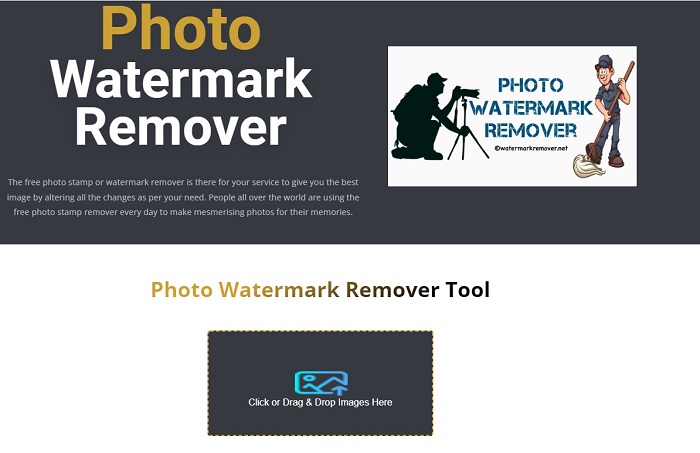
Watermark Remover.net 是另一款可免費使用的線上浮水印去除工具。它擁有與上面工具類似、簡單易用的介面,因此非常適合初學者。這是一個能有效去除 123RF 圖片浮水印的實用工具。除此之外,它還能移除圖片上任何類型的浮水印(文字、標誌與圖片)。更令人印象深刻的是,這款線上工具支援批次去除圖片上的浮水印。此外,即使在去除浮水印之後,它依然能輸出高品質的圖片。
優點
- 它是一個用戶友好的工具。
- 它將照片從原始格式還原。
- 可在所有 Web 瀏覽器上訪問,例如 Google、Firefox 和 Safari。
缺點
- 它包含令人不安的廣告。
- 它的上傳過程很慢。
Bitwar 水印專家
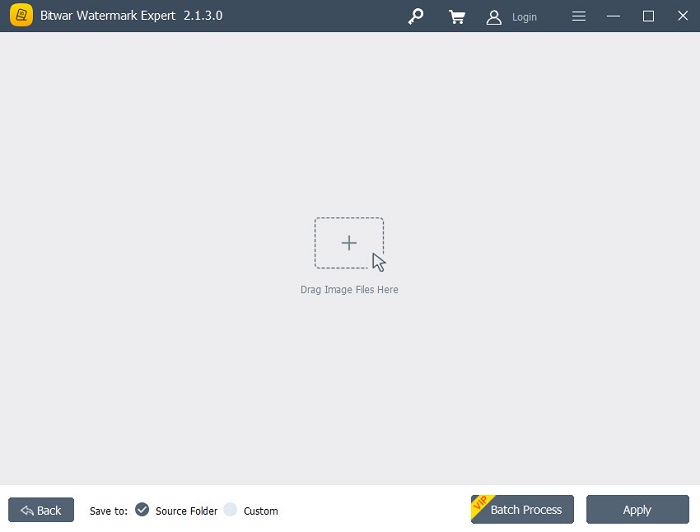
Bitwar Watermark Expert 是一款離線浮水印去除軟體,許多人會把它當作首選工具。它不只可以去除圖片上的浮水印,你也可以為圖片新增浮水印,或是移除、添加影片上的浮水印。而且這個應用程式免費且易於下載,你在安裝上完全不會感到困難。此外,你還能移除圖片中任何不想要的物件,例如日期戳記、標誌和圖片。它還有一項出色的功能,可以修復舊照片,將舊照片上的刮痕與瑕疵去除。如果你想要取得沒有浮水印的 123RF 圖片,不妨試試這款出色的浮水印去除工具。
優點
- 它有一個簡單的用戶界面。
- 它提供批處理以去除水印。
- 它支持最知名的圖像和視頻格式。
- 可以免費下載。
缺點
- 它僅在 Windows 上可用。
iMyFone 馬克去
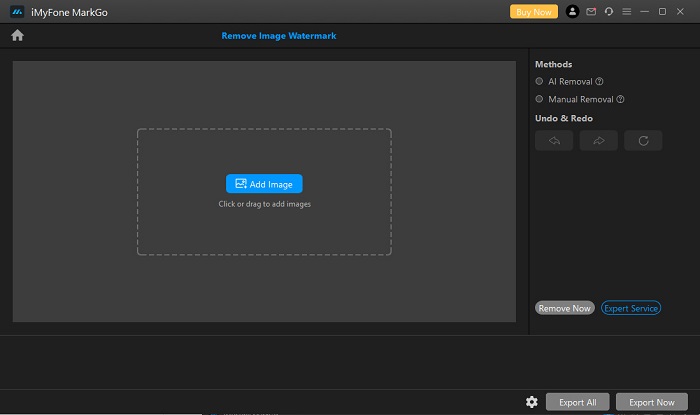
iMyFone Mark Go 是一款可下載的應用程式,能去除 123RF 圖片上的標誌與文字浮水印。它採用 AI 去除技術,自動偵測圖片上的浮水印並加以移除。同時,它也提供手動去除功能,讓你親自清除圖片上任何浮水印。此外,它還具備多項實用功能,例如背景去除、影片浮水印去除,以及為影片或圖片新增浮水印。而且它支援在 Windows 和 Mac 系統上下載使用。
優點
- 它有一個乾淨和直觀的用戶界面。
- 它可以自動檢測水印並將其刪除。
- 它具有批處理功能。
- 它產生高質量的輸出。
缺點
- 在訪問其功能之前先購買該應用程序。
第 2 部分。 最佳 123rf 在線水印去除劑
使用 AI 去除過程有時會在圖像上留下模糊標記,因此手動去除圖像上的水印會更有效。並假設您對上述水印去除器的特性和功能不滿意。在這種情況下,我們有另一種工具,許多專業人士使用它來刪除任何類型的水印。繼續閱讀以了解這個終極工具以及如何獲得無水印的 123rf 圖像。
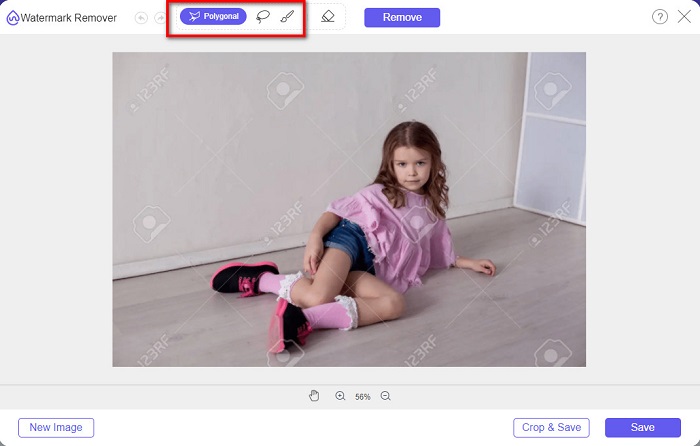
FVC Free Watermark Remover 是一款深受尋找浮水印去除工具的使用者歡迎的線上免費浮水印去除工具。這個線上工具可以輕鬆去除圖片上的 123RF 浮水印,而且操作非常簡單,因此相當人性化、易於上手。此外,它支援絕大多數常見的圖片格式,包括 PNG、JPG、JPEG、BMP、WEBP 等。你也不必擔心輸出圖片的格式問題,因為它會以與原圖相同的格式儲存圖片。與其他浮水印去除工具不同的是,此工具允許你使用滑鼠在圖片上繪製多邊形輪廓或套索選取,來圈選要去除浮水印的區域。
優點
- 它有一個簡單的用戶界面。
- 它不需要您登錄。
- 它安全且免費使用
- 它不包含令人不安的廣告。
- 可在所有 Web 瀏覽器上訪問,例如 Google、Mozilla Firefox 和 Safari。
缺點
- 它依賴於互聯網。
如何去除 FVC Free Watermark Remover 上的 123rf 水印:
步驟 1. 在你使用的瀏覽器中輸入 FVC Free Watermark Remover。
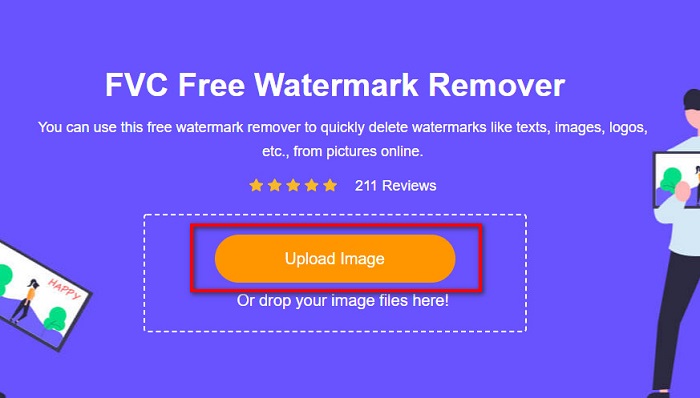
步驟 2. 在主介面上點擊上傳圖片按鈕,上傳你的 123RF 圖片。
步驟 3. 然後,選擇你想使用的去除工具來刪除浮水印。你可以在多邊形、套索或畫筆之間進行選擇。
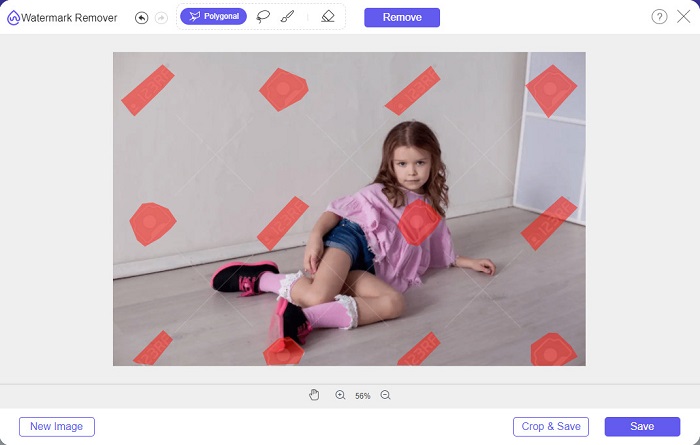
步驟 4. 接著,在圖片上描繪出浮水印的位置。
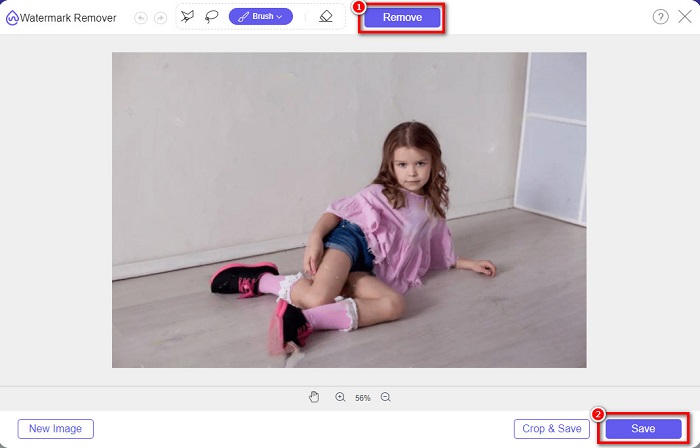
步驟 5. 最後,點擊去除按鈕,刪除你所選取的浮水印。當你看到圖片上的浮水印已被去除後,再點擊儲存按鈕將圖片保存下來。
相關:
第 3 部分。關於 123rf 水印去除器的常見問題解答
您可以在不模糊它們的情況下去除水印嗎?
可以。你可以使用 FVC Free Watermark Remover 來去除任何浮水印,而且不會在圖片上留下模糊痕跡。
我們可以從視頻中刪除水印嗎?
當然。您可以使用大量軟件應用程序來刪除視頻上的水印(文本、徽標和圖像)。有一個名為 FVC Video Converter Ultimate 的流行應用程序,它使您可以輕鬆地從視頻中刪除水印。
Adobe Photoshop 會刪除 123rf 水印嗎?
是的。 Adobe Photoshop 可以專業地去除圖像或視頻上的任何水印。
結論
上面介紹的這些123RF 浮水印去除工具,都是能有效去除圖片上 123RF 浮水印的好幫手。無論你選擇哪一款,都可以輕鬆清除 123RF 浮水印。但如果你想要一個免費、且能輕鬆存取的轉檔工具,建議使用 FVC Free Watermark Remover。
-
 什麼是照片上的水印指南 [2022 年更新]
 照片上的水印是什麼?我們需要添加一個嗎?我們怎樣才能刪除它?您需要的所有東西都在這裡,所以請繼續閱讀此博客。
-
 如何輕鬆地從 Wondershare DVD Creator 中刪除水印
 本文涵蓋有關如何從 Wondershare DVD Creator 中刪除水印的信息。要獲得您需要的所有信息,必須閱讀此內容。
-
 使用簡單的步驟輕鬆從 PDF 中刪除水印
 按照這些簡單的步驟從 PDF 中刪除水印。了解如何使用這些神奇的工具輕鬆地從 PDF 文件中刪除水印。
