視頻轉換大師 大盒

多合一視訊工具箱,能夠以超快的速度將視訊/音訊轉換為 1000 多種格式。

免費下載

Login Security安全下載

免費下載

Login Security安全下載

了解如何從圖像中刪除 B612 水印

B612 or Camera B612 is a photo or video editing app that many millennials use. It is a known camera app because it has many features to offer. In addition to that, it is known as one of the most popular selfie camera apps available on the PlayStore. It is also easy to use; you can search for the filter you want to use and easily take a snap. However, whenever you take a selfie or shoot a video using the B612 camera, it leaves a watermark on your photo or video. So, if you want to remove that annoying watermark from your photos, we have the best solutions for you. Below, you will learn how to remove B612 watermarks from your images.

去除 B612 水印

第 1 部分。如何從圖像中刪除 B612 水印的 5 種方法

B612 在您的圖像上留下水印,因為他們想向其他人宣傳他們的應用程序。它還可以防止用戶複製或擁有 B612 生成的圖像。但是,許多人希望刪除自拍照或視頻上的水印。因此,如果您想了解如何去除 B612 水印,請仔細閱讀本部分。

FVC免費水印去除

FVC Free Watermark Remover is one of the known online watermark removers you can access on all web browsers, like Google, Firefox, and Safari. With its straightforward user interface, many beginners prefer using this tool. In addition, it supports many image formats, such as PNG, JPG, JPEG, BMP, and more. You also don’t need to be anxious about the safety of your data because it guarantees the safety of your privacy. Moreover, it is 100% free to use. Also, you can use selection tools (polygonal, lasso, and brush) to remove the watermark on your images. So, if you want to have a B612 image without a watermark, follow the steps below.

如何從圖像中刪除 B612 水印:

Step 1. Open your browser and type FVC Free Watermark Remover on your search box. You can also go directly to their page by clicking the provided link.

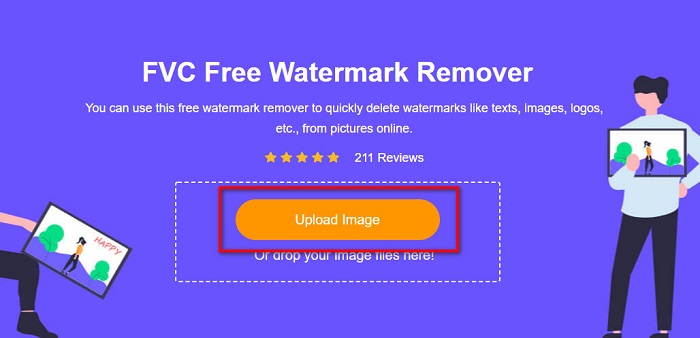
Step 2. On the main software interface, click the Upload Image button. Your device folders will appear where you will select your B612 image.

上傳 B612 圖片

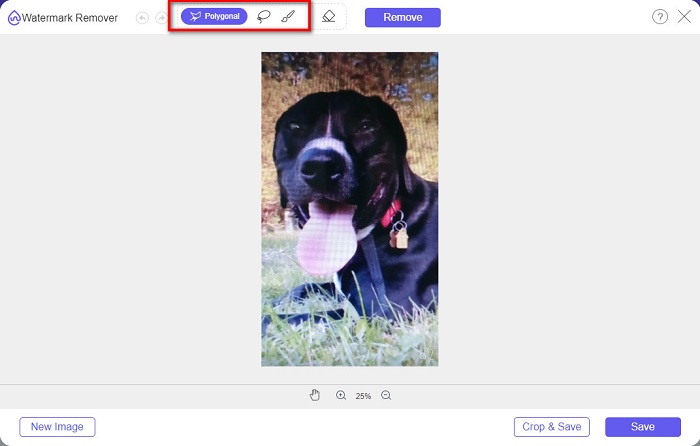
Step 3. After uploading your image, select the selection tool you want to use to remove the watermark on your B612 image. You can choose between a Polygonal tool, Lasso, or Brush.

在圖像中選擇

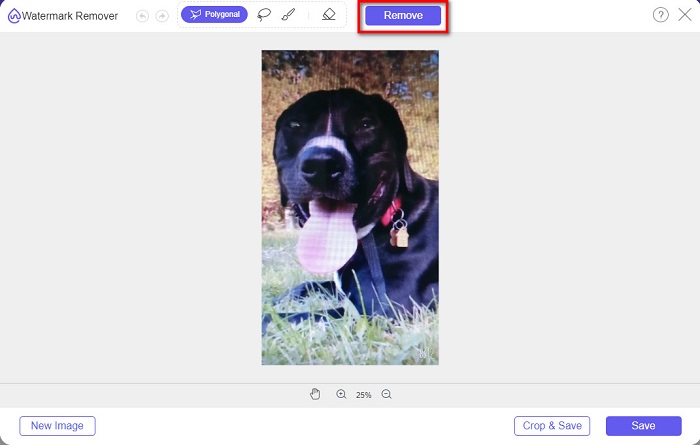
Step 4. Next, trace the watermark on your image. Usually, the B612 watermark is placed in the lower right corner of your image. Then, click the Remove button.

刪除按鈕

Step 5. Click the Save button to save your output image on your device. And that’s it! You will see that your image has no B612 watermark on it.

水印去除劑

Watermark Remover is also an online watermark remover that enables you to remove the B612 watermark on your photo easily. With its easy-to-use user interface, it is easy to use this tool. Moreover, it also has an option to remove watermarks on your videos. This tool is also effective in removing unwanted objects from your photo. And you can use it as a Fiverr watermark remover. However, it contains ads that might distract you.

Step 1. Search Watermark Remover on your browser, and go to their main page. Then, on the main interface, select the Photo Watermark Remover option.

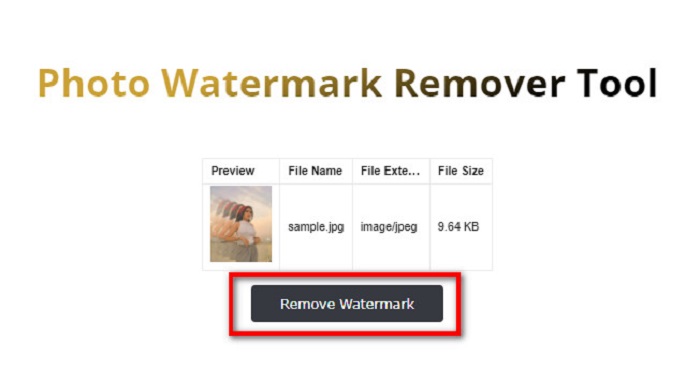
Step 2. And then, click the upload icon to import your B612 image. Wait for your image to upload, then click the Remove Watermark button.

刪除水印按鈕

Step 3. A captcha tab will appear where it will require you to install one app. After that, you will see that the watermark on your image is removed.

照片搞笑

Another online watermark remover that you must try is PhotoFunny watermark remover. PhotoFunny is a popular online tool that easily removes any watermark on your images, including the B612 watermark. It also supports the most known image formats, such as PNG, JPEG, and JPG. The downside is that when your internet connection is slow, it has a slow uploading process, taking too much of your time. Nevertheless, many people still use this tool to remove watermarks on images.

如何使用 PhotoFunny 水印去除器去除 B612 水印:

Step 1. Search the PhotoFunny watermark remover on the browser, then go to their main page.

Step 2. On the main interface, click the Upload Photo button. And then, you will be led to a new interface.

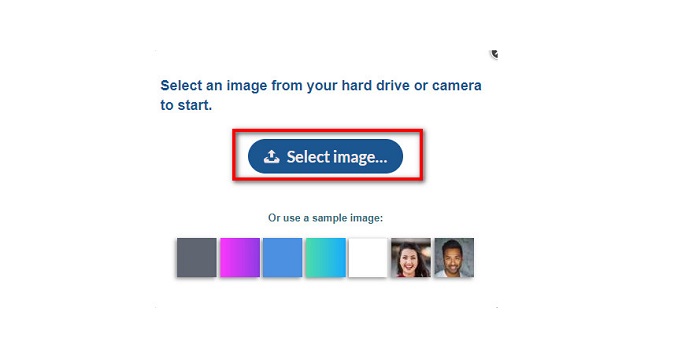
Step 3. And then, tick the Select Image button to upload the B612 image that you want to remove the watermark.

選擇圖像

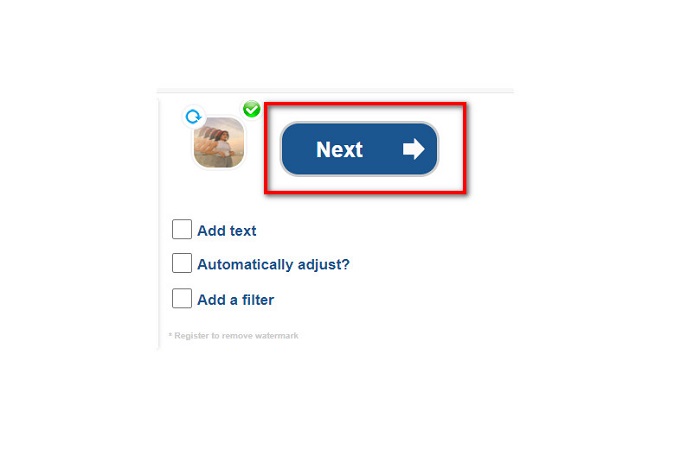
Step 4. After uploading your image, click the Next button to remove the watermark on your image.

下一個按鈕

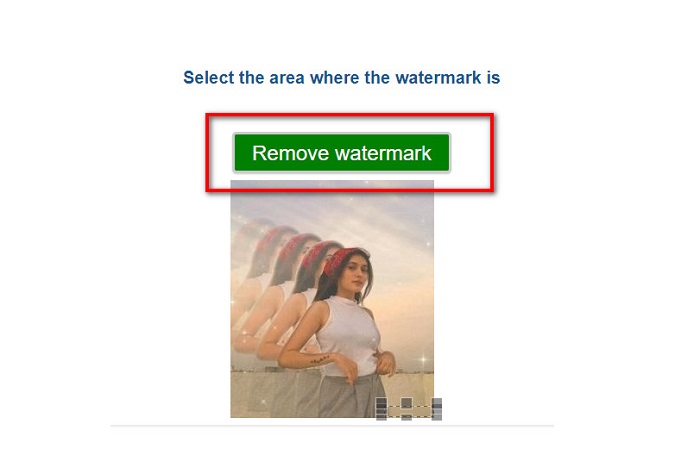
Step 5. On the next software interface, you will see the preview of your image and then click the Next Step button. And then put the remover area on the B612 watermark. Click the Remove Watermark to finish the process.

完成過程

水印去除器.io

Watermark Remover.io is another online tool that you must try. This online watermark remover has an easy-to-use interface, making it a user-friendly tool. It also supports the most standard image formats, like PNG, JPEG, JPG, and WEBP. Furthermore, you can access it on almost all web browsers, including Google and Firefox. One of the advantages of this online tool is its area prediction process. So, once you upload the image, it will automatically remove the watermark on your image. However, it sometimes does not detect the watermarks that are too small.

如何使用 Watermark Remover.io 去除 B612 水印:

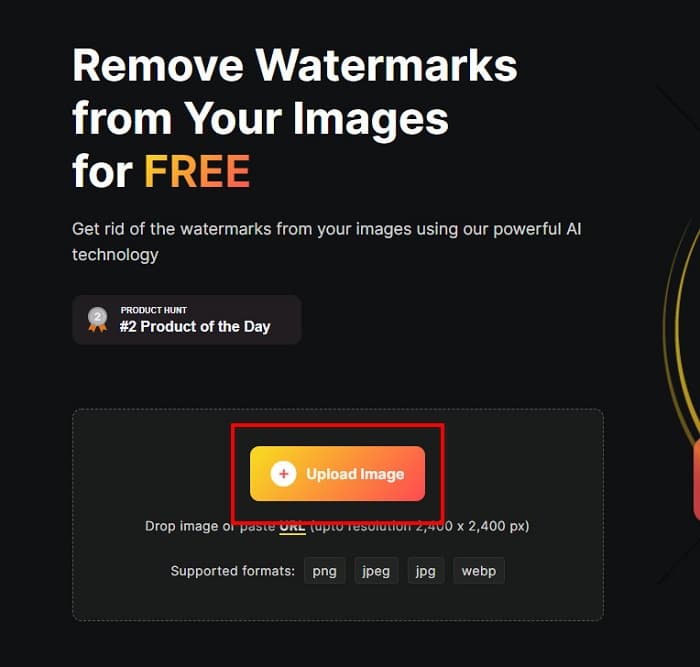
Step 1. Search Watermark Remover.io on your browser. Then on the resulting page, go to their main page. And then, on the main interface, click the Upload Image button.

水印去除劑

Step 2. A new tab will prompt on your screen, where you will select the B612 image you want to upload and then click Open.

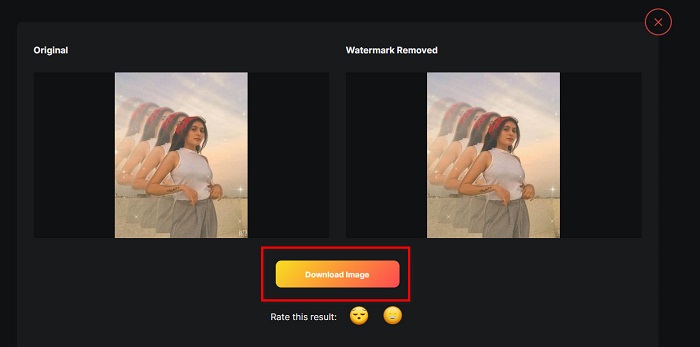
Step 3. And then, Watermark Remover.io will automatically remove the watermark on your image. Click the Download Image button to save the output image on your device.

下載圖片

And that’s it! Using the amazing watermark removers above, you can effortlessly remove the B612 watermark from your image. Click here to learn how to remove Coub watermarks.

第 2 部分。關於刪除 B612 水印的常見問題解答

你能去除B612視頻上的B612水印嗎?

Yes. You can remove the B612 watermarks on your videos. Some applications allow you to easily remove watermarks on videos, like FVC Video Converter Ultimate, which many professionals use.

如何在 B612 上保存圖片?

B612 does not automatically save pictures in your gallery. Press the download icon to save your image in your gallery. This process also allows you to save space for your device.

我可以在線刪除徽標嗎?

幸運的是,在線工具可讓您刪除照片上的任何水印(徽標、文本、圖像)。最推薦的工具之一是 FVC Free Watermark Remover。

結論

The presented methods above will help you remove B612 watermarks quickly. So, it is your choice which among them is worth using. But if you want the most recommended and easy-to-use online tool, use FVC Free Watermark Remover.

優秀的

Rating: 4.7 / 5 (based on 178 votes)