


 視頻轉換大師
 屏幕錄影大師
 影片修復
影片修復
 安全下載
安全下載使用您需要知道的 4 種方法去除 Dreamstime 水印
如果您的演示文稿或項目需要現成的圖像,那麼選擇 Dreamstime 絕對不會出錯。這個應用程序可以為您提供隨時可用的免版稅庫存照片。它已經幫助用戶以低廉的價格尋找具有高質量輸出的特定圖像。雖然您可以在這裡免費下載 15 張圖片,但當您使用在此處下載的圖片時,該產品會留下水印來宣傳該應用程序。
我們無法否認它的易用性極佳、圖片價格也很低,但並不是每個人都負擔得起在上面購買點數。別再擔心了!因為我們已經幫你想好辦法,下面提供的資訊,都是你可以用來在最終輸出上移除 Dreamstime 浮水印的方法。

第 1 部分。 如何通過購買積分來刪除 Dreamstime 水印
我們不能放棄購買選項,因為它是您可以使用的最有效的 Dreamstime 水印去除器選項。在我們繼續之前,您需要知道 Dreamstime 需要您擁有,以便您可以購買沒有水印的圖像。名稱 credit 是 Dreamstime 貨幣;它使用真錢並將其轉換為 Dreamstime 接受的數字貨幣。假設您在 Dreamstime 上沒有信用。在這種情況下,您可以按照以下步驟購買積分以下載並獲得沒有任何產品徽標的圖像。
步驟一。 打開 Dreamstime 官方網站,接著你必須先建立帳號才可以在 Dreamstime 購買點數。如果你已經有帳號,請先登入,才能正常使用。
步驟二。 在 Dreamstime 登入帳號後,點擊價格與下載方案,接著前往點數方案,查看其中提供的各種價格與方案內容。
步驟三。 完整填寫它要求的各項資訊,然後點擊「完成結帳」,讓工具處理你所提交的付款。就這麼簡單,你現在就能購買點數,作為在 Dreamstime 上購買圖片的貨幣。
第 2 部分。 如何在網絡上免費刪除 Dreamstime 水印
FVC 免費在線水印去除器
您可以使用的最著名的 Dreamstime 在線水印去除器之一就是 FVC Free Watermark Remover Online。您可以利用此工具刪除您擁有的圖像中的水印。在性能方面,這個在線工具更能滿足您的想法,尤其是在去除圖像上的徽標、水印、印章、日期、對像等方面。你還不懷疑這個工具嗎?在這種情況下,請閱讀我們在下面添加的步驟,您也可以按照它們刪除 Dreamstime 添加的水印。
步驟一。 點擊此連結後,你的瀏覽器會開啟一個新分頁。
步驟二。 點擊上傳圖片,匯入你從 Dreamstime 匯出的、帶有浮水印的照片。
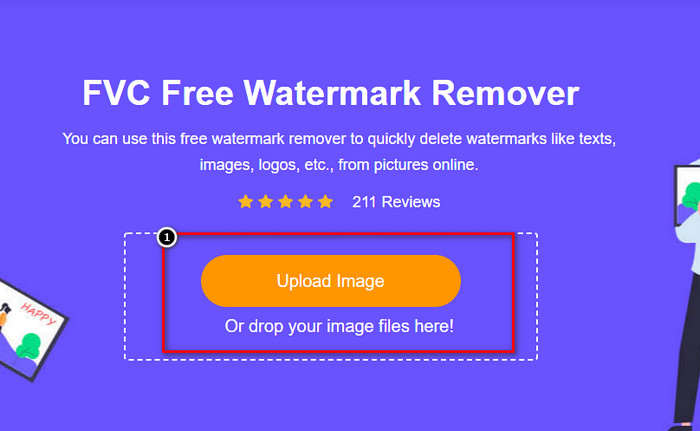
步驟三。 你可以使用工具來描繪浮水印,選擇一種工具,然後用它將浮水印描出範圍。
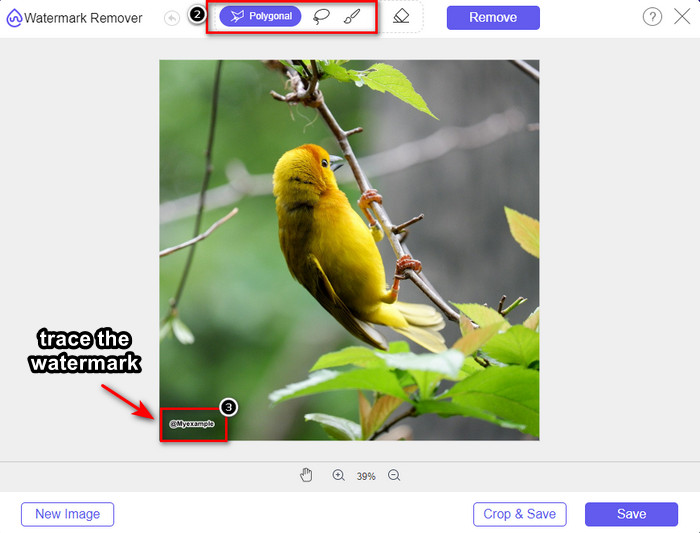
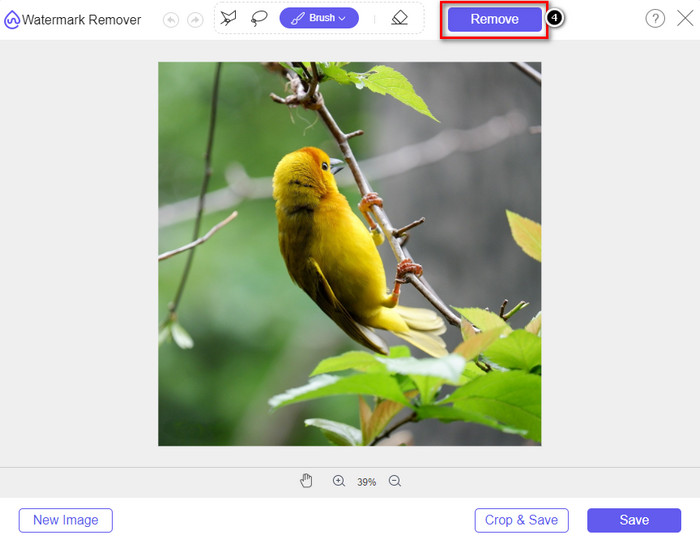
步驟四。 在匯出圖片之前,先點擊移除圖示。
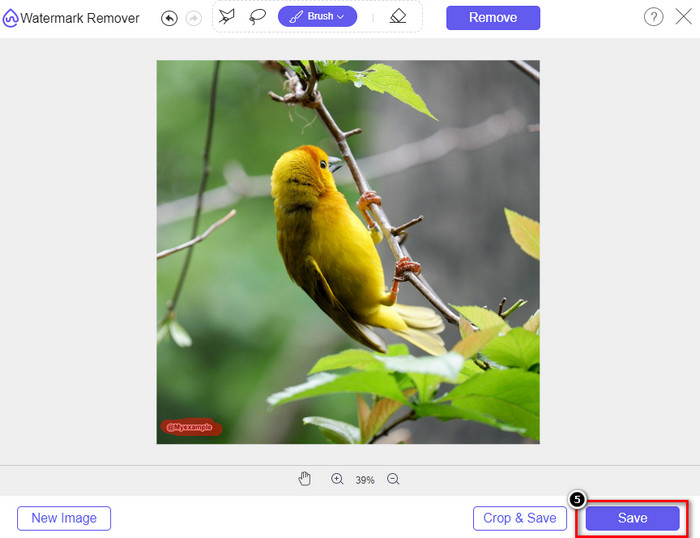
步驟五。 最後,點擊下載,將你在此標示過、且已去除內嵌浮水印的圖片儲存下來。
WatermarkRemover.IO
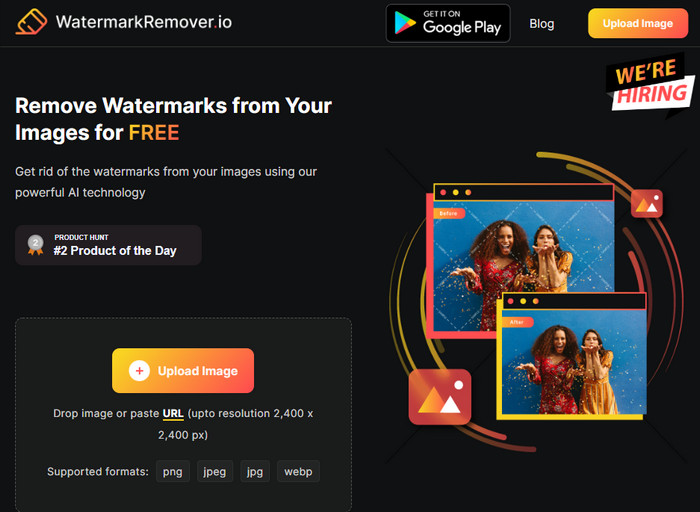
WatermarkRemover.io 是一款可在線使用的 Dreamstime 照片浮水印去除工具,可以在這方面協助你。這個工具與前面提到的線上浮水印移除工具一樣,可以免費使用。你不需要為這個工具註冊登入,因為它可在任何瀏覽器上使用。它還運用 AI 技術,在你使用時自動移除圖片上的浮水印。為了幫助你操作,請繼續閱讀下方的教學。
步驟一。 在瀏覽器中搜尋並開啟這款浮水印去除工具的官方網站。
步驟二。 點擊「Upload Image」圖示,上傳你想去除浮水印的圖片。
步驟三。 當帶有浮水印的圖片上傳完成後,直接點擊「Download Image」,因為工具會自動將圖片上的浮水印去除。
第 3 部分。 如何使用終極解決方案刪除視頻上的 Dreamstime 水印
你也可以下載專門用來處理影片的 Dreamstime 浮水印去除工具,例如功能強大的 FVC Video Converter Ultimate。它是一款非常靈活的工具,隨時可以上手使用並快速完成任務。此工具能處理你在影片中可能會遇到的各種問題,例如音訊品質不佳、解析度過低、格式不支援,以及惱人的浮水印。和其他用來去除浮水印的軟體相比,這款工具在效能、處理速度與易用性方面都有極為出色的表現。請跟上節奏,因為接下來我們會以詳細步驟教你如何移除影片上的浮水印。
步驟一。 在開始之前,你需要先在桌上型電腦下載並安裝這款軟體,方法是點擊下方提供的下載按鈕。請選擇正確的版本進行安裝,完成快速設定後啟動軟體。
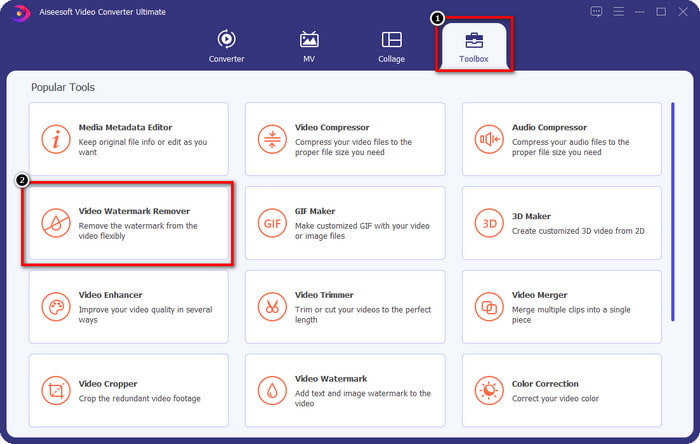
步驟二。 開啟軟體中的多功能工具箱,然後選擇影片浮水印去除器。
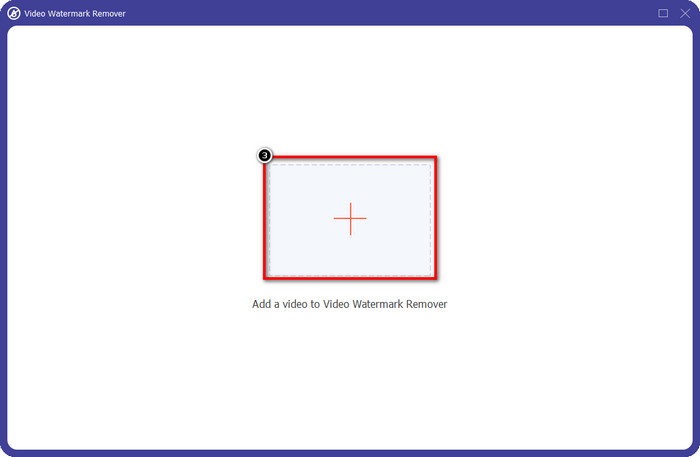
步驟三。 接著,點擊+圖示,匯入你下載的影片,並開始移除 Dreamstime 浮水印。
步驟四。 然後點擊新增浮水印移除區域,將選取框放在浮水印的位置上。
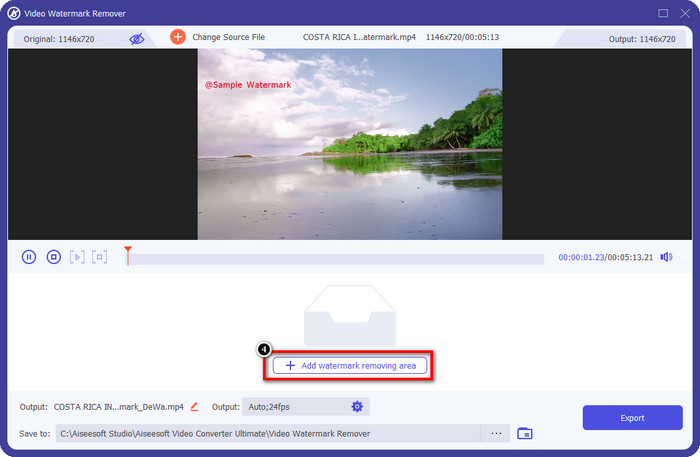
步驟五。 點擊「新增浮水印移除區域」後,畫面上會出現一個長方形框,將它拖曳到浮水印的位置,以便將其移除。
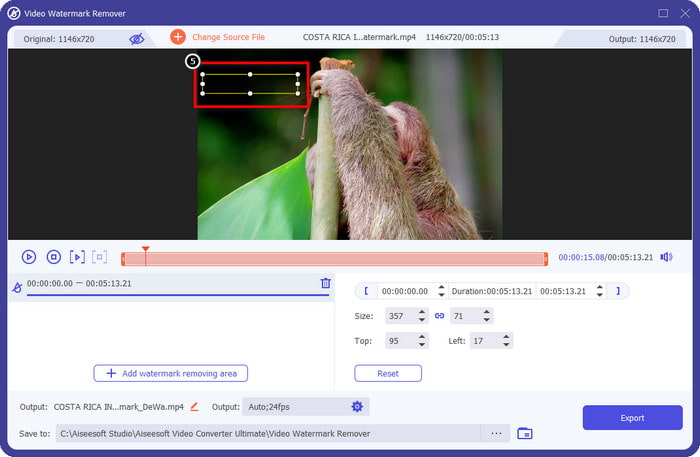
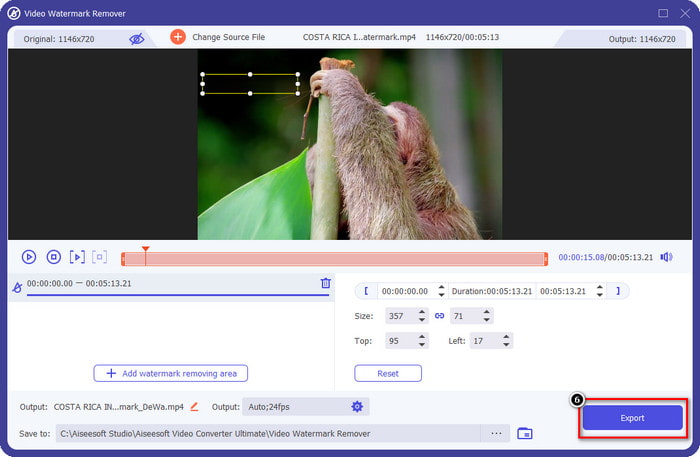
步驟六。 點擊「匯出」按鈕,即可下載已去除 Dreamstime 浮水印的影片。
相關閱讀:
第 4 部分。有關如何刪除 Dreamtime 水印的常見問題解答
Dreamtime購買後可以無限制去除水印嗎?
如果您確實購買了積分,則不能,但您可以繼續向下滾動一點,您會看到如果您經常使用它,您可以使用無限的圖像訪問權限。它的價格在全球不同地區或地方是不一樣的。
Dreamstime 支持什麼類型的卡?
現在您已經決定在這裡購買信用卡或訂閱費,您可以使用您的萬事達卡、維薩卡、美國運通卡和其他主要信用卡;您可以在官方網站上查看以了解其他人。
我可以使用 Dreamstime 的積分購買沒有水印的視頻嗎?
您可以使用信用購買視頻或該平台擁有的任何產品。信用的目的不僅是圖像和視頻;你也可以用它在這裡購買音頻。
結論
如何去除夢境水印?好吧,您已經知道如何使用我們招募的兩種工具處理圖像中的水印,以及使用您可以使用的終極水印去除器的視頻。因此,如果您對視頻或圖像有水印問題,您可以自由使用上述軟件並按照我們添加的教程進行操作。對問題說再見,因為它已經解決了!
-
 2 快速刪除 Windows 和 Mac 上的 VSDC 水印的方法
 您是否正在尋找一種方法來刪除視頻上的 VSDC 水印?在本文中,我們提供了可用於去除水印的工具。
-
 輕鬆有效地刪除視頻上的 Animoto 水印
 如何去除視頻中的Animoto水印?繼續閱讀本文,因為我們提供了有關如何執行此操作的完整教程。
-
 如何使用 Final Cut Pro 從視頻中刪除水印 [完整指南]
 視頻上的水印有問題嗎?不多說了,因為我們提供了有關如何使用 Final Cut Pro 從視頻中刪除水印的教程。
