


 視頻轉換大師
 屏幕錄影大師
 影片修復
影片修復
 安全下載
安全下載如何毫不費力地從視頻中刪除可咬水印
如果你正在尋找既有效又最簡單的方式來移除影片中的 Biteable 浮水印,那就不必再煩惱了。老實說,看著帶有浮水印的影片會讓人感到惱火與挫折,你無法好好享受正在觀看的內容。此外,這些浮水印也會干擾觀眾的觀看體驗。可以理解的是,浮水印是為了保護影片擁有者的權益,但放上過大的浮水印並不好,只會讓喜歡看影片的人留下負面印象。以 Biteable 浮水印為例,這些浮水印來自 Biteable 應用程式,在你製作或儲存影片後,會自動附加上去。幸運的是,你可以利用各種應用程式來移除影片中的這些浮水印,讓你能夠在沒有惱人浮水印的情況下,盡情欣賞自己喜愛的影片。如果你想知道有哪些最好、最可靠的應用程式可以用來移除這些浮水印,請繼續閱讀本文。

第 1 部分:從視頻中刪除可咬水印的最佳方法
Video Converter Ultimate 是用來移除影片中 Biteable 浮水印最出色的應用程式之一。此外,這款優秀的軟體也能移除其他無關又惱人的物件,例如商標、文字、簽名等等。而且它的移除與儲存過程非常快速,你無需耗費太多時間。另外,Video Converter Ultimate 提供兩種簡單的方法來移除影片中的浮水印:影片裁切工具以及影片浮水印去除工具。它還具備更多實用的編輯工具可供使用,例如影片倍速控制、影片轉檔、影片壓縮、色彩校正、拼貼製作、GIF 製作、影片裁切、圖片轉檔等。這個工具最大的優點是操作非常容易,擁有直觀的介面,非常適合初學者使用。它也支援各種檔案格式,如 MP4、MOV、FLV、MKV、OGV、DIVX 等等。最後,Video Converter Ultimate 同時支援 Windows 和 Mac 系統,對使用者而言相當方便。若你想要從影片中移除浮水印,請依照下方這些簡單易懂的步驟進行操作。
使用視頻水印去除工具
步驟 1: 前往 Video Converter Ultimate 的官方網站並下載該應用程式,接著完成安裝流程。安裝結束後,啟動程式。
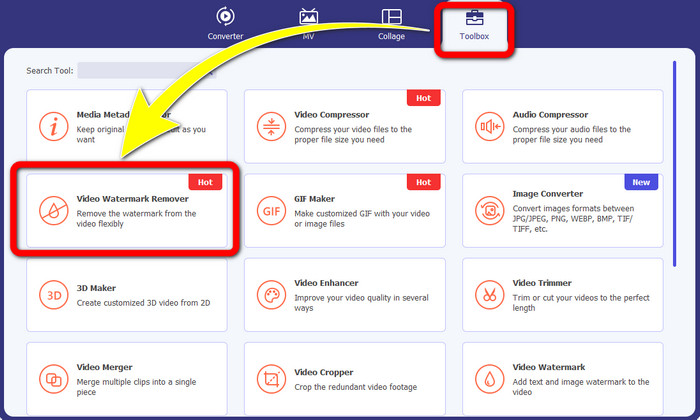
步驟 2: 啟動 Video Converter Ultimate 之後,點擊 工具箱 > 影片浮水印去除。接著,畫面上會出現另一個操作介面。
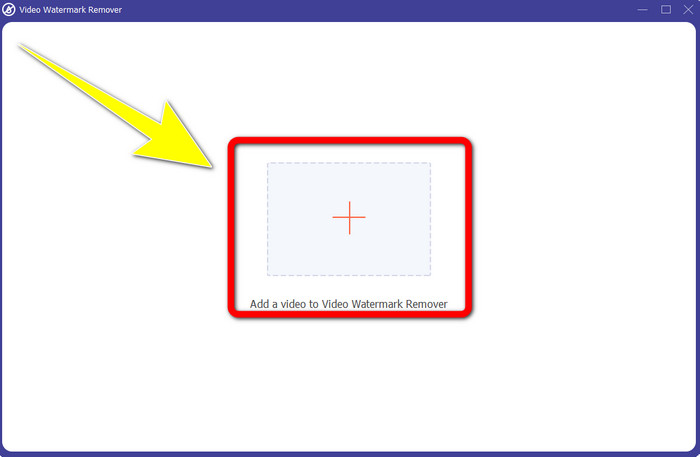
步驟 3: 當新的介面已經出現在螢幕上時,點擊 加號 按鈕,新增含有 Biteable 浮水印的影片。
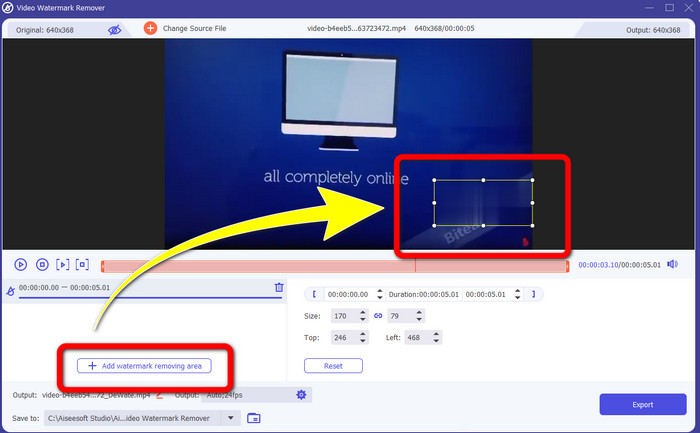
步驟 4: 新增影片後,點擊 新增去除浮水印區域,此時影片上會出現一個小方框。拖曳該方框,將浮水印完整遮住。
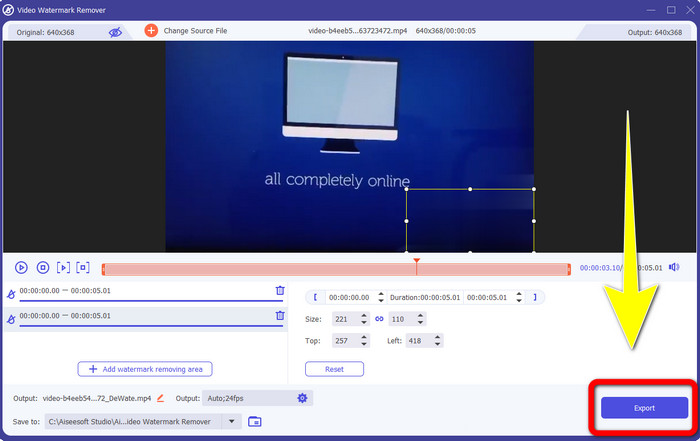
步驟 5: 當你已成功移除影片中的 Biteable 浮水印後,點擊 匯出 按鈕以儲存最後成品。
使用視頻裁剪工具
步驟 1: 啟動 Video Converter Ultimate,點擊 工具箱 > 影片裁切。
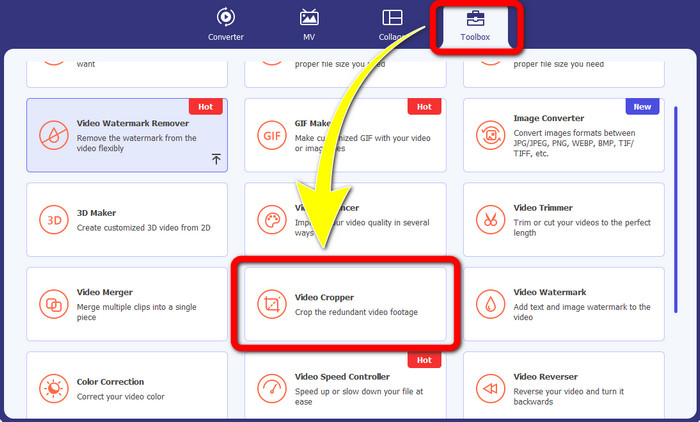
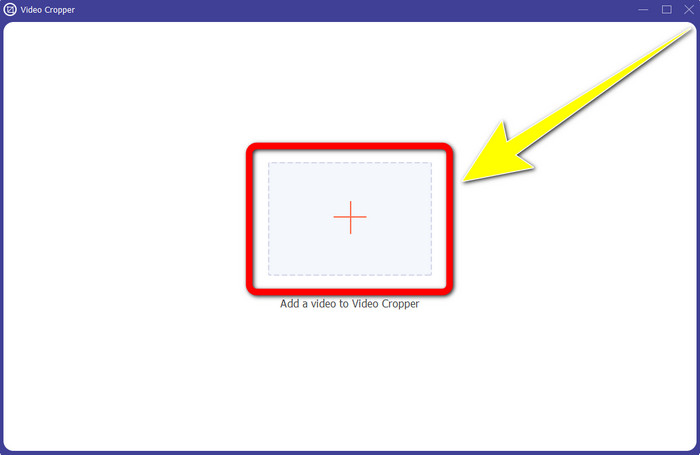
步驟 2: 點擊 影片裁切 之後,螢幕上會顯示新的介面。點擊 加號 圖示,加入含有 Biteable 浮水印的影片。
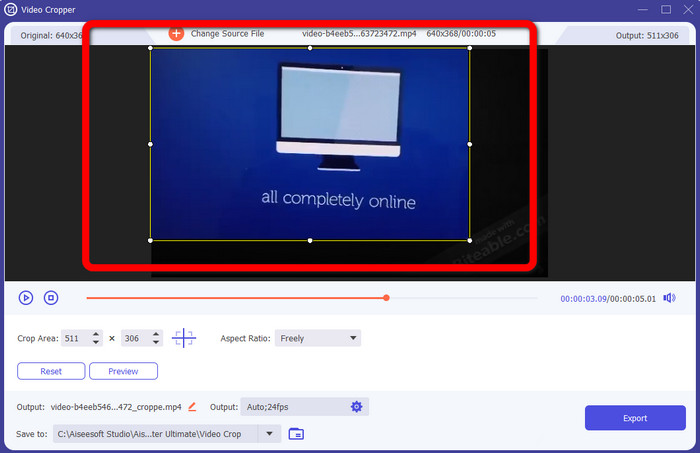
步驟 3: 新增影片後,你就可以開始進行裁切,藉此移除畫面中的浮水印。
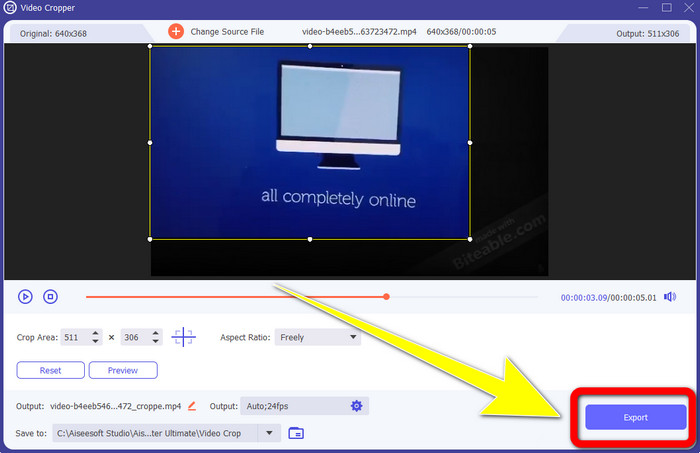
步驟 4: 完成影片裁切之後,點擊 匯出 按鈕,即可儲存已無 Biteable 浮水印的影片。
第 2 部分:如何從在線視頻中刪除可咬水印
1.使用BeeCut
如果您想免費在線刪除可咬水印,BeeCut 是您可以使用的最佳在線應用程序。它能夠從您的視頻中刪除水印。這是一個您可以使用的簡單在線工具,非常適合初學者。只需幾個步驟,您就可以從四個視頻中刪除可咬的水印。
此外,BeeCut 有許多編輯工具,如修剪、剪切、分割和組合視頻。另外,如果你想製作視頻,可以在下方為你的視頻添加字幕,方便觀眾觀看。但是,使用此工具上傳文件和保存過程很慢。此外,如果您沒有互聯網連接,則無法使用此工具。如果您想使用此在線工具從視頻中刪除可咬水印,請按照以下幾個步驟操作。
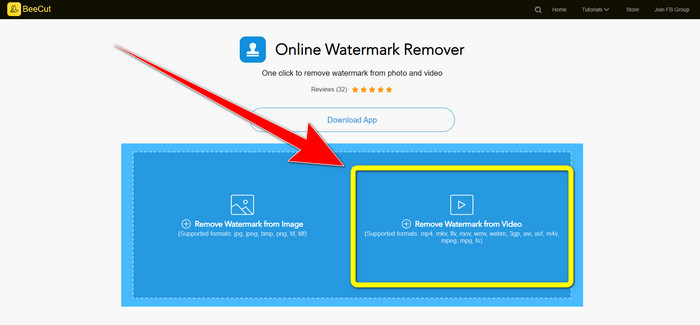
步驟 1: 造訪 BeeCut 官方網站,然後點擊 從影片移除浮水印 按鈕並加入含有 Biteable 浮水印的影片。
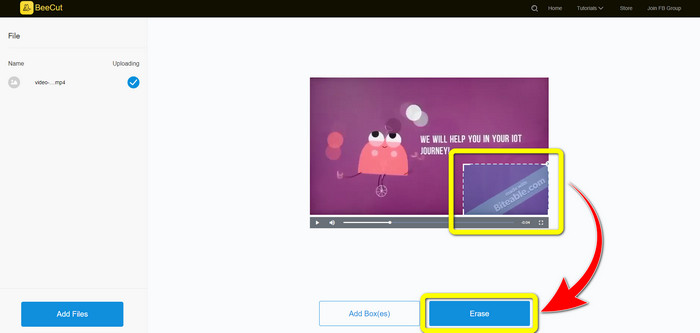
步驟 2: 新增檔案後,影片上會出現一個小方框。拖曳該方框,覆蓋 Biteable 浮水印。當你完成覆蓋浮水印後,點擊 擦除 按鈕。
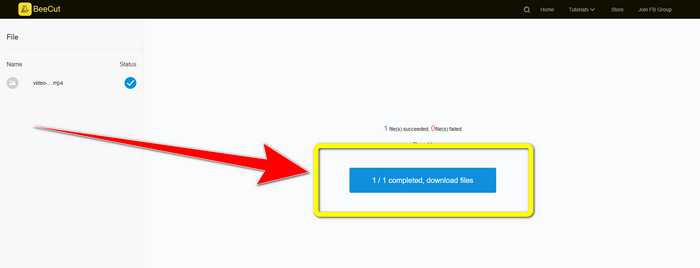
步驟 3: 點擊 擦除 按鈕後,請稍候系統完成去除過程。之後你即可下載檔案,享受觀看沒有 Biteable 浮水印的影片。
2.在線使用模糊視頻
如果您仍在尋找可用於從在線視頻中刪除可咬水印的其他應用程序,Blur Video Online 對您來說是一個很好的工具。 Blur Video Online 適用於幾乎所有設備和瀏覽器,例如 Google Chrome、Opera、IE、Mozilla Firefox 等。但是,這個依賴網絡的應用程序在導入視頻文件時速度太慢,而且去除水印的過程非常耗時。它也是一個依賴互聯網的工具,這意味著它只有在你有互聯網連接的情況下才能運行。按照以下簡單步驟從視頻中刪除/模糊可咬水印。
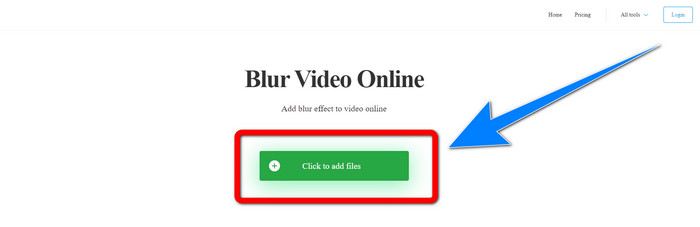
步驟 1: 前往 Blur Video Online 的網站,然後點擊 Click to Add File 按鈕,加入含有浮水印的影片。
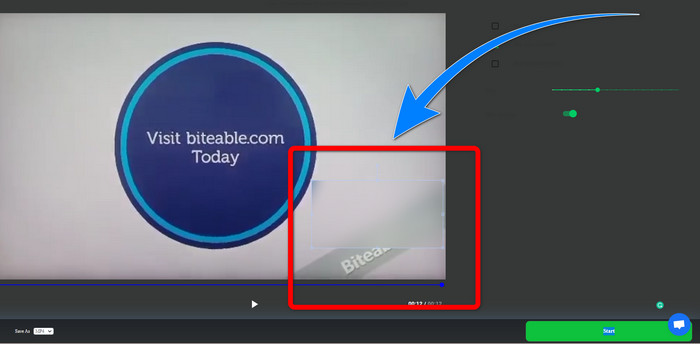
步驟 2: 當你已插入影片後,畫面上會出現一個方框。將方框拖曳至覆蓋浮水印的位置,並儲存最終成品。
相關內容:
在 Windows 上移除 Camtasia 9 浮水印的最佳方法
如何快速移除 AVS Video Editor 的浮水印橫幅
第 3 部分:關於從視頻中刪除可咬水印的常見問題解答
我可以使用 Video Converter Ultimate 刪除日期戳嗎?
是的你可以! Video Converter Ultimate 可以幫助您消除視頻中的干擾對象,例如日期戳、水印、文本等。
從我的視頻中刪除水印是否耗時?
這取決於您使用的應用程序。有些應用程序可以立即從您的視頻中刪除水印,有些應用程序需要一些時間才能刪除水印。
有沒有我可以使用而不會降低視頻質量的水印去除器?
有的!你可以使用 Video Converter Ultimate。它不只在移除浮水印和編輯影片方面表現優異,還能在不降低畫質的情況下,幫你移除影片中的浮水印。
結論
從影片中移除浮水印相當不錯,特別是當你想觀看喜愛影片、又不希望畫面被多餘物件干擾時。本文為你介紹了數款實用的應用程式,可用於移除影片中的 Biteable 浮水印。最後,如果你正在尋找最優秀、最令人驚豔的工具來移除影片浮水印,那麼使用 Video Converter Ultimate 絕對是最佳選擇。
-
 如何使用 4 種有效方法去除 Powtoon 水印
 閱讀本文以了解如何使用我們在此處提供的最佳工具和教程來刪除 Powtoon 水印。
-
 Apowersoft Watermark Remover 評測 – 功能、優缺點和價格
 Apowersoft Watermark Remover是最好的水印去除器之一,支持在線和離線,點擊了解更多!
-
 您將需要的 3 個最新的 Shutterstock 水印去除劑
 不喜歡附加到導出視頻的 Shutterstock 水印?您可以使用 Shutterstock 水印去除器來有效地擦除它。
