選擇用於錄製 GIF 的最佳 GIF 屏幕錄像機 [在線和離線]

事實上,GIF 是簡單但易於在網絡上訪問的文件格式。 GIF 的文件大小非常小,以至於它成為通過 Internet 發送視頻或運動圖像的最有效方式之一。在觀看電影時,您發現了有關正在觀看的電影的精彩場景,並希望與您的朋友、親人或家人分享。但大多數屏幕錄像機都是 MP4 和 MOV 格式,它們是最大的文件大小格式之一。傳輸這種類型的文件格式需要一個小時或更長時間對我們來說並不新鮮,而且大多數情況下它們會因為互聯網中斷而失敗,或者在其他情況下格式變得不可用,因為並非所有本地媒體播放器都支持所有格式。

While scrolling from the web and looking for a solution you encounter GIFs. This file format is much smaller in size and easy to share. So, you are thinking what is the best GIF recorder you should use to record the scene in the movie you watch. The list below talks about some popular GIF recording tools you may already encounter or not on the web. Continue reading below to know what these tools are and how to use these tools to capture animated GIF format.

GIF 錄音機

第 1 部分。 GIF 記錄器應具備的最佳特性

Before anything else, choosing the best screen recorder is a must. But maybe you are wondering what you should prioritize on choosing a GIF Recorder? The list below gives you some idea what characteristics a great recorder should have.

It should be user friendly – Choose a product that will not give you trouble on the recording.

Budget friendly – this will only include if the tool is a pay-to-use tool. It is okay to be inexpensive rather than spending your money on something that a cheap premium version can provide. It is a fact that a premium tool provides the best output. This will matter only to the pay-to-use tool. So, free online or offline tools should not worry about this.

Availability of the program – in this case if you change your PC to Mac or vice versa. You don't need to adapt to a new recorder. So, it is a must to choose the GIF screen recorder which is available on all platforms. Also, for less hassle and if they make changes, it will be more likely simple like the name but not the whole interface of it.

No malware or virus – this may apply both online and offline. Every program should provide you the best recording with the best safety as well. To avoid data loss and leak of data.

雖然這些是記錄器應該提供的簡單特性,但您可以選擇的工具的獨特性在下面的列表中。找出每個工具之間的差異,然後從列表中選擇最好的 GIF 錄製器進行錄製。

第 2 部分。 網絡上最好的 GIF 錄製器

1. FVC 免費屏幕錄像機
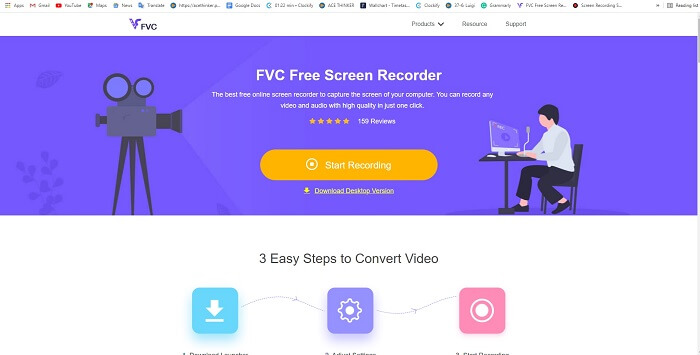
FVC免費屏幕錄像

The best way to share the moment is to record it and the best way to record a scene or action on your screen is the FVC Free Screen Recorder. This open-source tool allows the user to record with the help of the internet. If there is an internet connection then you may use this tool. Also, it features the basic file format, codec, and etc. Though it is a lightweight GIF recorder online for PC and Mac it provides a great opportunity to you to do more recording without any limit and watermark. To present to you on how to use the tool you must follow this step.

Step 1. Click this link provided to go to the main webpage.

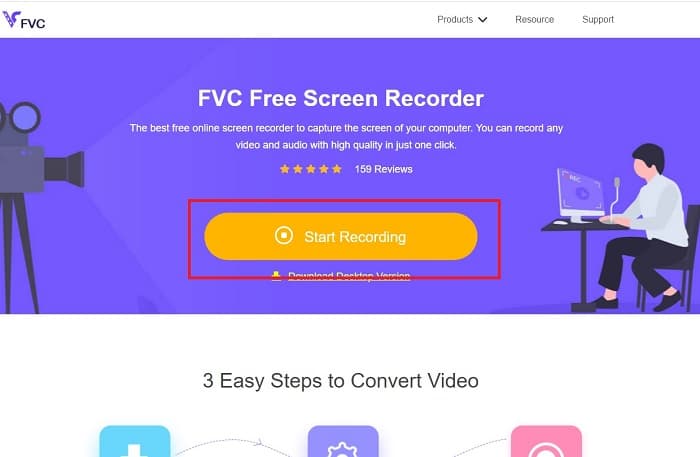
Step 2. A website like this will show on your screen. Click the Start Recording and Allow to launch the online tool.

開始錄製並允許

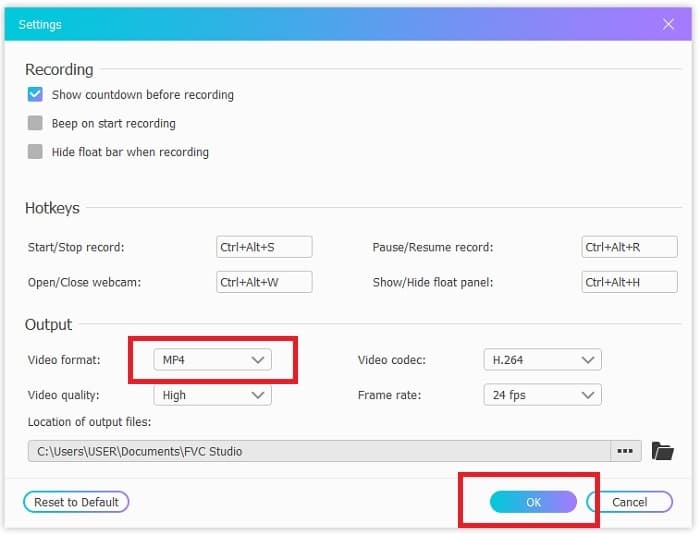
Step 3. A floating toolbar will show on your screen. Hit the cog icon to go to the settings, change the video format, and the other settings if it is needed. Click OK to save the adjustment.

屏幕中的浮動工具欄

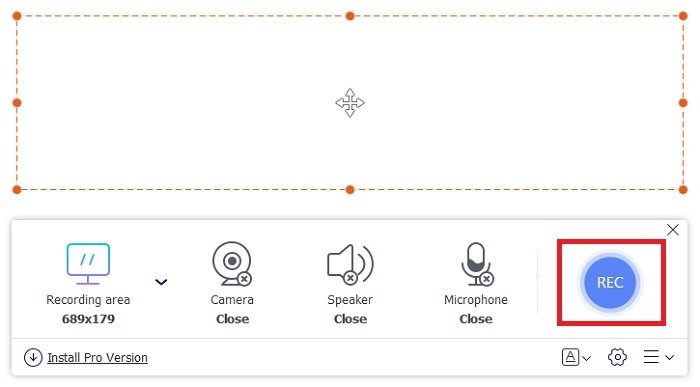
Step 4. Adjust the region of recording or click the Full screen for full display. Speaker and Mic are not included in making GIFs because no sounds are provided. But you may add your face by opening the Webcam. If you're ready to start the recording click the REC button to start.

調整區域

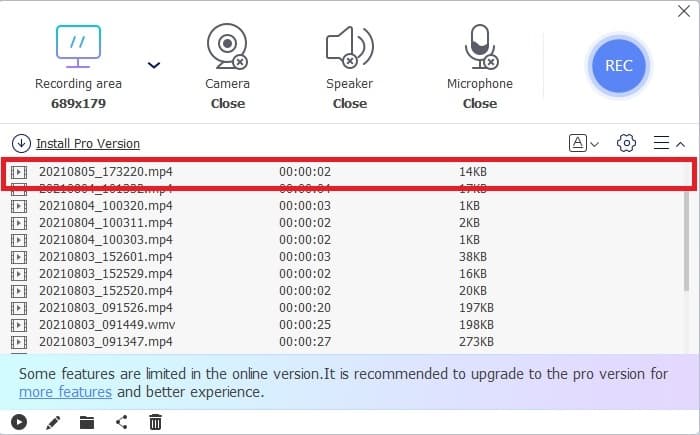
Step 5. To end the recording click the square button to stop. Also, you can check the finished recording you've made in the history list.

檢查完成的錄音

2. FVC 屏幕錄像機

If the free online tool of the FVC provides you the goosebumps. Then just by installing this best GIF recorder - FVC Screen Recorder will give you the wow factor you always longing for. What does this tool provide that will give the wow factor? It is not only just for recording GIFs. It also provides video & audio recording and amazing gameplay recording. But that is the minor feature of this tool, it also produces different output formats like MP4, GIF, MOV, and many more.

它的另一個特點是鎖定屏幕功能,這是該工具的獨特功能,即使像Bandicam這樣的重量級錄音機也無法提供此功能。錄製並截圖為 GIF 格式,而不顯示工具本身。 FVC Screen Recorder 為錄音中的磅王提供磅數。因此,無論您在錄製什麼,此錄音機都可以進行錄製。要了解如何使用此工具,請按照以下簡單步驟成功錄製 GIF。

Step 1. Here provided to you the installer of the tool. Choose between the two operating systems available. Install the tool into your hard drive and change the preferences based on your needs and click finish to save.

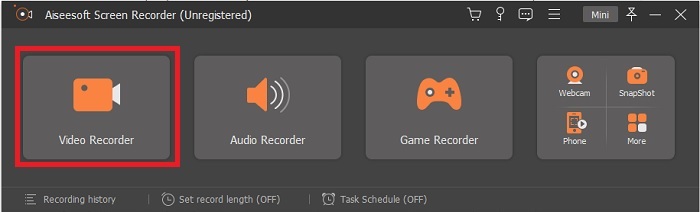
Step 2. Choose the Video Recorder to record what is on your screen. Available options like audio recorder and gameplay recorder are a must to use later.

錄像機錄製

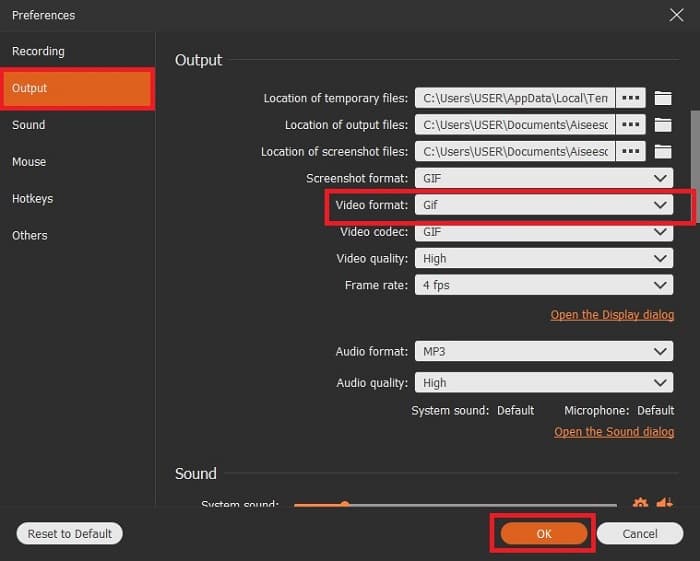
Step 3. The floating toolbar will show on your screen. Click the gear button to go to the setting and in the Output change the format into a GIF or whatever you want to use. To save the adaptation click OK to proceed.

齒輪按鈕到設置

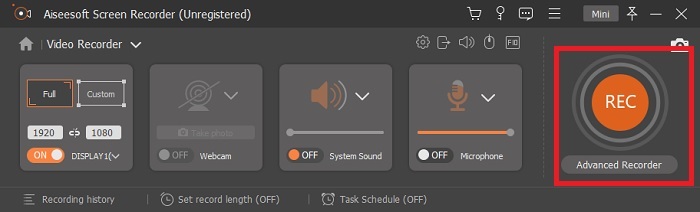
Step 4. In the main toolbar. Adjust the screen ratio or if you want a full display click the full screen. Recording GIF format sound and mic will not matter. But you may add Webcam to show your reaction. If already ready to go, click the round button to start recording.

主工具欄

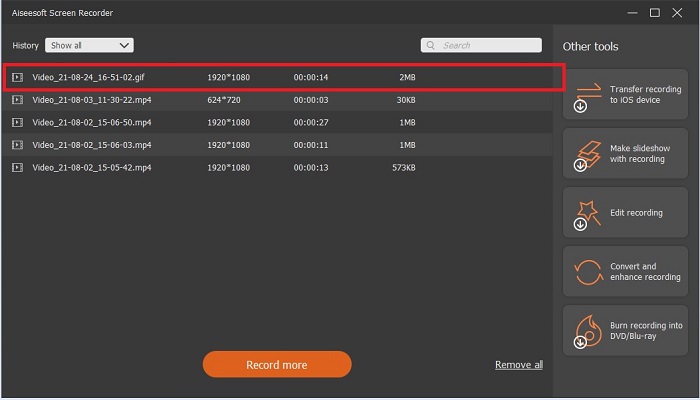
Step 5. If the recording is already done you can now click the cube button to stop. Click the Save and Next to save the progress. To review the GIF, you record it early, click the three-lined icon, and history of recording will go into your screen.

錄製已經完成

3. ScreenToGif

屏幕轉 GIF

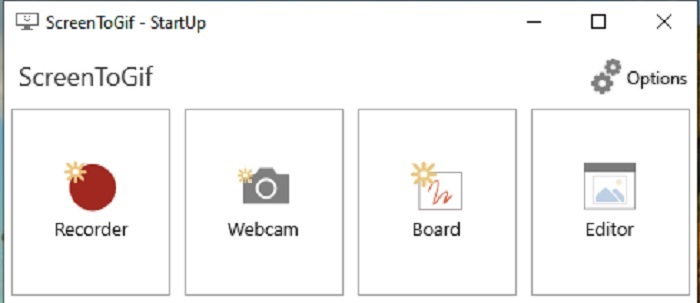
This tool is a downloadable GIF recorder for Mac and PC has two different versions: the Installer and the Portable. Choose between the two on what you like to download. But there are cases that while the tool is running you may encounter some minor bugs. And the only format available in this tool is .gif for the final output. So, if you wish for another format this tool can't provide it. But it is also free to use so if you want to record GIFs then you may use this tool. But the interface and tool of it are a bit lame because of the white background of it. Seems to be boring but can do the work.

4. Gyazo

加佐

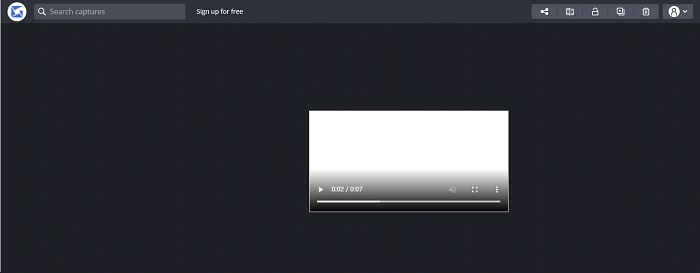
This is one of the best GIF recorders for windows. Gyazo is a software dedicated to recording GIFs. Although after your installation 3 tools will be automatically downloaded into your storage. They are part of the tool but they are different from one another and function also. These 3 tools are the Gyazo, Gyazo GIF, and Gyazo Replay. Recording a GIF into the Gyazo GIF is limited to 7 seconds. So, if your recording is more than 7 seconds then this is not the best. Also, the saved video will not automatically be downloaded into your storage. A new tab will be open in your search engine and you'll need to download it. Downloading the final output will be dependent on your internet connection so beware of it.

5.記錄它!

把它記錄下來

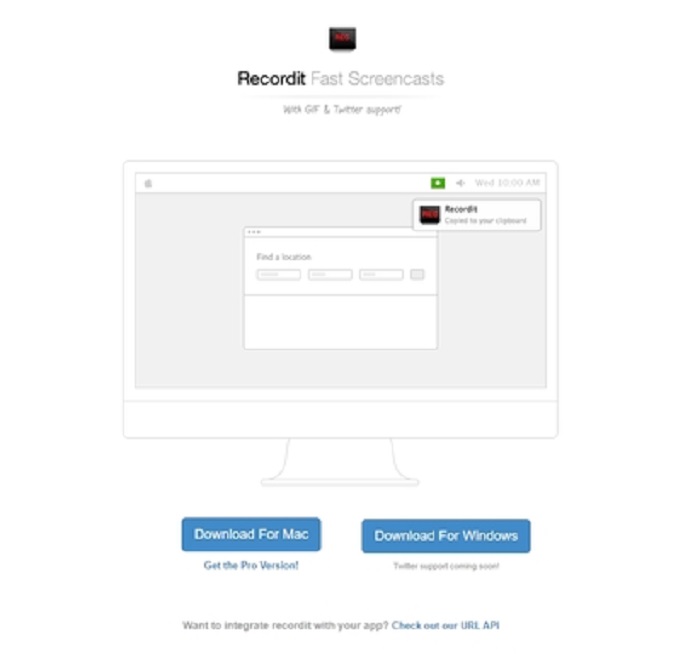
Another tool used to create GIFs is RecordIt!, the best GIF recorder for mac. This tool also has a Windows program. But the problem with this tool is its installation. After all the setup you may encounter some difficulties in installing it to your program. This is natural because if you don't update applications in your setup the tool will never be downloaded. But there is an option but it could bring harm to your desktop. You can click the ignore to download and ignore all the notices. So, download it at your own risk, though the tool has ads on it, and beware also of the ads because some of them are unrestricted. Moreover, it provides a pro version with removing the ads and adding other features as well.

第 3 部分。 關於 GIF Recorder 的常見問題解答

我可以將 GIF 轉換為 MOV 格式嗎?

是的,您可以藉助在線視頻轉換器(如 FVC 免費在線視頻轉換器)將 GIF 轉換為 MOV 格式。

有哪些不同類型的 GIF?

有 5 個 GIF:回放 GIF、反應 GIF、電影圖、完美循環和技術 GIF。所有這些都可以是基於動畫的、基於視頻的和貼紙。

GIF 的其他替代品是什麼?

儘管創建 GIF 已經 30 多年了。網絡上有一些競爭對手可以製作電影和 GIF。這些是動畫 GIF 的最佳替代品:APNG、WebP、AVIF、MNG 和 FLIF。

結論

It's come to an end, is it said that every great story always ends with a great conclusion. To conclude the details above, GIFs showcase an expressive emotion towards the receiver. But not all of the videos you want are not in GIF format. Instead of waiting for a GIF to be created, why don't you create one? With the help of the best GIF recorder which is the FVC Screen Recorder. This tool allows the user to record a GIF and add your personal touch. If you're still wondering what you should use then it is a must to re-read the best characteristics and all of those characteristics belong to the chosen one which is the FVC Screen Recorder.

艾倫·米勒2022 年 9 月 05 日

優秀的

Rating: 4.8 / 5 (based on 190 votes)