


 視頻轉換大師
 屏幕錄影大師
 影片修復
影片修復2 個最佳 DivX 轉換器:如何在 Windows 和 PC 上將 DivX 轉換為 FLV
DivX is one of the first proprietary movie containers in DVDs. This compression format helps to store high-quality video without needing high storage capacity. Even though DivX files are space-friendly, you will still need to install a specific encoder to play it. However, we can avoid this by converting the file into FLV or the other supported formats. Do you want to know how to convert DivX to FLV? Then read the full details below and determine which converter you can use that suits you the best.

第 1 部分。使用 FVC Video Converter Ultimate 將 DivX 轉換為 FLV
This phenomenal DivX converter has the best interface and rendering process amongst the other converters. FVC Video Converter Ultimate became the dominant converter you can download on your Windows or Mac. Converting files has become easier and quicker with this converter's aid and its hardware acceleration and fast conversion. Unlike the tools you can download or use online, this is the most lightweight but powerful. Also, you can convert your DivX to FLV, MP4, MOV, AVI, MKV, and 200+ more formats. So now, do you desire to learn how to use this tool? Then, follow the steps below.
Steps on How to Convert DivX to FLV with the help of FVC Video Converter Ultimate:
Step 1. Download the FVC Video Converter Ultimate on your desktop by clicking the download button below. Once you've downloaded the file, click it to install and quickly set it up.
Step 2. Hit the + button to insert the file, or if the file you want to convert is more than two, we suggest you drag-drop it to the interface.
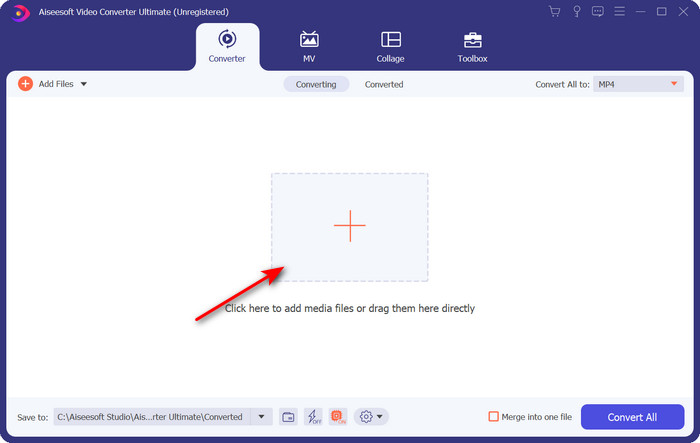
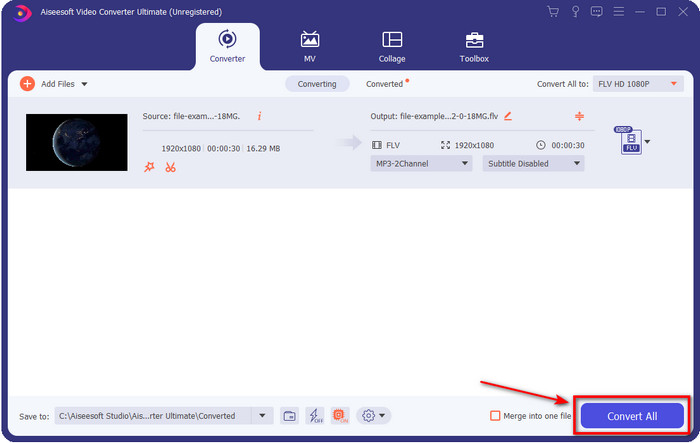
Step 3. Change your DivX to FLV by clicking the drop-down button.
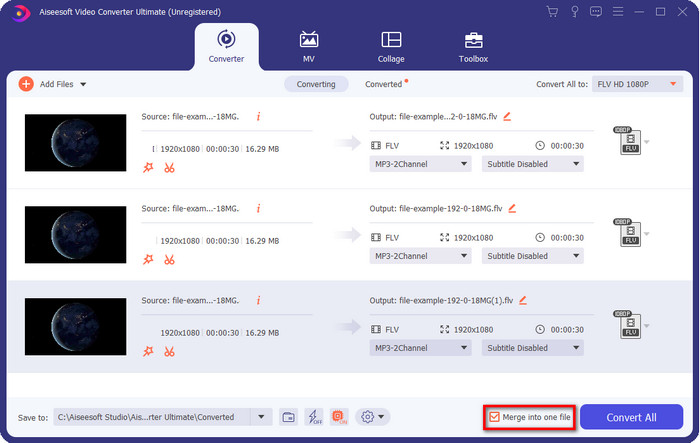
Suppose you want to combine your DivX file and merge it into one, then tick the box to connect all the DivX files after conversion.
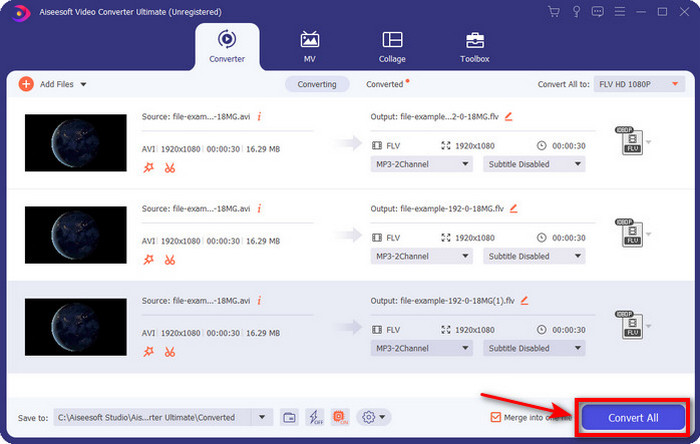
Step 4. To start conversion, click Convert All. No need to wait because the process will take less than a minute. After the process, the folder will show on your screen with the converted .flv file.
優點
- 與其他在線和離線轉換器相比,將 DivX 轉換為 FLV 的速度提高了 30 倍。
- 適用於所有操作系統,如 Windows 和 Mac。
- 提供高級視頻編輯功能。
- 在批量轉換的幫助下轉換任意數量的文件。
缺點
- 需要購買並安裝在您的計算機上。
第 2 部分。使用 FVC 免費在線視頻轉換器將 DivX 轉換為 FLV
Suppose you are looking for an online solution to solve your DivX converting problem? Then use the FVC Free Video Converter Online. This web tool supports a medium-range format, is compatible with all search engines, and is free to use. Although this converter is available online, you will not need to worry about the pesky ads on its website's interface. If you feel this online solution is the best aid, follow the detailed steps below.
Steps on How to Convert DivX to FLV with the help of FVC Free Video Converter Online:
Step 1. First, hit this link to open the website of the online converter.
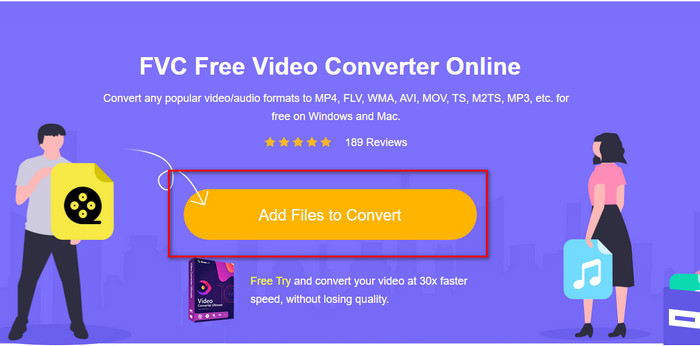
Step 2. Hit next the Add Files to Convert button and allow the tool to open. Select the file on the folder and press Open.
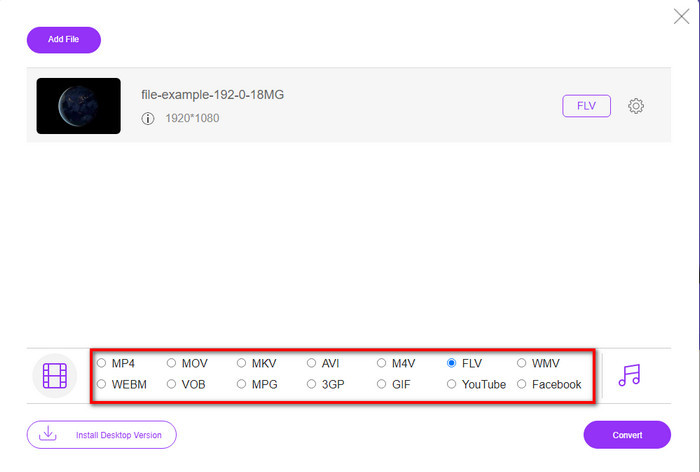
Step 3. Choose the FLV format or the other format available below.
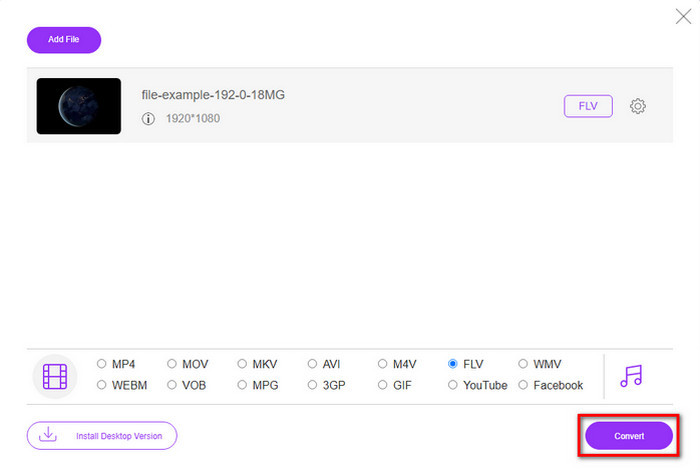
Step 4. Once done, click Convert to start the changing process.
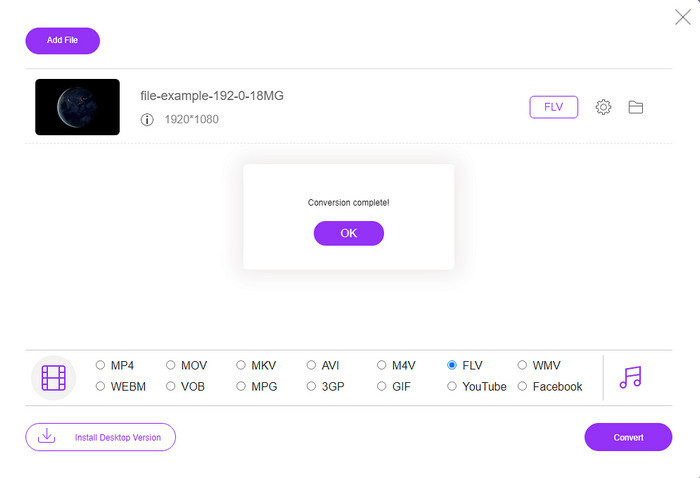
Step 5. Conversion is complete and will show on your screen with the folder and the file as well.
優點
- 無需下載驅動器上的軟件。
- 無惡意軟件且界面上沒有煩人的廣告。
- 任何人都可以不受限制地訪問在線轉換器。
缺點
- 它支持有限的格式和編碼器進行轉換。
- 它沒有 FVC Video Converter Ultimate 那樣的高級功能。
第 3 部分。 DivX 與 FLV
DivX
Digital Video Express 是 DivX 的縮寫,是質量變化最小的高壓縮視頻流和 DVD 的最佳格式。該編解碼器的工作原理幾乎與 MPEG-4 類似,但主要區別在於它是專有的。此外,如果沒有合適軟件的適當幫助,您將無法播放 .divx 視頻。即使在智能手機上也無法在 Windows 或 Mac 上正常播放,您只會收到此格式不受支持的警報。儘管該格式使用起來有點煩人,但它仍然可以幫助您節省驅動器的帶寬和空間。
輕型貨車
但是,FLV 或 Flash Video 是 HTML 5 上最常用的首選格式。此格式與 DivX 的工作方式不同,因為此格式使用 Adobe Air 和 Flash Player 的支持來有效地在 Web 上分發媒體文件。此外,這一直是在包含媒體文件的視頻共享平台上嵌入視頻的長期標準格式。雖然 FLV 比 DivX 好,但如果我們談論壓縮文件,DivX 的大小比 FLV 小。但是,如果您想更快地在線分發文件,您的文件擴展名應該是 .flv。
第 4 部分。 有關 DivX 到 FLV 轉換的常見問題解答
轉換 DivX 後,它的質量有變化嗎?
儘管 DivX 文件是舊版本格式,但它仍然可以存儲壓縮成小尺寸的高質量視頻。因此,在將 DivX 轉換為 FLV、MP4、MOV、AVI 或任何其他格式後,DivX 視頻的質量不應改變。但是,如果您使用了不支持高質量輸出的錯誤工具,就會損失質量。但是我們可以通過使用上面提供的工具來避免它。
為什麼我不能在 Windows Media Player 上播放 DivX 文件?
Although DivX files became popular over the internet, playing it on your Windows Media Player is possible if you download the correct codec. But if you don't want to go into this trouble, read this article and know the 5 DivX players you can use to play this file.
轉換 DivX 文件需要時間嗎?
嗯,這取決於您的 DivX 文件的大小。在所有情況下,DivX 文件越大,您等待完成轉換的時間就越長。假設您正在使用具有硬件加速和快速轉換功能的工具。在這種情況下,您很幸運,因為您無需等待或花費大量時間等待轉換文件。
結論
All in all, the detailed information mentioned above helps us understand why we need to convert DivX to FLV. Using the best tool to produce the best output is a must to avoid any inconvenience. As we searched over the internet, we found out the best converter you can use online or offline. Moreover, suppose you want to use the FVC Free Video Converter Online as your solution online, then you must click the link. However, suppose you want to have the most exceptional final output that supports more than 200+ formats and has special features. In that case, you must download the FVC Video Converter Ultimate.
-
 免費將 DivX 轉換為 MOV 的 4 種方法 [在線和離線]
 您是否在為 DivX 的局限性而苦惱,或者您是否沒有媒體播放器來訪問這種格式的視頻?如果要將其轉換為 MOV 格式,請繼續閱讀本文以填補空白。
-
 在線和離線將 M2TS 轉換為 FLV 的特殊方法
 您是否嘗試過在不同平台上將 M2TS 轉換為 FLV?閱讀本文以了解更多有關您應該考慮將 M2TS 轉換為 FLV 的最佳易用在線工具和軟件的信息。
-
 用於將 3GP 轉換為 FLV 的最佳 3GP 到 FLV 轉換器 [2022]
 您是否嘗試過將 3GP 轉換為 FLV,但您不知道將使用哪種轉換器?閱讀本文以了解有關將 3GP 轉換為 FLV 的所有詳細信息。
