


 視頻轉換大師
 屏幕錄影大師
 影片修復
影片修復
 安全下載
安全下載FLV 到 WMA 轉換器 - 如何免費從 FLV 視頻中提取 WMA 音頻
從 YouTube 網站下載 Flash 視頻文件後,您可以將 FLV 轉換為 WMA 無損音頻。 WMA(Windows Media Audio)是微軟開發的一系列音頻編解碼器和相應的音頻編碼格式。 WMA 音頻支持多聲道和高分辨率音頻。從本文中,您將學習在 Windows 和 Mac 上將 FLV 視頻轉換為 WMA 音頻的 2 種方法。

第 1 部分。 免費從 FLV 中提取 WMA 音頻的最佳方法
FVC Free FLV Converter is a free, easy & fast FLV to WMA converter that supports batch convert FLV files to WMA on your Windows and Mac. Meanwhile, you can convert the FLV videos to other video and audio formats like HD MP4, AVI, WMV, MKV, 3GP, MP3, AAC, AC3, etc. With the built-in editing feature, you can edit the metadata data in WMA for free.

FVC免費FLV轉換
145000+ 次下載- 在 Windows 10/8/7/Vista/XP 和 Mac OS X 上將 FLV 轉換為 WMA。
- 壓縮、合併、添加主題和編輯 WMA 文件的元數據。
- 為您的 FLV 文件添加特殊主題,如假期、家庭、生日。
- 批量轉換 FLV 到 WMA、MP3、AAC、FLAC、M4R、OGG、WAV。
步驟 1. 添加 FLV 文件
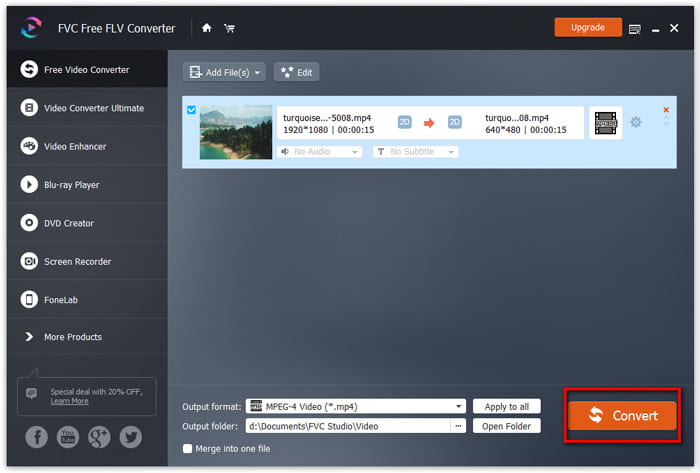
After free downloading FVC Free FLV Converter, you can install and run the program on your computer. Click Add File(s) button to import the Flash video file. You can also drag and drop more FLV files into the program at one time.

步驟 2. 編輯 FLV 文件
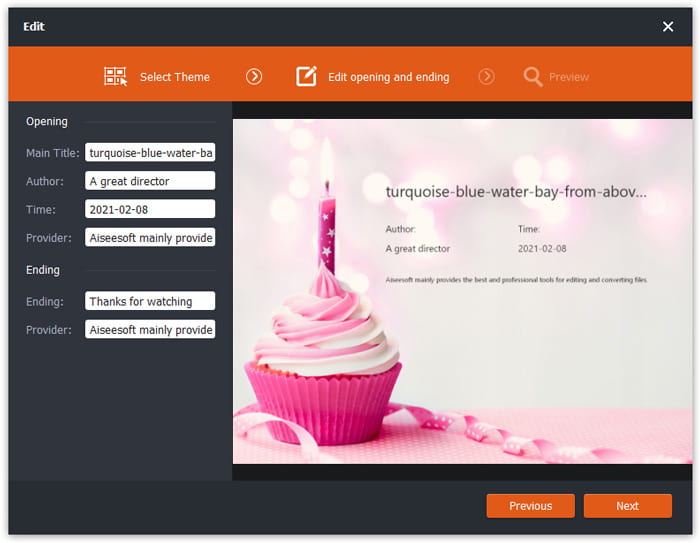
Click the Edit button to start editing your FLV file. You can select a certain theme, edit the data information like title, author, time at the opening and ending.
步驟 3. 將 WMA 設置為輸出
Then go to the Output format area and type WMA in the search box. Here you can select WMA - Windows Media Audio (*.wma) as the output format.

第 4 步。將 FLV 轉換為 WMA
Go to the Output folder area and choose the destination where the WMA file will be saved. You can click the Convert button to start converting FLV to WMA audio file for free.
第 2 部分。 如何免費在線將 FLV 轉換為 WMA
If you are tired of downloading any software package, you can try FVC Free Audio Converter. It is a powerful web-based FLV to WMA converter that helps convert any popular video/audio file to WMA, MP3, AAC, FLAC, WAV, etc. You can learn how to convert FLV to WMA in details with FVC Free Audio Converter.
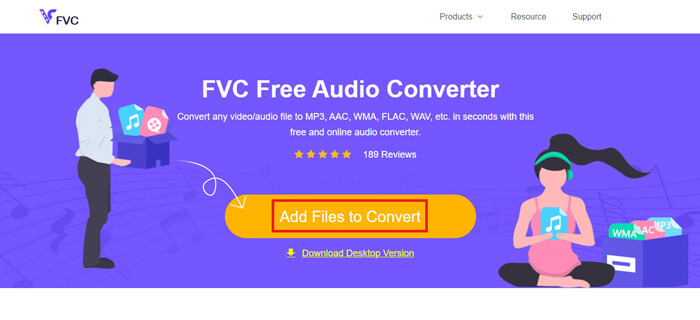
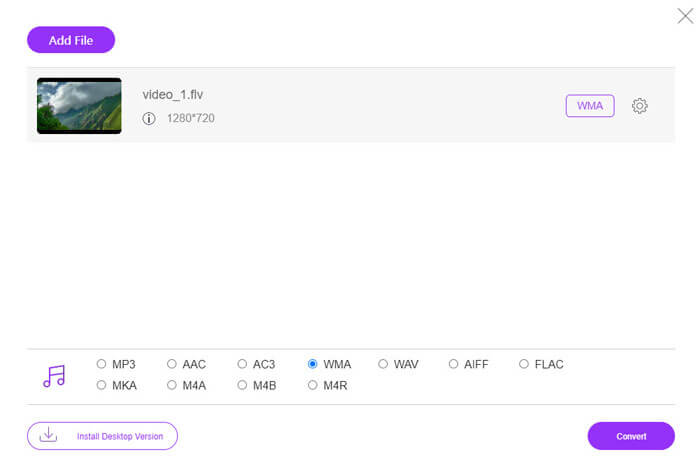
Step 1. Visit the official website of FVC Free Audio Converter (https://www.free-videoconverter.net/free-audio-converter/). Click Add Files to Convert button to download and install the launcher. You can upload the FLV files from local computer.
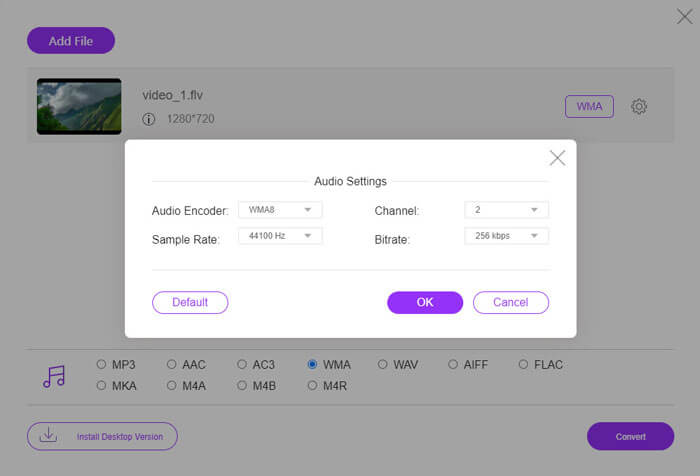
Step 2. Check WMA at the bottom and set it as the output format. If you want to adjust more settings, you can click the gear icon to audio encoder, channel, sample rate and bitrate. Click OK button to save the changes.
Step 3. At last, you can click the Convert button to start converting your FLV to WMA file online for free.
第 3 部分。 將 FLV 轉換為 WMA 的常見問題解答
什麼是FLV文件,我該如何播放?
FLV是Adobe開發的Flash視頻文件格式。它可以存儲視頻,音頻,文本,下標等。 Windows Media Player和QuickTime都不支持FLV,因此您必須使用第三方媒體播放器來打開FLV,例如VLC。
WMA格式用於什麼?
WMA是一種由Microsoft創建的有損音頻格式,可以與MP3競爭。 WMA主要用於流媒體在線音樂。 Windows Media Audio是擴展名為.wma的WMA文件。 Windows Media Player可以完美地支持它。
有沒有 WMA 音樂播放器?
Yes. There are WMA music players you can choose, like FVC Free Video Player, KMPlayer, Elmedia Video Player, Macgo Free Mac Media Player, VOX Music Player, VLC Media Player, GOM Media Player, foobar2000, AIMP, Samsung Music, etc.
結論
在本文中,我們主要討論了在 Windows 10 PC 和 Mac 上將 FLV 視頻轉換為 WMA 的 2 種免費方法。希望所有這些解決方案都能幫助您解決問題。下次您從網站下載 Flash 視頻時,您可以嘗試使用 FVC Free FLV 轉換器將 FLV 視頻轉換為 WMA、MP3、AAC、MP4、AVI、VOB 等。
-
 FLV到WAV –在線免費和在Mac / PC上將FLV轉換成WAV
 如何轉換 FLV 文件? VLC 可以將 YouTube FLV 轉換為 WAV 嗎?這篇文章講述了 3 種將 FLV 轉換為 WAV 且不會損失質量的免費方法。
-
 2 在 Windows/Mac 上將 MOV 文件轉換為 FLV 的簡單方法
 如何免費將 MOV 轉換為 FLV?這裡有最好的桌面和在線視頻轉換器,可在幾秒鐘內將您的 MOV 文件轉換為 FLV,而無需支付一分錢。
-
 如何在Mac / Windows / Online上將WMA轉換為MP3
 是否可以使用Windows Media Player將WMA轉換為MP3?怎麼把WMA轉換成MP3免費?這篇文章分享了4種簡單的方法來幫助您在Mac,Windows PC和在線上將音頻從WMA轉換為MP3。
