


 視頻轉換大師
 屏幕錄影大師
 影片修復
影片修復了解可用於將 MPEG 轉換為 FLV 的轉換器軟件
MPEG is the standard format for transferring data over the internet or in DVD distributions. Well, it is because the format has been there since 1988. But did you know that this file is an asymmetrical system? Because it takes more time compressing a video than decompressing it. Also, while squeezing the file, some of the frames are getting rid-off. So the quality of this format is lesser than the other quality like FLV. Want to know how to convert your MPEG to FLV and compress the data without losing the quality frame of your video? Then read this article to have an idea of what MPEG converters you can use.

第 1 部分。 使用 FVC Video Converter Ultimate 在 Mac 和 Windows 上將 MPEG 轉換為 MOV
FVC Video Converter Ultimate is more capable of handling this converting problem. It is more than a MPEG to FLV converter because this tool can single-handle the 200+ formats conversion instantly. Isn't it amazing? Also, suppose you want to insert many files and convert them to different formats here. In that case, you can easily do it with very effective batch conversion. Do you want to know what's more in this tool? Well, read the key features below.

FVC Video Converter Ultimate
5,689,200+ 次下載- 它支持 MP4、MOV、MPEG、FLV、AVI 等格式的所有格式和編碼器。
- 它被稱為可以在桌面上下載的最快和最安全的轉換器。
- 使用硬件加速和快速轉換進行批量轉換。
- 該轉換器支持主要的廣泛功能,例如視頻增強器、視頻壓縮器等。
- 在 Windows 和 Mac 上支持具有相同功能的兩個操作系統。
因此,現在您已經了解了該工具的功能,是時候學習如何使用以下詳細步驟將 MPEG 轉換為 FLV。
Step 1. To have access to the tool, you must download it first on your PC or Mac. Install it next and do the quick set-up; the tool will automatically launch after all of it.
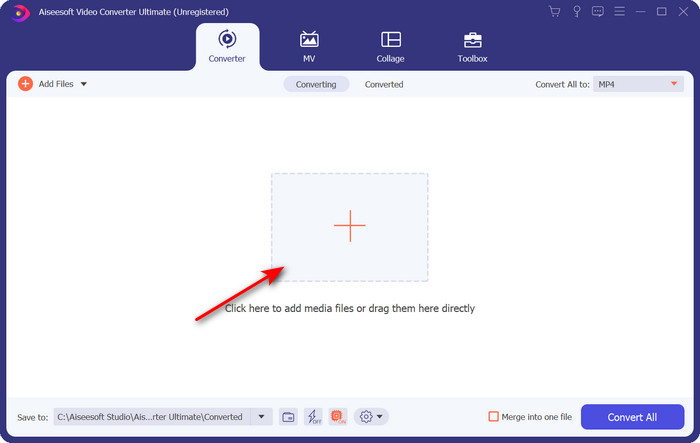
Step 2. Let's insert your .mpeg file here by clicking + sign in the middle interface. After clicking it, a folder on your desktop will show, select the file and click Open.
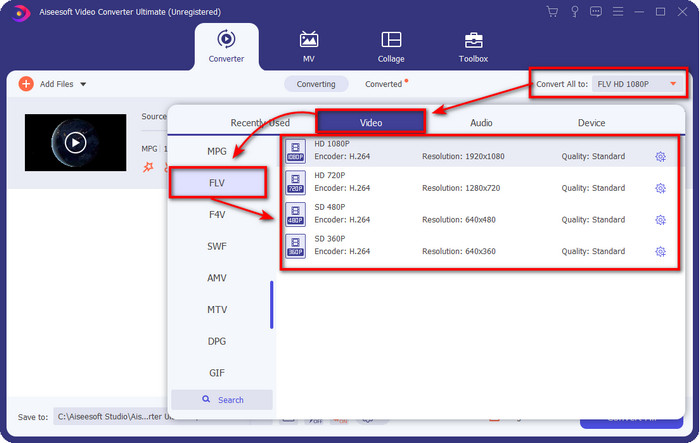
Step 3. Change the format to FLV by clicking and unfolding the Convert All to menu at the upper right side of the converter's interface.
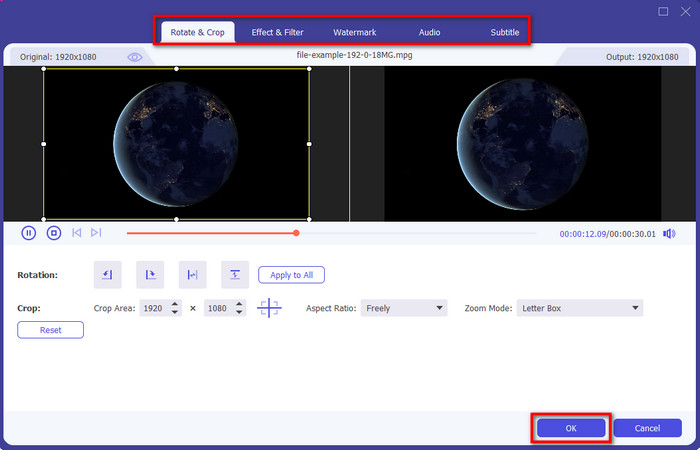
Step 4. Before we convert your file, you can edit the video here first by clicking the wand button. Under its editing, you can rotate & crop video, add effects & filters, apply the watermark, adjust audio, and add subtitles. Once you edit and are ready to save, click OK.
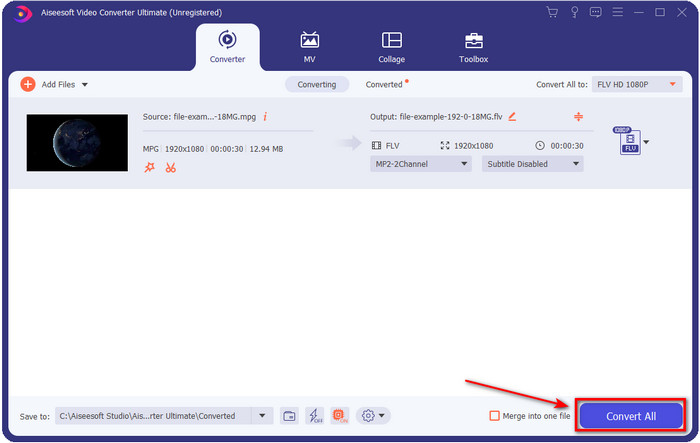
Step 5. Press Convert All to start to convert MPEG to FLV. This process will take less than a minute because of the Hardware Acceleration, and Fast Conversion activated. After the conversion folder will show on your screen.
第 2 部分。 使用 FFmpeg 將 MPG 轉換為 MOV
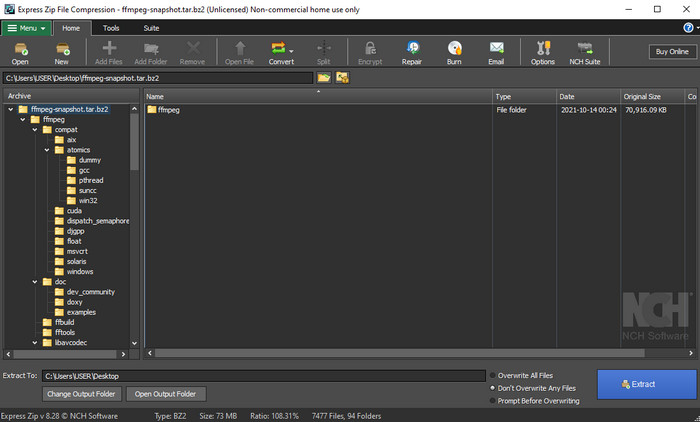
One of the famous editors that you have already encountered is FFmpeg. If this converter sounds new to you, then let's have a brief introduction to the software. This converter is known as one of the most complicated converters you can use. Because before you perform converting here, you will need to communicate via text on the CMD. Although the tool is complex, the performance is outstanding, especially in converting. Instead of searching over the internet how to use FFmpeg MPEG to FLV, the steps below will help you to use this tool.
Step 1. Download the FFmpeg on your desktop.
Step 2. Open the CMD on your desktop to open the command prompt.
Step 3. Search the location of your .mpeg file by using the CMD. Then insert this on the command prompt ffmpeg -i input.mpeg -vn -ar 44100 -ac 2 -b:a 192k output.flv, press Enter key on your keyboard to start the process.
優點
- 可以免費下載。
- 在將格式轉換為新版本方面表現良好。
- 在 Windows 和 Mac 中可用。
缺點
- 它不是用戶友好的。
- 不是典型的轉換器。
第 3 部分。 使用免費的在線 MPEG 到 MOV 轉換器將 MPG 轉換為 MOV
If you want to convert MPEG to FLV for free, use the FVC Free Video Converter Online. This online tool is available in all search engines to help you with your converting problem. Although the online converter is free, the functions and features here are not as broad as the FVC Video Converter Ultimate. But you can perform converting .mpeg or .mpg files here easier and better than the FFmpeg. Another good thing about this web tool is that you wouldn't need to download it on your desktop. You save some space on your storage if you use this tool. Want to know how to use this tool? If so, let's proceed with the steps.
Step 1. To open the MPEG to FLV converter online, you must click this link.
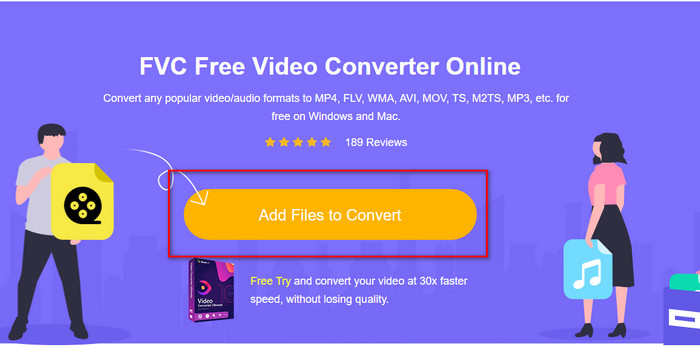
Step 2. Once the website is open, click Add Files to Convert to open the web tool. A folder will show on your screen; under it, you can find the .mpeg file you want to convert, then press Open.
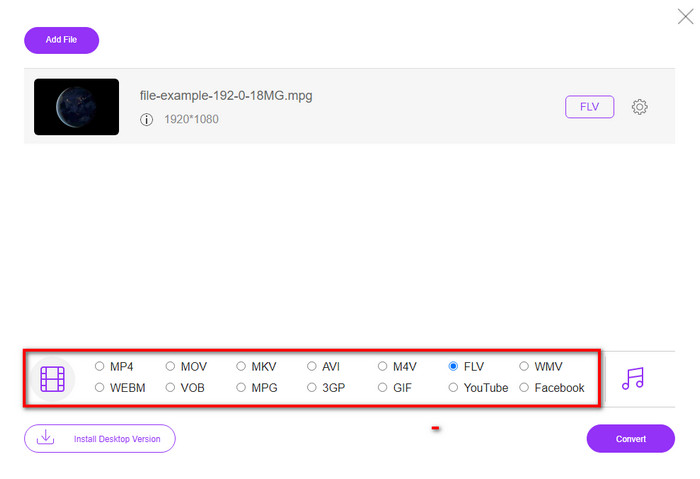
Step 3. A new interface will show; choose the FLV format below.
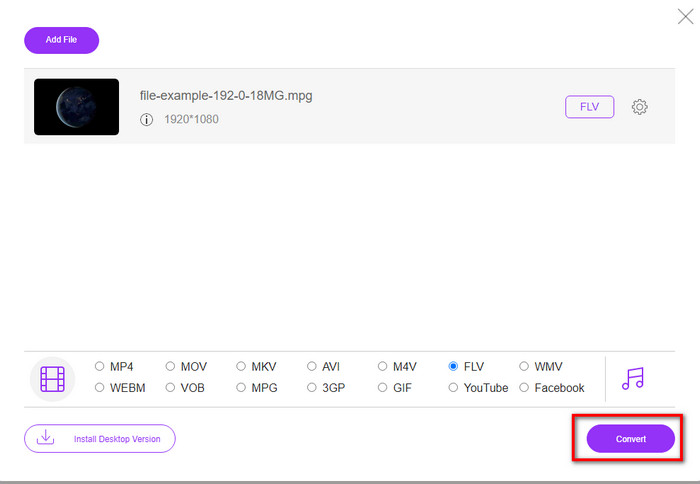
Step 4. If you've done selecting the format, click Convert to start the process.
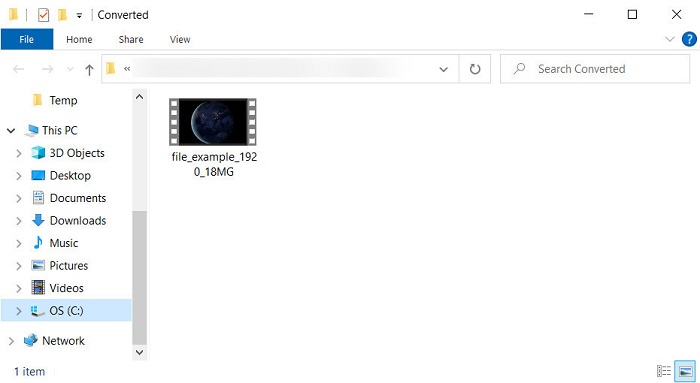
Step 5. The file folder will show after the conversion.
第 4 部分。 MPEG 和 MOV 的擴展知識
運動圖像專家組或 MPEG 是 1988 年末出現的標準格式之一。這種格式將文件顯著壓縮為 MPEG-1 或 MPEG-2,然後在 Internet 或 DVD 上分發它們。雖然 MPEG 使用了特定的壓縮格式,但這種格式的擴展名仍然可以是 .mpg 或原始的 .mpeg,但不會影響存儲的文件和質量。即使質量不會受到影響,它仍然無法存儲高清視頻和元數據。
如前所述,Flash Video 或 FLV 類似於 MPEG,但從不同的角度來看。這兩種格式最適合通過 Internet 傳輸視頻文件。然而,FLV 文件被大量壓縮,與 MPEG 相比,它的質量要好得多。它現在是萬維網上 HTML 5 內容中用於流式傳輸的標準視頻格式。
由於 MPEG 格式具有較低的質量和較低的壓縮率,如果您想要更好的質量和壓縮率,則必須重新考慮將文件轉換為 FLV 格式。因此,選擇合適的 MPEG 到 FLV 在線或離線轉換器是實現更好 FLV 版本的必要條件。
第 5 部分。 有關 MPEG 到 FLV 轉換的常見問題解答
如何將多個MPEG文件合併為一個?
Combining or merging two or more files into one is easy if you use the right tool. Doesn't have any idea what to use on merging the video files into one? Or on how to connect the files? If so, read this article to know what and how to combine MPEG files into one.
我在哪裡可以播放 MPEG 文件?
Although MPEG format is the most known format for movies and the support this format gain is enormous. But some of the media players don't play the video smoothly with the file extension of .mpeg. If you are looking for an effective media player, hit this link immediately and read the detailed information about the MPEG players.
我可以壓縮 MPEG 文件嗎?
Yes, you can compress your MPEG files if the size is too heavy to load. In fact, you can read this article and know how to compress your MPEG files into smaller sizes without destroying the quality of the video.
結論
In the end, we have a firm knowledge of how to convert MPEG to FLV with the helpful tools above. If you want to convert your MPEG for free, then use the FVC Free Video Converter Online. But if you have and want to use FFmpeg, then read the details above. Either of the two, the performance of the phenomenal converter is the best, FVC Video Converter Ultimate. So now, choose the best tool you think suits your needs for converting the file and have effective conversion.
-
 [2021] 將 MPEG 轉換為 MP3 的最佳工具和簡單方法
 本文主要討論如何使用列表中最可靠的工具將 MPEG 視頻轉換為 MP3。
-
 將 MPEG 轉換為 AVI 格式的最佳 5 選擇 [在線和離線]
 您是否很難尋找 MPEG 轉換器?然後嘗試閱讀這篇文章,因為我們將學習如何通過詳細步驟將 MPEG 格式更改為 AVI 格式。
-
 將 MPEG 轉換為 MOV 的 3 種有效方法 [離線和在線]
 您是否厭倦了尋找媒體播放器來播放您的 MPEG 視頻格式?嘗試將其轉換為可能播放的其他格式,尤其是在 Mac 上,例如 MOV 視頻格式。閱讀這篇文章以了解更多信息。
