


 視頻轉換大師
 屏幕錄影大師
 影片修復
影片修復使用 PC 和 Mac 上的 8 大 GIF 在線製作工具更好地表達您的情緒
在談論 GIF 時,我們首先想到的是喜劇。這些簡單的視頻圖像可以將我們普通的舊文本消息變成更生動的曲調。因此,現在 GIF 變得流行,因為它們展示了我們希望世界看到的一些誇張的情緒。但是,在您的消息中添加 GIF 以更好地表達您的情緒確實更容易。但並非互聯網上的所有 GIF 都能提供您想要傳達的特定情感。因此,具有誤導性的 GIF 可能會以錯誤的意圖提供您的信息。但是,與其在互聯網上搜索或依賴於您的消息傳遞應用程序,為什麼不做自己的 GIF 呢?

其實,製作 GIF 一點也不難。如果你正在尋找最好的線上 GIF 製作工具,那你就來對地方了。所以,你一定要留意下面的清單,了解哪一個工具能製作出最適合用來表達你情緒的 GIF,同時也能幫助其他還在苦苦尋找最佳表情 GIF 的使用者。學會自己製作 GIF 並幫助他人,就像一箭雙鵰一樣。因此,不再多作贅述,讓我們直接來看看這些最佳工具有哪些,以及如何正確使用它們來建立出色的 GIF。以下清單列出了你在網路上可能會遇到的 8 款免費 GIF 製作工具。
頂部 1. 免費在線視頻轉換器
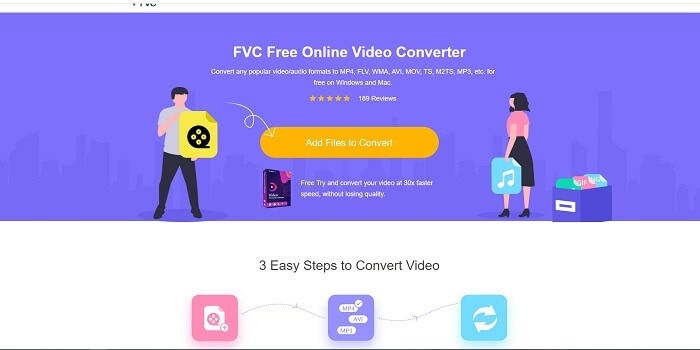
如果你正在尋找一款出色的線上GIF 製作工具,那就請繼續往下讀,仔細了解它。FVC 免費線上影片轉檔工具 是一款網頁版工具,你很有可能在網路上就能找到。從影片建立 GIF 的最佳方式,就是將影片轉成 GIF 格式。也許你會想:真的可以用「轉檔工具」而不是「GIF 製作工具」來做 GIF 嗎?答案是可以。這反而是製作 GIF 更簡單的方式。不過,這款工具可不像下面清單中的一般轉檔器或製作工具。和網路上的其他工具不同,它提供極快速且幾乎不會失敗的轉檔功能,非常值得一試。轉檔沒有任何次數限制,也就是說,只要有網路連線,你想轉多少影片或音訊都可以。檔案大小也沒有「只能幾 MB」的限制,而且它輸出的品質都非常出色。
但你知道嗎?這個工具還有一個無可匹敵的進階付費版本,被稱為所有轉檔器之父,它的名字叫作 Video Converter Ultimate。這款工具在轉檔體驗上更上一層樓,不只提供極快的轉檔速度與高級進階功能,還支援幾乎所有你能想到的格式。跟其他在本清單及網路上可以找到的工具不同,Ultimate Converter 是將任何影片檔轉成 GIF 的最佳 GIF 製作工具。此外,你還能在 GIF 中加入個人風格,讓它更具表現力。將格式轉成 GIF 的速度比線上工具快 30 倍,比下面提到的其他轉檔器或 GIF 製作工具快 100 倍。你只需要安裝到裝置中即可使用。雖然它是付費工具,但價格並不算昂貴,而且確實是一款功能多用途的轉檔器,尤其在 GIF 方面表現突出。所以完全不必降低期待,因為它遠不只是個轉檔器。
但是現在,讓我們專注於該軟件的免費在線工具。因此,為了向您提供該在線工具在轉換方面非常有效的證據,您必須遵循以下這些簡單的步驟。如果您對此有疑問。但是告訴您,並非 Converter Ultimate 中的所有功能都在在線工具中,但它們確實產生了令人驚訝的格式。
步驟 1. 要啟動此工具,請點擊此連結,前往 FVC 的主網站。
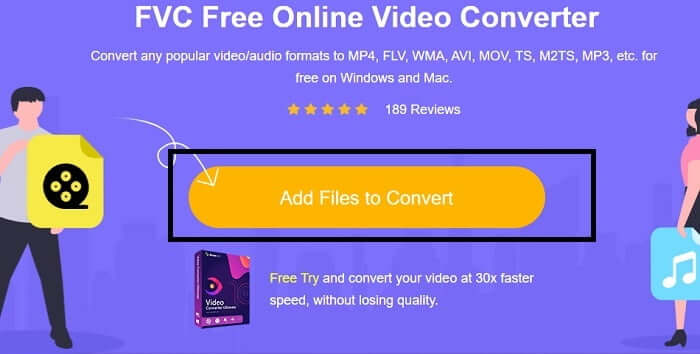
步驟 2. 點選 Add Files to Convert(新增要轉檔的檔案),接著按 Allow(允許)以啟動轉檔器。
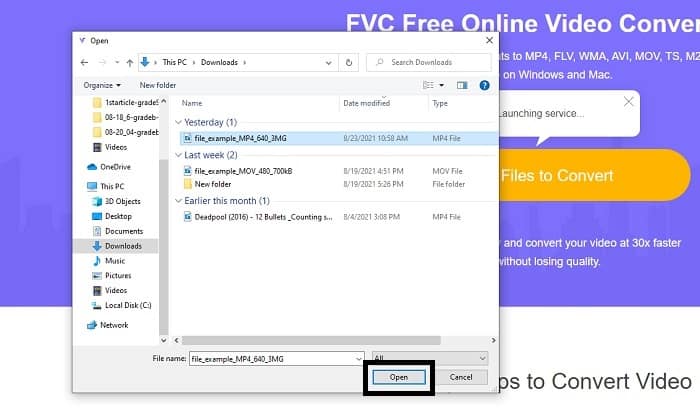
步驟 3. 如果螢幕上出現這樣的檔案總管視窗,那就表示你做得很好。尋找並點選你想要轉檔的影片檔,然後按下 Open(開啟)。
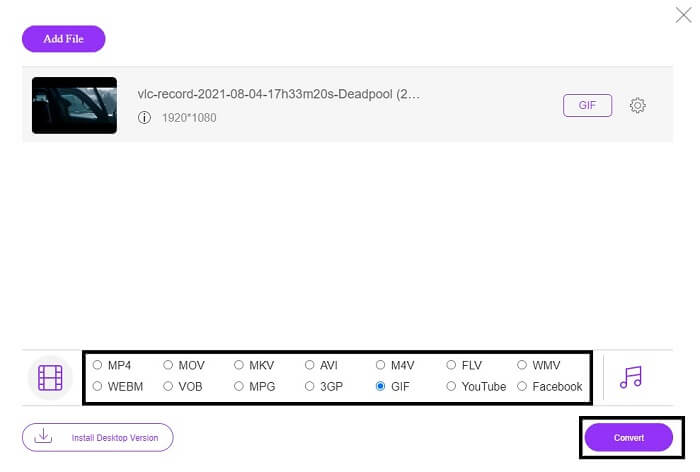
步驟 4. 將輸出格式改成 GIF。補充說明,你也可以把影片或音訊轉成其他更適合你需求的格式。如果一切都設定完成,就按下 Convert(轉換)來開始轉檔。並選擇你想儲存最終輸出檔案的位置。
步驟 5. 當轉檔完成後,檔案總管會再次跳出在螢幕上,找到最後輸出的檔案,然後就可以盡情使用了。
頂部 2. Ezgif
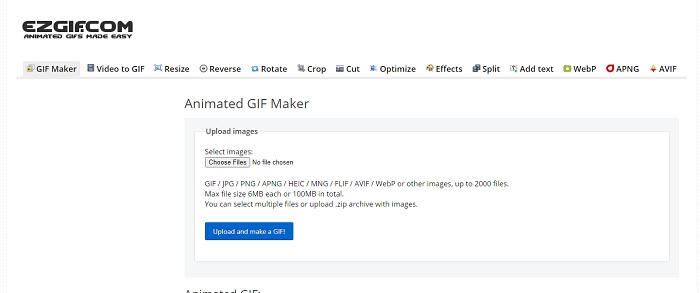
其中一個最好的線上 GIF 製作工具就是 Ezgif。基本上,你可以用它來製作 GIF,並進一步做強化、調整尺寸、裁切、最佳化、加文字及其他編輯。它也能將影片轉成 GIF 格式。不過,雖然功能很多,但這些功能都是彼此分開的。所以你無法在同一個介面中一次完成,必須在不同頁面之間切換來建立與編輯。這讓使用起來有點麻煩,尤其是它不支援拖曳上傳,沒辦法更輕鬆地上傳檔案。儘管如此,它依然是值得一提的線上 GIF 製作工具之一。
頂部 3. Imgflip
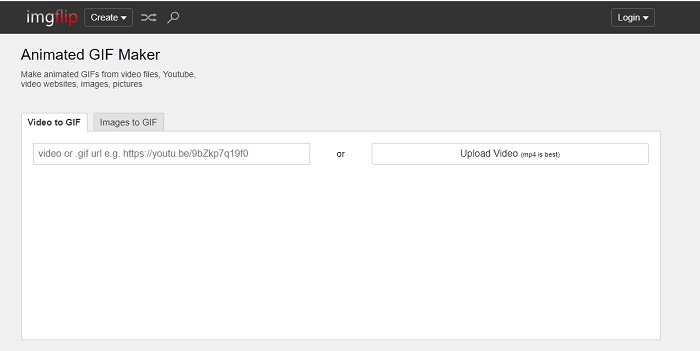
如果你需要一個可以從影片或連結建立 GIF 的線上 GIF 製作工具,那這款就很適合你。Imgflip 能幫你製作迷因(meme)、GIF 或圖表,而且相當稱職。它也提供簡單的 GIF 編輯功能。不過,免費版最高只支援 360 像素,付費版則是 480 像素。這也代表,如果你的影片原本是 1080 或 4K,那最後輸出的品質就會比預期更被壓縮、劣化。
頂部 4. Visme
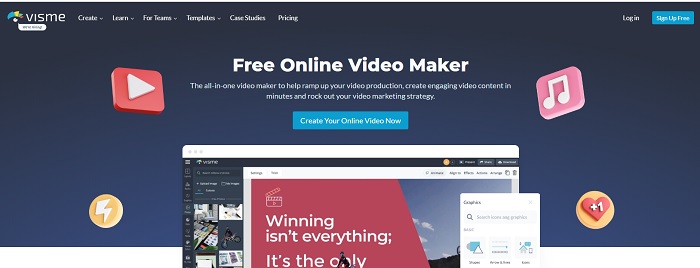
此工具可讓您在 GIF 中變得更加詳細。 Visme 是眾所周知的,因為它提供了更詳細的視頻製作工具。此外,此工具需要先登錄您的帳戶才能使用。您可以使用 Facebook、Gmail 或在他們的網站上註冊。因此,如果您是數據隱私的粉絲,那麼此工具不是一個很好的選擇。儘管登錄此工具不會洩露有關您的信息,但我們中的一些人不想提供有關我們的重要信息,因為我們希望我們的數據更加私密並確保我們的安全。但無需擔心,因為此工具不會洩露您的隱私。
前 5. FreeGIFMaker.me
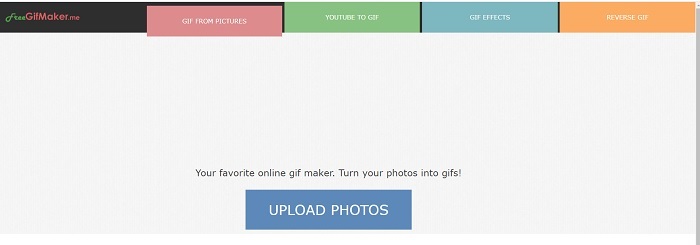
如果您正在尋找 GIF 轉換器的視頻鏈接,那麼這適合您。它專門僅支持 YouTube 平台視頻鏈接。 FreeGIFMaker。可以做一個簡單的視頻到GIF的轉換。但它也提供圖像到 gif、編輯你的 gif 和反轉 gif。儘管此工具提供了 GIF 製造商應提供的最常見功能,但它仍然不是最好的工具之一,但可以將其列入前 30 名 gif 製造商的名單。列出的功能位於不同的部分,因此不是通過編輯生成 GIF 最終輸出,您需要逐一進行編輯以進行所需的編輯。
頂部 6. 製作 Gif
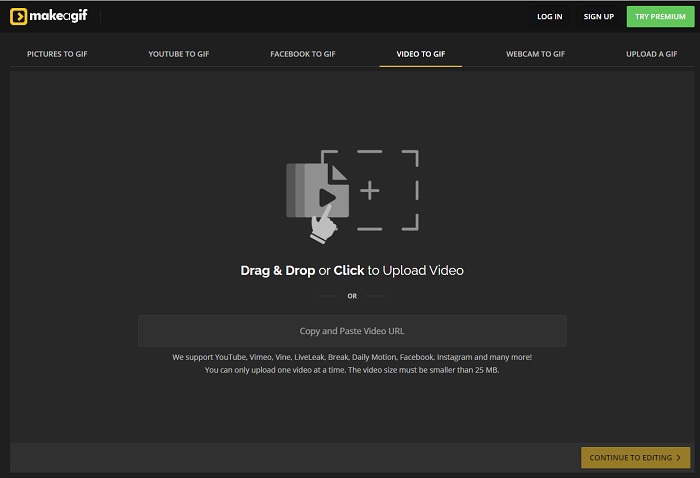
另一個你可能已經在網路上看過的線上 GIF 製作工具是 Make A Gif。它提供較沉穩的深色介面,如果你喜歡暗色風格,這工具會很合你意。它相當有彈性,專注在各種來源的 GIF 製作,不論是圖片、Facebook 影片、YouTube 影片、自有影片,甚至是網路攝影機錄影都可以。不過,上傳的影片檔大小必須小於 25MB,所以如果你想做較長的 GIF,就不太適合;但如果只是約 10 秒的短 GIF,那這工具就很合用。
頂部 7. 在線圖像編輯器
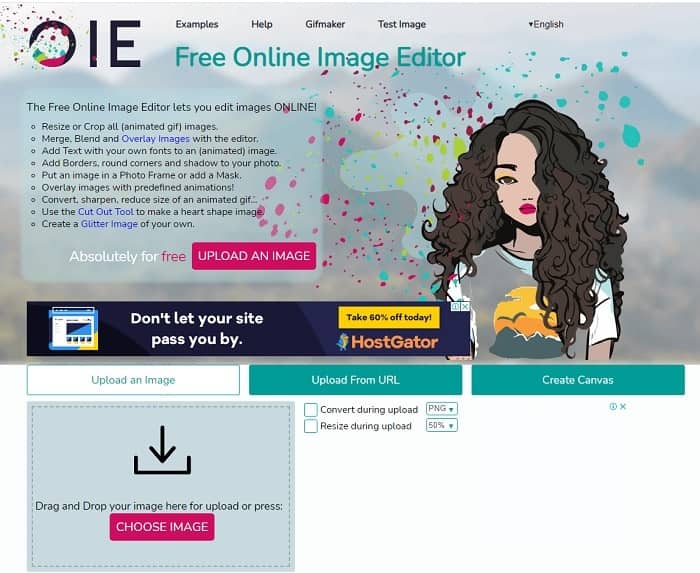
此工具允許您編輯圖像並將其轉換為 GIF 格式。在線圖像編輯器允許您使用圖像創建 GIF。此外,它還提供動畫和簡單的編輯工具功能。但是使用此工具創建 GIF 更加困難,因為您需要花時間創建一個。因此,如果您是創建 GIF 的新手,那麼此工具可能不錯,但不是最適合您的。就像您在 Photoshop 上製作 GIF 一樣,但由於工具本身的原因,情況要糟糕得多。主網頁雖然很出眾,但工具界面實在是太簡單了,看一遍就覺得無聊了。似乎沒有人仍在更新界面。但儘管如此,如果您想創建帶有圖像的 GIF,它還是一個不錯的選擇。
Top 8. Kapwing
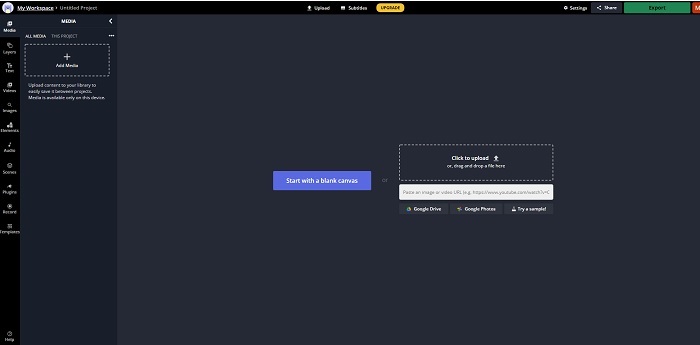
這又是一款免費線上 GIF 製作工具。它給人的感覺就像是線上版的 Photoshop。Kapwing 能讓你用自己提供的影片或圖片來製作 GIF。雖然名字聽起來有點奇怪或不太像真實的工具,但其實它是個很不錯的線上動態 GIF 製作選擇。這工具本身不是轉檔器,而是專門的 GIF 製作工具。你也可以將最終輸出分享至主流平台,例如 FB、Twitter 和 Instagram。雖然製作 GIF 的操作很簡單,但影片匯出速度明顯比清單中其他工具慢許多。因此,即使你網路速度較慢,仍然可以使用它,只是要有心理準備,等待產出成品的時間會更長。為了保有良好品質,上傳的影片長度上限約為 60 秒。如果你完全沒有 Photoshop 類似軟體的使用背景,這工具一開始可能會讓你有些難上手。
關於在線 GIF 製作工具的常見問題
為什麼 GIF 會發展?
1987 年底,一位名叫 Steve Wilhite 的美國計算機科學家在 CompuServe 工作時遇到了一個問題,因為他們想在節省空間的同時顯示移動圖像,因此他們開發了 GIF。同樣基於他的說法,它的發音是 JIF 而不是 GIF,但拼寫是 GIF,帶有軟 G 發音。雖然它們都是正確的拼寫。
我可以使用 Photoshop 將我的文件轉換為 GIF 嗎?
是的,您可以使用 Photoshop 或任何已知格式將 MPG 轉換為 GIF。
是否可以將 MP4 轉換為 GIF?
沒錯,你可以將 MP4 轉成 GIF,或是把任何其他影片格式也轉成 GIF。
結論
經過所有討論,現在更清楚的是,所有工具都能夠製作 GIF 格式。儘管他們有不同的功能,例如將其轉換為 GIF、製作 GIF、鏈接到 GIF 或圖像到 GIF。但所有工具都有自己獨特的品質,但其中之一 - FVC Video Converter Ultimate 是最佳選擇。這不僅最適合製作 GIF 動圖,而且讓您有機會轉換、合併、製作拼貼畫、MV 等等。雖然您無法在線訪問高級版本的功能,但它始終可供您使用免費版本在線測試、試用或進行轉換。 Video Converter Ultimate 是最好的,不僅僅是在轉換方面。您還可以無限制地使用您的魔法來創建精美的輸出。所以永遠不要限制你的技能,因為這個工具很容易,簡單但它創造了雄偉的輸出。
-
 (指南)如何在 Windows/Mac 上將 M4V 視頻轉換為動畫 GIF
 如果您想從您最喜歡的 M4V 視頻製作動畫 GIF 文件,您可以了解 2 種簡單有效的方法,通過自定義設置將 M4V 視頻轉換為 GIF。
-
 WebM 到 GIF – 3 個免費的 WebM 到 GIF 轉換器來創建您自己的 GIF
 WebM 是 GIF 嗎?如何將視頻轉為 GIF?有沒有免費的 WebM 到 GIF 轉換器?這篇文章分享了 3 種免費方法來幫助您將 WebM 轉換為 GIF。
-
 如何在沒有 Photoshop/FFmpeg 的情況下將 MKV 視頻轉換為動畫 GIF
 在您的計算機上下載並觀看 MKV 電影后,您可能想與朋友或在互聯網上以 GIF 格式分享一些精彩瞬間。在本文中,您可以了解將 MKV 轉換為 GIF 的兩種最簡單的方法。
