


 視頻轉換大師
 屏幕錄影大師
 影片修復
影片修復
 安全下載
安全下載全面審查 iMyFone 免費 HEIC 轉換器和使用替代品
Apple Inc. 提出了使用 HEIC 高級有損壓縮的想法,因為它可以節省存儲空間,這與 JPEG 等典型圖像格式不同。憑藉其現代風格的還原,Apple 對其進行了調整以適應 iOS 11 和 macOS High Sierra 或更新版本。儘管它在所有蘋果設備上都很受歡迎,但它對其他操作系統(如 Windows 和 Android)的支持與 JPEG 不兼容。由於兼容性問題日益嚴重,許多用戶都在尋找可以將格式轉換為 JPEG 或 JPG 的 HEIC 轉換器。
市面上你可能已經看過的轉檔工具之一,就是iMyFone Free HEIC Converter。今天,我們會更深入地介紹這款軟體,以及其他可在數秒內把 HEIC 轉成 JPG 的替代方案。

第 1 部分。 什麼是 iMyFone 免費 HEIC 轉換器
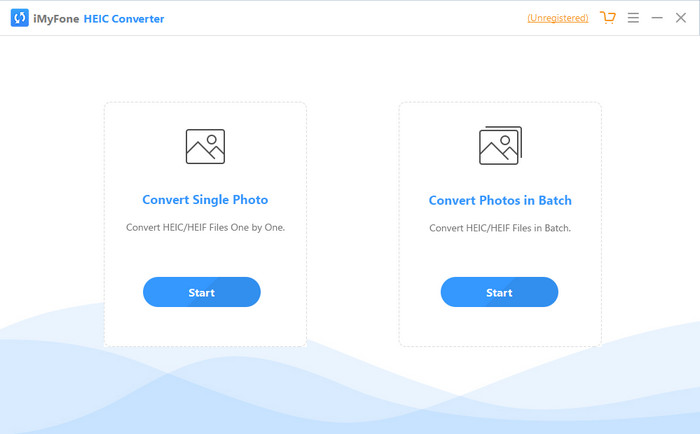
iMyFone HEIC Converter 是一款你在將 HEIC 格式轉為 JPEG 等所需圖片格式時會用到的轉檔工具。與其他轉檔器不同的是,它可以在不影響畫質的情況下,將 HEIC 圖片轉為 JPEG。你可以依照自己的要求,自行調整圖片品質。有了這類軟體,你就不必再擔心 HEIC 檔案的相容性問題,因為它能在不到一分鐘的時間內幫你解決。除了轉檔功能之外,此軟體也支援 Windows 與 Mac 版本,你可以在兩種桌面系統上下載使用。
即使它支持不同的操作系統,我們仍然可以看到該軟件在兩個系統上完美地完成了相同的任務。但是,是什麼讓轉換器比您可以在網絡上下載或訪問的其他轉換器更好?如果您想查看該軟件,您必須閱讀第二部分以了解其功能、優缺點以及如何使用它。
第 2 部分。 iMyFone 免費 HEIC 轉換器評論 |主要功能、優點、缺點以及如何使用它
在 Windows 和 Mac 上使用 iMyFone HEIC 轉換器的主要特點:
◆ 可選擇轉換單個 HEIC 文件或批量 HEIC 文件。
◆ 在此處轉換HEIC 文件不會降低圖像質量,但您也可以提高其質量。
◆ 支持在一分鐘內將 HEIC 轉換為 JPEG/JPG。
◆ 將轉換後的 HEIC 文件即時保存在本地驅動器上,避免隱私內容被破壞。
優點
- 它確實可以輕鬆轉換 HEIC 格式。
- 它的 GUI 很簡單,因此您可以立即學習如何使用它。
- 它還支持一次無限制地轉換多個 HEIC 文件。
缺點
- 有時 HEIC 文件在這裡無法識別,它只能將 HEIC 轉換為 JPG。
- 如果您沒有購買高級版,則無法轉換您的 HEIC 文件,尤其是在試用期之後。
- 拖放功能無法使用。
如何在 Windows 和 Mac 上使用 iMyFone HEIC 轉換器:
步驟 1. 前往官方網站下載 iMyFone HEIC Converter,並選擇 Windows 或 Mac 版本。
步驟 2. 開啟軟體後,螢幕上會顯示兩個選項。點擊其中一個選項上的 Start 以進入下一步。
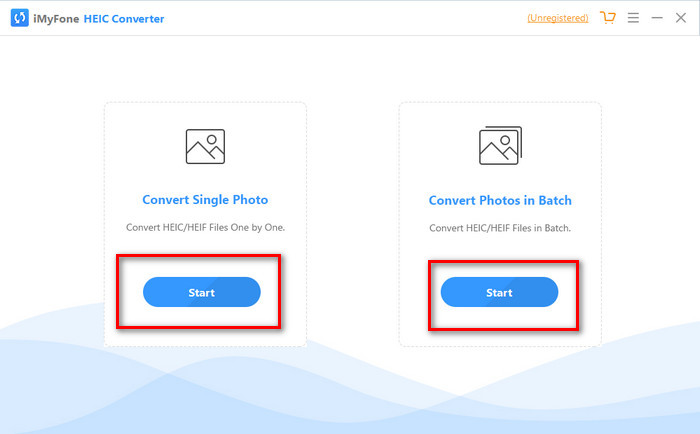
您可以使用轉換單張照片或批量轉換照片;無論您的選擇是什麼,都沒有什麼不同。
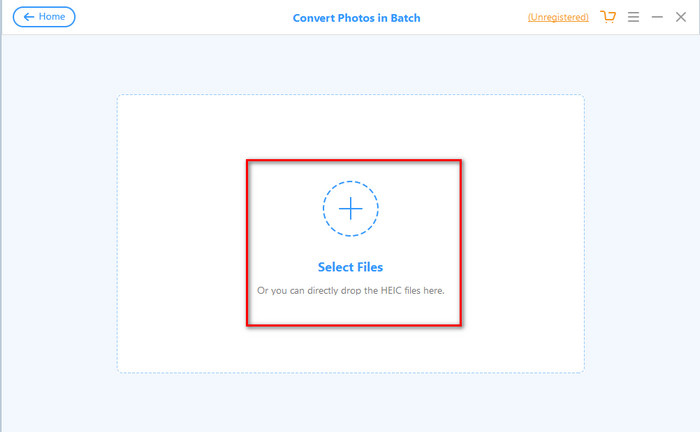
步驟 3. 按下 + 按鈕新增檔案,將你硬碟中的 HEIC 檔案上傳。
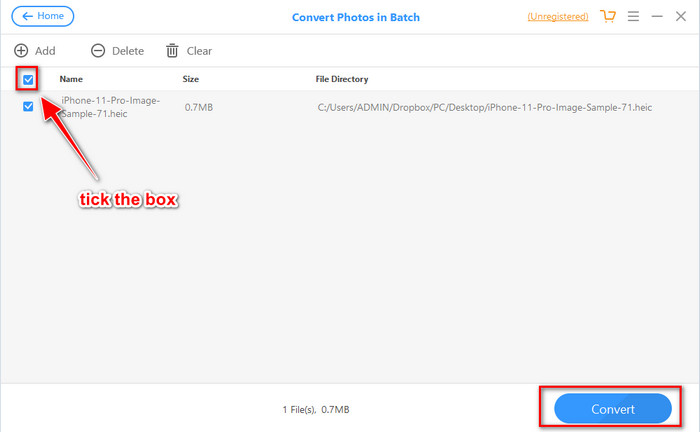
步驟 4. 勾選方框,按下 Convert,若有需要可調整輸出品質,再次點擊 Convert 以完成格式轉換。
第 3 部分。 iMyFone 免費 HEIC 轉換器在線和離線的三大替代品
FVC免費HEIC到JPG轉換
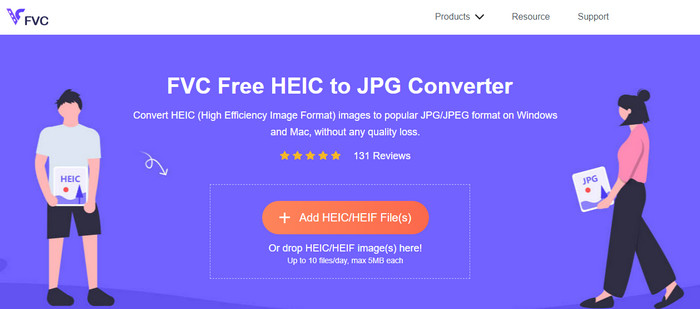
如果你不想下載 iMyFone HEIC Converter,卻又希望把 HEIC 轉成 JPG,那麼我們建議你使用FVC Free HEIC to JPG Converter。這個線上工具可以幫你把 HEIC 檔轉成 JPEG,讓檔案更具相容性。和我們上面評測的轉檔器一樣,此工具只能將 HEIC 圖片轉成 JPEG,輸出格式沒有其他選項。整體來說,這個網頁工具是一款表現優秀的轉檔器,而且能在不同瀏覽器上存取使用。
儘管網絡工具是免費的並且可以在線獲得,但您需要牢記一些限制。首先,圖像的文件大小;確保照片大小不超過 5MB,因為您在此處上傳照片可能會遇到問題。接下來是每天可用的轉換;您每天只能使用此轉換器轉換 HEIC 十次。即使使用該工具時存在限制;用它來體驗免費轉換還是很棒的。
Aiseesoft HEIC 轉換器
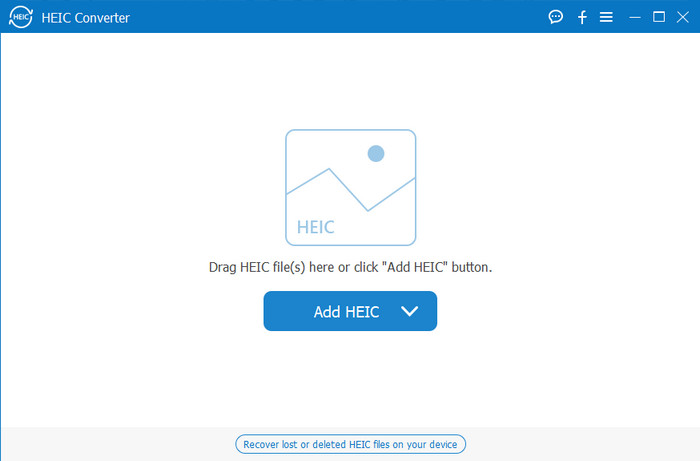
Aiseesoft HEIC Converter 是你可以在桌面下載、用來取代 iMyFone HEIC Converter 的最佳選擇。這是一款功能強大的 HEIC 轉檔工具,如果你需要轉換手上的 HEIC 檔案,這套軟體絕對值得擁有。如果前面介紹的軟體已經算轉得很快,這款轉檔器的速度更是快得像眨眼一樣。由於轉檔器支援超高速轉換,即使是多個 HEIC 檔案一起轉,也幾乎不需要等待。此外,在轉檔速度之外,你還可以直接拖曳 HEIC 檔案到介面中,讓上傳過程更加輕鬆。
更重要的是?如果我們審核的軟件不支持其他輸出格式,您可以使用此工具選擇 JPEG 或 PNG。此外,您可以通過拖動滑塊根據您的規格調整 HEIC 圖像的質量。保存綁定到 HEIC 文件的 EXIF 文件並將其傳輸到您選擇的格式。很神奇吧?該工具比您在市場上找到的其他轉換器要好得多。
相關閱讀:
第 4 部分。關於 iMyFone 免費 HEIC 轉換器的常見問題解答
在 iMyFone HEIC 轉換器上導出 JPG 文件會留下水印嗎?
它不會,所以你可以在這裡上傳HEIC文件,然後轉換它,一旦完成,你就可以下載沒有水印的文件。
為什麼我不能在 iMyFone HEIC 轉換器上轉換我的 HEIC 文件?
如果試用期已結束,您將無法再次使用此工具進行轉換。所以如果你想使用它,你需要在這裡購買或註冊代碼,然後在這個轉換器的幫助下轉換你想要的 HEIC 文件。
下載 iMyFone HEIC 轉換器是否安全?
是的,轉換器可以安全且免費地下載到任何桌面設備上。要安全下載軟件,您必須訪問轉換器的官方網站。在那裡,您可以單擊下載按鈕以在桌面上安裝 HEIC 轉換器。
結論
在閱讀完 iMyFone Free HEIC Converter 的評測之後,你現在已經對這款轉檔工具有相當全面的了解。接下來,你就必須判斷它是否是最適合你使用的 HEIC 轉檔器。儘管這款軟體仍有一些缺點和不足,但在 Windows 和 Mac 上的實際使用表現依然相當出色。因此,如果你決定使用它,可以前往官方網站下載並安裝,協助你把 HEIC 檔轉為 JPEG。不過,如果你打算將 HEIC 檔轉成 PNG,那這款工具就幫不上忙了。相對地,如果你想輕鬆將 HEIC 轉為 JPG 或 PNG,就必須下載 Aiseesoft HEIC Converter。點擊上方的下載按鈕,立刻取得它。
-
 在 Windows 和 Mac 上將 HEIC 導入 Lightroom 的有效方法
 您想知道如何在 Windows 和 Mac 上的 Lightroom 中導入 HEIC 文件嗎?因此,請仔細閱讀本文以了解操作方法。
-
 Joyoshare HEIC 轉換器 |您必須知道的應用審查和功能
 您必須知道的最佳評論 Joyoshare HEIC 轉換器,因為我們包含了您在擁有它之前必須知道的詳細信息和功能。
-
 如何在 Android 上查看和轉換 HEIC 文件 [免費] 輕鬆]
 您想在 Android 上查看或轉換 HEIC 文件而不破壞原始圖像質量嗎?在這種情況下,本文將有所幫助。
