


 視頻轉換大師
 屏幕錄影大師
 影片修復
影片修復
 安全下載
安全下載使用市場上最熱門的 Upscaler 將圖像升級到 4k
「將圖片升級至 4K」已成為許多軟體(無論專業與否)中熱門的功能。多數使用者認為,把解析度提高到 4K 可以讓畫面更細節、銳利、清晰,也更好看。不過,4K 影像的優勢主要在於用於戶外廣告、高品質帆布輸出、大型數位看板顯示、多數數位電影攝影等情境時,才能真正發揮。PPI 或影像解析度的目的,是依照圖片的寬與高,精準呈現對應數量的像素。你是否想知道如何把照片變成 3840 x 2160?或者你更偏好 DCI 4K,也就是 4069 x 2160?本文整理了你需要了解的重點,幫助你達成被稱為 4K 的 UHD 解析度。

第 1 部分。如何使用最佳解決方案 [Web 服務] 將圖像升級到 4k 免費
FVC 免費圖片放大器 是一款操作最為簡單的 4K 圖片升級工具,可以幫你達成 4K 解析度。這個工具不只放大圖片,還會校正照片的 PPI,讓它與你所選擇的解析度相匹配。身為一款放大器,它不會把你上傳的圖片硬拉伸或導致畫質流失,這要歸功於 FVC 所導入的頂尖 AI 技術。需要看看實際操作示範嗎?如果需要,請依照下方的完整步驟操作,開始放大你想處理的圖片。
步驟 1. 點擊此連結,在新分頁開啟此工具。系統會帶你前往官方工具頁面,方便你調整想要升級的圖片。
步驟 2. 按下上傳照片(Upload Photo),加入你想放大成 4K 的 JPG、JPEG、PNG、GIF、BMP 或 SVG 檔案。
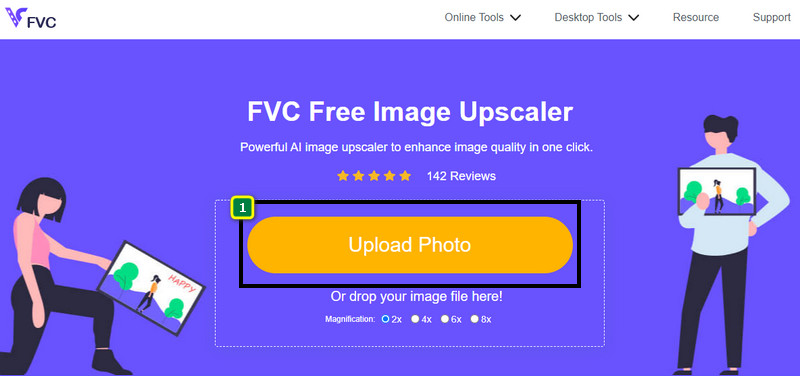
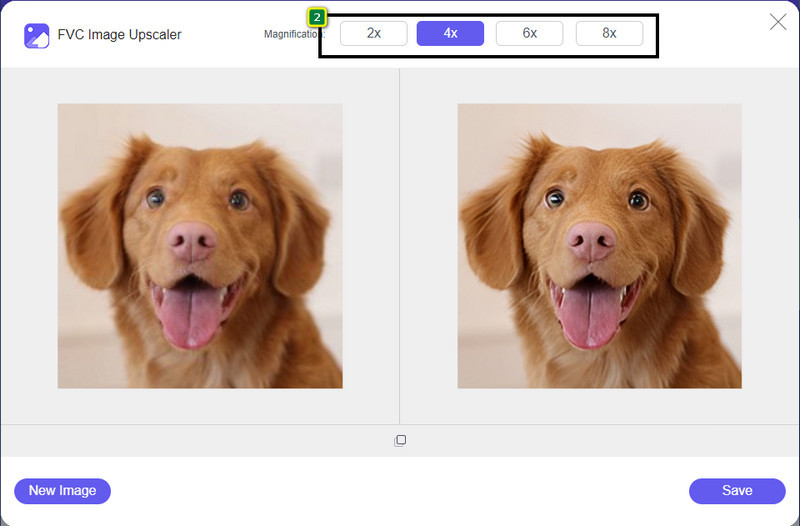
步驟 3. 接著,你上傳的圖片會載入到工具中。然後在上方從 2x、4x、6x、8x 中選擇倍率,以達成 4K 解析度。
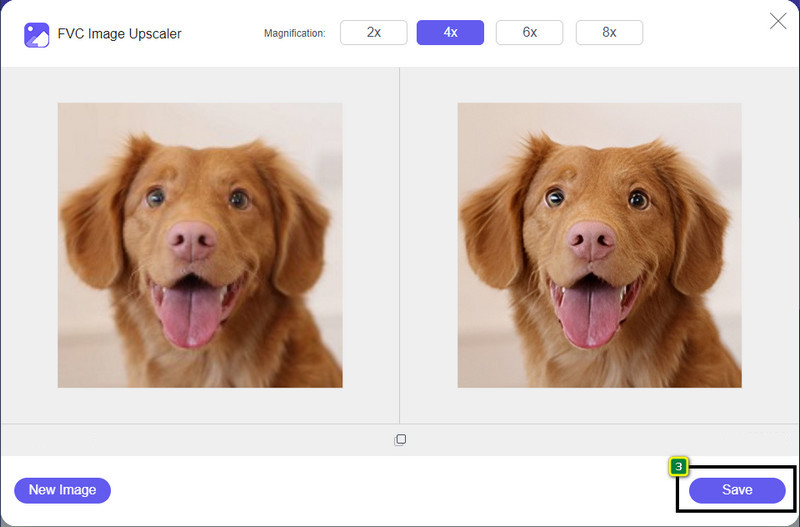
步驟 4. 若要匯出你在這裡調整好的 4K 圖片,請按一下儲存(Save)按鈕,檔案就會自動存到你的資料夾。
第 2 部分。如何在 Windows 默認圖形編輯器上將圖像升級為 4k 離線 [免費]
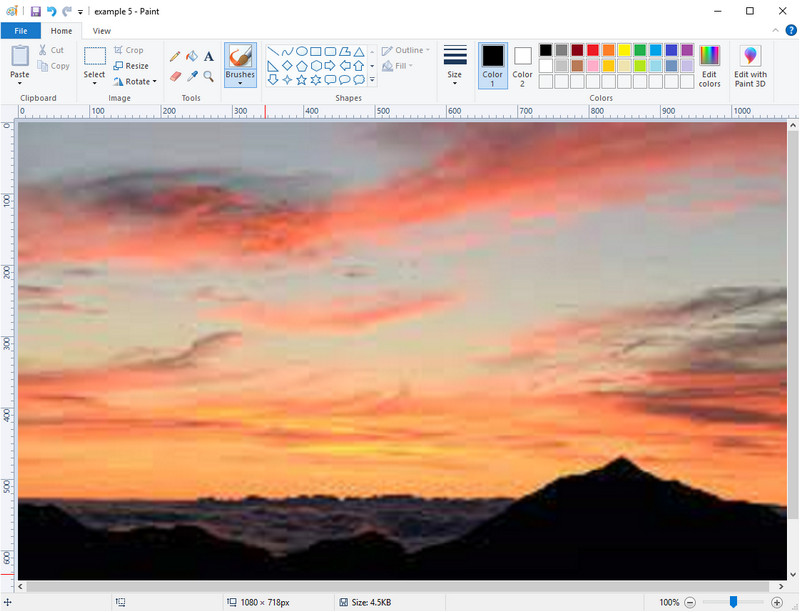
Paint 是 Windows 內建的基本圖形編輯器,你可以用它透過修改圖片尺寸的方式,把圖片放大到 4K。這款軟體在許多 Windows 使用者之間相當普及,因為可以在裡面做很多事。你可以從空白畫布開始,像在實體畫布上作畫一樣創作,只是這裡是數位版。它具備鎖定比例的功能,所以當你調整圖片高度時,寬度會自動跟著改變,反之亦然。另外,你也可以用百分比的方式微調圖片尺寸。
雖然您可以將這個工具用作您的編輯器,但在其他編輯領域仍然不夠用。例如,它不支持灰度模式。因此,如果您想使用此工具,請按照我們添加的步驟操作。
步驟 1. 按一下螢幕上的 Windows 圖示,並輸入工具名稱「Paint」。
步驟 2. 開啟之後,點擊「檔案(File)」再選「開啟(Open)」,加入你想在這裡放大的圖片檔案。你也可以直接將圖片拖曳到這個工具中。
步驟 3. 前往調整大小(Resize)選項並點選像素(Pixel)。將高度或寬度的數值改成標準 4K 尺寸。
最好更改單個測量值;它是高度還是寬度並不重要,並且始終勾選主要縱橫比以使其適合。如果將它們調整為 4k,某些圖像會被拉伸。
步驟 4. 完成後,按一下儲存(Save)按鈕,即可下載你在這裡放大的圖片。
第 3 部分。如何在 Windows 和 Mac 上使用專業軟件將圖像升級到 4k [付費]
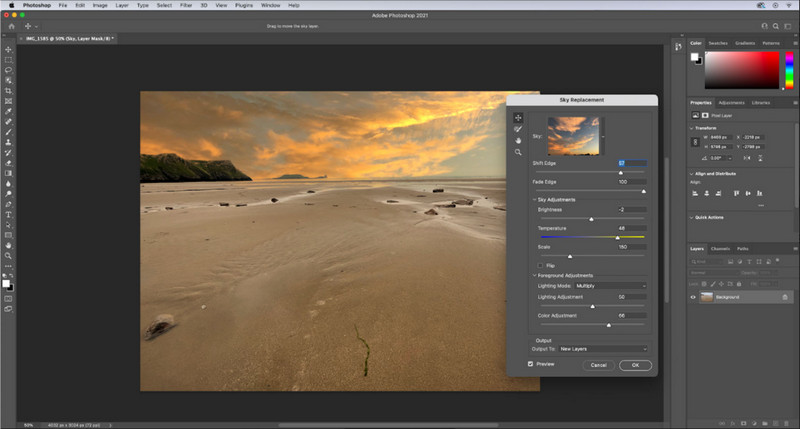
Adobe Photoshop 讓使用者在影像編輯與放大方面達到全新境界,但在這裡我們會特別著重在它的放大功能。不可否認,這是一款專業人士首選的軟體,因為它在影像編輯上的功能極為強大。此外,在你於此放大影像時,此工具會透過演算法,為影像建立新的 PPI 資料。你可以把解析度改成 4K,而不會讓畫面被拉伸或產生鋸齒感。
但是,如果您已使用此應用提供的免費試用版,則需要購買該計劃。儘管您需要付費,但該軟件的整體性能非常適合專業和中級編輯使用。對於初學者,您可以按照以下說明學習如何將圖像放大到 4k。
步驟 1. 從 Adobe 官方下載此軟體的正式版;如果你已安裝好程式,直接開啟即可開始使用。
步驟 2. 若要上傳欲放大的圖片,請點選檔案(File)→ 開啟(Open),畫面會跳出資料夾視窗。選取圖片檔名並按「開啟」,即可匯入圖片。
步驟 3. 在上方選單列中,點擊影像(Image),並選擇影像大小(Image Size)。
步驟 4. 對話方塊會開啟,讓你調整圖片的高度、寬度與解析度等數值。
為了獲得更平滑細緻的放大效果,你需要勾選重新取樣(Resample),然後點擊下拉式選單(drop‑down)。不要選自動(Automatic),而是改選雙立方放大(Bicubic Enlargement),這種方法可以讓放大後的影像品質更佳。最後按一下確定(OK)來儲存你所做的調整。
步驟 5. 若要下載你已放大成 4K 的圖片,請點選檔案(File)並前往儲存(Save)。
相關閱讀:
簡單指南:如何在 Photoshop 中快速為影片加入浮水印
第 4 部分。關於如何將圖像升級到 4k 的常見問題解答
將圖像放大到 4k 是否有限制?
您需要遵守一些限制。例如,如果您的顯示器只能處理 1080p,那麼最好使用標準的 1080p 尺寸而不是 4k,因為您將添加的升級將不起作用。
放大到 4k 後我的圖像會變得更好嗎?
不要期望奇蹟會發生,但是如果您將圖像打開到正確的顯示器(例如 4k 電視)中,您會看到會有結果。
為什麼我的圖像在 4k 電視上觀看後會變得模糊?
當尺寸和 PPI 不符合您使用的數字電視標準時,圖像往往會被拉長,尤其是 4k。如果您使用我們在此處添加的應用程序將圖像放大到 4k 分辨率,則可以防止這種情況發生。
結論
通常,您需要一個 4k 圖像升頻器來將圖像調整為 4k 分辨率。您可以使用我們在此處添加的工具和教程輕鬆完成此操作。您可以開始使用在線服務來升級您想要的圖像,您會對結果感到驚訝。
-
 線上線下老照片修復【簡單步驟】
 想要恢復舊照片?使用這些工具,您將了解舊照片恢復過程。閱讀這篇文章以了解最直接的方法。
-
 您必須使用的所有 Web 瀏覽器的 7 大像素增強器
 如果你想知道最好的像素增強器,你最好看看這篇文章。本文列出了適用於所有 Web 瀏覽器的七種最佳照片像素增強器。
-
 最佳照片調整器應用程序在線、離線、Android 和 iPhone
 什麼是最好的照片調整器應用程序?單擊該頁面以了解可用於增強或調整文件大小的前五個最強大的照片調整器應用程序。
