


 視頻轉換大師
 屏幕錄影大師
 影片修復
影片修復
 安全下載
安全下載完整的 Waifu2x 評論和您今天必須使用的最佳替代品
當你需要一款同時能降低圖片雜訊並放大尺寸的工具時,可能已經接觸過 Waifu2x。透過它,你可以在不造成像素化或模糊的情況下,解決圖片上最常見的問題。不過,也有其他多款工具提供與 Waifu2x 相同的功能。也許你會好奇,自己是不是應該使用它來放大圖片並降低雜訊。本文將為你評測這款工具,並介紹我們所提到的、能達成與 Waifu2x 相同效果的替代方案。

第 1 部分。您需要了解和學習如何使用它的 Waifu2x 評論
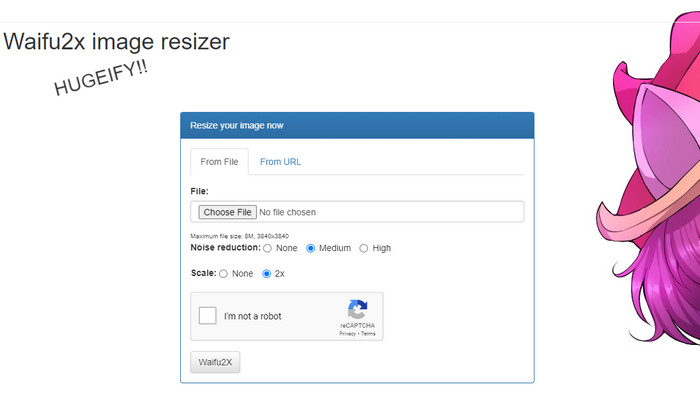
Waifu2x 是一款線上照片工具,你可以在網頁上使用它來放大圖片並降低雜訊。利用這個工具,你可以將上傳的每張圖片解析度提升為原本的兩倍。雖然從名字上看起來,或許不像是能提升解析度與降低雜訊的軟體,但它已經準備好為你提供這些功能。當你在網路上搜尋這個名稱時,會出現許多結果,不論是線上或離線版本,本質上都在做同樣的事情。
“瑣事:這個名字來自日語waifu,意思是妻子。當一個女人很有魅力時,它通常被視為或用作評論;他們叫她外婆。”
優點
- 一旦您在網絡瀏覽器上訪問它,您就可以免費體驗該網絡工具的全部功能。
- 無需下載或安裝軟件即可使用。
- 它支持流行的格式,如 PNG 和 JPG。
- 您最多可以將圖像放大 2 倍。
- 您可以通過將其設置為中或高來減少圖像上的噪點。
缺點
- 它不支持多種上傳格式。
- 每個進程都有一個 reCAPTCHA。
- 選擇和功能有限。
Waifu2x使用步驟:
在選擇了我們應該用於這些步驟的網站之後,這裡是我們選擇使用 waifu2x.booru 作為示例的版本。所以,如果你想開始使用 Waifu2x 圖像縮放器,你可以按照我們在下面添加的教程來更好地了解它。
步驟一: 使用你的網頁瀏覽器,複製我們提供的連結以開啟此線上工具。
步驟二: 按下 Choose File,上傳你想要放大或降低雜訊的 PNG 或 JPG 圖片。
步驟三: 在降噪選項中,你可以從三種設定中選擇:無、中等 或 高。
完成選擇後,你可以同時點擊 2x 開始放大圖片。勾選驗證碼方框,然後繼續進行最後一步。
步驟四: 按下 Waifu2x,系統便會依照先前的設定來增強圖片。
第 2 部分。您可以免費使用的最佳 Waifu2x 替代方案 [網絡服務]
我們為 Waifu2x 精選的替代工具,就是 FVC Free Image Upscaler。它與我們剛剛評測的工具具有相同功能,但這款工具最多可以放大至原圖的 8 倍,比前者更強大。這個線上工具之所以受歡迎,是因為它能根據 AI 演算法偵測的結果,高效地進行圖片放大。雖然它沒有提供手動啟用降噪的選項,但在處理圖片時,系統會自動進行降噪。
除此之外,這個工具比Waifu2x支持更多的格式;您可以在此處同時上傳 PNG、JPG、GIF、BMP、SVG 等,以對它們進行升級。此外,它擁有比第一個網站更鮮豔的色彩,吸引了用戶。所以,如果你想嘗試使用這個升頻器,你可以按照我們接下來包含的分步教程進行操作。
步驟一: 你可以點擊此連結開啟這款圖片放大工具的官方網站,它是前面提到工具的知名替代方案之一。
步驟二: 點擊 Upload button,上傳你想要讓 AI 放大、調整尺寸、降噪與編輯的圖片。
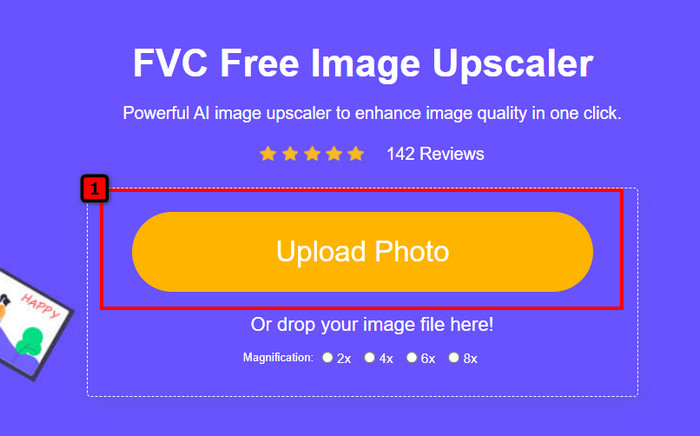
步驟三: 上傳照片後,選擇你希望套用在圖片上的放大倍率。你可以逐一嘗試,看看哪一個選項最適合你的圖片。
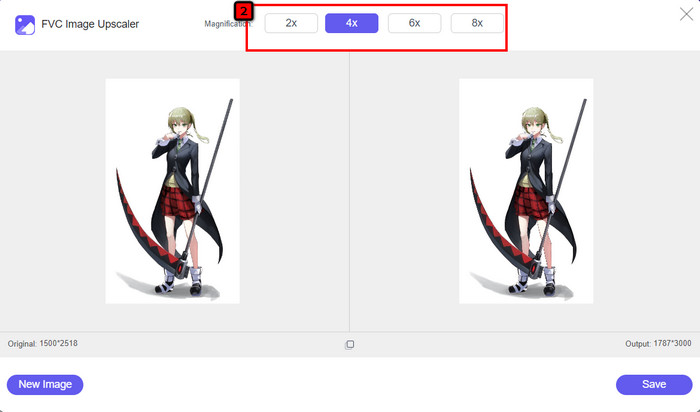
步驟四: 最後,在確認好你要編輯的圖片後,按下 Save,下載程序就會自動開始。
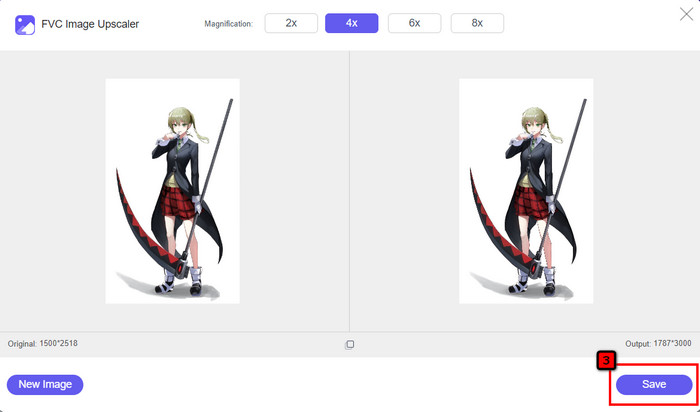
與其他支援 AI 技術的線上圖片編輯器一樣,你也可以在網頁上使用這款工具。這個像素增強工具還能修補圖片中缺失的像素,讓細節比原本更加完整與清晰。可以說,它是完美的 Waifu2x 替代方案,能在短短幾秒內提供高品質的輸出。
第 3 部分. Waifu2x 審核常見問題解答
訪問 Waifu2x 安全嗎?
我們上面審查的網站 waifu2x.booru 可以安全訪問,並且在網絡界面上沒有廣告。我們可以向您保證,使用此編輯器您可以順利進行升級或降噪。但是,還有其他網站,waifu2x,有不同的擴展名,有些訪問不安全,所以你最好不要使用它們,以免出現問題。
我可以在 Waifu2x 上將照片變成藝術品嗎?
是的,Waifu2x 可以輕鬆將照片變成藝術品。然而,其可以將照片轉化為藝術品的網站訪問起來並不安全。因此,我們建議您不要在此處處理任何圖像文件,因為大多數圖像都包含網站可能從您那裡竊取的元數據。但是如果你想嘗試使用它,你最好自己承擔風險。
我可以在我的電腦上下載 Waifu2x 嗎?
Waifu2x 有一個離線版本,如果您是 Windows 用戶,您可以在您的 PC 上下載,但如果不是,很遺憾它不提供其他版本。如果您想在您的設備上使用此圖像編輯器,請嘗試使用在線版本,因為它可以在不同的網絡瀏覽器中訪問。
結論
是時候升級和降低圖像噪聲了;那麼,選擇 Waifu2x 就不會出錯,因為它是最好的解決方案。從我們包含的信息來看,我們可以說這款軟件是可靠的,值得想要對其圖像進行快速編輯的不同用戶的信任。然而,它的放大倍數僅為 2 倍;如果你想走得更高,那你應該怎麼做?在這種情況下,您最好選擇我們添加到此應用程序的替代方案,以免費獲得最高的升級。
按照我們在旁邊添加的教程進行操作,這樣您就可以比您可以使用的任何圖像編輯器更輕鬆、更有效地改善您的圖像。
-
 如何通過 4 種簡單的方法在線和離線銳化圖像
 如果要銳化圖像,可以使用多種方法。我們將在下面討論在線和離線銳化圖像的最佳和最簡單的方法。
-
 如何調整圖像大小 - Adobe 調整圖像大小 [在線和離線]
 如果您正在搜索 Adobe 調整圖像大小,那麼我們可以為您提供解決方案。徹底查看這篇文章,了解如何在您的 PC 上使用 Adobe 調整圖像大小。
-
 如何為 Facebook 調整照片大小 [快速簡單的步驟]
 如果您在 Facebook 上傳大尺寸圖片時遇到問題,我們可以為您提供解決方案。完成本文以了解如何為 Facebook 調整照片大小。
