免費 MP3 到 WAV 轉換器

快速將您的文件轉換為其他高質量的格式。
添加文件進行轉換

Download Desktop VersionDesktop Version to convert files in batch.

資源資源 > MP3轉換 > MP3 轉 WAV

哪個是用於將 MP3 轉換為 WAV 的最佳轉換器

MP3 is the well-known audio format around the world. Actually, it is the default format for saving and recording audio files. Although this format is used by many, still there are many other formats that produce a high-quality audio than MP3 like WAV. So, if you want to know how to convert MP3 to WAV to have the pleasure of listening to music or recording you did. Then you must keep up the pace because this might be a long run to go without further ado let's start the race.

MP3 轉 WAV

第 1 部分。 如何在 Windows 和 Mac 上將 MP3 轉換為 WAV,詳細步驟

1. FVC Video Converter Ultimate

Do you want to know how to convert MP3 to WAV on Mac and PC that produces high-quality audio? Then FVC Video Converter Ultimate must be it. Also, it is fast in conversion like the SSC Tuatara and safe also. Convert as many as you want at the same time because there is no limit of media files to be converted here. Not only that you can also use this tool to create MV, Collages, and other features as well. So, if you want to know how to use it then follow these steps and let's start the conversion process.

Step 1. Choose between PC or Mac and click the download button next. Install the tool and follow the set-up then click finish to save the changes.

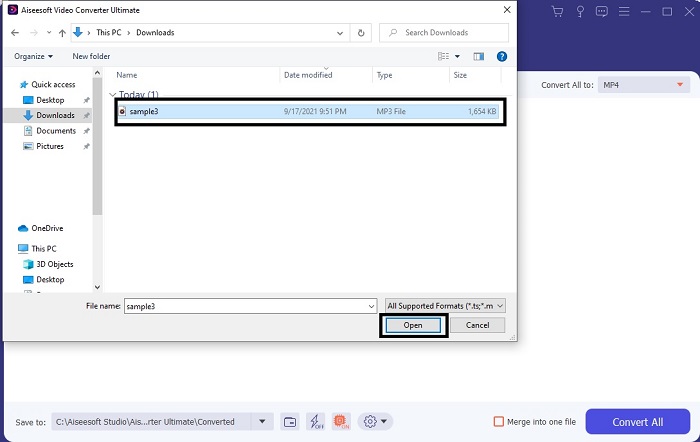
Step 2. After the installation, click the Add Files to insert the MP3 audio you want to be converted. If audio is more than two it is better to drag-and-drop it to the interface.

插入 MP3 音頻

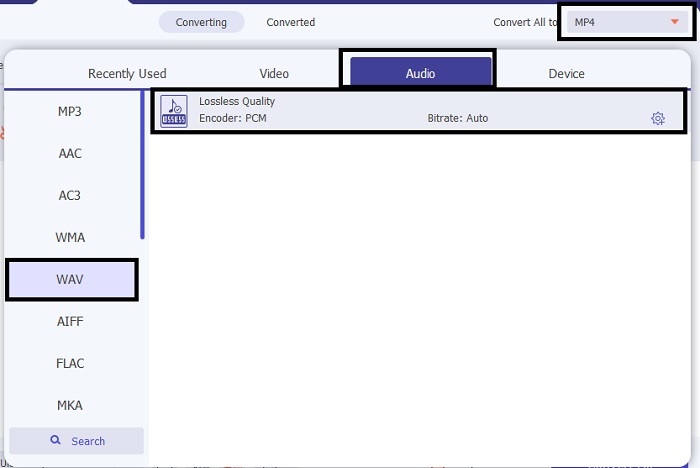
Step 3. Change the MP3 to WAV or any audio format you want in the submenu.

將 MP3 更改為 WAV

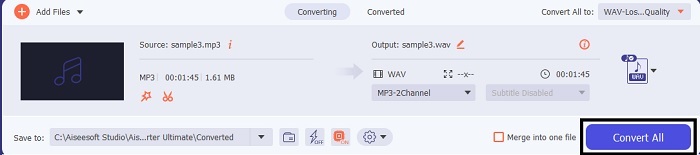
Step 4. If everything is already settled, click the Convert All to start the conversion.

開始轉換

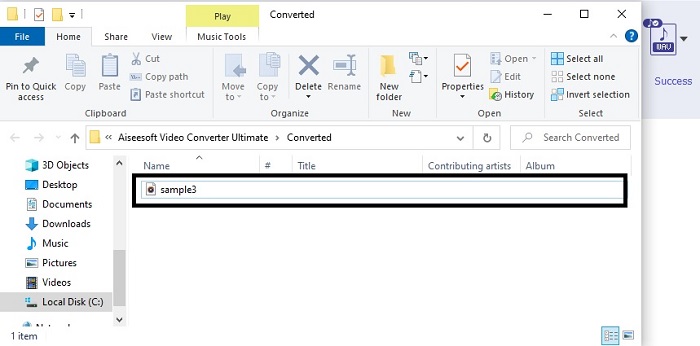
Step 5. After the conversion is done, a file manager will automatically be opened into your screen. Click the audio converted and enjoy listening to the newer version of it. Additionally, if the audio is a bit low for you. Go to the Toolbar and locate Audio Booster to have clearer and better audio.

轉換完成

2. iTunes

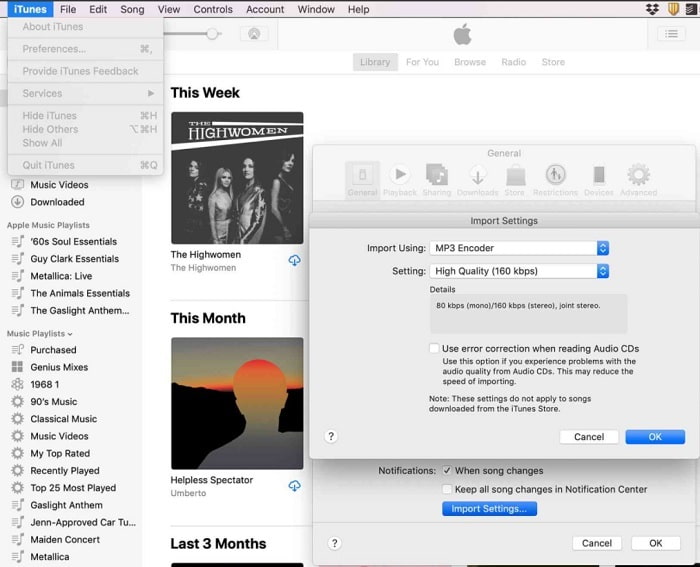
iTunes界面

iTunes is widely used to play music on Mac and iOS products. But did you know that you can convert MP3 to WAV on iTunes? The answer is yes. Play and convert is all in this tool but it can't be accessed over Android and Windows because it is the default media player of Apple to their product. So, if you don’t have an Apple product you can still make the conversion with the help of FVC Video Converter Ultimate. But if you have one then it is a must to use iTunes and follow this step provided.

Step 1. Open the software into your device.

Step 2. Select the MP3 audio you want to be converted.

Step 3. After that click the Convert and wait till the process is complete.

第 2 部分。 Web 上前 5 名最佳免費在線 MP3 到 WAV 轉換器

1. FVC免費音頻轉換器
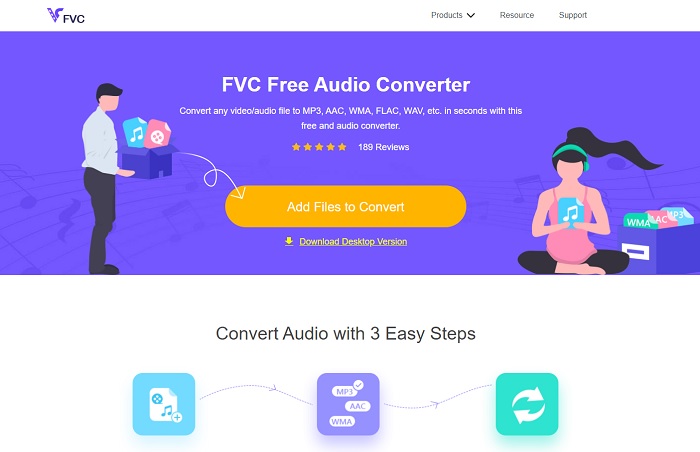
免費音頻轉換器

FVC Free Audio Converter is the best MP3 to WAV converter online. Because it has the same minor features the FVC Video Converter Ultimate can be brought to you. So, expect nothing less while using this tool although the major parts of the premium are not presented here. Because it is free of charge, if you want to try it you can click the hyperlink provided only for you. So, before anything else let's start on how to use this web-based converter.

Step 1. To access the tool, you must click this link.

Step 2. Click the Add Files to Convert to start the tool.

添加文件進行轉換

Download the Desktop Version to convert files in batch.

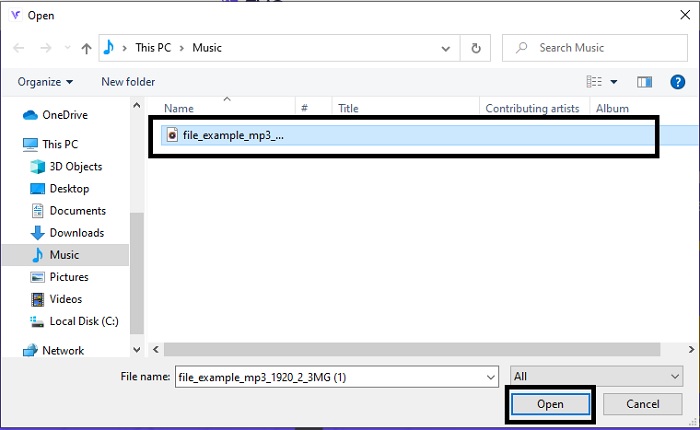
Step 3. After launching the tool, select the MP3 file you want to be converted and click open.

選擇 MP3 文件

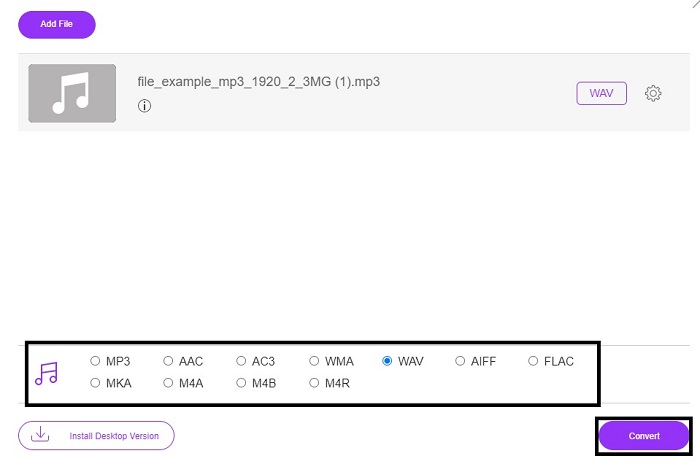
Step 4. Select the format below then click Convert to start the process.

啟動流程

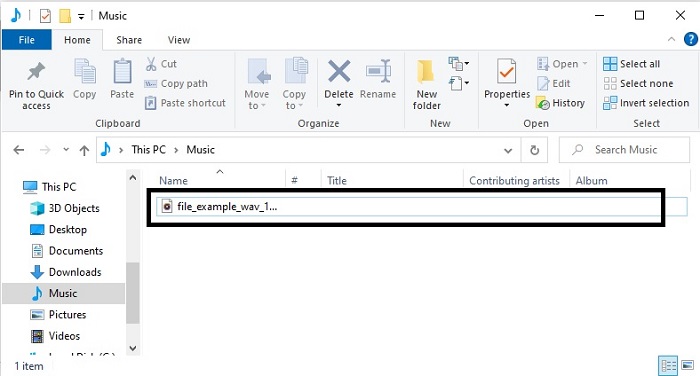
Step 5. It will only take a few minutes and after the conversion is done. Click the folder to locate the file you just converted.

找到轉換後的文件

2. 雲轉換

雲轉換

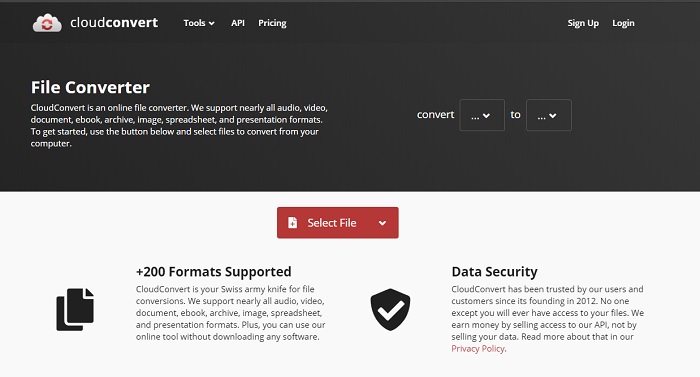
Another tool you can access over the web is Cloud Convert into a new format. It is the best in the market when we talk about conversion but you can't adjust or change the bitrate, fps, and codecs as well. But if you may like to convert text files into a new format then this tool is a must to try.

3. 轉換

轉換界面

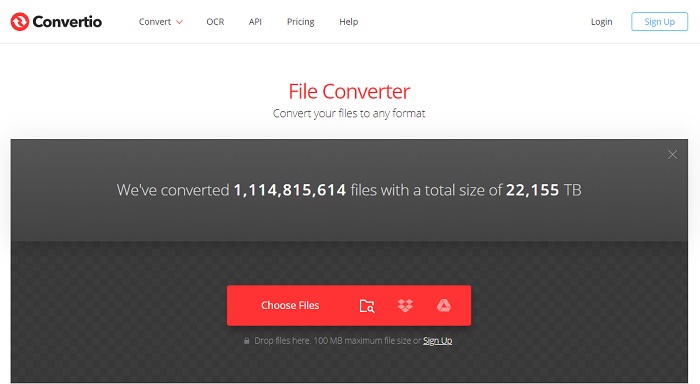
Just like Cloud Convert, Convertio was created to be free of charge as well. Speaking of converting it also provides powerful compression and conversion. This tool is used by many users to convert because of its on-point instructions and the simplicity of it. Although you can access the tool on the web, the main website has a lot of ads in the web interface which is a bit annoying. Especially if you don't want to be disturbed while converting.

4. 在線轉換

在線轉換

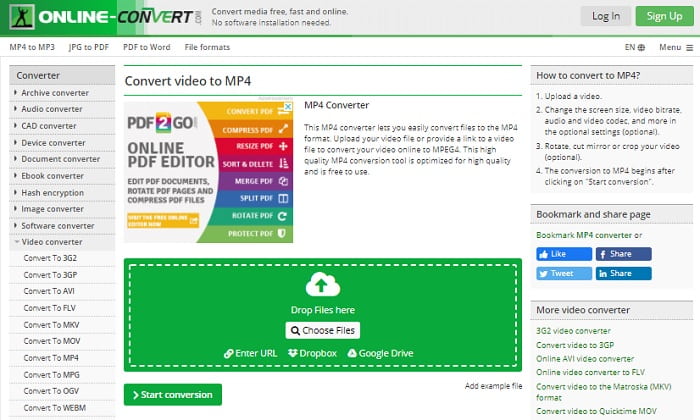
This tool has a lot to offer in converting also it is very informative too. Online-Convert provides advanced features on which you can modify the bitrate, resolution and channels. If you're new to converting this tool must be a bit overwhelming to do. Also, if you insert the file on the web interface you must wait for it to be processed. Not only that, there is a limit to convert and that is only 100mb so if you want to convert the number of files. Then you must buy the premium tool to remove the ads as well.

5. 123 Apps-音頻轉換器

123 Apps 音頻轉換器

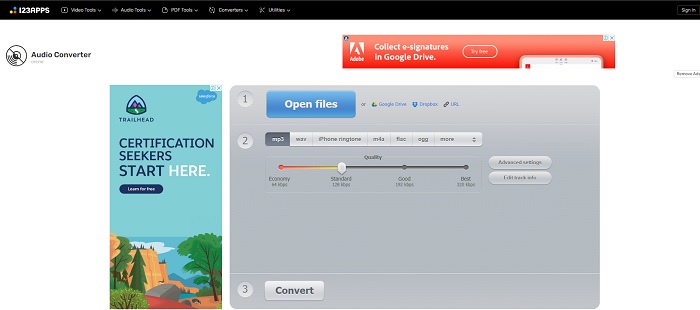
In this webtool you can do the conversion effectively and efficiently. Although, it supports only three formats for audio. 123 Apps - Audio Converter is one easiest tool. You can just open this tool, insert the file, choose the format and convert as easily as that. But the downside of this tool, there are some reports that after the conversion the quality audio became low.

Part 3. 名單上的轉換器對比圖

了解每個工具的差異,讓我們相應地比較它們。

特徵 FVC Video Converter Ultimate 的iTunes FVC免費音頻轉換 雲轉換 轉換 在線轉換 123 Apps-音頻轉換器
音頻轉換器 刻度線 刻度線 刻度線 刻度線 刻度線 刻度線 刻度線
編輯功能 刻度線 十字標記 十字標記 十字標記 十字標記 十字標記 十字標記
修改比特率、Fps、分辨率等 刻度線 刻度線 刻度線 十字標記 十字標記 刻度線 刻度線
支持的程序 基於桌面的工具 默認的基於桌面的工具 基於網絡的工具 基於網絡的工具 基於網絡的工具 基於網絡的工具 基於網絡的工具
支持的操作系統 適用於所有操作系統 僅限 Apple 支持的產品 適用於所有操作系統 適用於所有操作系統 適用於所有操作系統 適用於所有操作系統 適用於所有操作系統
價格範圍 1個月:$25.00
一年:$31.20
終身許可證:$55.20
移除廣告:
每月$10
一家六口一個月$15
學生每月$5
免費 免費 免費 對於額外的 8GB:
每月訂閱 $70 USD 每月計費
年費 $672 USD
免費

MP3 與 WAV

MP3 格式由運動圖像專家組 (MPEG) 於 1993 年發布。它是存儲音樂的標準,因為它可以將音頻壓縮到比其他未壓縮格式小得多的大小。它現在仍然被廣泛使用,特別是用於在線分發音頻。

WAV,也稱為 WAVE 格式,基於資源交換文件格式 (RIFF)。它是 1990 年代初期由 Microsoft 和 IBM 共同開發的。它是在 Microsoft Windows 中保存原始、未壓縮音頻的一個選項。因此,WAV 文件更常在 Windows 計算機上播放。

第 4 部分。 關於 MP3 到 WAV 的常見問題解答

WAV是什麼意思?

WAV 表示波形音頻文件;它是一種未壓縮的無損格式。

哪個文件更大? MP3 還是 WAV?

Although both formats store audio files, WAV is much larger than MP3. In some cases it can go up to 15x larger than MP3 because it is uncompressed. You can click here to learn how to convert WAV to MP3.

哪裡可以錄製WAV?

To record you must use the unrivaled tool over the web. Especially because this format is uncompressed so you must be careful not to lose data while recording. And that being said, FVC Screen Recorder is the unrivaled WAV recorder. It can record and edit as well to make your output much better in visuals and sounds. To know more you must download the software into your drive.

結論

As the race comes to an end, it is now clearer to us that there is one winner. Just by acquiring this tool you will feel like a king of the world in recording. FVC Video Converter Ultimate does the most job that the other recorder can't do. If you have a problem recording a video, audio, or gameplay then you must claim the upper hand if you choose the right bet. Place your all to the FVC Video Converter Ultimate and get the easy win on the way.

優秀的

Rating: 4.5 / 5 (based on 255 votes)

免費在線視頻轉換

Free Convert MP3 to WAV Online!

添加文件進行轉換