


 視頻轉換大師
 屏幕錄影大師
 影片修復
影片修復
 安全下載
安全下載在Windows / Mac / iPhone / Android / Online上將MP4轉換為AVI的7種方法
MP4是一種有損視頻格式,與所有便攜式設備兼容。您可以看到許多MP4格式的視頻。但是,MP4不是通用視頻格式。您仍然需要將MP4轉換為AVI格式才能解決不兼容問題。有些播放器僅接受AVI文件。通過將視頻從MP4轉換為AVI,您可以在PC和筆記本電腦上播放AVI。無論如何,本文將向您展示在線和離線將MP4文件轉換為AVI的7種簡單方法。只需閱讀並選擇所需的最佳MP4到AVI轉換即可。
第1部分:如何將MP4轉換為AVI在線
FVC Free Online Video Converter is an MP4 to AVI batch converter. You can batch convert MP4 files to AVI online for free on your Windows or Mac computer. It does not matter that your MP4 video is in large file size. You can convert MP4 to AVI over 100MB, 200MB, 500MB, 1GB and even larger for free. It is a 100% free video converter for all users. That’s the main difference between FVC Free Online Video Converter and other common online converters. By the way, you can make the AVI video smaller by adjusting output settings here.
Step 1: Click Add Files to Convert in the main interface. Download FVC launcher as the on-screen instruction shows.
下載桌面版以批次轉換檔案。
Step 2: Add your MP4 video file in the popping-up window.
Step 3: Set AVI as the output format.
Step 4: Click Convert to convert MP4 to AVI online for free.
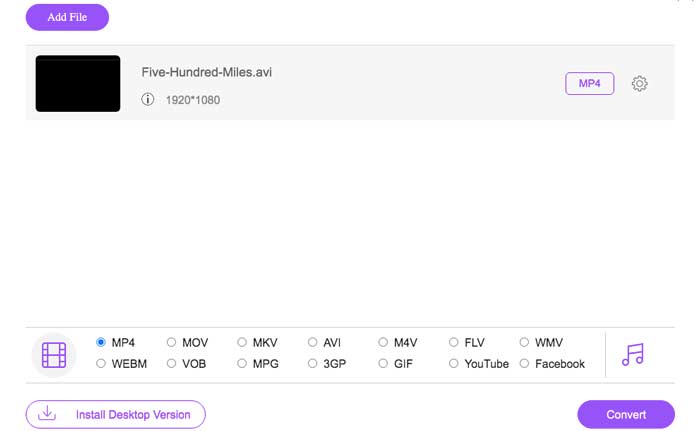
This free online MP4 converter can also change other formats like M2TS, MTS, MOV, MKV, WMV, TS, etc., to MP4.
第2部分:如何在Windows上將MP4轉換為AVI
如果您正在尋找MP4到AVI轉換器的免費軟件,可以選擇VLC Media Player。您可以在所有Windows計算機上使用VLC將MP4轉換為AVI。此外,VLC也可以成為Windows上的AVI播放器軟件。
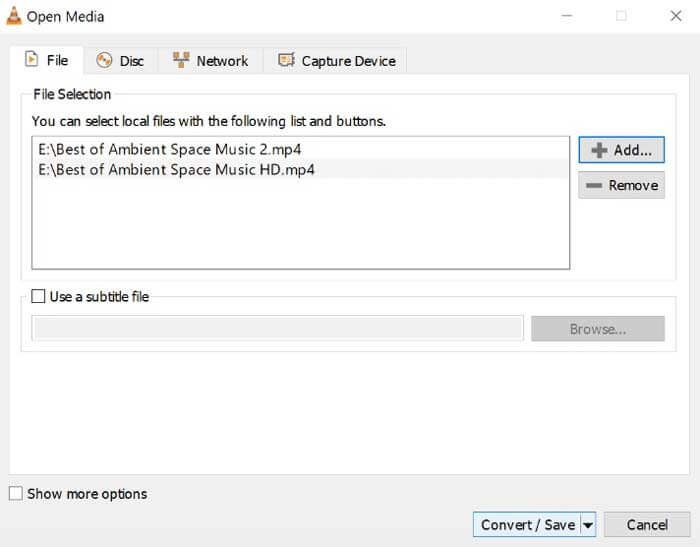
Step 1: Run VLC Media Player. Choose Convert/Save from the Media list on the top.
Step 2: Click Add to import your MP4 video into VLC. Then click Convert/Save near the bottom to move on.
Step 3: Unfold the Profile list to set AVI as the output video format.
Step 4: Adjust VLC profile settings based on your need.
Step 5: Click Start to convert MP4 to AVI on Windows 10 and earlier versions.
第3部分:如何在Mac上將MP4轉換為AVI
對於Mac用戶,您可以使用計算機上的QuickTime將AVI視頻轉換為MP4。 QuickTime是所有Apple Mac計算機上的預安裝程序。因此,您可以將MP4轉換為AVI,而無需下載其他軟件。
Step 1: Open QuickTime on Mac.
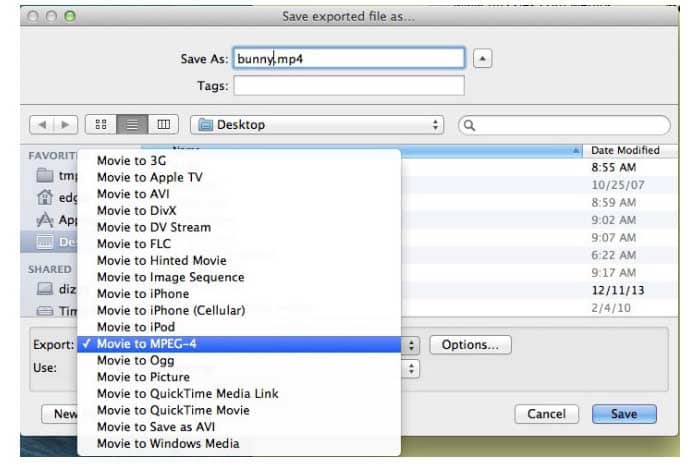
Step 2:Choose Open File from the File list. Browse and add your MP4 file into QuickTime.
Step 3: From the File list, select the Export option.
Step 4: Set AVI as the output video format.
Step 5: Click Save to convert MP4 to AVI with QuickTime.
第4部分:如何在Android / iPhone上將MP4轉換為AVI
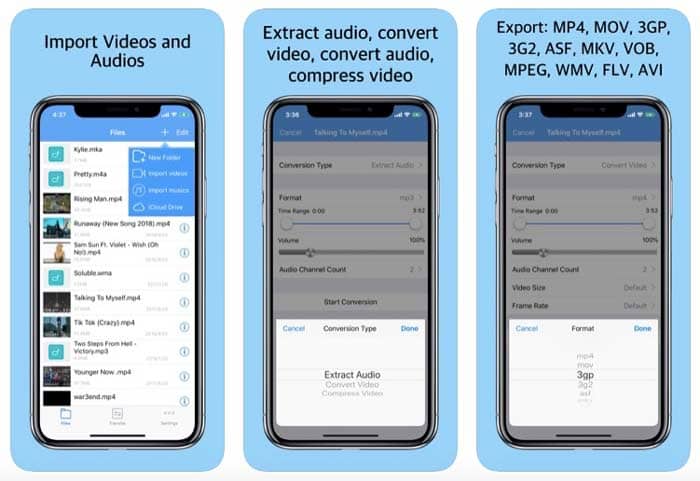
Media Converter是一個免費的視頻轉換器,可以在Android和iPhone上將MP4轉換為AVI。不僅支持AVI和MP4格式,還支持其他流行的視頻和音頻格式。您可以在手機上轉換,裁剪,壓縮和剪輯視頻。
Step 1: Open Media Converter app. Tap + on the top right corner of your phone’s screen.
Step 2: Choose Import Videos to add MP4 videos.
Step 3: Select your MP4 video. Set AVI as the output video format.
Step 4: Adjust video size, frame rate and more.
Step 5: Choose Convert to convert MP4 to AVI on iPhone or Android.
第5部分:如何使用Avidemux將MP4轉換為AVI
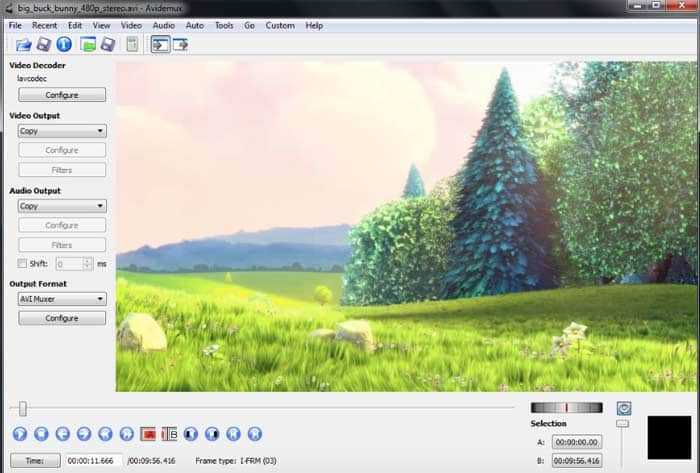
Avidemux是適用於Windows,Mac和Linux的免費開源視頻轉換軟件。支持許多文件類型,包括AVI,MP4,ASF等。您可以使用Avidemux在計算機或筆記本電腦上免費將MP4轉換為AVI視頻。
Step 1: Open Avidemux. Click Video & Audio to add your MP4 video into Avidemux.
Step 2: Select AVI as the output format in the popup window.
Step 3: Set a new file name and destination folder.
Step 4: Click Save to change MP4 to AVI with Avidemux.
第6部分:如何使用FFmpeg將MP4轉換為AVI
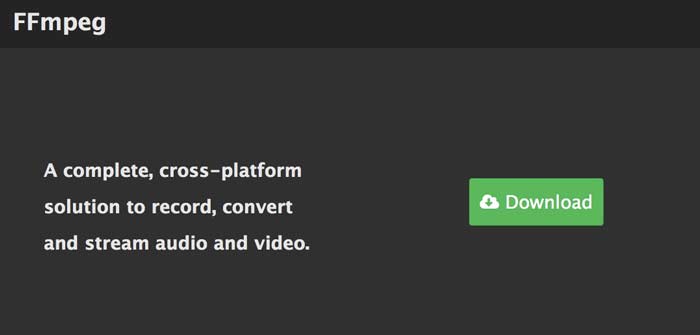
您也可以使用FFmpeg將.mp4轉換為.avi。從MP4到AVI的命令行轉換並不困難。您可以通過以下步驟保持原始視頻幀速率和分辨率。但是,如果要使用FFmpeg自定義轉換後的MP4文件,則需要輸入其他命令行。
Step 1: Free download and install FFmpeg on your computer.
Step 2: Copy and paste ffmpeg -i infile.mp4 youroutput.avi into FFmpeg window.
Step 3: Press the Enter key on your keyboard.
Step 4: Use FFmpeg to convert MP4 to AVI video.
第7部分:如何使用HandBrake將MP4轉換為AVI
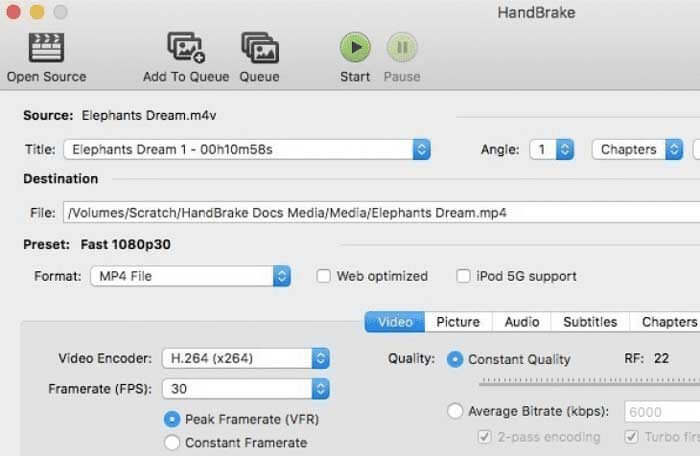
HandBrake也是您可以使用的MP4到AVI免費轉換器。該程序允許用戶在Windows和Mac上將視頻從MP4轉換為AVI。此外,您可以在轉換為AVI格式之前調整視頻設置。
Step 1: Run HandBrake. Click Open Source on the top.
Step 2: Select AVI File from the Format list.
Step 3: Change video encoder, frame rate, quality and more.
Step 4: Click Start on the top to change MP4 to AVI with HandBrake.
MP4 與 AVI
第8部分:AVI和MP4的常見問題解答
您可以使用Windows Media Player將MP4轉換為AVI嗎?
不可以。您可以使用Windows Media Player播放AVI文件。但是Windows Media Player不能是您的MP4到AVI轉換器軟件。
如何用iTunes將MP4轉換為AVI?
您不能直接使用iTunes播放AVI文件。支持的iTunes格式包括MOV,MP4和M4V。在此期間,您可以使用上述工具將MP4轉換為iTunes的AVI。
AVI VS MP4
AVI文件與基於Windows的程序兼容,而便攜式設備和其他流行設備則支持MP4。 MP4是一種有損視頻格式。您可以將MP4格式的視頻以較小的文件大小和高質量保存。對於AVI,AVI與DivX編解碼器關聯。 AVI文件可能會使更多的視聽細節失真。當然,AVI視頻的文件大小比MP4視頻大得多。
AVI的缺點是什麼?
未壓縮的AVI文件的文件大小非常大。因此,不建議將AVI用於視頻共享。 YouTube和其他網站使用MP4而不是AVI。此外,您需要將AVI轉換為iTunes,QuickTime或iMovie格式才能在Mac和其他Apple設備上播放。
只需在計算機或手機上將MP4轉換為AVI。您可以使用在線和離線工具將視頻格式從MP4更改為AVI。所有這些視頻轉換器都是免費且安全使用的。因此,您可以隨意將MP4文件轉換為AVI格式。您還有關於MP4到AVI轉換的其他問題嗎?您可以隨時與我們聯繫或在下面的評論中留言。
-
 在Windows / Mac上將TS轉換為AVI / MKV / MOV / WMV的6種簡便方法
 想要將TS文件快速轉換為AVI / MKV / MOV / WMV?本文顯示了具有完整指南的在線和離線視頻轉換器。也許您可以在這裡獲得最好的免費TS轉換器。
-
 將MTS轉換為AVI的7種方法
 如何輕鬆將MTS轉換為AVI?在本指南中,您將找到7種免費且簡便的方法,可以在Windows或Mac上將MTS文件轉換為AVI而不會造成質量損失。
-
 如何在不支付一分錢的情況下將FLV視頻文件轉換為MP4
 本指南共有四種免費方法,可將您的FLV視頻文件在Windows 10/8/7 / XP和Mac OS X上轉換為MP4格式,因此您可以在任何設備上欣賞視頻。

