


 視頻轉換大師
 屏幕錄影大師
 影片修復
影片修復
 安全下載
安全下載5 款具有不同功能的最佳慢動作視頻播放器
慢動作是播放視頻的一個非常有用的功能,特別是當您觀看教程視頻並想了解詳細步驟或想欣賞精彩場景並截取最激動人心的時刻時。而且,如果你不習慣看外國電影的字幕,你可能需要把視頻放慢,才能看清台詞。
但是,在電腦上能以自訂速度播放影片的慢動作播放器卻很少。因此,在本文中,你可以了解 5 款頂尖的慢動作影片播放器,它們都能在電腦上播放慢動作影片。根據文中對價格、功能、優缺點以及相容系統的詳細介紹,你可以找到最適合自己的慢動作影片播放器。
第 1 部分:5 種最佳慢動作視頻播放器,可緩慢播放視頻
1. Windows Media Player - Windows 的默認慢動作播放器
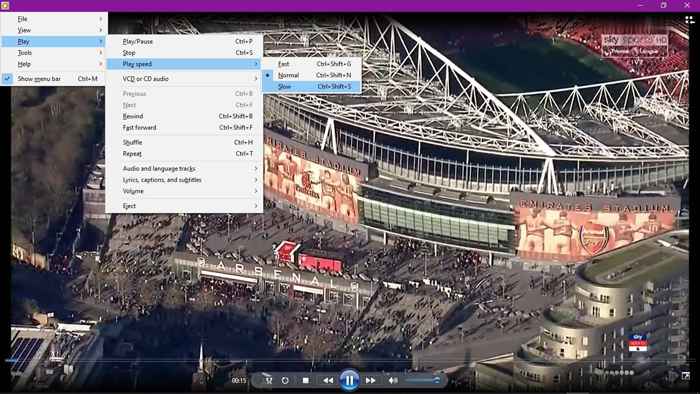
作為 Windows 上的默認視頻播放器,Windows Media Player 支持包括慢動作在內的多種基本功能。您可以在播放設置中找到慢速和快速選項。但是Windows Media Player只支持MP4、MOV、AVI等一些常見的格式,如果你想觀看HEVC編解碼器和其他編解碼器中的高分辨率視頻,你需要為這個慢動作視頻播放器下載相應的編碼器。
優點
- 1. 無需在 Windows 上下載其他視頻播放器。
- 2.能夠選擇音頻和語言軌道。
缺點
- 1. 格式限制:僅支持MP4、MKV、AVI等常用格式。
• 價格:Windows 用戶免費
• 支持的操作系統:Windows
你可能也感興趣:Windows Media Player 無法使用?
2.VLC Media Player - 適用於所有平台的開源視頻播放器
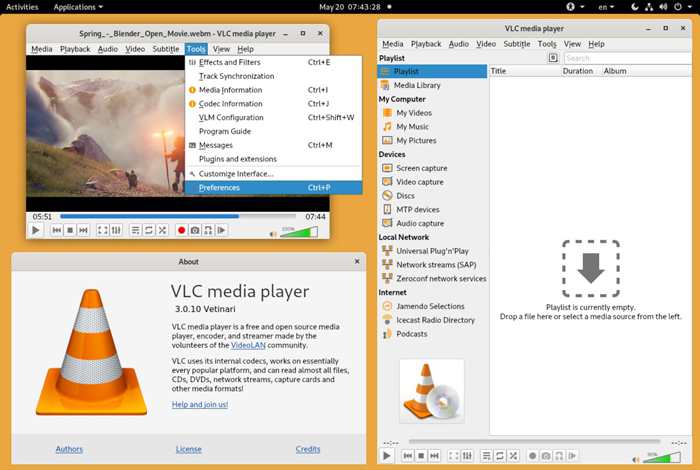
VLC 媒體播放器也是播放慢動作視頻的常用視頻播放器。但需要注意的是,它只能播放經過慢動作剪輯的視頻,因為它不支持調整速度。但是,它仍然是一個強大的視頻播放器,支持流暢高質量地播放多個視頻。
優點
- 1. 兼容所有平台:Windows、Mac、Linux,甚至手機。
- 2. 支持多種視頻格式和編解碼器。
缺點
- 1. 不提供調速功能。
- 2. 編輯視頻效果的功能很少。
- 3. 界面對於初學者來說有點複雜。
• 價格:免費
• 支持的操作系統:跨平台包括Windows、Mac、Linux、iOS、Android
3. FVC 免費視頻播放器 - 具有多種效果的最簡單的視頻播放器
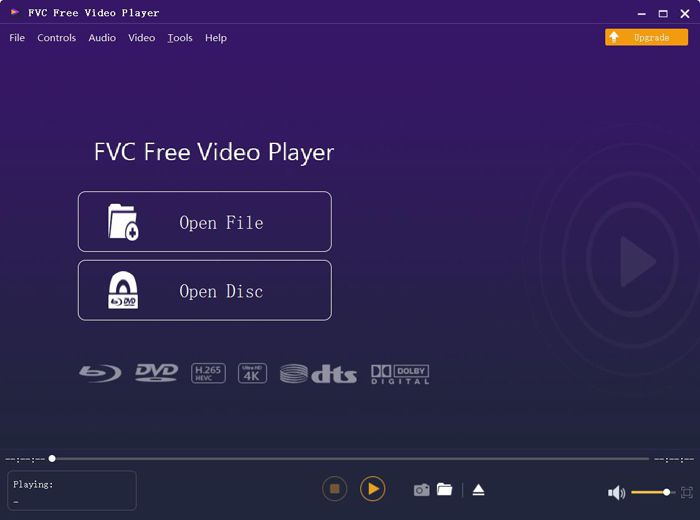
FVC 免費影片播放器是一款易於使用的軟體,可在網路上免費播放慢動作影片。無需下載任何軟體,你就能高畫質播放 MP4、MOV、WMV、3GP、FLV,甚至是 DVD 影片。雖然它無法像 VLC Media Player 那樣調整播放速度,但它提供許多其他實用功能,包括放大或縮小影片、為影片添加濾鏡等。
優點
- 1.能夠以慢動作效果播放視頻。
- 2. 隨時通過單擊按鈕來捕獲屏幕。
- 3. 支持所有流行的 HD/4K 分辨率格式。
- 4. 多種視頻編輯功能可縮放視頻或為視頻添加過濾器。
缺點
- 1.無法調整視頻的速度。
- 2.不支持全屏。
• 價格:免費在線
• 支持的操作系統:Windows、Mac
4. 慢動作視頻 - 適用於 Windows 的專業慢動作視頻播放器
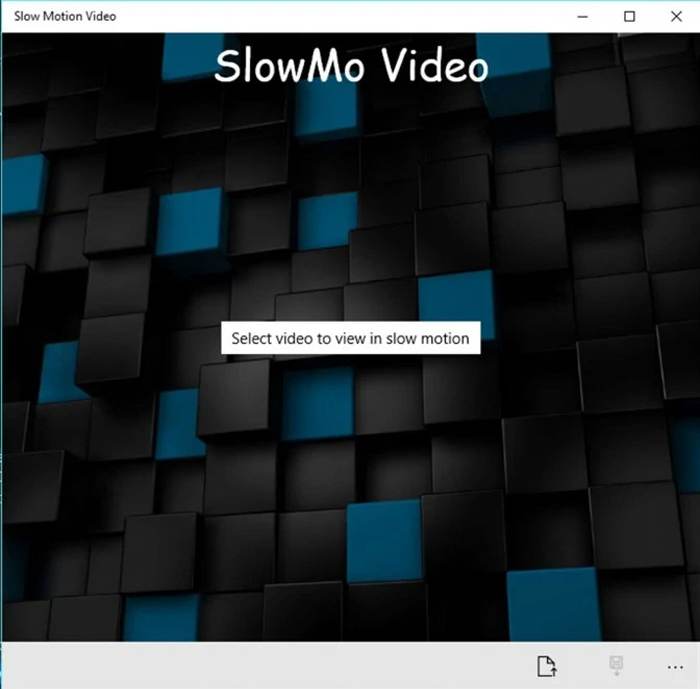
顧名思義,慢動作視頻是用於製作慢動作視頻的特定視頻播放器。此外,它支持 2 倍的快速觀看視頻半時間。這是一個非常簡單的慢動作視頻播放器,供所有人使用,因為它沒有任何其他用於編輯視頻的功能。
優點
- 1. 用戶友好和直觀的界面。
- 2.能夠自由地減慢和加速視頻。
缺點
- 1. 太簡單,編輯功能少。
• 價格:免費
• 支持的操作系統:Windows
5. 學士。 Player - 一個非常強大的慢動作視頻播放器
BS. Player 是一款出色的VLC Media Player 替代播放器,以高品質音效而聞名。它支援廣泛的影音格式,包括那些較少見的格式。最重要的是,這款慢動作影片播放器支援將影片至少放慢到 10%。此外,付費版本還提供更多實用功能,帶來更佳的觀影體驗。
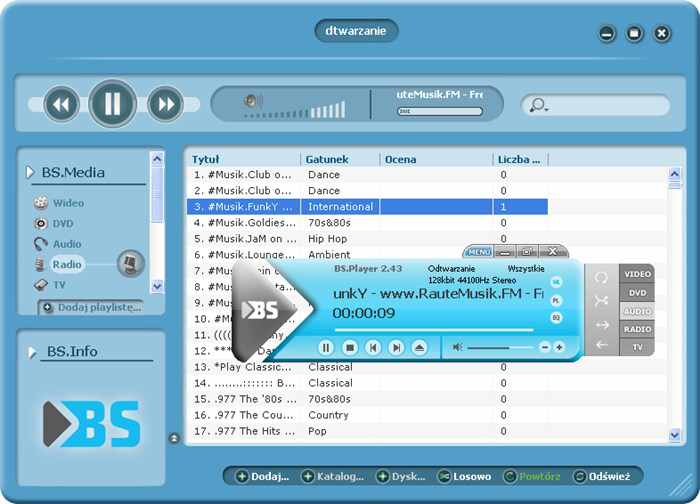
優點
- 1.為不同國家提供90多種語言。
- 2.支持多種視頻和音頻格式。
缺點
- 1. 免費版功能有限。
- 2. 複雜的用戶界面。
• 價格:免費版或$26.99
• 支持的操作系統:Windows
第 2 部分:慢動作視頻播放器的常見問題解答
1.如何創建慢動作效果來觀看視頻?
實際上,製作慢動作視頻意味著調整視頻速度以減慢視頻速度。這是視頻編輯器上非常常見的功能,但要在觀看視頻時實時創建慢動作視頻,您可以選擇上述 5 個視頻播放器中的任何一個。
2. 我可以在 Window Media Player 上播放慢動作視頻嗎?
可以的。雖然 Windows Media Player 是 Windows 使用者預設且基本的影片播放器,但它也支援調整播放速度。你只需點擊播放按鈕,然後選擇播放速度選單。接著選擇慢速選項即可慢動作播放影片。
3. 如何以 0.5 倍速度慢動作播放 YouTube 視頻?
在 YouTube App 或瀏覽器中開啟想看的影片。然後你會看到設定圖示,只需點擊它並選擇播放速度按鈕。點擊0.5x選項即可放慢播放 YouTube 影片。
結論
本文介紹了5款最好的慢動作視頻播放器,並詳細介紹了功能,幫助您選擇最適合您慢動作播放視頻的播放器。您還應該注意不同視頻播放器支持的格式。要以高質量播放各種格式的視頻,FVC 免費視頻播放器將是您的最佳選擇。如果您有任何其他問題,請在下面留下您的評論。
-
 VR視頻播放器– 2021年5款最佳VR視頻播放器的評述
 VLC可以播放VR嗎?什麼是最好的VR視頻播放器?如何在VR耳機中播放視頻?您可以在這裡回答有關VR視頻播放器的所有問題。
-
 Windows 10的Windows Media Player –終極指南
 在哪裡可以下載Windows 10的Windows Media Player?當媒體播放器不工作時,最佳選擇是什麼?這是您應該知道的最終指南。
-
 在Windows / Mac / iOS / Android上觀看高清電影的10大高清播放器
 這是您最新的高清視頻播放器評論。您可以獲得市場上排名前10位的高清播放器的優缺點。只需閱讀並選擇支持所有格式的最佳高清播放器即可。
