


 視頻轉換大師
 屏幕錄影大師
 影片修復
影片修復
 安全下載
安全下載適用於Android,iOS和計算機的5個最佳免費WAV播放器
WAV,全名為 Waveform Audio File Format,是由微軟和 IBM 開發的一種音訊標準。它是一種未壓縮或無失真(無損)的音訊格式。你是否因為在 Android 手機、iPhone、iPad 或電腦上播放 WAV 檔而感到困擾?
一般來說,你可以在電腦上使用 Windows Media Player 或 QuickTime Player 輕鬆開啟 WAV 檔案。不過,由於缺少正確的編解碼器套件或其他原因,你可能會遇到 WAV 無法播放的問題。這種情況下,你就需要一款好用的 WAV 播放器 來幫助你播放音訊。

在這篇文章中,我們主要會介紹適用於 Android 和 iOS 裝置的 WAV 播放器。此外,我們也會推薦一款適用於 Windows PC 和 Mac 的 WAV 播放器,以備你遇到 WAV 播放問題時使用。
第1部分。適用於Android和iPhone的前5個WAV播放器應用程序
Android和iOS設備均可支持WAV格式。因此,無論您使用的是iPhone,iPad還是Android手機,都需要一個WAV播放器應用程序來播放無損音頻文件。在第一部分中,我們希望列出5個最佳WAV文件播放器應用程序供您選擇。其中一些提供Android和iOS應用供您使用。您可以檢查每個WAV播放器的主要功能,然後選擇您喜歡的播放器。
1. VLC媒體播放器
適用於Android,iPhone,PC和Mac的開源WAV文件播放器
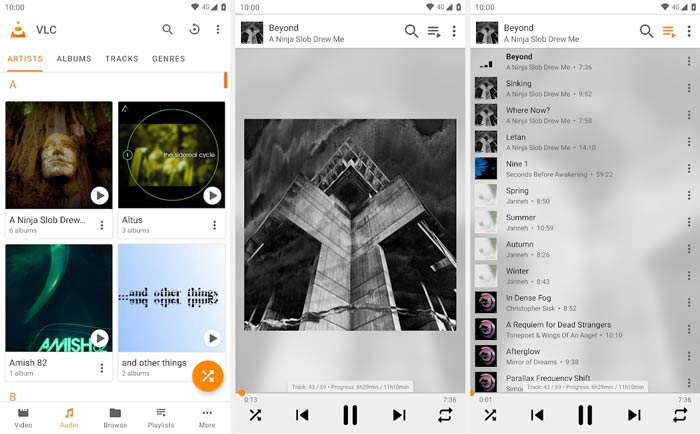
主要功能
1.支持任何常用的音頻格式,包括WAV,MP3,AAC,AC3,WMA,FLAC,ALAC,ATRAC 3,TrueAudio,APE,Real Audio,AMR,MIDI,LPCM,Raw Audio等
2.以MP4,MKV,MOV,FLV,AVI等格式播放所有類型的4K,HD和SD視頻。
3.將音頻聲音增強到125%,將視頻聲音增強到200%
4.提供其他有用的功能,例如轉換,編輯和記錄
5.充當Android和iOS設備及計算機的WAV播放器
2. KMPlayer
適用於Android,iOS,Windows和Mac的免費WAV播放器
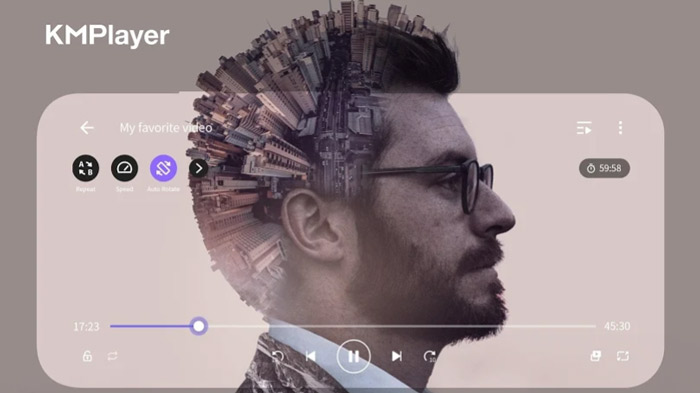
主要功能
1.以WAV,MP3,AAC,MP2,OGG等格式播放所有類型的音頻文件。
2.支持高清4K,8K,UHD,Full HD視頻播放
3.通過飽和度控制,伽瑪控制,灰度濾鏡,自動電平控制等增強視頻質量
4.播放速度控制功能最高可達0.25 – 4倍
3. foobar2000
適用於Android,iOS,Windows和macOS的WAV播放器應用
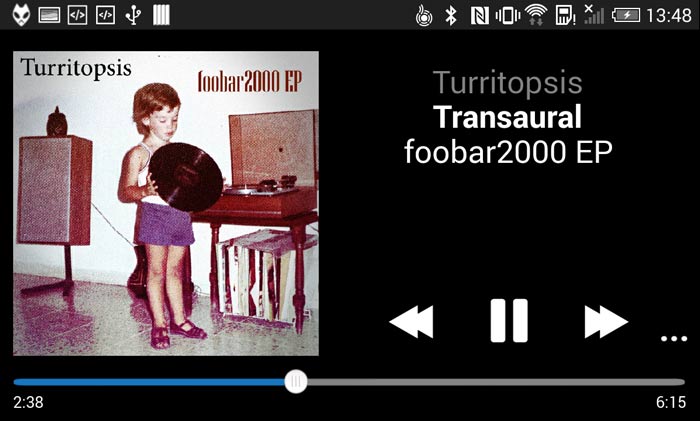
主要功能
1.支持音頻格式,如MP3,AAC,Vorbis,Opus,FLAC,WavPack,WAV,AIFF等。
2.支持無縫音樂播放和完整的ReplayGain
3.從UPnP媒體服務器播放和下載音樂
4.翻錄音頻CD並對所有支持的音頻格式進行轉碼
4. PowerAudio免費音樂播放器
Android的免費WAV播放器
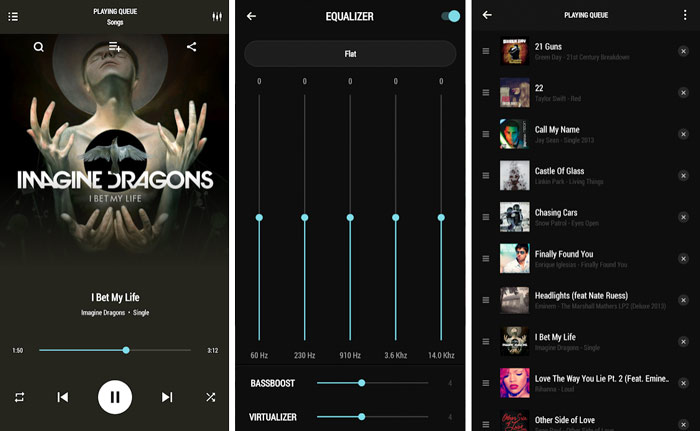
主要功能
1.支持所有主要音頻格式,例如MP3,WAV,M4A,AAC,AMR,OGG等。
2.按專輯,歌手,收藏夾或播放列表瀏覽所有類型的歌曲
3.具有各種預設的均衡器,並創建自己的播放列表
4.支持BassBoost和Virtualizer,多选和自定義隊列
5.按名稱或日期管理和排序歌曲,並設置手機鈴聲
5. Vox音樂播放器
適用於iOS的WAV播放器
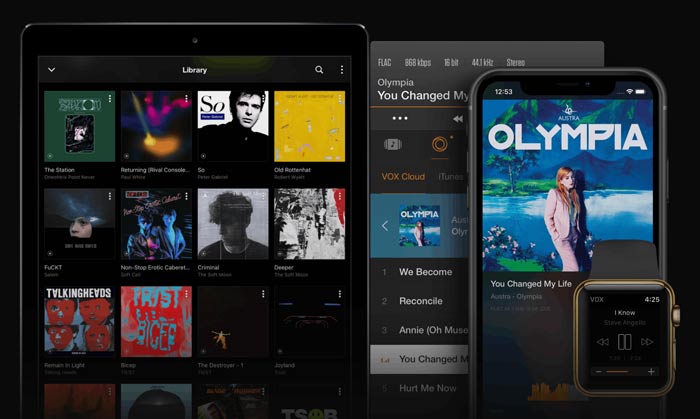
主要功能
1.播放所有音頻格式,例如WAV,AAC,MP3,AC3,ALAC,M4A,FLAC等
2.支持增強的低音技術和強大的共享功能
3.提供VOX Cloud Storage來同步來自不同iOS設備的所有音樂庫
4.內置均衡器,帶有多個預設,並輕鬆鏈接到SoundCloud,LastFM和Spotify帳戶
第2部分。適用於Windows 10/8/7 PC和Mac的最佳免費WAV播放器
FVC Free Video Player 是最受歡迎的影音播放軟體之一,可以幫助你在電腦上以高音質播放 WAV 檔案。它高度支援各種常用的影音格式,例如 WAV、MP3、AAC、M4A、ALAC、AC3、FLAC、APE、FLV、MP4、AVI、MKV、MOV 等。作為一款線上 WAV 音訊播放器,它相容於所有常見瀏覽器,包括 IE、Safari、Chrome 和 Firefox。
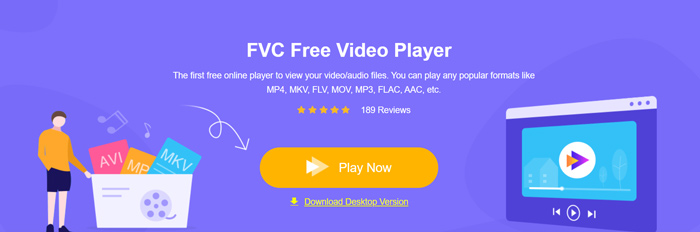
當你想在 Windows PC 或 Mac 上播放 WAV 檔案時,可以前往此播放器的官方網站。點擊立即播放按鈕,免費安裝一個小型啟動程式,以進行 WAV 音訊播放。
之後,主要的 WAV 播放器視窗會顯示在螢幕上。你可以點擊開啟檔案,匯入你想收聽的 WAV 檔案。
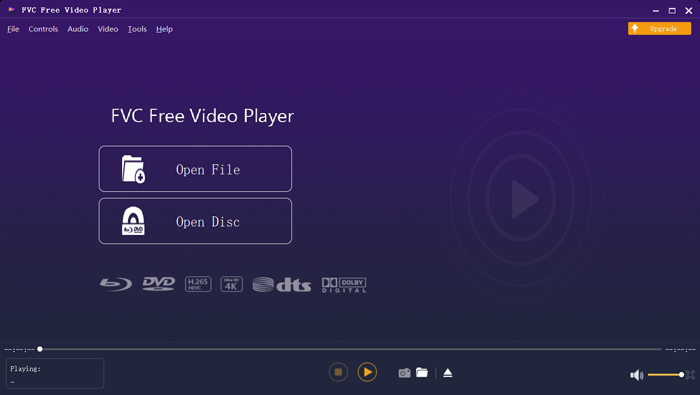
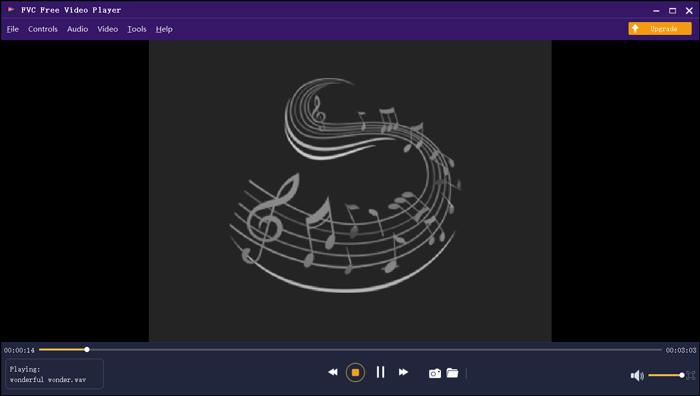
加載的WAV音樂將自動播放。通過採用杜比,DTS,AAC和TrueHD等先進的音頻解碼技術,您可以享受高品質的音樂。
第3部分。WAV文件播放器的常見問題解答
iPhone是否具有內置的WAV播放器應用程序?
不是。所有 Apple 裝置,包括 iPhone、iPad 和 iPod,以及相關的播放器軟體如 QuickTime Player,都無法直接播放 WAV 檔案。
WAV 是 Apple 裝置的原生音訊格式。你可以直接使用 iPhone 上的「音樂」App 開啟 WAV 檔案。
如何免費將WAV轉換為MP3?
若要免費將 WAV 轉換為 MP3,你可以使用熱門的音訊轉檔軟體 Free Online Audio Converter。它能輕鬆完成從 WAV 轉 MP3 或轉換成你需要的其他音訊格式。
WAV的缺點是什麼?
WAV的一大缺點是其文件大小。作為未壓縮的音頻文件,WAV文件的文件大小非常大。這使得WAV在便攜式設備和流媒體上不切實際。而且,與MP3相比,許多設備和播放器仍不支持WAV格式。
結論
你正在尋找適用於 Android、iPhone 或電腦的 WAV 播放器嗎?我們已為你整理並評測了 5 款優秀的 WAV 播放器 App 供你選擇,你可以根據它們的功能挑選最適合的一款。
-
 如何免費將MP4在線轉換為WAV
 試圖將MP4轉換為WAV嗎?不知道哪個轉換器可以不花一分錢就能完美地幫助您嗎?閱讀這篇文章,您的所有問題都會得到解答。
-
 10個最佳免費MP3音樂播放器的評論
 什麼是最好的MP3音樂播放器?如何在MP3播放器上播放音樂?如何下載MP3音樂播放器?這篇文章為您詳細介紹了適用於Windows PC和Mac的10種最佳免費MP3播放器。
-
 適用於PC和Mac的8個最佳MOV播放器,可播放QuickTime MOV視頻文件
 只需了解有關Windows和Mac均可使用的8種最佳MOV播放器的更多信息。您可以選擇所需的和合適的文件來播放原始質量的MOV文件。
