


 視頻轉換大師
 屏幕錄影大師
 影片修復
影片修復移動設備上用於不間斷錄製音頻的 5 大錄音機應用程序
選擇一款錄音應用程式其實很簡單,不論你是新手還是老手,只要清楚自己需要的規格或功能即可。不過,並不是所有使用者都了解自己真正需要哪些規格。與其在網路上閱讀大量文章或反覆嘗試各種錄音工具,今天我們直接為你帶來一篇簡明的評測,介紹幾款可在 Android 或 iOS 上使用的最佳錄音工具,以及它們的規格與功能。這些應用程式不是可下載安裝,就是已預先內建在你的行動裝置中。現在就來看看下面這些工具的實測評價吧,不再多做延遲。

第 1 部分。iOS 設備上的最佳錄音機應用程序
1.語音備忘錄
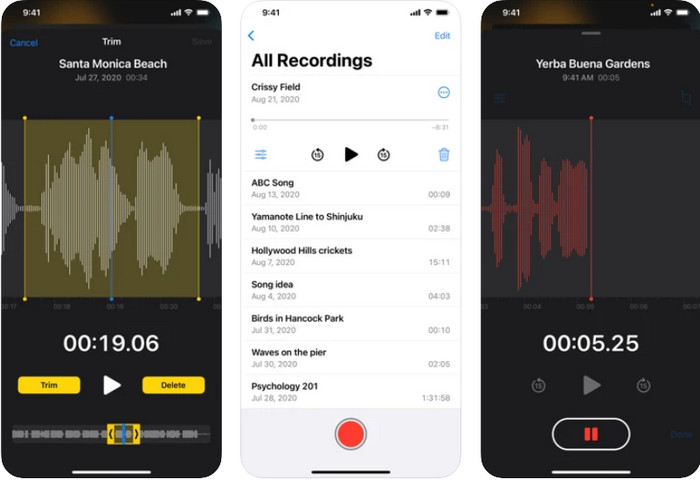
在 iOS 上最出色的錄音應用程式之一就是語音備忘錄(Voice Memos)。iOS 使用者非常喜歡用這款錄音工具來快速、簡單地錄音,只要輕觸紅色按鈕,錄音就會開始。另外,你也完全不需要自行下載,因為它是預先安裝好的,隨時可以使用。雖然有很多人把它當作個人錄音機使用,但它只支援 AAC 格式。由於這是一種較新的格式,只在蘋果裝置上有極佳的相容性,如果你將錄音檔轉移到非蘋果裝置上,很可能會遇到不支援的情況。
語音備忘錄的功能特色
◆ 作為iOS 上的錄音機應用程序,簡單易用。
◆ 有效記錄。
◆ 內置的錄音庫。
◆ 基本的編輯功能可用。
◆ 通過不同的選項將錄音傳輸到其他 Apple 服務。
優點
- 它使用最好的音頻格式之一,AAC。
- 預裝在所有 iOS 設備中。
- 無惡意軟件,使用安全。
缺點
- 不支持將錄音傳輸和播放到其他非 Apple 服務。
- 它不支持電話錄音。
2. Rev 錄音機
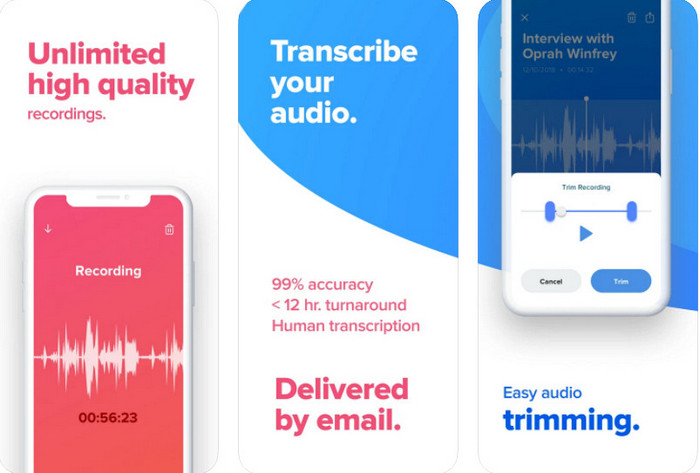
另一款可在 iPhone 和 iPad 上使用的錄音應用程式是Rev Voice Recorder。和語音備忘錄相比,這個工具在錄音功能上提供了更多進階選項。它的一大亮點,是由專業人工而非機器來將錄音轉寫成文字,轉寫準確率可達 99%。但在使用之前,你需要先在 iOS 裝置上下載這款應用程式。雖然這個工具可以免費下載,但只要申請轉寫服務,就會依你使用的信用卡或其他付款方式收取額外費用。不過,如果你需要一款內建轉寫服務的錄音應用程式,那麼這款工具會是蘋果裝置上的一個選擇。
Rev Voice Recorder 的功能特色
◆ 高品質錄音筆。
◆ 修剪錄音中不必要的音頻。
◆ 準確轉錄。
◆ 當呼叫和其他中斷發生時,直觀地停止。
優點
- 它是 iOS 上免費且可下載的錄音機應用程序。
- 在您對應用發表評論後,開發者會立即做出回應。
- 這是一個專業的音頻轉錄器。
缺點
- 與人工智能相比,人工轉錄的費用有點貴。
- 它不適用於某些更新的 iOS。
3. 水獺
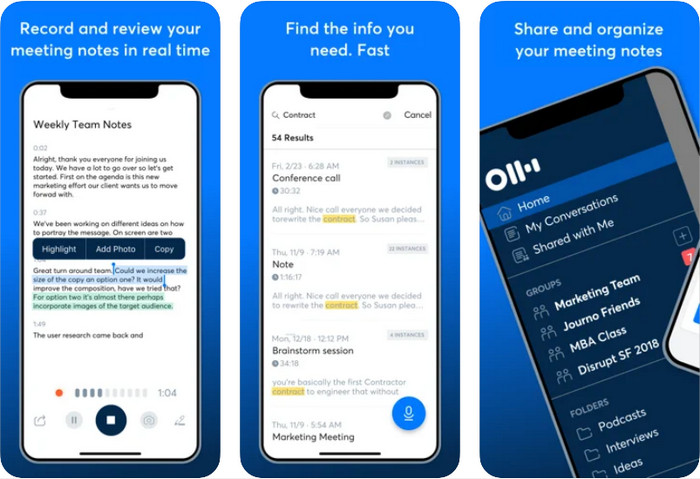
Otter 是一款可以協助你在 iPad 和 iPhone 上即時錄音的工具。這款錄音器能在 AI 的幫助下,同步進行錄音與轉寫。它還能分享會議內容、編輯、標註重點、整理以及匯出等,一次完成。不過,要完整解鎖這些功能,你需要付費購買;否則只能使用其提供的基本功能。雖然它是一款功能強大的錄音工具,但 Otter 的線上版本相較於在 iOS 上下載的應用程式,整體表現會更好。即便如此,如果你需要一款具備自動 AI 轉寫功能的錄音工具,Otter 仍然值得考慮。
Otter 的功能特色
◆ 實時錄製和轉錄音頻。
◆ 組織您的導出並製作一些亮點。
◆ 它可以通過實時會議或會議自動記筆記。
◆ 錄製後編輯音頻。
優點
- 在您的 iOS 設備上免費下載。
- 簡單而專業的工具。
- 它具有內置的協作記筆記功能。
缺點
- 需要購買才能使用專業工具。
- 編輯有時會出現故障。
第 2 部分。 Android 設備上的最佳錄音機應用程序
1.簡易錄音機
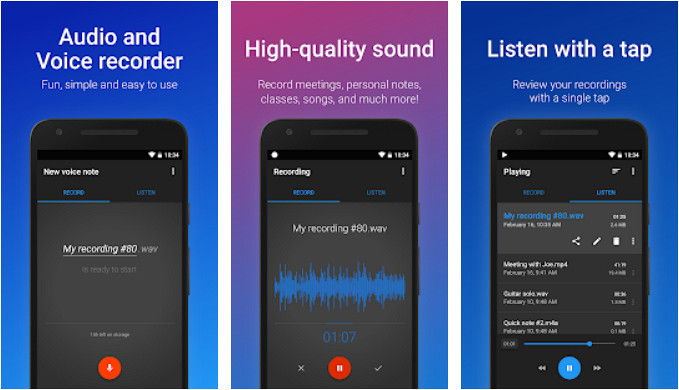
在 Android 上,最好的錄音應用程式之一是Easy Voice Recorder。正如其名,這款工具提供了簡單且高效的錄音體驗,深受許多 Android 使用者喜愛。此外,它還提供多種主題配色,從亮色到深色等多種外觀可以選擇。再者,它也提供專業版,能移除廣告並解鎖更多進階功能。雖然它非常適合用於多種錄音用途,但仍無法在通話時進行錄音。因此,若你是為了錄製電話通話內容,這就不是合適的工具。
Easy Voice Recorder 的功能特色
◆ 作為錄音機使用非常直觀。
◆ 支持多種音頻輸出格式供您選擇。
◆ 在編輯模式下修剪掉不需要的錄音。
◆ 簡單的圖形用戶界面。
優點
- 它可以在您的 Android 上免費下載。
- 無憂無慮的錄音機。
- 它支持通過短信傳輸錄音。
缺點
- 它有很多廣告。
- 如果您沒有購買專業版,則無法使用我們提到的某些功能。
2.智能記錄儀
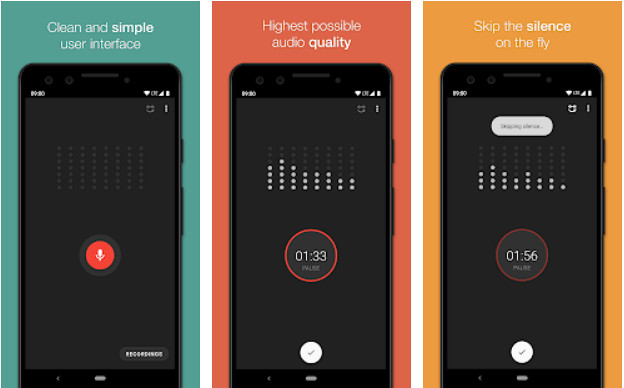
Smart Recorder 是一款可以在 Play 商店免費下載的錄音應用程式。它能像上述那些工具一樣執行錄音功能,而且只要你的手機儲存空間足夠,就可以不間斷地錄音,並輸出高品質的音訊。與 iOS 上的某些錄音工具不同的是,它並沒有內建轉寫功能,無法將音訊自動轉成文字。除此之外,你也無法將最終的錄音檔直接儲存到 SD 卡,因為它僅支援儲存在手機本機空間。不過,它提供「略過靜音」模式,可以在錄音時自動刪除無聲片段,縮短整體錄音時長。
Smart Recorder 的功能特色
◆ 並發聲音分析儀。
◆ 即使在後台也不會停止錄製。
◆ 支持跳過靜音模式。
◆ 內置錄音庫。
優點
- 免費且易於使用。
- GUI 很容易理解。
- Android 上的現場錄音機應用程序。
缺點
- 它不支持編輯功能。
- 您不得更改錄音名稱或通過聯繫人傳輸錄音。
獎勵:適用於 Windows 和 Mac 的最佳錄音機應用程序
如果你需要一款能滿足專業錄音需求的工具,FVC Screen Recorder 是你可以在桌面端使用的專業級錄影錄音軟體,無論是 Windows 或 Mac 都支援。與上述的手機錄音應用程式不同,它內建噪音消除以及麥克風增強功能,可讓你的錄音效果更加出眾。有了這款工具,不論是錄音或錄影,在通話或開會時都能更有效率地進行,你可以隨時錄下所有對話內容,並在之後重新播放。
除此之外,您還可以選擇要使其與您正在使用的設備兼容的輸出格式(如果您傳輸它)。到目前為止,如果您正在尋找 Windows 或 Mac 上的最佳錄音應用程序,這是我們推薦的。
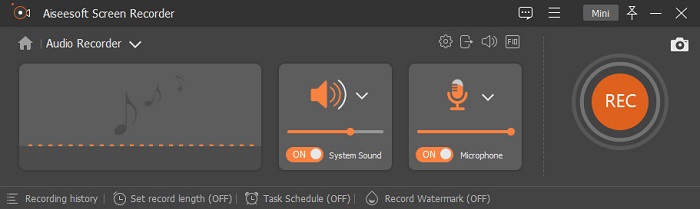
FVC Screen Recorder 的功能特色
◆ 同時錄製系統聲音和麥克風,沒有任何限制。
◆ 可錄製4k音頻,擁有完全超高清的音頻輸出。
◆ 支持降噪和麥克風增強器,使錄音效果更好。
◆ 內置錄音庫,按從新到舊正確排列。
◆ 如果您需要,它支持最好的屏幕錄像機和遊戲錄像機。
◆ 其他高級功能也可用於體驗一個全面的工具。
◆ 如果您不小心關閉了軟件而忘記保存,可以恢復錄音。
優點
- 它是頂級錄音機中最好的錄音機。
- 能夠不受限制地通過桌面錄製語音通話。
- 如果您的計算機驅動器上有足夠的空間,它可以不間斷地錄製。
缺點
- 需要購買後才能使用。
- 它不支持移動設備。
第 3 部分。關於錄音應用程序的常見問題解答
如何在手機上錄製音頻?
如果你是 Android 使用者,可以直接開啟手機內建的錄音程式,或下載前面介紹的錄音應用程式。按下紅色按鈕即可開始錄音,錄完之後再按停止按鈕,就能把你在 Android 上錄好的音訊儲存下來。如果你是 iOS 使用者,可以使用語音備忘錄來錄音。只要打開 iOS 裝置上的語音備忘錄,按下紅色按鈕即可開始錄音,錄製幾分鐘之後,再按同一個按鈕即可停止錄音。如果你想知道語音備忘錄是不是 iOS 上最好的錄音應用程式,可以點擊這個連結閱讀更詳細的介紹。
選擇錄音機的重要性是什麼?
擁有錄音機最重要的是創造一種更有效的方式來記錄更容易的事情。您可以專注於對話並稍後查看,而不是將它們寫下來。
錄製的最佳音頻輸出格式是什麼?
如果您是 Apple 用戶,我們建議您使用 AAC,因為這種音頻格式包含 Apple 設備上最好的音頻格式,但兼容性較差。但是,如果您需要高質量的兼容性,MP3 可能是您的選擇。
結論
最大的問題已經解決了;隨著您花在閱讀上的時間,您已經對應該使用哪種錄音機應用程序有了答案。通過我們進行的測試,我們發現這裡的錄音機顯示出巨大的錄音潛力。但是,如果您需要最好的錄音機,您不能在手機上使用它,但您可以在計算機上使用它,即 FVC 屏幕錄像機。
-
 適用於 Windows 和 Mac 的 7 款最佳 AAC 錄音機 [2025]
 了解什麼是 AAC 以及您可以在 Mac 和 Windows 計算機上免費使用和下載的最受好評的 AAC 錄音機。
-
 7 款適用於移動設備和計算機的流行 MP3 錄音機
 探索與 Android、iPhone、Windows、Mac、Linux 等兼容的最受歡迎的 MP3 錄音機列表。
-
 推薦用於移動設備和計算機的 AC3 錄音機
 查看本文中的列表,了解如何使用 AC3 錄音機獲取音頻的 AC3 文件格式。了解情況並與我們一起獲得一些技術。
