


 視頻轉換大師
 屏幕錄影大師
 影片修復
影片修復
 安全下載
安全下載適用於 PC 和 Mac 的具有可靠步驟和提示的最佳 MP2 錄音機
MP2 是另一種有損壓縮音訊檔案。雖然在眾多音訊格式中 MP3 非常流行,但標準格式一直是 MP2。因為它是標準音訊格式,所以也可能發生資料遺失的情況。不過,透過網路傳輸這種格式的音訊資料對你來說不會有什麼問題。有些使用者在選擇最符合自己需求的最佳 MP2 錄音程式時會感到困擾。遇到這種情況時,下方的列表提供了詳細的步驟與資訊,可供你參考使用。請繼續閱讀本文,了解有哪些錄音工具可以輸出 MP2 檔案格式。

第 1 部分。 適用於 Windows 和 Mac 的最佳 MP2 錄音機
FVC免費錄音
其中一款最佳的線上錄音工具或許能幫上你的忙。FVC Free Audio Recorder 如其名,是許多網路使用者都在使用的免費工具。如果上網對你來說不是問題,那麼你就可以依賴這款線上 VHS MP2 錄音程式 來產出良好的輸出格式。更不用說,此工具由 FVC 開發,100% 無惡意軟體,因此你可以放心使用。此外,以下是詳細步驟,請務必仔細依照說明操作。
步驟 1: 點擊本文提供的這個連結前往網站。
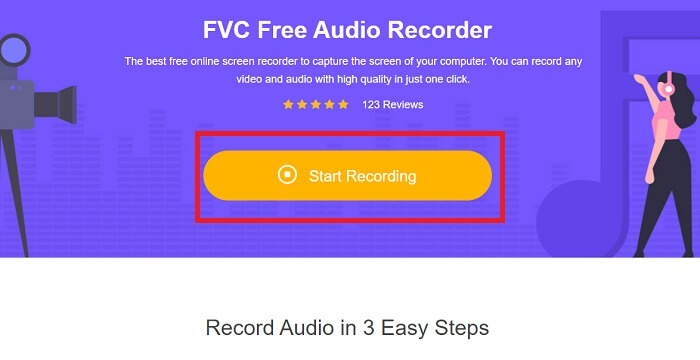
步驟 2: 點擊開始錄音以啟動錄音工具。
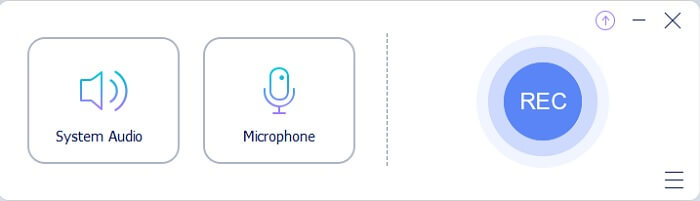
步驟 3: 螢幕上會出現如圖所示的浮動工具列。
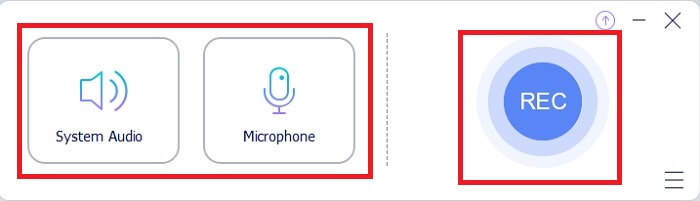
步驟 4: 點擊系統聲音與麥克風,以加入系統音效與你的聲音。完成後,點擊圓形的REC 按鈕開始錄音。
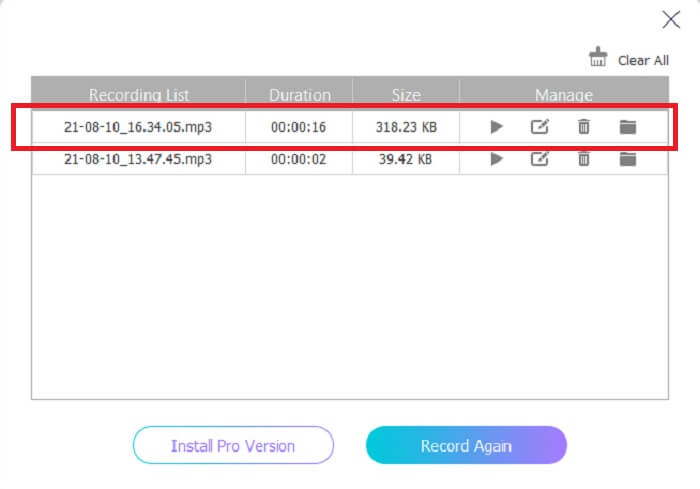
步驟 5: 錄音完成後,點擊方塊形按鈕停止錄音。檔案會自動儲存到你的電腦中,之後就可以直接享受播放。
第 2 部分。 擴展且易於使用的 MP2 錄音機錄製 MP2 音頻
1. FVC 屏幕錄像機
如果線上工具已經讓你覺得很讚,那這款工具會讓你覺得更出色。與線上錄音工具不同,FVC Screen Recorder 是一款多功能工具,絕不侷限你的創意。在提升錄音品質的同時,更能帶給你其他工具無法提供的進階體驗。你也許還在想這款工具能不能成為你的MP2 錄音程式,那就留給你親自驗證吧。事不宜遲,接下來就透過以下說明向你證明,這正是你要找的工具。請仔細閱讀下列步驟。
步驟 1: 在 PC 或 Mac 上下載此工具。安裝到桌面後,先調整偏好設定,如果都設定妥當,就點擊完成以啟動工具。
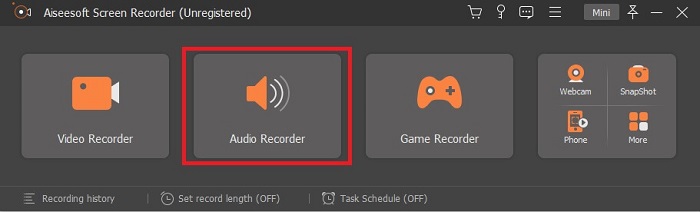
步驟 2: 工具會自動啟動。螢幕上會顯示如圖所示的工具列。點擊錄音工具(Audio Recorder)以繼續。
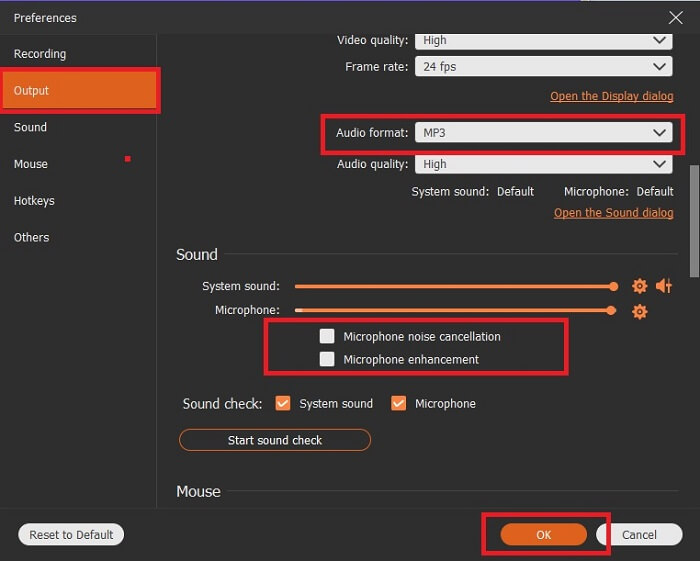
步驟 3: 找到並點擊齒輪圖示。依照你的需求變更輸出設定。完成後點擊確定(OK)儲存變更。
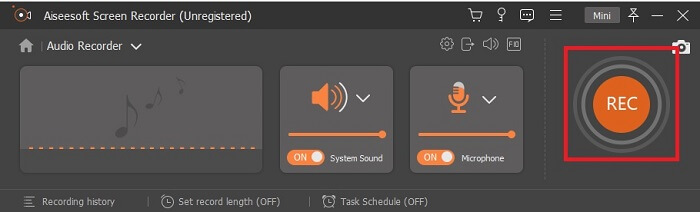
步驟 4: 錄音前先確認系統聲音與麥克風皆已開啟。確認無誤後,點擊碟片狀按鈕開始錄音。
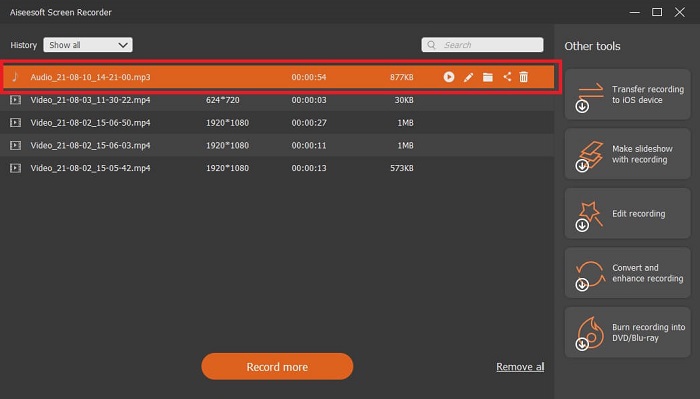
步驟 5: 若你已準備好結束錄音,請點擊方框按鈕停止。接著儲存並點擊下一步以產出錄音檔。如果你想重新聆聽剛錄好的音訊,則點擊平行線按鈕檢視錄音。列表中第一個檔案是你最新的錄音,最後一個則是最早的錄音。
2. 音響
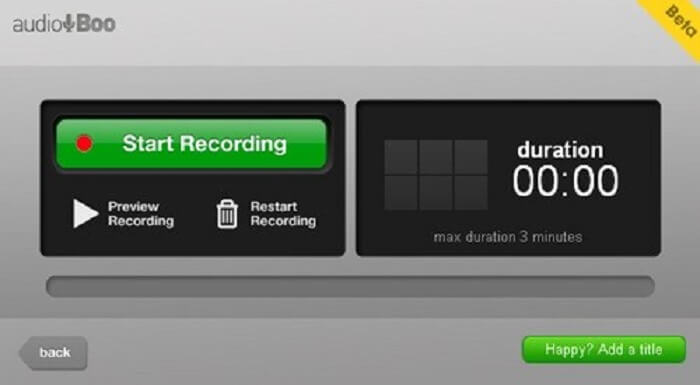
另一款適合短音訊錄製的工具是 Audio Boo。它讓使用者可以進行短篇錄音。例如,為心愛的人唱一小段歌後傳給對方、錄製語音日記、語音備忘錄等等。不過,由於時間長度有限,你無法錄製完整對話、長時間即興演奏等等。如果你在好奇可錄製的長度,上限為 3 分鐘。
3. Adobe 試鏡
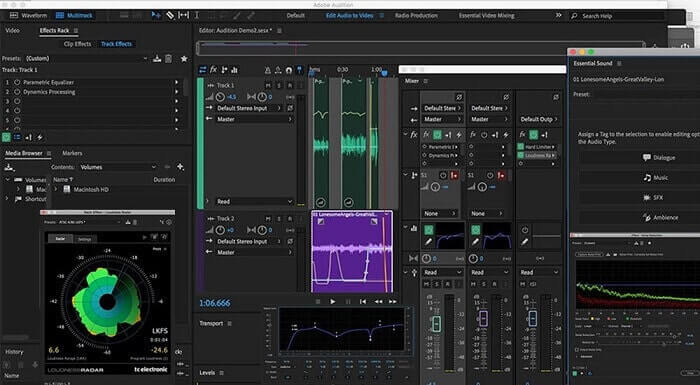
一種允許用戶錄製高質量錄音的工具。此外,它是由 Adobe 支持的,所以期待它會產生高質量的輸出。這是音樂製作人、歌手、音樂編曲者等最常使用的。這是一個更加工業化的記錄器。使用這種類型的 Mp2 錄音機對新用戶來說有點不知所措。但它產生的質量與其他 MP2 錄音機一樣好。
延伸閱讀
第 3 部分。 比較圖表
| 工具特性/s | FVC免費錄音 | FVC 錄音機(高級) | 音頻噓 | Adobe 試鏡 |
| 錄音機 | 是的 | 是的 | 是的 | 是的 |
| 降噪 | 不 | 是的 | 不 | 是的 |
| 麥克風增強 | 不 | 是的 | 不 | 是的 |
| 編輯工具 | 不 | 是的 | 不 | 是的 |
| 可用程序 | 支持所有程序 | 支持所有程序 | iPhone、iPod touch 和 iPad。 | Windows 7、Windows 8.1 或 Windows 10 OS X Yosemite、OS X El Capitan 或 macOS Sierra |
| 可用格式 | MP3 和 MP2 | MP3、MP2、WMA、AAC、M4A、FLAC、OGG、AMR、Opus 等等。 | MP3 | AC3、M4A、MAT、VOX、W64、WAV 等等 |
| 工具價格(如果需要支付) | 免費在線工具 | 1個月:$25.00 一年:$31.20 終身許可證:$55.20 | 免費下載工具 | $27.62/分鐘,每年 $315.61/年,每年 $41.43/月計劃 |
第 4 部分。 關於 MP2 錄音機的常見問題解答
我可以將 MP2 轉換為其他格式嗎?
可以,你可以使用這個線上提供的MP2 轉檔工具,你也可以試試這款進階轉檔器,以獲得更好的輸出品質。
哪個議員最好? 1、2、3 還是 4?
這些 MP 文件格式都是音頻、視頻和文本的容器。但它們之間的主要區別在於它們包含的內容。 MP1是第一個做卡帶格式的。 MP2 支持 1 到 2 個頻道和數字電視和廣播電台的播放標準。 MP3 是最常用的保存錄音或音頻格式的格式。 MP4 包含音頻、視頻和文本格式。
我想播放我的視頻,但我的媒體播放器不支持該格式,我該怎麼辦?
你可以使用這款多媒體播放器,它幾乎支援你所知道的所有常見格式。
結論
總算在這篇文章的幫助下,我們認識了網路上各種不同的工具。如果你仍然難以決定哪一款最適合自己,以下幾點建議也許能幫助你做出選擇。你所選擇的錄音工具應該要:介面友善、穩定可靠、可支援多種平台(以防你日後更換裝置時不影響錄音)、耐用長期可用、能持續收到更新、價格實惠,最重要的是沒有惡意軟體。如果你心中的答案是FVC Screen Recorder,那就恭喜你答對了。因為這款工具不會限制你的創作、不難上手、價格也不算高。所以,如果這款工具已經能做得比其他產品更好,你就不需要再另尋他物。
-
 適用於 Windows/Mac 的前 5 名最佳 WebM 屏幕錄像機
 通過閱讀文章了解有關 WebM 擴展文件的更多信息,並發現可用於屏幕錄製 WebM 視頻的 WebM 屏幕錄像機應用程序。
-
 4 款最佳 SWF 視頻錄像機,可在線免費訪問
 您聽說過 SWF 文件嗎?了解有關此文件格式的更多信息,並了解如何使用免費在線工具錄製 SWF 文件。
-
 無與倫比的 MTV 視頻錄像機兼容 Mac/Windows 計算機評論源
 本文將幫助您了解 MTV 文件格式以及可用於輕鬆錄製計算機屏幕的 MTV 錄像機列表。
