


 視頻轉換大師
 屏幕錄影大師
 影片修復
影片修復
 安全下載
安全下載Web Launch Recorder –無需下載即可捕獲屏幕上活動的4種免費方法
有沒有一種簡單的方法可以錄製熱門遊戲視頻、視頻通話記錄、會議視頻等視頻,並將它們保存為您的收藏?免費的網絡啟動記錄器始終是捕獲屏幕視頻的首選,這是用於捕獲屏幕活動的基於網絡的服務。只需了解有關出色網絡啟動記錄器的更多信息,即可在線啟動屏幕錄製功能。

第1部分:前4個免費的在線網絡啟動記錄器
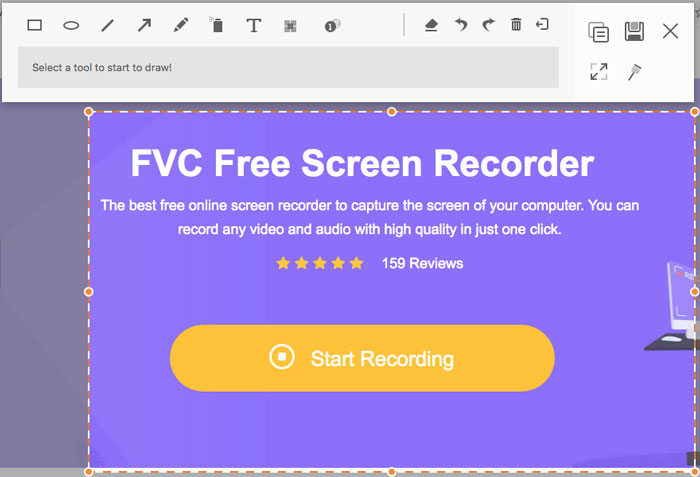
頂部1:FVC免費屏幕錄像機
FVC Free Screen Recorder is a free web launch recorder available on any web browser. It allows you to record any video and audio without adding watermarks. You can customize the recording area, such as a full screen or part of the area for video recording. Moreover, it exports the recordings to different file formats, such as MP4 and WMV.
1.免費的在線屏幕錄像機,無需註冊或其他限制。
2.添加實時行和文本以註釋屏幕記錄。
3.將網絡攝像頭和麥克風音頻放入您的截屏視頻中。
4.從記錄歷史記錄列表中查看所有先前的記錄文件。
前2名:Screencast-O-Matic
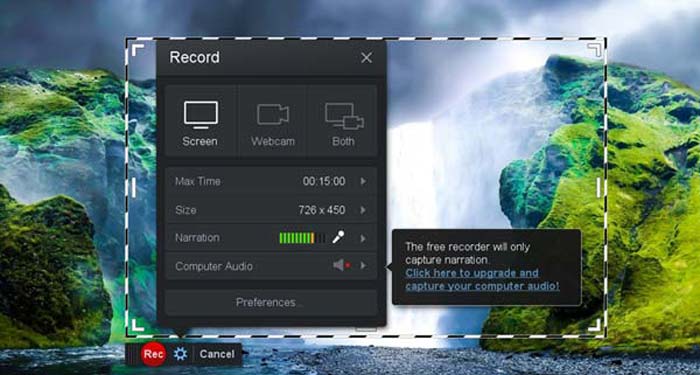
Screencast-O-Matic is a web-based screen recorder that easily records any area of your screen. It enables you to upload the video to the video hosting platform directly. Moreover, you can use the script tools, automated caption, and more other features.
優點
- 1.自定義記錄區域,例如整個屏幕或其中的一部分。
- 2.將錄音上傳到Screencast-O-Matic,Google雲端硬盤等。
- 3.更輕鬆地添加音頻旁白,股票音樂和字幕。
缺點
- 1.錄製質量不夠好。
- 2.此在線屏幕錄像機有時間限制。
前三名:Clipchamp
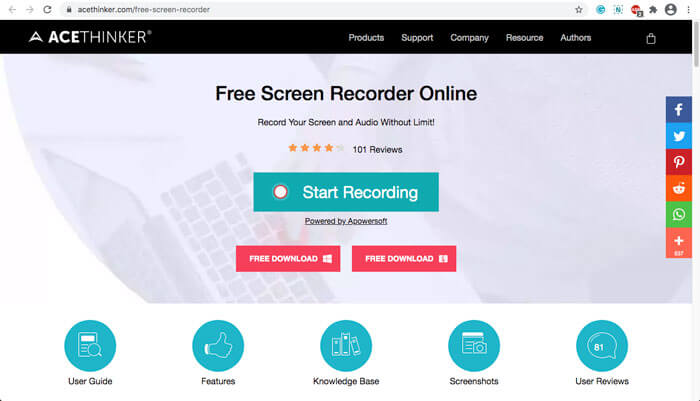
Clipchamp is a very convenient free online web launch recorder. You can use it to record and upload video, and can compress video without losing the original quality. It is also equipped with many functions, such as an external microphone, various resolutions, etc.
優點
- 1.記錄整個屏幕,一個預設的記錄區域或一個自定義的區域。
- 2.使您能夠將錄製的視頻轉換為其他流行的視頻格式。
- 3.它可以通過麥克風從旁白和旁白中捕獲視頻。
缺點
- 1.必須升級到Pro版本才能具有全部功能。
- 2.無法直接在在線媒體庫中編輯錄像。
第2部分:如何使用Web Launch Recorder捕獲屏幕
When it comes to how to capture screen videos with a web launch recorder, just take FVC Free Screen Recorder as an example. Just learn more about the detailed process as below.
Step 1: When you need to capture the screen for free, you can head to the web launch recorder and the Start Recording button on the home page. It will download a launcher for the web launch recorder. Install the program and launch it on your computer.

Step 2: After starting the application, you can see the recording settings of the application. Here, you can click the Recording area option to select full screen or partial screen recording, or turn on the Speaker menu to record audio files. To record a video with narration, just turn on the Webcam option.
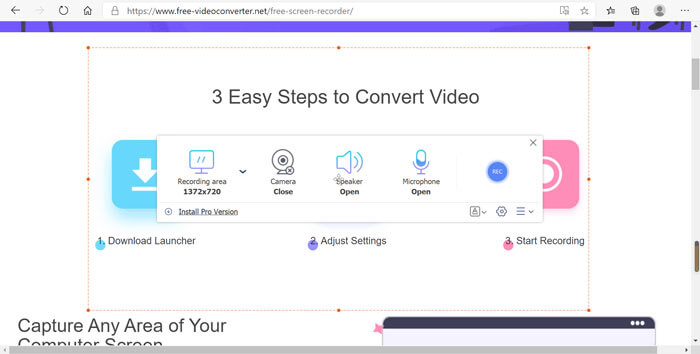
Step 3: If you need to change more file settings, just find the Gear icon in the lower right corner of the web launch recorder to customize the options. It enables you to change the storage location of the recorded file and the format of the output file in the pop-up settings window.
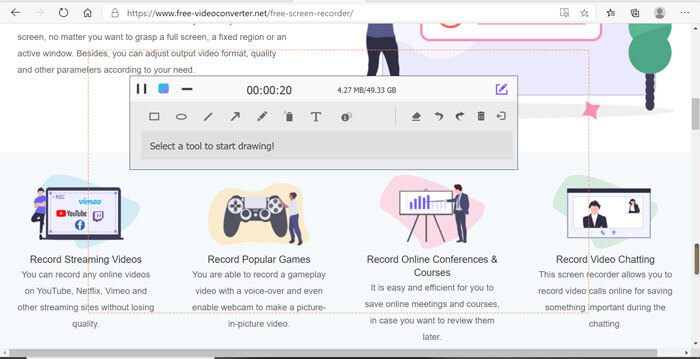
Step 4: Then click the REC button to start recording. When the recording is finished, click the Stop button to end the whole process. Click the three-line icon at the bottom of the web launch recorder to open and manage the list of recorded videos.
第3部分:關於Web Launch Recorder的常見問題解答
1.如何使用網絡攝像頭錄製屏幕?
When the web launch recorder is activated, you can find and activate the webcam function at the interface, then adjust the size of the webcam window, return to the main interface and click on the REC icon, so that you can start recording the footage via in-built webcam.
2.為什麼我的屏幕錄像沒有聲音?
程序主界面上有系統聲音和麥克風選項。您可能會忘記在錄製之前將它們打開。錄製之前,請確保已啟用此選項,以便您可以獲取帶有聲音的錄製視頻。
3.如何將我的視頻上傳到YouTube?
啟動免費的網頁啟動記錄器,找到並點擊界面右下角的三行圖標。然後從彈出的錄製列表中找到您要上傳的視頻,然後單擊下面的共享圖標。最後,從媒體平台選擇視頻,錄製的視頻可以輕鬆分享到任何平台。
結論
作為總結,本文介紹了市場上4種最受歡迎的免費在線網絡啟動記錄器,並詳細介紹了FVC Free Screen Recorder(最好的在線應用程序之一)的視頻記錄方法。它可以幫助您免費錄製視頻和音頻,而不會影響質量。
-
 在桌面和在線上不容錯過的 6 款最佳 WAV 錄音機
 我們在本文中分享的最好的 WAV 錄音軟件具有多種實用功能,可幫助您像專業人士一樣捕捉音頻和語音。
-
 QuickTime屏幕錄製–在Mac和PC上錄製帶有音頻的視頻
 在Mac上帶有音頻的錄製屏幕會派上用場。內置播放器QuickTime Player可以做到。閱讀他的文章,並了解如何在Mac和PC上用聲音捕獲屏幕。
-
 DU Recorder Review 2021:安全性,價格,功能,用途和等級
 DU Recorder是適用於iPhone和Android的屏幕和音頻記錄器。值得下載嗎?安全嗎?閱讀完整的評論,看看該應用程序是否適合您。
