


 視頻轉換大師
 屏幕錄影大師
 影片修復
影片修復
 安全下載
安全下載轉換 FLAC 和 WAV 的最快方法(離線/在線)
Free Lossless Audio Codec, commonly known as FLAC, is an audio file format with a remarkable resemblance to MP3. It provides users an excellent audio quality while occupying a relatively small size on your disc space. Besides that, this type of format is lossless, which says that a large portion of your audio data is retained despite the compression process. On another note, there are cases when you need to convert FLAC files to another format like WAV if you want to make your listening experience to its optimum and superior quality. Should you choose between the two? Find out below how you can get both using the best FLAC to WAV conversion tools out there.

第 1 部分。 離線轉換 FLAC 和 WAV
Video Converter Ultimate is a top-notch tool for transforming files to any audio format, including WAV and FLAC. This program offers a batch conversion feature that allows you to convert a collection of audio files in one sitting. Moreover, you can maximize the quality of every song you wish to work on since the program allows users to adjust output technicalities such as the sample rate and bitrate. If you wish to batch convert WAV to FLAC or vice versa, read the quick guide we prepare beneath.
Step 1. Launch the program on your device by selecting the appropriate Free Download button below. In the next step, follow the on-screen instructions to launch the program. You can get a hand with its interface once installed.
Step 2. Hit the Add icon on the main screen and import the audio file you want to work on. Afterward, you will be directed to a preview of the imported file. You can upload a folder if you wish to convert in bulk. Choose from your directory the folder that contains all the audio files you need.
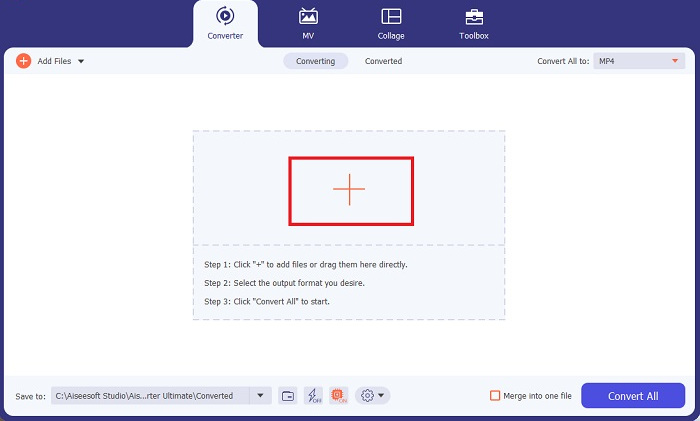
Step 3. Now, you can change the output format by clicking the Converter button above the program’s screen. From there, choose WAV from the Audio Output selection tab. Meanwhile, you can adjust the sample rate and bitrate of your output file to match your preferred quality.
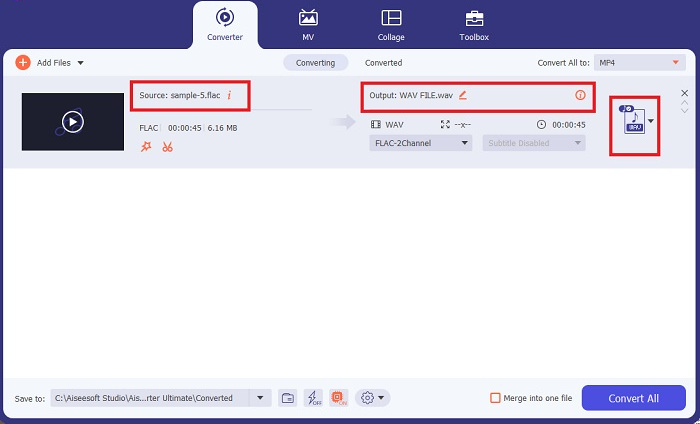
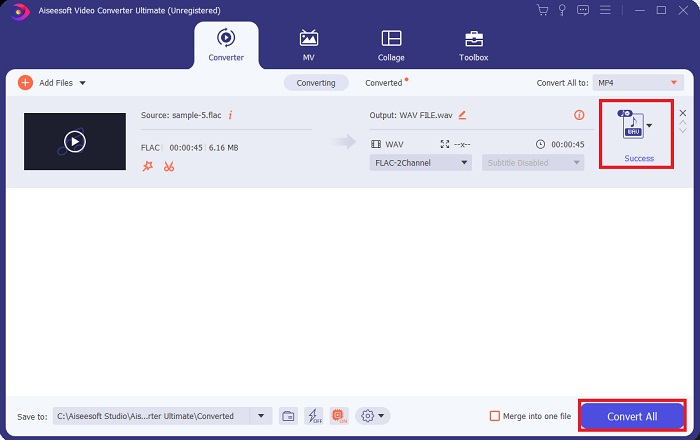
Step 4. For the final step, initialize the conversion process by clicking the Convert All button below. Afterward, the program will automatically open the output folder for you to check on your file’s new format.
優點
- 它可以批量將 FLAC 轉換為 WAV 音頻文件格式。
- 該程序適用於 Windows 和 Mac 操作系統。
- 它具有快速的轉換速度。
缺點
- 免費試用後需要支付訂閱費。
- 該程序不適用於 Linux 操作系統設備。
第 2 部分。 在線將 FLAC 轉換為 WAV 或將 WAV 轉換為 FLAC
While your search engine may show you a plethora of FLAC to WAV or WAV to FLAC online converters, here is what we could do to ease your struggle. Free Audio Converter Online is an excellent option to exempt yourself from installing a desktop program. This online converter works seamlessly, providing safety and security for your personal data while accomplishing the conversion. Moreover, you can take advantage of the software's bulk conversion feature just as f you are using a desktop program.
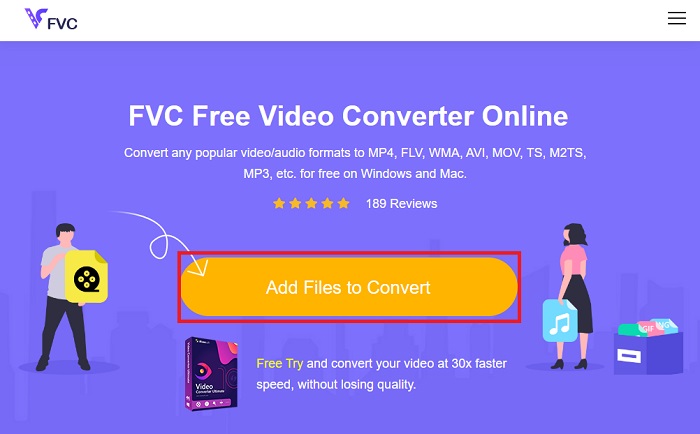
Step 1. Click the link above to land on the Free Online Video Converter main website. Select the Add Files to Convert on the main screen and upload your audio file.
Step 2. The preview of your original file will show on the screen. From the same panel, turn below and choose your desired output format.
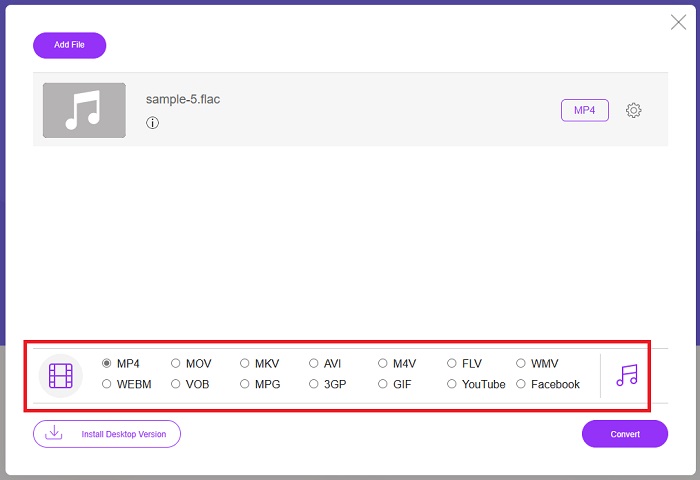
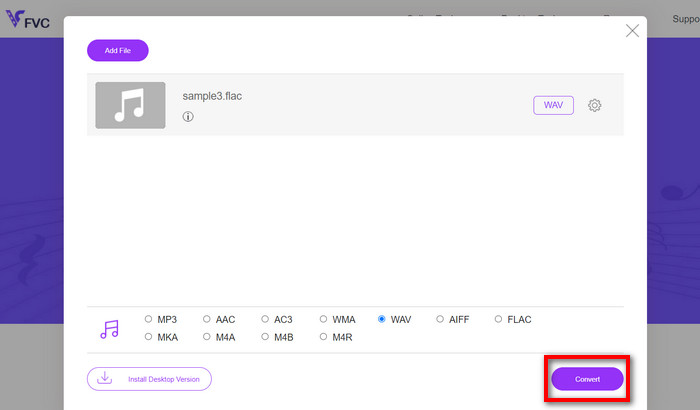
Step 3. Hit the Convert button to change FLAC to WAV format. If you wish to convert another file, repeat this guide from the start.
優點
- 它適用於任何搜索引擎,如 Google Chrome、Safari、Firefox 等。
- 它提供各種流行的音頻文件格式,如 MP3、AAC 和 WMA。
- 用戶可以享受每天無限次的轉換。
缺點
- 轉換速度取決於互聯網連接強度。
延伸閱讀:
Convert FLAC to MP3 Conversion to Preserve Audio Quality
Easy Steps to Convert WAV to OGG for Optimal Audio Size
Part 3. FLAC 和 WAV 轉換常見問題解答
將文件從 FLAC 轉換為 WAV 會降低質量嗎?
將音頻文件從 FLAC 轉換為 WAV 不會降低質量,因為它的分辨率是未壓縮的。但是,假設您將文件從 WAV 轉換為 FLAC。在這種情況下,您可能會注意到細微的變化,特別是對於那些耳朵非常注重細節的人。如果您在決定保留哪一個方面需要幫助,可以參考以下觀點; FLAC 音頻格式是存儲大量歌曲的不錯選擇,而 WAV 文件的大小較大但適合音頻編輯。
WAV 是最高分辨率的音頻格式嗎?
WAV 是 IBM 和 Microsoft 開發的 Waveform Audio File Format 的縮寫。這種格式被認為是數字音樂行業中分辨率最高的格式,因為它包含原始和未妥協的音頻。
什麼是最好的在線 FLAC 到 WAV 轉換器?
毫無疑問,FVC 免費在線視頻轉換器是最好的免費 FLAC 到 WAV 在線轉換器。您無需獲得技術實力即可使用該軟件轉換任何視頻和音頻文件。它可以高效地完成您的工作,因為它易於使用並且具有無與倫比的轉換速度。此外,該在線程序提供了我們所知的大部分流行音頻格式(如果不是全部的話)。
結論
Conversion can happen either way from FLAC to WAV and WAV to FLAC. Since both file formats are prevalent in digital music today, picking which one to choose may depend on the task you will use them for. With the tools mentioned above, you can switch back and forth between formats anytime. Follow the steps mentioned above to change FLAC to WAV or WAV to FLAC, and you should face zero difficulties.
-
 了解如何將 MP3 轉換為 WAV 格式
 您想知道如何將 MP3 轉換為 WAV 嗎?確定哪些工具可以產生最佳質量的轉換。
-
 WAV Player –適用於Android,iPhone,PC和Mac的前5種WAV Player應用程序
 如何在Android手機上播放WAV文件?哪些玩家可以玩WAV?此帖分享了5個針對Android,iPhone,Mac和PC的最佳免費WAV播放器。
-
 Mac 和 Windows 上排名前三的 FLAC 元數據編輯器 [2023 年更新]
 您想更改 FLAC 元數據嗎?在這種情況下,您必須閱讀本文,因為我們提供了有關可以使用的最新 FLAC 元數據編輯器的足夠知識。
