


 視頻轉換大師
 屏幕錄影大師
 影片修復
影片修復
 安全下載
安全下載如何在Windows和Mac上壓縮AMV(動畫音樂視頻)
作為動畫音樂視頻 (AMV) 的粉絲之一,您可以通過 AnimeMusicVideos.org 下載和上傳您喜愛的 AMV 文件。但是,這些 AMV 的大文件會佔用您的設備存儲空間。更糟糕的是,當您想在線上傳大文件的AMV時,它們可能會被阻止或阻塞。
這些大型AMV的解決方案是減小其文件大小。
這正是我們在本文要討論的內容:兩種壓縮 AMV 的方法。

第1部分。如何在線免費壓縮AMV
壓縮AMV的最簡單方法是找到一種在線工具,而無需下載繁重的桌面程序。
免費線上影片壓縮工具 是一款易於使用的精靈,可用來壓縮動畫音樂影片。無論你的 AMV 是哪種格式,這款線上影片壓縮工具都能以高達 95% 的高壓縮率減小影片檔案大小。無需註冊,它可以無浮水印地壓縮 AMV,你可以方便地線上觀看或上傳。
- 減少超過300種視頻格式,例如AMV,MP4,MOV,AVI,WebM,MKV等。
- 支持1080p HD,720p HD和其他視頻分辨率的壓縮。
- 100%可在Windows和Mac上免費壓縮AMV。
- 將AMV轉換為其他格式,例如MP4,MOV,MKV,AVI等。
步驟 1. 新增 AMV 檔案
在 Windows 或 Mac 電腦的瀏覽器中開啟這個免費線上 AMV 壓縮工具。
點擊新增檔案進行壓縮按鈕,隨即會跳出視窗,要求你下載並安裝壓縮啟動程式。
按照屏幕上的說明成功安裝後,將顯示開源窗口,您應該在計算機上找到AMV文件並將其添加到此工具中。

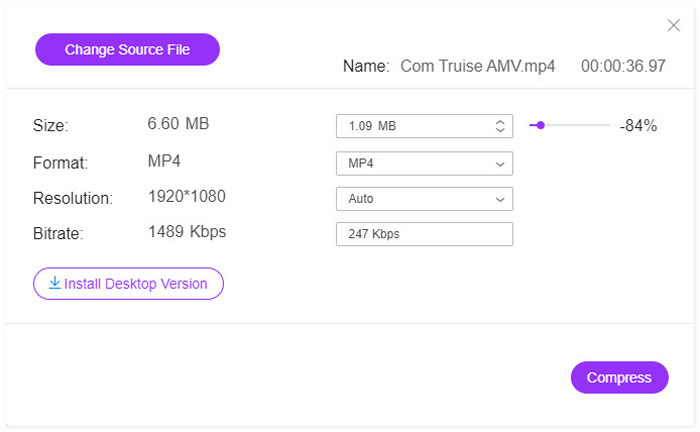
步驟 2. 選擇壓縮率和大小
在大小旁邊會顯示目前的 SWF 檔案大小。拖動右側的滑桿來選擇壓縮率。
或者,您可以單擊向下或向上箭頭圖標來調整輸出SWF文件的大小。
如果你想將 AMV 轉檔為其他格式,如 MP4、MOV、MKV、AVI、FLV 等,只需在格式旁邊選擇輸出格式即可。
你也可以從解析度的下拉選單中,將解析度從 1080p HD 降到 SD,以此變更 AMV 檔案大小。
步驟 3. 壓縮 AMV
在完成所有設定後,只要點擊壓縮按鈕,選擇儲存壓縮後 AMV 檔案的目的地,並開始 AMV 檔案的壓縮流程。
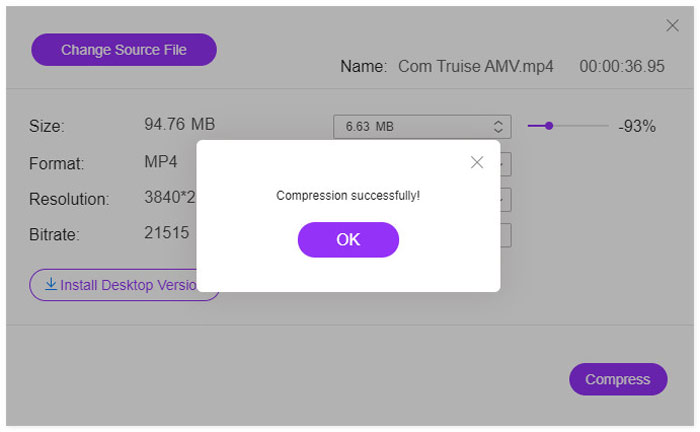
然後,只需找到目標即可找到壓縮的AMV文件。無需額外的步驟即可下載。
第2部分。如何減少計算機上的AMV文件大小
減少AMV文件大小的另一種方法是在計算機上獲取視頻壓縮程序。 Video Converter Ultimate是一款多功能的AMV壓縮器和創建器。除了壓縮AMV,Video Converter Ultimate還可以幫助您創建帶有剪輯的動畫音樂視頻集。

視頻轉換大師
1354465次下載- 將AMV與MP4,MOV,MKV,AVI,MP3等相互轉換
- 編輯視頻(分割,裁剪,旋轉,水印,字幕,合併等)
- 分割屏幕並使用照片,視頻和音樂創建MV。
- 強大的工具箱(視頻增強器,壓縮器,元數據編輯器等)
請按照下面提到的簡單步驟操作,以了解如何在計算機上壓縮AMV。
步驟 1. 在電腦上免費下載這款 AMV 影片壓縮程式。安裝成功後立即執行。
點擊工具箱分頁。
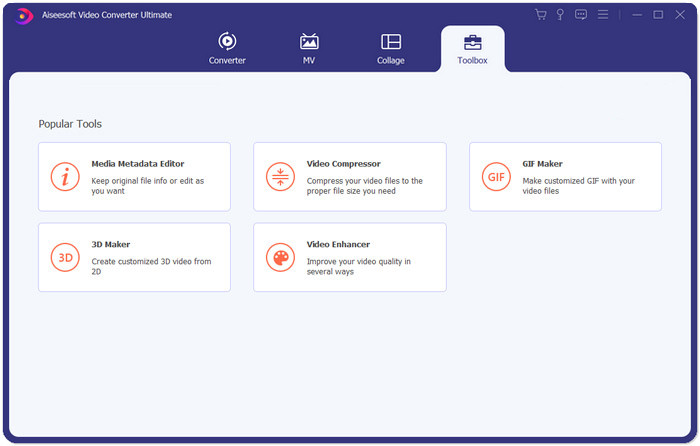
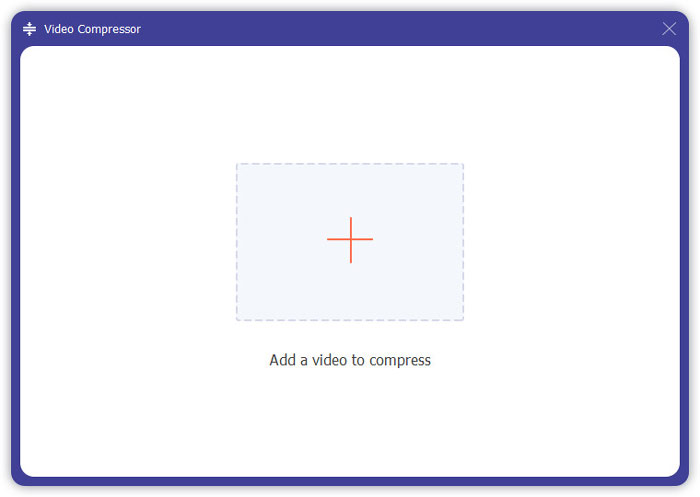
步驟 2. 點擊影片壓縮,再點擊大大的加號按鈕,會跳出開啟檔案視窗,選擇要匯入此軟體的動畫音樂影片檔。
步驟 3. 在這裡,你可以拖動滑桿來選擇 AMV 壓縮率,或點擊向下或向上的箭頭圖示來選擇 AMV 壓縮後的大小。
與免費的在線AMV壓縮器相比,該程序提供了更多的輸出格式。
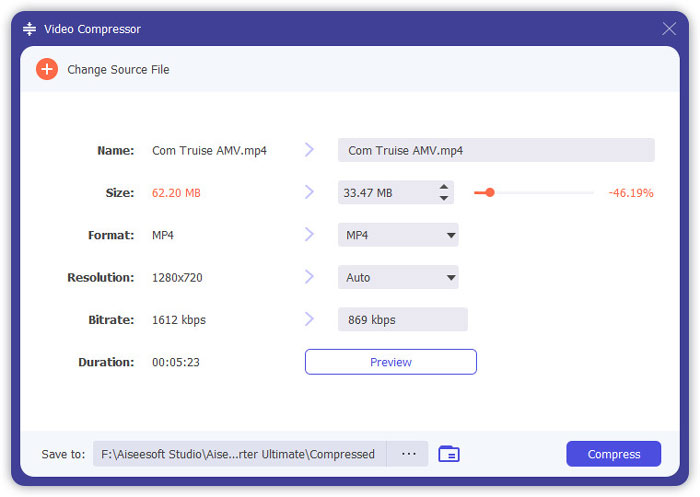
透過預覽按鈕,你可以先查看壓縮後的 AMV 檔案,以便及時調整壓縮率。
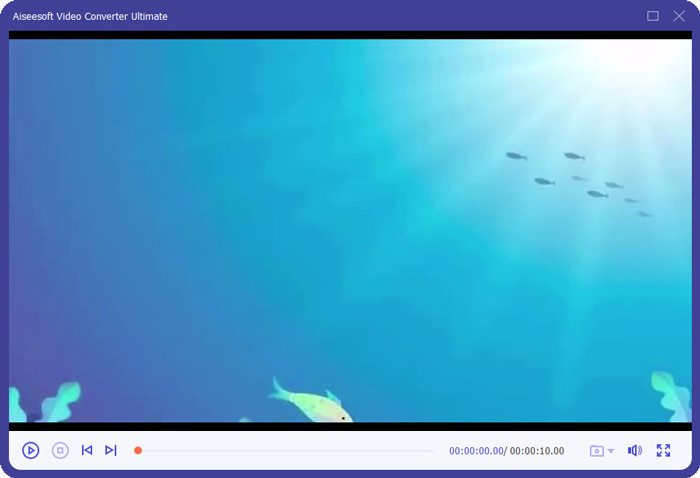
接著為輸出的 AMV 檔案選擇影片解析度,並設定儲存壓縮後 AMV 檔案的位置。當設定完成後,只需點擊壓縮即可開始減小影片檔案大小。
第3部分。壓縮AMV的常見問題解答
AMV在Scratch上代表什麼?
AMV是指Scratch Slang上的動畫音樂視頻。
AMV和MAD有什麼區別?
MAD通常指通過編輯和重新排列現有視頻或音頻而創建的視頻和/或音頻,並賦予其新的含義。 AMV是由粉絲製作的音樂視頻,包含來自一個或多個日本動畫節目或電影的剪輯的片段,並將其設置為音軌。 AMV有時可能包括美國鏡頭或視頻遊戲鏡頭,而MAD可能是指日本對AMV的更廣泛分類。
動漫OST是否受版權保護?
動漫OST用於將內容轉換為新內容,並且被認為是合理使用。但是,將帶有動漫OST的視頻上傳到YouTube後,版權所有者仍可以對它提出版權要求並從中獲利。
結論
壓縮AMV可以釋放設備上的更多空間,並平穩地上傳到在線站點。這篇文章分享了2種簡單的方法來將AMV文件減小為一個較小的文件。如果您不想下載繁重的程序,建議直接在線壓縮AMV。但是,如果要壓縮,轉換和製作AMV文件,則桌面工具Video Converter Ultimate非常適合您。
現在輪到您了。
哪種方法對您壓縮AMV更好?
還是您有其他使AMV變小的方法?
在下面留下您的評論,讓我知道。
-
 高質量壓縮GIF和減小文件大小的教程
 這是在計算機或手機上壓縮GIF的2種簡單方法。您可以使用FVC Free Online Video Compressor和Photoshop在不同方面減小GIF文件的大小。
-
 兩種壓縮YouTube視頻的方法
 YouTube視頻太大且上傳速度慢嗎?只需通過在線和計算機兩種方式將視頻文件的大小壓縮為YouTube較小的大小即可。
-
 如何將Facebook的視頻壓縮從GB釋放到MB
 如果您被禁止在Facebook上上傳大型視頻,請不要擔心。只需使用免費的視頻壓縮器將大視頻大小從GB壓縮到MB。
