


 視頻轉換大師
 屏幕錄影大師
 影片修復
影片修復2種簡單的方法來壓縮MKV文件而不會降低質量
想要縮小 MKV 檔案的大小,又不想犧牲畫質嗎?有沒有簡單、尤其是免費的方式來壓縮 MKV 檔案?
MKV 檔案通常具有良好的影音品質,但檔案體積往往很大。當你想上傳或分享 MKV 影片時,壓縮它就變得相當有必要。問題是,如何在不失真、不降低品質的情況下壓縮 MKV 檔案?

其實市面上有大量的影片壓縮工具,包括很多免費的線上工具,可以幫助你減小 MKV 影片的檔案大小。本文將與你分享 2 種簡單的方式來壓縮 MKV。
第1部分。如何免費在線壓縮MKV文件
如上所述,許多免費線上影片壓縮工具或編輯器都能幫你壓縮 MKV、減少檔案大小。首先,我們推薦一款很受歡迎的線上工具 —— Free Video Compressor,幫你完成這項工作。
這個免費的在線MKV文件壓縮器是專門為視頻壓縮而設計的。它高度支持幾乎所有視頻格式,包括MKV,MP4,MOV,FLV,AVI等。它具有減小4K,HD或SD視頻文件的文件大小而不會損失質量的能力。而且,此MKV壓縮工具具有批處理壓縮功能,可確保您以更快的速度完成視頻壓縮。
步驟 1: 開啟你的瀏覽器並前往此 MKV 檔案壓縮工具的官方網站。它相容於各種常用瀏覽器,例如 Google Chrome、IE、Firefox、Safari 等。

步驟 2: 點擊「Add Files to Compress」按鈕,下載並安裝一個小型啟動程式,用於壓縮 MKV 檔案。
步驟 3: 選取並加入你想要壓縮的 MKV 檔案。接著你可以在右上角看到 MKV 檔案大小以及影片長度。

步驟 4: 你可以調整 MKV 影片的解析度、幀率與位元率。此外,你還可以為壓縮後的影片選擇合適的輸出格式。完成以上設定後,點擊「Compress」按鈕開始壓縮 MKV。

只需單擊幾下,您就可以方便地壓縮MKV文件以減小文件大小。更重要的是,不會在您的壓縮視頻中添加水印。您應該知道,大多數在線視頻壓縮器都會在輸出文件中插入水印。
第2部分。壓縮MKV文件的專業方法
透過上述方法,你可以輕鬆在網路上免費壓縮 MKV 檔案。但如果你把 MKV 影片壓縮得太厲害,很可能得到一個畫質很差的壓縮檔。其實,你也可以選擇剪掉不必要的片段,在不損失畫質的前提下縮小檔案體積。這裡為你介紹一款功能強大的影片轉檔與剪輯工具 Video Converter Ultimate,幫助你在不降畫質的情況下壓縮 MKV 檔案。
Video Converter Ultimate 專為各類影片轉檔與剪輯作業而設計。它能裁剪影片,只保留你需要的部分。更重要的是,它內建「Video Compressor」功能,專門用於壓縮 MKV 檔案。
步驟 1: 雙擊上方的下載按鈕,免費安裝並啟動這款 MKV 檔案壓縮軟體。此影片壓縮工具同時支援 Windows PC 與 Mac 平台壓縮 MKV 檔案。
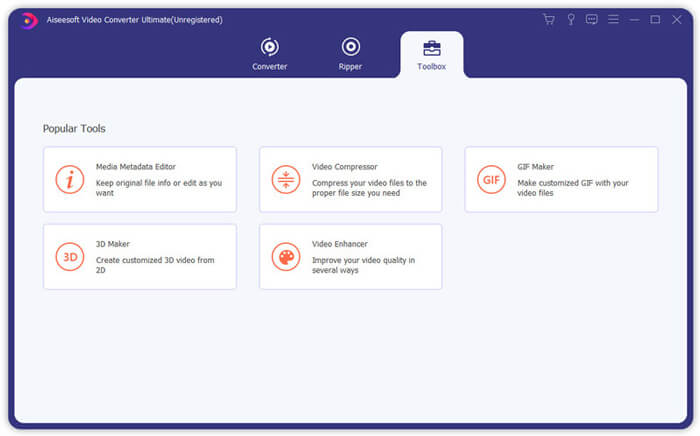
步驟 2: 進入主畫面後,點擊「Toolbox」分頁,然後選擇「Video Compressor」功能。
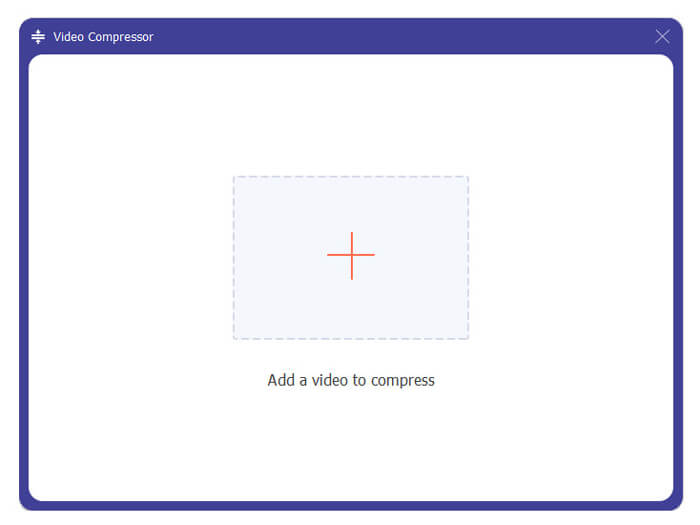
步驟 3: 點擊「+」圖示,匯入要壓縮的 MKV 檔案。
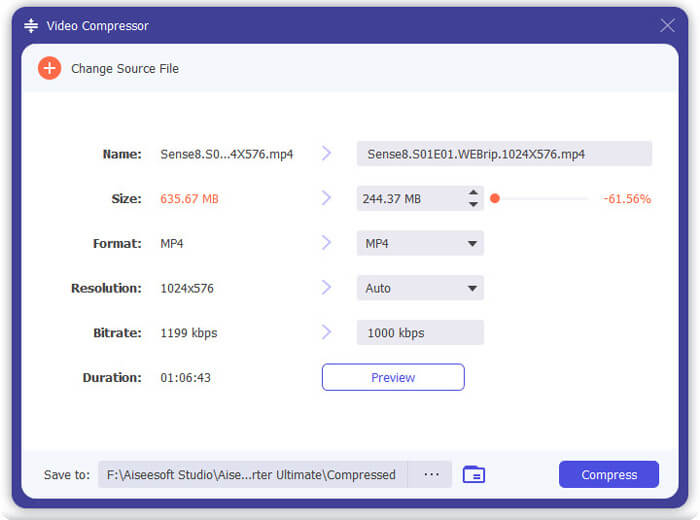
現在,您可以根據需要輕鬆地減小MKV文件的大小。在此步驟中,您還可以根據需要自定義視頻分辨率,比特率,持續時間和文件名。此外,您可以為壓縮視頻選擇合適的輸出格式。
步驟 4: 點擊「Compress」按鈕,開始將你的 MKV 影片壓縮成較小的檔案。
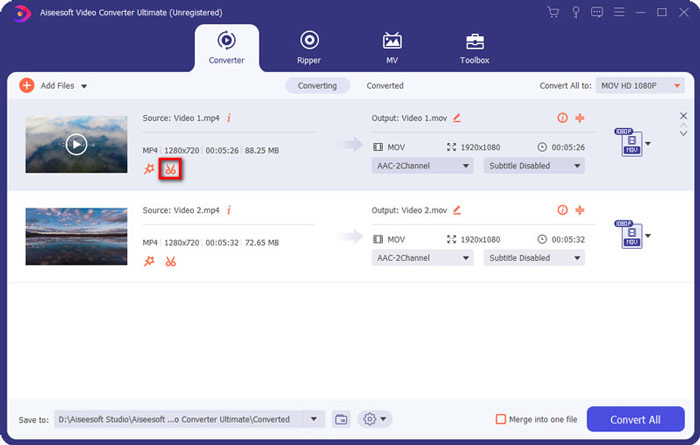
步驟 5: 如果你想透過剪輯來減小 MKV 檔案大小,可以回到主畫面並選擇「Converter」選項。匯入 MKV 影片後,點擊「Cut」圖示,刪除不需要的片段。
步驟 6: 你可以拖曳進度條上的裁剪滑塊,或直接輸入開始與結束時間來剪輯 MKV 檔案。接著點擊「Save」按鈕確認操作。
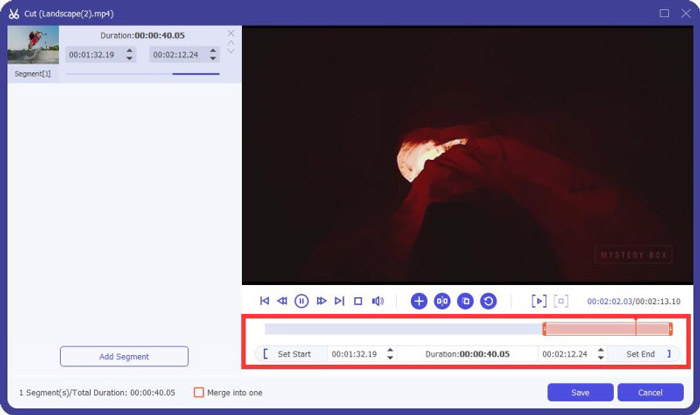
完成後,你會被導回主畫面。在這裡你可以點擊「Convert All」按鈕輸出 MKV 影片。這款 MKV 檔案壓縮軟體內建媒體播放器,可讓你直接預覽壓縮效果。
無論你是要壓縮影片用於電子郵件還是 WhatsApp,都可以在這個程式中輕鬆完成。
第3部分。壓縮MKV文件的常見問題解答
問題1.如何在不損失質量的情況下壓縮視頻?
您可以選擇修剪視頻以減小文件大小。這樣,您可以壓縮視頻而不會造成任何質量損失。如果您選擇免費的在線或專業視頻壓縮器,則視頻肯定會丟失一些圖像或聲音質量。但是您可能不會注意到眼睛質量下降。
問題2.如何將MKV文件免費轉換為MP4?
若想免費將 MKV 轉成 MP4 影片,你可以使用值得信賴的 Free Online Video Converter。它能輕鬆完成MKV 轉 MP4以及其他影片/音訊格式的轉換。
問題3.為什麼MKV文件那麼大?
MKV是一種容器格式,使用了更好的編解碼器和更高的壓縮率。 MKV文件通常是從藍光光盤中提取的,具有較高的分辨率。
結論
閱讀完本文後,你可以掌握 2 種簡單的方式來壓縮 MKV 檔案。透過文中推薦的影片壓縮工具,你可以輕鬆縮小 MKV 檔案的影片大小。如果你有更好的 MKV 壓縮方法,歡迎在留言區與其他讀者分享。
-
 在iPhone / Android /在線上為電子郵件壓縮視頻的教程
 無法通過太大的電子郵件發送視頻?如果遇到此問題,您可以在此處找到可行的方法來壓縮視頻以發送電子郵件。本文將詳細介紹如何免費縮小大型視頻文件。
-
 高質量壓縮GIF和減小文件大小的教程
 這是在計算機或手機上壓縮GIF的2種簡單方法。您可以使用FVC Free Online Video Compressor和Photoshop在不同方面減小GIF文件的大小。
-
 免費將AVCHD視頻壓縮為小文件的2種方法
 並獲得2種簡單的方法來壓縮AVCHD視頻文件。您可以使用在線和離線視頻壓縮器在計算機上免費減小AVCHD視頻大小。
