


 視頻轉換大師
 屏幕錄影大師
 影片修復
影片修復您可以用來在 Windows 和 Mac 上反轉視頻的 6 大反轉軟件
反轉視頻可以創建一個新的信息,可以讓觀眾思考或驚奇。此視頻效果已用於使視頻變得有趣並以不同的方式傳遞信息。許多音樂視頻,如 Aljt 的 Breezeblock 已在 YouTube 上以反向視頻上傳。因此,要了解有關如何反轉視頻的更多信息,請遵循本指南。因為它可以幫助您比以往更輕鬆地進行視頻倒轉。

第 1 部分。 頂級 1 和 2 離線軟件並了解如何在 Windows 和 Mac 上反轉視頻
頂部 1. Video Converter Ultimate
市面上有許多想要稱霸的影片剪輯工具,但出色的轉檔工具仍然是最佳選擇。其中最傑出的就是 Video Converter Ultimate,它已經幫助了上百萬名使用者解決各種問題,例如:如何將影片倒放。這款工具讓你能自行編輯影片,同時保有專業級的品質。就算你沒有任何剪輯經驗,它也非常適合你;即使你已經有剪輯基礎,這款工具依然能滿足你的需求。此外,許多剪輯軟體都沒有它所具備的高階功能。因此,如果你想更了解這款軟體,就一起來看看以下的步驟並正確操作。
步驟 1. 先將軟體下載到硬碟中,接著安裝並依照安裝精靈完成設定流程。
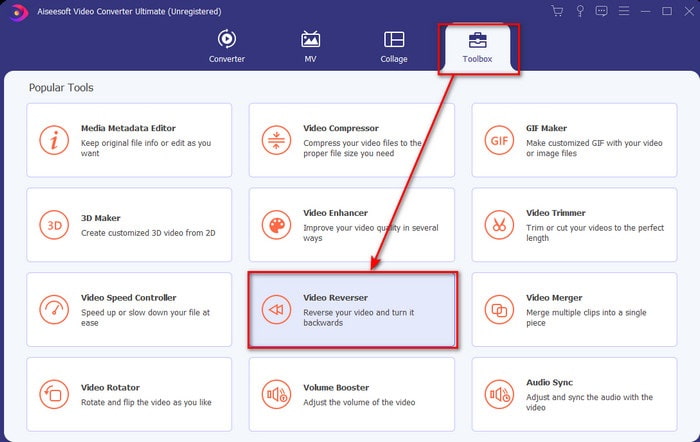
步驟 2. 啟動軟體,在 工具箱 中找到 影片倒放器(Video Reverser)。
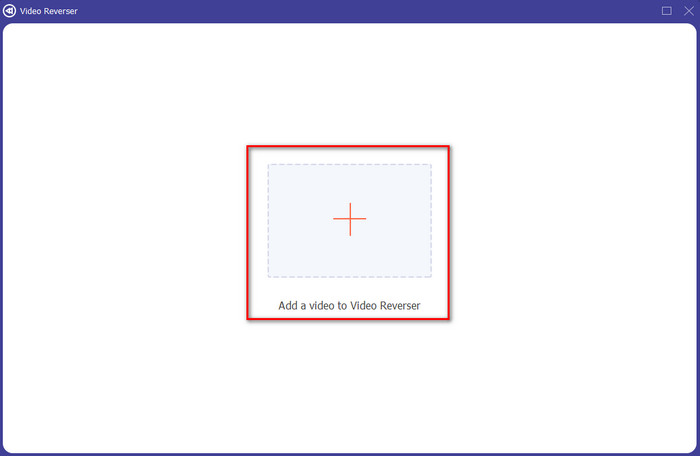
步驟 3. 點擊 + 號,從資料夾中選擇你想要倒放的影片,然後點擊 開啟(open) 進入下一步。
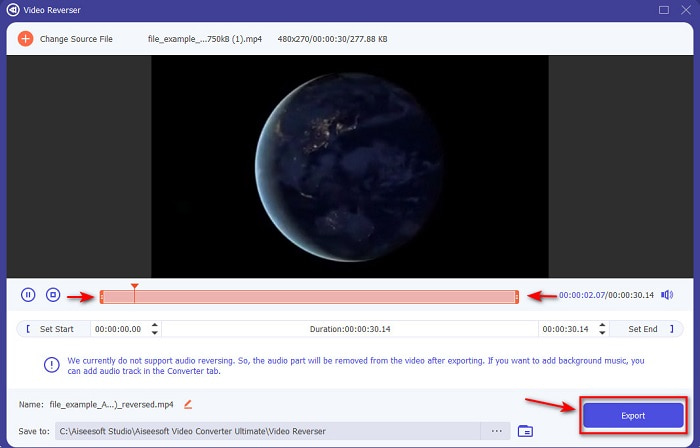
步驟 4. 透過拖曳播放範圍的起點與終點(playback in and out)來調整影片長度。若要下載倒放影片,請點擊 匯出(Export)。
步驟 5. 等候數秒完成匯出,完成後,前往資料夾點擊倒放後的檔案即可重新觀看影片,享受由 Ultimate Converter Ultimate 為你帶來、毫無延遲的倒放效果。
優點
- 如果您使用此工具,可以輕鬆執行專業的最終輸出。
- 它具有許多驚人的功能,可以讓您的視頻變得非凡。
- 可以在此工具中進行無限倒車。
缺點
- 需要先下載後才能使用。
- 它不是免費的,但如果您購買這個非凡的專業工具,它是值得的。
相關閱讀:
頂部 2. 簡易視頻製作器
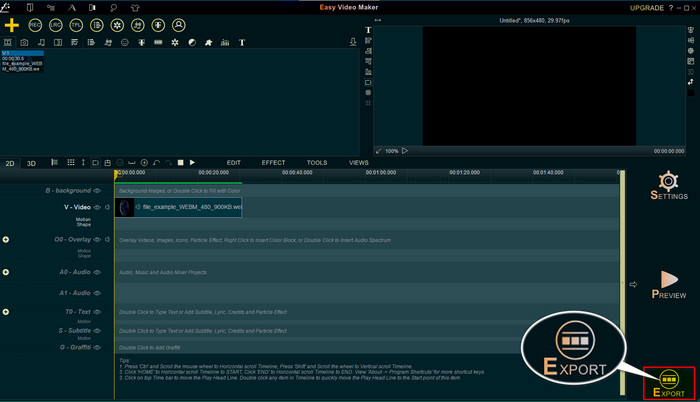
Easy Video Maker 是一款實用的工具,提供你所需的中階影片剪輯功能。你可以利用它為影片增加轉場、特效、合併等效果,讓畫面更出色。不過,它的介面看起來就像 90 年代的設計,非常老舊。而且在製作與剪輯影片時並不好上手,但效能表現卻相當不錯。此工具匯出的最終格式為 MP4。如果你想使用這款工具,請依照以下步驟操作。
步驟 1. 從網路上下載官方版的 Easy Video Maker。
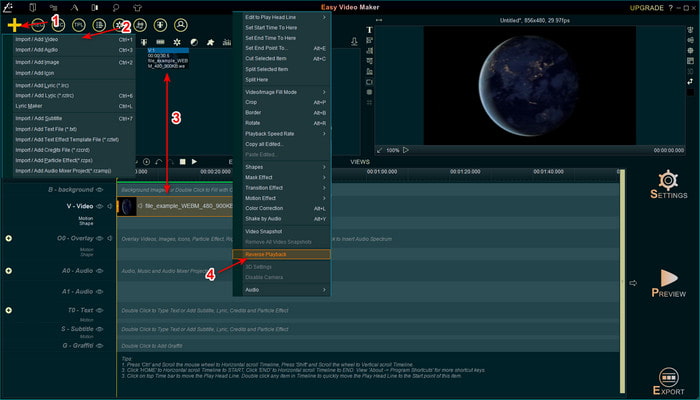
步驟 2. 啟動工具後,點擊新增(add)按鈕並選擇 匯入/新增影片(Import/ Add Video)。將檔案拖曳(Drag)至時間軸(Timeline),再右鍵點擊(right click)該影片,選擇 Reverse Playback 即可將影片倒放。
步驟 3. 按下 匯出(Export),將檔案儲存到你的硬碟中。
優點
- 該工具可免費下載。
- 它支持您需要的中級編輯。
- 學習如何使用它需要一些時間,但你會習慣的。
缺點
- 啟動該工具的加載時間比預期的要長得多,而且它的界面看起來太舊了。不是複古的感覺,而是字面上的舊。
- 您不能將超過 5 分鐘的視頻導出到其免費版本。
第 2 部分。 反轉視頻的前 3 和 4 在線工具
前 3. Ezgif
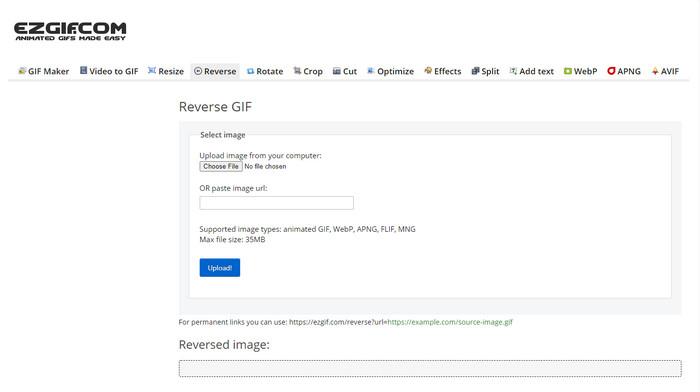
Ezgif 提供一項功能,可以線上免費將影片片段倒放(reverse clip)。此外,它還能製作 GIF、調整大小、裁切、最佳化等。不過,如果你上傳超過 35MB 的檔案到此線上工具,系統將不會允許倒放,因為檔案過大。所以若你打算倒放一支長片,這個工具並不是最佳選擇,因為有容量限制。但就倒放短片段而言,它的表現非常好,而且完全免費。
優點
- 無需將其下載到桌面上。
- 靈活高效。
- 方便使用的。
缺點
- 它將您的倒車限制為僅 35mb,這是一個非常小的使用。
- 將反向文件下載到您的驅動器中所花費的時間比預期的要多得多。
頂部 4. Clideo
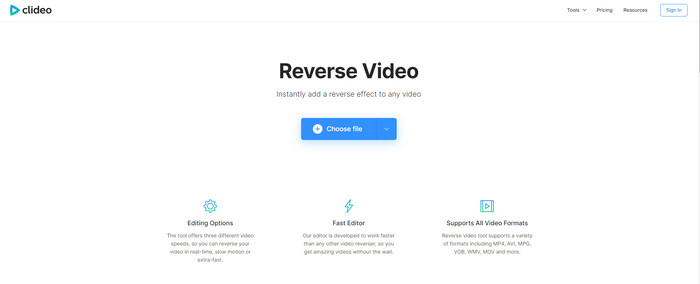
另一款可以線上倒轉影片(rewind video)的工具是 Clideo。它的介面設計極為簡約,但視覺效果很不錯,整體外觀比 Ezgif 更乾淨、也更具專業感。不過俗話說外表別太相信,這裡上傳檔案的速度非常慢,尤其是超過 40MB 的檔案。因此,請務必預留充足的時間與耐心,只為了等待檔案上傳完成。儘管如此,它仍支援多種免費的編輯功能,可以幫助你優化影片。
優點
- 任何有互聯網連接的人都可以免費使用。
- 網絡用戶界面通常很棒。
- 驚人的編輯功能可用。
缺點
- 上傳和下載要反轉的視頻將花費比預期更多的時間。
- 導出反向視頻後會包含一個巨大的水印。
第 3 部分。 在 iPhone/Android 上反轉視頻的前 5 和 6 應用程序
頂部 5. 反向視頻:向後播放 4+
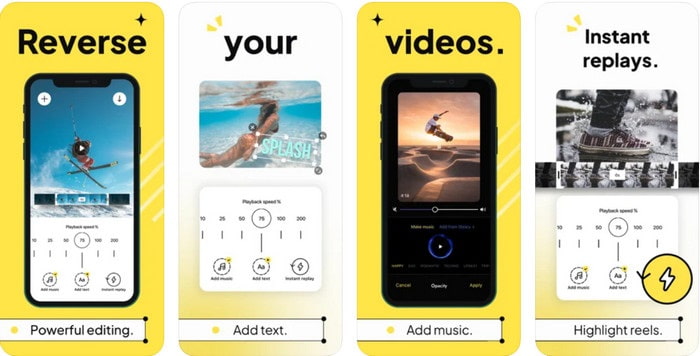
Reverse Video: Play Backwards 4+ 僅提供給 iOS 使用者使用,用於編輯倒放影片(backwards video)。此 App 的介面簡單易懂,且可以加入文字與背景音樂。雖然這款工具可免費下載,但許多評論指出它像是在騙錢,還表示使用者被強迫給予 5 星評價才能解鎖功能。如果你仍想親自試試,那就不要抱太大期望,因為在倒放影片這方面,它並不是最佳選擇。
優點
- 它的評分已經達到 4.5 星。
- 視頻倒車在這裡很好用。
缺點
- 這裡的大多數評論都不是在談論該應用程序。大多數都是重複的,談論廢話。
- 只加載一個文件需要很長時間。
- 免費導出的視頻質量很差。
Top 6. Reverse Movie FX - 魔幻視頻
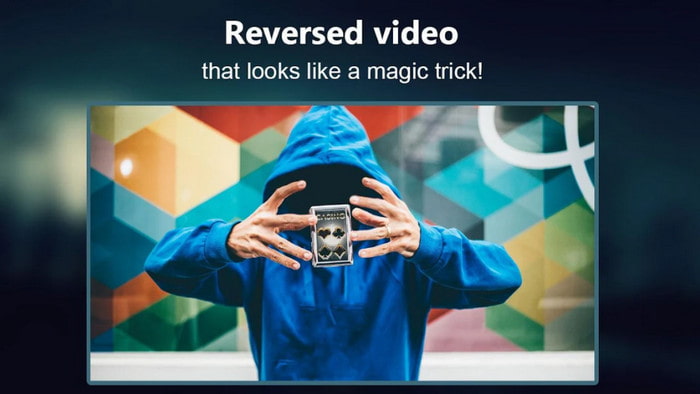
透過這款可在 Play 商店下載的 Android 應用程式 Reverse Movie FX - magic video,你可以輕鬆倒放影片(Reverse movie)。已有許多喜歡製作倒轉影片的使用者在使用它,它也支援循環播放與背景音樂。儘管看起來幾乎完美,匯出後的影片畫質卻會下降。基本上,如果你倒放的是 1080p 影片,成品很可能只剩 720p 或更低。此外,它含有廣告,有些會突然跳出來打擾。儘管如此,在倒放操作的易用度與效果上,它仍比 Reverse Video: Play Backwards 4+ 更好。
優點
- 在手機上創建反向剪輯、電影或視頻非常棒。
- 易於理解的用戶界面。
- 應用評論 4.5 星。
缺點
- 該應用程序有很多突然出現的廣告。
- 小錯誤和大錯誤仍在應用程序中。例如,如果您有時嘗試反轉視頻,它會顯示錯誤。
第 4 部分。 有關反向視頻的常見問題解答
反轉和反轉有什麼區別?
將注意力轉移到將某物變成不同的一面或其他位置;它可能顛倒或由內而外。例如,如果您將數字 12 反轉,結果將是 21。而反轉是從一個方向返回到原始方向。例如,如果時鐘倒轉,它將計數到 12、11、10、9、8、7、6 等等。
倒帶視頻效果可以用作過渡嗎?
是的,與其使用良好的“舊動畫過渡”,不如嘗試探索倒帶視頻的藝術。只需在其上添加反向即可非常有效,特別是如果您在編輯視頻方面經驗不足。僅通過將其用作過渡,您就可以製作出色的視頻,讓其他人甚至您也感到驚訝。然後在背景中添加音樂作為點睛之筆,使其更加美妙。
我可以在 VLC 上反向觀看視頻嗎?
是的,您已經可以在 VLC 上觀看反向剪輯、電影或任何類型的視頻。但是,如果它不是預先製作的,或者我們應該說它在那裡播放時還沒有反轉。然後很遺憾地說它不支持反向播放視頻。因此,在您在 VLC 上播放之前,請借助列表中的工具將其反轉。
結論
在你耐心閱讀並認真遵循本文中關於如何將影片倒放的所有步驟之後,現在你已經具備自行倒放影片的知識與能力。接下來,你只需要選擇最適合的倒放軟體,打造效果最佳、最出色的影片。而在所有工具之中,本篇名單中表現最優異的,正是這款傑出的 Video Converter Ultimate。現在正是下載、試用,並親自動手製作倒放效果的最佳時機。
-
 如何在 Windows 和 Mac 上從 DVD 加入 VOB 視頻
 如何在 Windows 和 Mac 上從 DVD 加入 VOB 視頻?這裡有 2 種有效的方法來組合提取的 VOB 文件並直接從 DVD 合併它們。
-
 6 個最佳 AVI 合併:如何在 Windows 和 Mac 上加入 AVI 視頻文件
 當您想加入 AVI 視頻以製作 DVD 時,您可以了解前 6 名最佳 AVI 加入者的功能,包括免費在線工具,以及文章中的桌面程序。
-
 [指南] 2 種從 Sony X70 加入 MXF 視頻的終極方法
 如果您從 Sony X70 中拍攝了一些 MXF 視頻,那麼加入 MXF 文件的最佳方法是什麼?以下是將視頻與高質量相結合的 2 種有效方法。
