


 視頻轉換大師
 屏幕錄影大師
 影片修復
影片修復深入了解 5 個可用的慢動作視頻編輯器
你是否喜歡觀看高速對抗類運動,例如賽車、拳擊、棒球、排球等?這些運動都需要高速攝影機來進行動作分析。如果你也想要分析每位運動員的每一個動作,那就來看看你可以使用的最佳慢動作影片製作工具。另外,透過下面介紹的工具,你不需要額外的專業設備,只要有桌上型電腦、網路或手機就可以。接下來請仔細閱讀各種工具的介紹,然後選擇一個最適合你的來使用。

第 1 部分。 3 適用於 Windows PC、Mac 和在線的最佳慢動作視頻製作器
1. Video Converter Ultimate
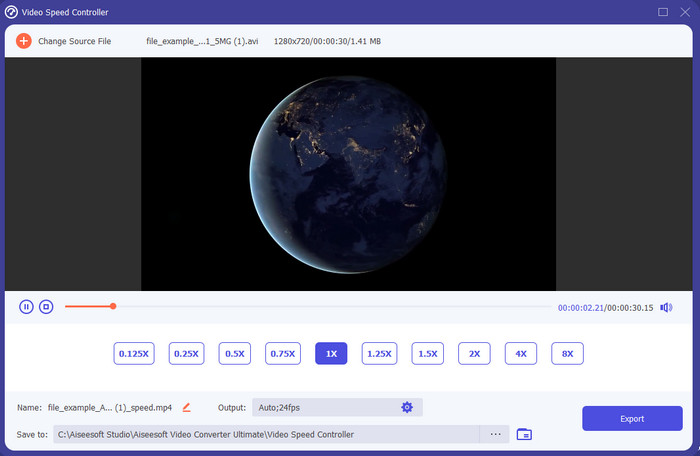
你想知道哪一款慢動作影片編輯器最適合用來把影片播放變成慢動作嗎?那就試試看Video Converter Ultimate,因為這款工具不僅好用,而且非常出色。它內建許多進階功能,即使你不是專業剪輯人員也會喜歡使用。就算你是專業使用者,無論你的剪輯能力到哪個層級,這套軟體都會是絕佳選擇。此外,你可以很快地在影片上加入慢動作效果,而不必閱讀繁瑣的說明書或觀看教學影片,因為這個工具提供的操作指引比下面幾款都還要簡單。雖然軟體需要付費才能全面使用,但價格並不算昂貴。如果你想更了解這款工具,可以先看看以下列出的重點功能。
Video Converter Ultimate 的主要特點:
◆ 具備進階功能、操作說明簡單的慢動作影片製作 App。
◆ 人性化的工具界面。
◆ 在視頻速度控制器上輕鬆調整視頻的速度。
◆ 支持超過 200 多種視頻和音頻格式。
◆ 可在PC 和Mac 操作系統上下載和訪問。
2.鮑里斯連續統時間單位
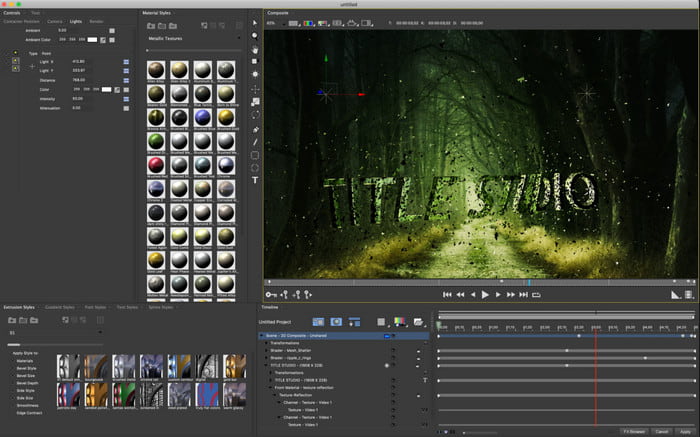
如果你想要一款「重型」的慢動作影片製作 App,那麼Boris Continuum Time Unit是最佳選擇。沒有其他工具能像它一樣,提供如此專業等級的輸出效果。此外,這款工具擁有非常細緻而強大的剪輯功能,值得你去嘗試。不過,雖然它的功能遠勝其他工具,價格卻也相當昂貴。另外,如果你想使用這款工具,你必須有高規格的桌上型電腦,舊型號的電腦幾乎無法順暢執行。
優點
- 用於進行大量編輯的最佳工具。
- 它與所有平台兼容。
- 該工具的界面看起來更像是一個專業工具。
缺點
- 該軟件是本文中最昂貴的。
- 需要一個高檔的系統單元。
- 對於沒有編輯背景的初學者來說,這不是最佳選擇。
3. VEED.IO
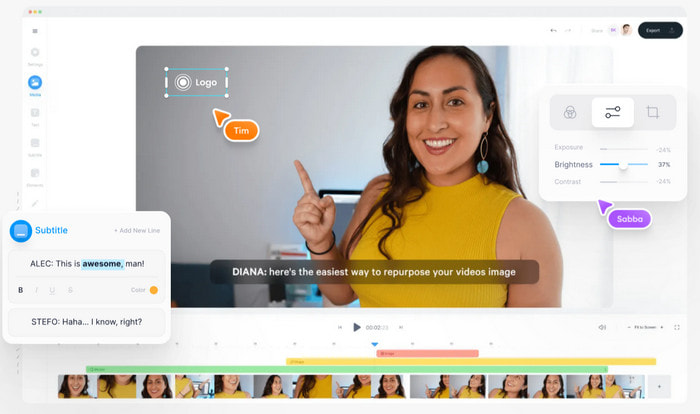
如果你不想花一毛錢、又有網路連線,那就試著使用VEED.IO。這是線上最佳慢動作影片製作軟體之一,因為它操作簡單、存取方便。整體介面非常乾淨,指示明確,對所有人來說都相當好上手。不過,它只允許上傳 50 MB 以下的檔案,如果你想上傳更大的檔案,就必須升級方案。而且如果你沒有付費購買,輸出的影片上會帶有浮水印。
優點
- 任何有互聯網連接的人都可以輕鬆訪問。
- 網站上沒有討厭的廣告。
- 新手在編輯時容易處理。
缺點
- 免費版本的工具功能非常有限。
- 互聯網依賴。因此,如果您的互聯網速度很慢,那麼上傳、下載和編輯的速度會很慢。此外,如果您沒有互聯網連接,則無法訪問此工具。
第 2 部分。 Android 和 iOS 上最佳慢動作視頻應用程序的 2
1 個 SloPro
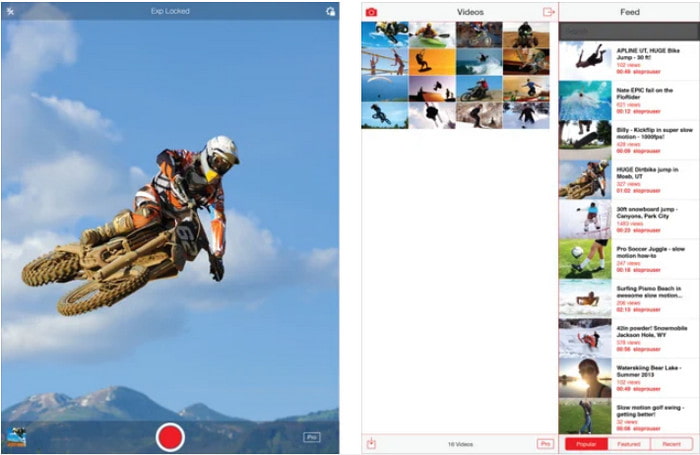
SloPro是 iOS 上最好的免費慢動作影片 App之一。這款 App 最多可以把播放幀率調整到 500 至 1000 fps。此外,你可以自由在快轉與慢動作播放之間切換。不過,儘管這個工具看起來是很不錯的選擇,仍然有不少缺點。像是影片輸出後會儲存在 App 的相簿中,而不是儲存在系統的相機膠卷裡。另外,有使用者反映,當嘗試使用 1000 fps 時,影片會變得很卡或出現錯誤。不過整體而言,因為它免費又能輕鬆完成慢速播放,所以仍然是一款相當不錯的工具。
優點
- 您可以在 iOS 上免費使用的最佳慢動作播放。
- 它已經獲得了公平的評價和 3.3 星。
- 簡單易用。
缺點
- 最終輸出不會直接保存在圖庫中。
- 保存在 SloPro 圖庫中的所有視頻都是隨機的,沒有正確分類。
- 如果您使用的是 1000 fps,那麼預計會有錯誤的視頻輸出。
2. 慢動作視頻製作器
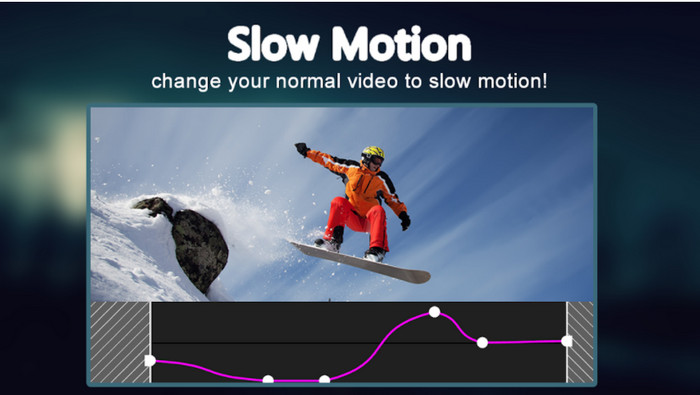
在 Android 手機上可以免費下載的優秀慢動作影片製作工具之一,就是Slow Motion Video Maker。透過這款 App,你可以輕鬆對影片進行快轉或慢動作播放。不過,這個 App 會不時跳出許多惱人的廣告。另外,它的慢動作播放只能以 0.5 倍速來調整。總的來說,若只是想在 Android 手機上簡單把影片變慢,它仍是好用的選擇,只是廣告確實大大影響了使用體驗。
優點
- 該應用程序可在 Play 商店免費下載。
- 用來平滑地放慢視頻非常棒。
- 該應用程序易於管理。
缺點
- 它有很多討厭的廣告無處不在。
- 下載視頻可能需要很長時間,因為它沒有加速處理。
第 3 部分。 有關慢動作視頻製作器的常見問題解答
FPS的作用是什麼?
它用於計算顯示面板上顯示的連續幀系列。這在每個動作捕捉中最常見,例如在視頻遊戲、相機、電影中,甚至我們的眼睛也能看到 30 到 60 fps。
慢動作的最佳 FPS 速率是多少?
可用於以慢動作播放方式觀看視頻的理想 FPS 介於 120 或 240 fps 之間。因此,如果您想要更詳細的慢動作播放,那麼請提高 FPS。
如何在快動作播放中播放視頻?
如果你想知道怎麼把影片加速播放,可以點擊這個連結,了解5 個用來加快影片速度的最佳工具。
結論
總結來說,本文介紹的所有工具,都是你能在網路上找到的優秀慢動作影片製作工具。希望這篇文章已經幫助你縮短搜尋時間、讓選擇變得更輕鬆。不過,如果你想讓影片效果更出色,可能會特別想試試看Video Converter Ultimate。它所提供的各種進階功能既強大又好用。如果你還半信半疑,不妨先下載來親自試用看看。
-
 在您的手機上播放 MOV 文件的最佳 Android 應用程序
 因為您的 MOV 錄音無法在您的 android 中播放而遇到困難?因此,在這種情況下,您正在尋找適用於 android 的最佳 MOV 播放器。
-
 5 款強大的 AVI 播放器來觀看和播放 AVI 文件 [Web & Desktop]
 了解您可以使用哪些 AVI 播放器來播放和觀看 .avi 文件。繼續閱讀下面並選擇哪個媒體播放器比另一個更好。
-
 如何在 Xbox One S 2021 上 MKV 文件的有效方法
 探索可以幫助您使用一些最佳轉換器在 Xbox One S 上播放 MKV 文件的方法。
