


 視頻轉換大師
 屏幕錄影大師
 影片修復
影片修復如何添加和製作 Snapchat 過濾器並使用它們創建有趣的視頻
Snapchat 為使用者提供了一套獨特的濾鏡與特效,可以用來讓影片變得與眾不同;它是一款臉部變形(臉部特效)工具。Snapchat 在全球每日大約擁有 2.93 億名使用者,而且還在持續成長,使用者每天分享超過 40 億則 Snap;毫無疑問,這款 App 已在行動裝置使用者間大受歡迎,尤其是青少年。現在,我們就要介紹六款最棒的 Snapchat 動態濾鏡,讓你看起來搞笑、帥氣、或是怪咖通通可以。

第 1 部分。什麼是 Snapchat

在我們繼續前六名 Snapchat 動畫過濾器之前,我們將簡要介紹 Snapchat 應用程序。首先,Snapchat 提供了多種濾鏡和效果,您可以在視頻、圖像甚至手機上的圖片庫中使用這些濾鏡和效果。
最初,Snapchat 並沒有因其過濾器而出名。但對於它的移動消息應用程序。在 Instagram 和微信複製此功能之前,該應用程序是第一個支持自毀消息應用程序的應用程序。因此,開發人員添加了新功能,聊天和故事,為他們的應用程序增添趣味。我們今天可以使用的功能不在應用程序的第一個版本中。
發布一年後,很多應用開發者都想購買這款應用,主要是 Facebook 的 CEO 和創始人。但上述移動消息應用程序開發人員相信它有一天會流行起來,他們是對的。是不是很神奇? Snapchat 成為全世界下載量最大的移動應用程序。它甚至比具有過濾器等其他功能的消息傳遞應用程序還要好。但問題是,您可以使用的最佳 Snapchat 動畫濾鏡是什麼?要回答這個問題,請繼續閱讀第 2 部分。
第 2 部分。 2022 年 6 大最佳選擇 Snapchat 過濾器
您可以在 Snapchat 上使用許多免費過濾器;它們對您拍攝的每個快照都有不同的影響。你想知道這些過濾器是什麼嗎?下面,我們列出了我們最喜歡的六個過濾器,如果您這樣做的話,可以讓您拍得更好。此外,我們列表中的這些過濾器是 Snapchat 上選擇最多的,您還在等什麼?閱讀下面的詳細信息。
卡通 3D 風格濾鏡
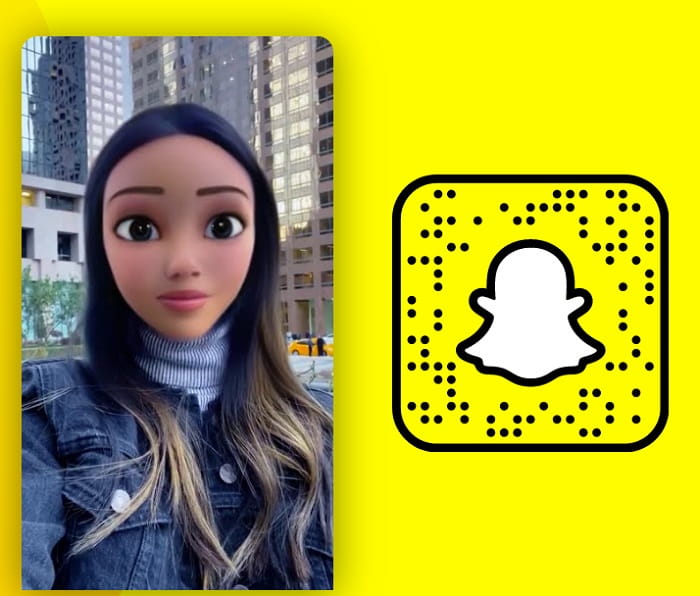
每個人都喜歡 Snapchat 卡通濾鏡;因為它可以把你的臉變成卡通人物。由於合理的理由,這個過濾器是 Snapchat 上選擇最多的。使用此過濾器,您無需成為專業人士即可看起來像卡通人物。因為它會自動將動畫放在您的臉上,看起來像電影中出現的迪士尼角色,所以現在就試試看,看看您是否可以完美地適應下一部迪士尼動畫電影。
狗過濾器
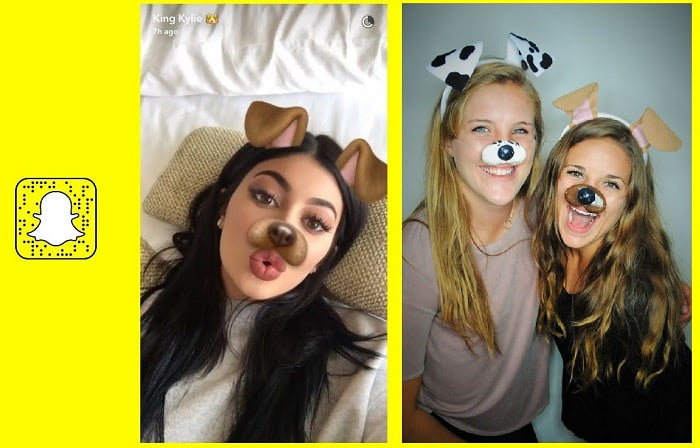
誰愛狗?我們大多數人都喜歡狗,因為它們被稱為人類最好的朋友。使用 Snapchat 狗過濾器,您可以在快照中添加狗過濾器。這個濾鏡不會把你的臉變成一隻真正的狗;好吧,如果是這樣,那就太酷了;它只是一個過濾器,可以像狗一樣添加耳朵、鼻子甚至舌頭。此外,您可以嘗試與您的朋友一起使用此過濾器,看看你們兩個之間誰更可愛,並與您的朋友分享,讓他們判斷。
去除鬍鬚過濾器
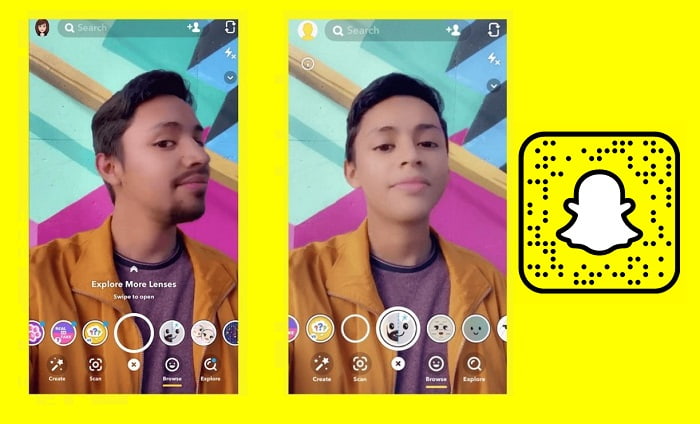
這個過濾器現在很流行,因為它可以去除你伴侶的鬍鬚,看看他們沒有它的樣子。 Snapchat 上沒有鬍鬚過濾器是一種讓您或您的伴侶看到沒有鬍鬚的方式。由於每個嘗試使用過濾器的用戶的搞笑結果,它變得流行。許多人嘗試使用此過濾器,但大多數結果都出人意料地有趣。因此,如果您正在考慮剃鬍鬚或要求您的伴侶去除鬍鬚,您必須先嘗試此過濾器以查看可能的結果。我們承諾如果您有鬍鬚,這個過濾器是必須嘗試的。
禿頭過濾器
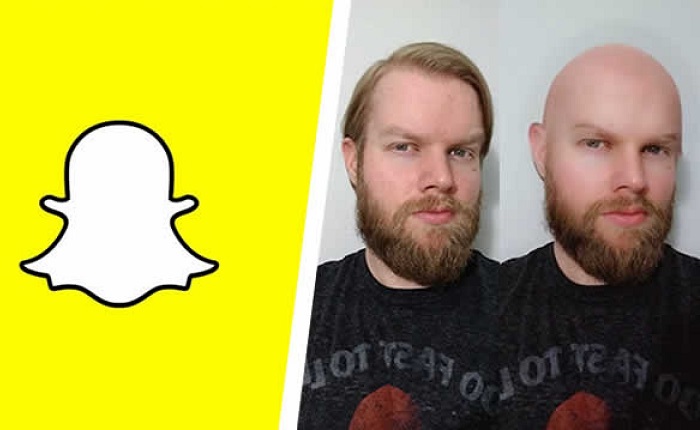
你想把頭髮剪成禿頭嗎?想看看禿頭是什麼樣子嗎? Snapchat 上的禿頭過濾器非常有趣。因為此過濾器不分性別,這意味著您可以將此過濾器用於任何您想看到禿頭的人。此濾鏡通過添加鬍鬚、眉毛等附加效果使用戶看起來禿頂。正如我們之前所說,該應用程序是一個中性過濾器,這意味著通過使用此過濾器,您可以將某人視為禿頭並對此大笑或測試它是否適合您,如果您要禿頂.試試這個過濾器,看看禿頂對你來說是不是一個不錯的選擇。
新娘面紗過濾器
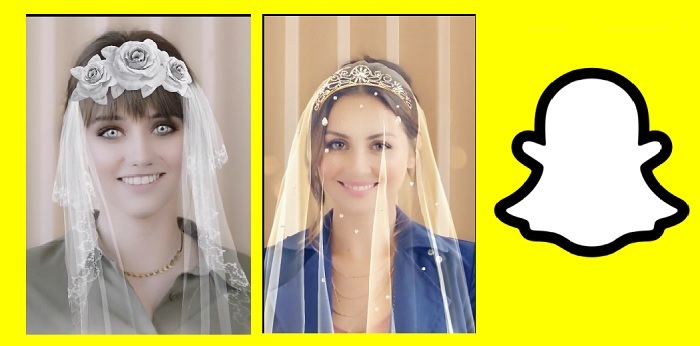
這個婚禮 Snapchat 過濾器可以幫助您添加效果,就像您正在舉辦婚禮一樣。從技術上講,你不會像典型的婚禮那樣擁有面紗和婚紗,但這兩者都是動畫版本。雖然這不是您想要的完美婚禮,但它是您需要的最有趣的婚禮過濾器。此濾鏡在套裝中不可用,因為它經常更改,但您可以在探索鏡頭上搜索它並查看其他新娘濾鏡套裝。
生日蛋糕過濾器
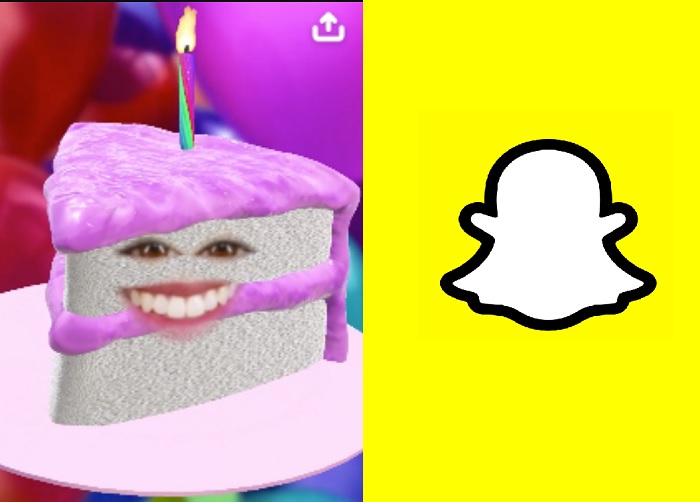
想用蛋糕給某人一個驚喜嗎?好吧,你可以用這個過濾器成為蛋糕。您可以使用 Snapchat 生日過濾器來問候某人或與生日相關,例如蛋糕。您可以在探索鏡頭上找到不同的生日派對過濾器,讓慶祝者感到高興,或者您可以嘗試使用此過濾器。
既然我們已經提到了我們對 Snapchat 過濾器的所有選擇,你有沒有想過你是否可以創建一個?令人驚訝的是,您可以製作過濾器。不知道該怎麼做?閱讀下一部分,了解如何製作可在 Snapchat 上使用的過濾器。
第 3 部分。關於如何在線製作 Snapchat 過濾器的簡化教程
Snapchat 有一個在線版本,您可以在其中創建過濾器,想知道如何製作 Snapchat 過濾器嗎?如果是這樣,您可以按照以下指南成功創建一個。此外,這些步驟不會教您動畫濾鏡,但會教您如何在拍攝的快照上添加徽標、區別、背景等。
步驟一。 開啟瀏覽器並前往 create.snapchat.com。點擊開始使用(Get Started),接著按立即提交(Submit Now)。
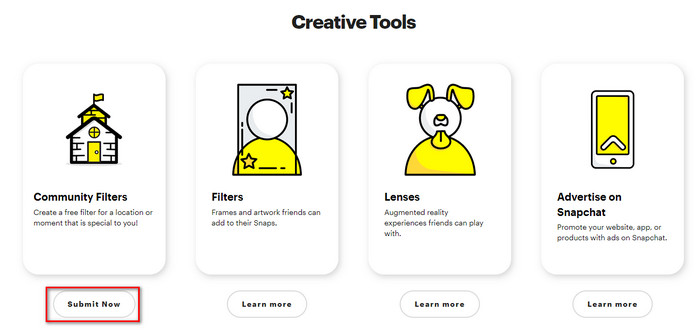
在繼續下一步之前,請記住在 Snapchat 上登錄您的帳戶。之後,執行下一步。
步驟二。 在 GEOFilter 與 MomentFilter 之間擇一;任選皆可,但今天我們將選擇 GEOFilter。按下上傳(upload)以匯入你所製作的濾鏡;請確保檔案格式為 .png。然後點擊繼續(continue),再選擇你的濾鏡可以套用的地理圍欄範圍。
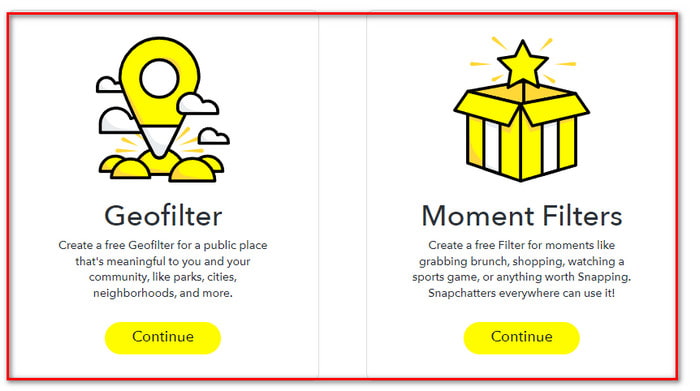
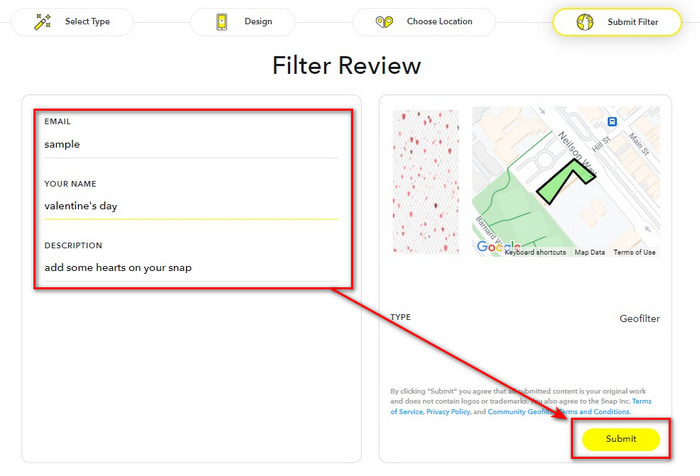
步驟三。 最後,填寫所需的相關資訊,並按下提交(Submit)。
第 4 部分。如何使用 Windows 和 macOS 上的終極軟件為視頻添加漂亮的過濾器
雖然你已經可以在 Snapchat 上運用各種厲害的濾鏡,看起來好像什麼都做得到,但你知道還可以讓它更上一層樓嗎?透過 FVC Video Converter Ultimate 的協助,你可以讓 Snap 影片變得更加吸睛。這款影片編輯器可在任何 Windows 和 Mac 系統上使用,而且操作起來比同平台上其他影片編輯工具更為簡單。想要只用幾個步驟就做出更令人驚豔的影片嗎?請依照下方教學,把你的 Snapchat 影片變成更生動有趣的作品。
“在執行以下步驟之前,請記住先在計算機上傳輸視頻快照。”
步驟一。 在使用這款影片編輯器之前,你必須先點擊下方提供的下載按鈕,將它下載到你的裝置。安裝完成後立即啟動,接著就能進行下一步。
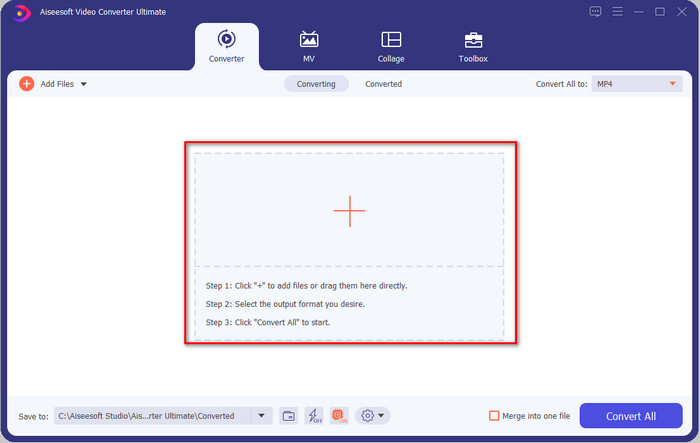
步驟二。 開啟工具後,點擊+按鈕新增你想編輯的 Snapchat 影片,然後按開啟(Open),將影片上傳到編輯器的等候列表中。
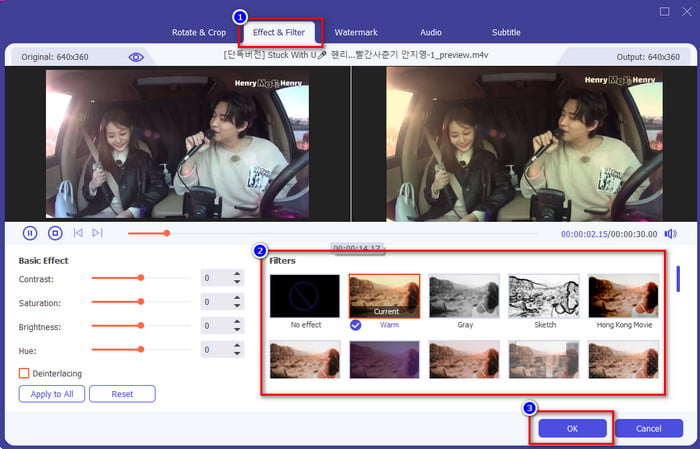
步驟三。 按下魔杖(wand)按鈕,為你的 Snap 影片加入濾鏡,讓畫面更加出色。你可以透過點擊效果與濾鏡(Effects & Filters)來找到此工具內提供的所有濾鏡。選擇你想套用到影片上的濾鏡,你也可以全部都試試看。若決定使用某個濾鏡,按下確定(OK)即可。
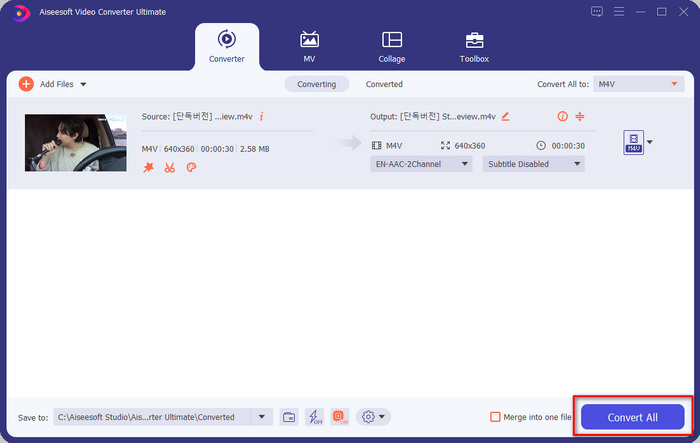
步驟四。 最後,點擊全部轉換(Convert All)按鈕,就會立刻開始儲存已加上濾鏡的 Snap 影片。完成後,你就能在線上分享或發布這支影片,用你在這款終極工具中做出的成果讓其他網路使用者刮目相看。
第 5 部分。關於 Snapchat 過濾器的常見問題解答
哪個應用有更多過濾器? Snapchat 還是 Instagram?
Snapchat 的濾鏡比 Instagram 還多。不過你知道嗎,Instagram 也有一些獨特的濾鏡,可以讓你的影片或照片更出色?我們整理了Instagram 上最好的濾鏡,你可以點擊連結進一步閱讀。
為什麼我在 Snapchat 上找不到過濾器?
Snapchat 上的過濾器會旋轉更改,這意味著它們不是永久列表中的。但是你可以通過去探索鏡頭找到一個特定的過濾器,通過點擊星形圖標,你可以將它保存為收藏夾。
導出 Snapchat 是否有水印?
到目前為止,如果您將視頻或圖像保存在手機上,Snapchat 不支持為您的視頻或圖像添加水印。這樣,您就可以享受沒有水印的快照。
結論
綜合我們蒐集到的所有資訊,我們認為可以很有把握地說:Snapchat 是目前你能在行動裝置上免費下載的頂尖濾鏡 App。即使這款工具已經發揮了相當大的潛力,開發者仍不會停下腳步,會在功能與濾鏡方面持續精進。至於 FVC Video Converter Ultimate,它同樣為你提供了極佳的濾鏡功能,而且價格實惠。如果你想讓自己的 Snap 影片變得更好,那就為它加上一點這款終極工具的魔法,讓影片變成最佳之作吧!
-
 在 Mac 和 iPhone 上使用 iMovie 向視頻添加文本的簡單方法
 需要使用 iMovie 向視頻添加文本?閱讀整篇博文,了解如何通過詳細步驟在 iMovie 上添加文本標題。
-
 在 Windows 和 macOS 上為視頻添加濾鏡的 4 種驚人方法
 想知道為視頻添加濾鏡的最佳方式嗎?幸運的是,我們找到了您可以在此任務中使用的三個視頻編輯器;繼續閱讀這篇文章以了解更多信息。
-
 終極指南如何更改跨平台可用的視頻分辨率
 需要更改視頻的視頻分辨率?如果是這樣,請了解您可以輕鬆更改正在觀看的視頻的視頻分辨率的不同方法。
