


 視頻轉換大師
 屏幕錄影大師
 影片修復
影片修復在關於前 5 名無障礙聲音放大器應用程序的詳細評論中
整個宇宙裡的所有人都熱愛音樂,無論是流行、金屬、搖滾、爵士等等。不過,並不是所有喇叭都能提供足以讓人起雞皮疙瘩的震撼音效。而且,購買實體擴大機往往要花上一百多美元,甚至可能超過一千美元。這樣是不是很昂貴?但如果改用這些在各大平台上都能取得的優質擴音工具,我們其實可以避免花大錢。現在,如果你想使用聲音放大器 App,不妨看看下面這些清單,價格都遠低於前面提到的金額,卻依然能達到出色的放大效果。

第 1 部分。 PC 和 Mac 上可用的非凡聲音放大器
如果你想體驗 8D 或 16D 音效,又不想在實體擴大設備上大筆花費,那就試試 Video Converter Ultimate 吧。和一般的擴音設備不同,使用這個工具你能以更低的成本獲得效果,而且不必進行複雜的硬體安裝,也不需要翻閱厚重的說明書來學習操作。此外,這款桌面軟體在提升影片、音訊、GIF 等方面的表現也非常優秀。雖然這工具是付費軟體,但使用起來相當順手、沒有太多麻煩,並且提供進階功能,讓你可以輕鬆套用到影音檔案上。所以,如果你想知道如何使用這套軟體,那就一定要按照下方提供的步驟來操作。
如何使用 Video Converter Ultimate 的音量增強功能步驟說明:
步驟 1. 首先,先在你的 PC 或 Mac 硬碟中下載這套軟體。接著在電腦上安裝,並依照指示完成簡單的手動設定。
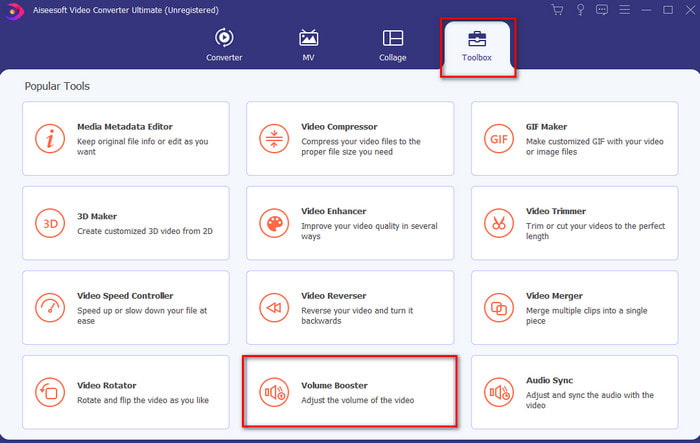
步驟 2. 在工具箱(Toolbox)區域下,點擊Volume Booster(音量增強)。
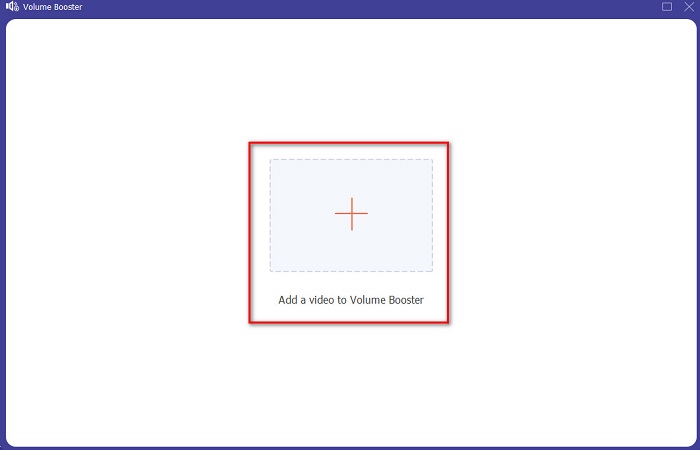
步驟 3. 點擊 + 按鈕,選擇你想要放大音量的檔案。然後按一下Open(開啟)以繼續。
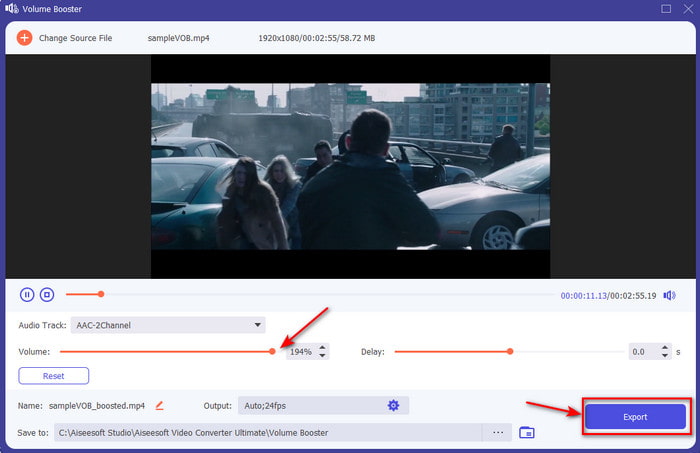
步驟 4. 在介面上,你現在可以拖曳音量滑桿(volume slider),讓聲音變得更大、更清楚。完成音訊調整後,點擊Export(匯出)。
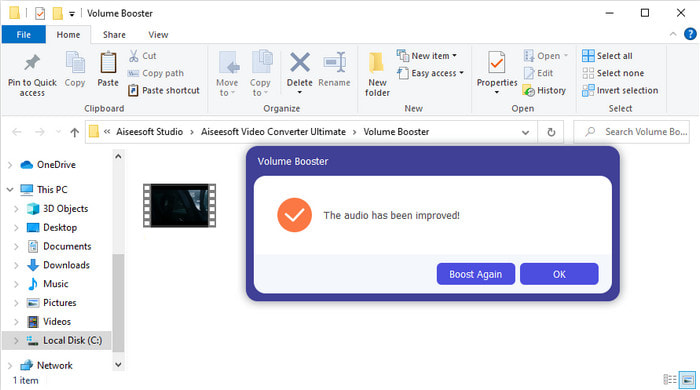
步驟 5. 等待數秒讓處理程序完成。完成後,檔案總管會在螢幕上跳出,顯示你剛剛放大過的檔案,點擊該檔案即可收聽。
優點
- 該軟件易於使用,可以使您的音頻聽起來非凡。
- 該軟件的性能深受其客戶的讚賞。
- 它可以很容易地在 PC 和 Mac 上下載。
缺點
- 此軟件不支持移動設備。
- 該工具是付費的,但與其他桌面工具相比,它並不昂貴。
相關閱讀:
第 2 部分。 iOS 和 Android 手機上可用的最佳聲音放大器應用程序的 4
1. 音量增強 – 聲音放大器 4+ (iOS)
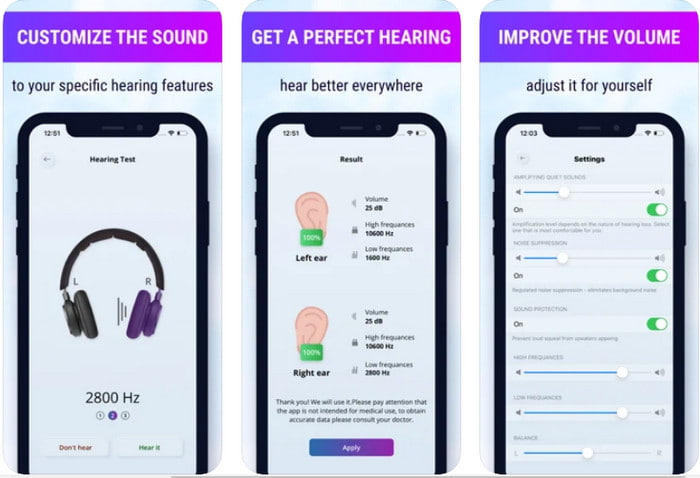
iOS 使用者可以免費下載Volume Boost- Sound Amplifier 4+。這款 App 能透過自動調整輕鬆放大音量,幾乎不費力,當然你也可以手動覆寫設定。此外,這款 App 拿來當作擴音工具表現相當不錯,不過它無法搭配藍牙喇叭以及無線耳機或耳塞使用。而且在使用過程中,你可能會遇到頻繁當機的情況,以及在開啟 App 時難以避免的廣告。雖然 App 本身可免費下載,但若想移除廣告並解鎖其他功能,仍需額外付費。
優點
- 可在任何 iOS 設備上免費下載。
- 將揚聲器的音頻輕鬆放大至 30db。
- 直觀的界面和設置。
缺點
- 經歷了很多崩潰、死機和錯誤仍然在這個應用程序上。
- 廣告有很多要避免的。
2. Extra Volume Booster - 響亮的揚聲器(Android)
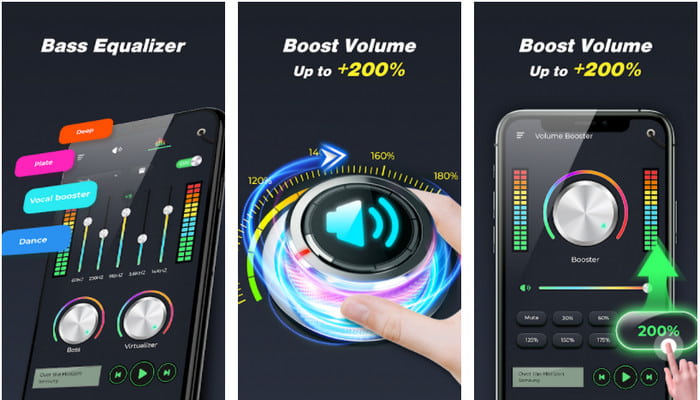
如果 iOS 使用者有手機聲音放大器,那 Android 使用者當然也應該有類似的工具,例如Extra Volume Booster。此外,許多使用者已對這款 App 的表現感到相當滿意,因為它在擴音與增幅方面的效果十分突出。不過,一旦你開啟這款 App,手機上所有發出的聲音,如來電鈴聲、鬧鐘、通知等,通通都會被放大,也就是說,它沒有針對這些項目進行分開設定的功能。雖然這款工具免費使用,但整體上仍可說是優於許多在 Android 或甚至 iOS 平台上需要付費的 App。然而,如果你把音量拉到 200% 的最大值,那就要有心理準備,手機內建喇叭或無法承受 200% 音量的藍牙喇叭,很可能會出現破音甚至損壞。
優點
- 您可以在 Android 設備上下載放大器的簡化版本。
- APP界面雖然不多,但是很棒。
- 此應用程序提供不同的放大和增強功能。
缺點
- 預計在使用該應用程序時會遇到無數廣告。
- 使用該工具時,CPU 或手機可能會發熱。
3. 揚聲器增強:音量增強器和聲音放大器 3D (Android)
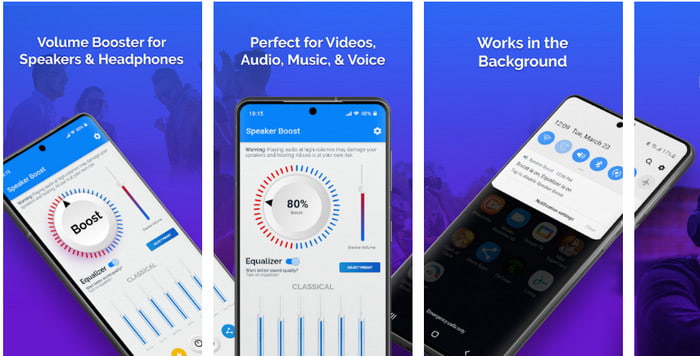
另一款你可以在 Android 上使用的環繞音效放大 App 是Speaker Boost。和 Extra Volume Booster 類似,這款 App 功能非常到位,而且即使你沒有相關經驗,也能輕鬆上手。同樣地,你可以免費下載這個工具,但裡面提供了一些你可能會想購買的內購項目,例如移除惱人的廣告等。雖然這工具本身用起來還算公允,但若要購買內購功能,相較於本清單中其他軟體,價格就顯得相當高。另一個讓許多使用者感到困擾的問題是,這款 App 會在廣告阻擋工具(ad-blocker)後台運作,也因此有可能存在間諜軟體的風險。
優點
- On-point 可以輕鬆增強聲音,但使用起來卻很強大。
- 免費下載該工具,無需任何放大聲音的麻煩。
- 在均衡器上進行手動覆蓋。
缺點
- 這個工具是不完整的,這基本上意味著它處於試驗階段。
- 當您增加聲音時,您會聽到一些失真。
4. Boom:低音增強器和均衡器 4+ (iOS)
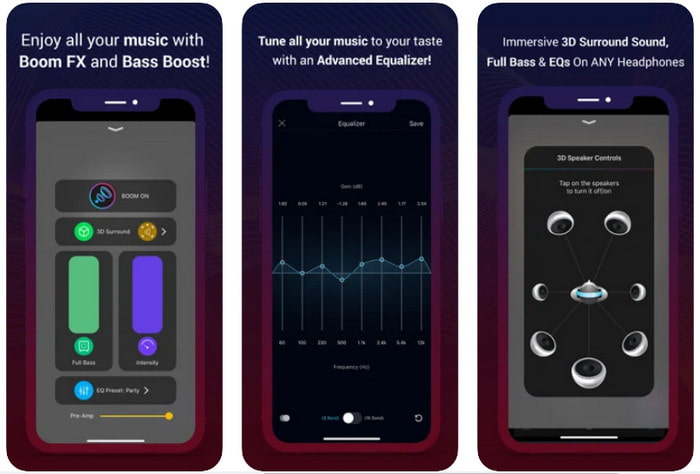
如果你正在尋找進階型的聲音放大器 App,那麼Boom: Bass Booster會是相當不錯的選擇。不過這款 App 只在 iOS 裝置上提供,無法在 Android 裝置上找到。目前為止,這個工具已經獲得不少使用者的好評,但仍有部分音訊格式無法進行放大處理。另外,在使用這款 App 時,也要預期可能會發生一些錯誤與閃退狀況。此外,對新手來說,這款 App 的設計有些誤導性。儘管整體表現算是中規中矩,但仍有不少改進空間,才能讓這款 App 變得更好。
優點
- 此處提供了一些高級功能。
- 您可以輕鬆使用的便攜式放大器。
- 該應用程序在 5 顆星中獲得 4.1 顆星。
缺點
- 由於令人困惑的界面結構,不是初學者的最佳選擇。
- 此應用程序不支持放大大多數音頻格式。
- 該應用程序仍然存在錯誤和延遲問題。
第 3 部分。 關於聲音放大器的常見問題解答
什麼是db?
Db 表示分貝,這是表示聲波響度或功率的測量單位。此外,通過分貝的幫助,我們可以很容易地確定在很長一段時間內我們可以安全聽到什麼聲音。並且所有低於 85 分貝的聲音都非常安全。
聲音大的壞處是什麼?
對我們來說,當我們暴露在響亮的聲音中時,聽力會受到損害,這是很常見的。但是您知道嗎,這會導致噁心、頭痛、壓力、疲勞等。因此,如果您要使用放大器,請正確使用它,不要過度使用,以避免不可避免的有害影響。
為什麼我聽到我的揚聲器有裂紋?
這個問題對於赫茲可以處理的非常有限的揚聲器來說是很常見的。因此,如果您增加音頻,請確保揚聲器可以處理它。如果您聽到一些破裂聲,則必須立即降低聲音。但是,如果即使降低聲音也聽到一些裂縫,那就太晚了。
結論
本文介紹的所有 App 和軟體都很適合拿來當作擴音工具。雖然上面提到的各個程式之間各有差異,但它們的基本功能其實十分相近。不過,如果你正在尋找適用於 PC 和 Mac 的最佳聲音放大工具,那麼Video Converter Ultimate應該就是理想選擇。因為它提供了相當出色又進階的功能,卻仍然容易上手。所以,如果你還在猶豫這是否是最佳選項,不妨先下載到電腦硬碟裡,並按照上面提供的步驟實際操作看看。
-
 [簡單] 如何修復不同步的音頻和視頻
 假設您'要安排明天的流,但是當您檢查設置時,音頻和視頻不同步。閱讀這篇文章,您可以了解更多有關此問題的信息。
-
 解決 OBS 音頻延遲問題的 7 個簡單步驟 [已解決]
 使用 OBS Studio 時,您是否因為音頻延遲而在錄製後難以觀看視頻片段?閱讀下面的文章,了解如何有效修復不同步的音頻。
-
 如何在計算機/電話上免費向視頻添加音頻和音樂
 本文介紹了4種免費的免費向視頻添加音頻的簡便方法。無論您要將哪種音軌添加到視頻中,都可以在這裡獲得滿意的結果。
