


 視頻轉換大師
 屏幕錄影大師
 影片修復
影片修復可用於在所有平台上流暢加速視頻的 5 種最佳工具
將影片加速非常實用,特別是當你想用比正常更快的速度觀看影片時。此外,如果你想要加速影片,也能縮短檔案的播放時間,甚至讓檔案大小比原始影片更小。不過,影片加速也有其缺點,例如速度調得太快時,影片可能無法正常播放。為了避免這種情況,我們在此為你提供多種工具供你選擇。以下你將看到的所有說明皆為事實,並且都已實際測試過後才撰寫本文。現在,就讓我們來看看下面介紹的各種工具,找出在 Windows、Mac 和 Linux 上表現最好的軟體。

第 1 部分。 3 在 Windows 上加速視頻的最佳軟件
1.Video Converter Ultimate
如果你想把影片加快或放慢速度,那麼有一個一體化的解決方案:Video Converter Ultimate。這款軟體可以讓你的影片變得比原本更快,或是依你喜好將其放慢。而且在輸出時,影片畫質不會被降低或壓縮到較差的品質。所以,如果你匯入的是 1080p 或 4K UHD 影片,即使你變更播放速度,畫質仍會維持不變。現在,如果你想知道如何透過 Video Converter Ultimate 來加速影片,請依照下方提供的步驟操作。此外,你雖然無法在軟體中預覽 4 倍速與 8 倍速,但匯出後仍能達到這兩種速度,而且不會破壞畫質。
使用 Video Converter Ultimate 加快影片速度的步驟:
步驟1. 首先,你需要點擊下方的下載按鈕,選擇要下載 Windows 版還是 Mac 版。接著安裝程式,若需要可變更安裝設定,然後點擊「完成」以儲存變更。
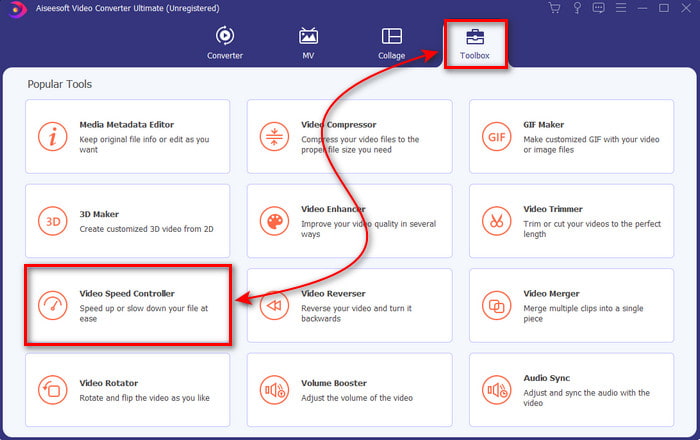
步驟2. 前往工具箱(Toolbox)並找到影片變速器(Video Speed Controller),然後點擊它。
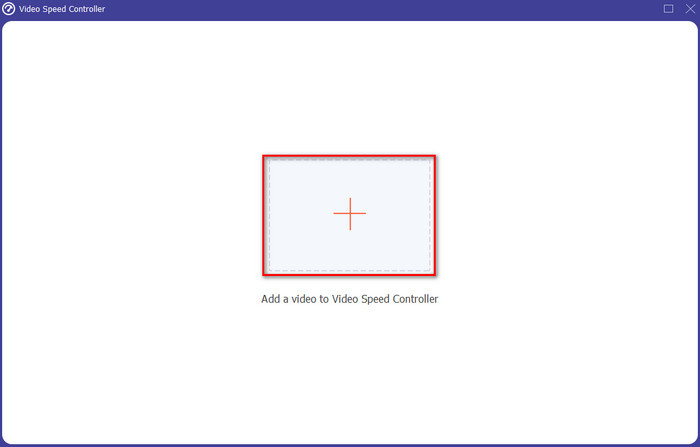
步驟3. 點擊 + 號以匯入你想加速的影片檔,接著點擊開啟(Open)繼續。
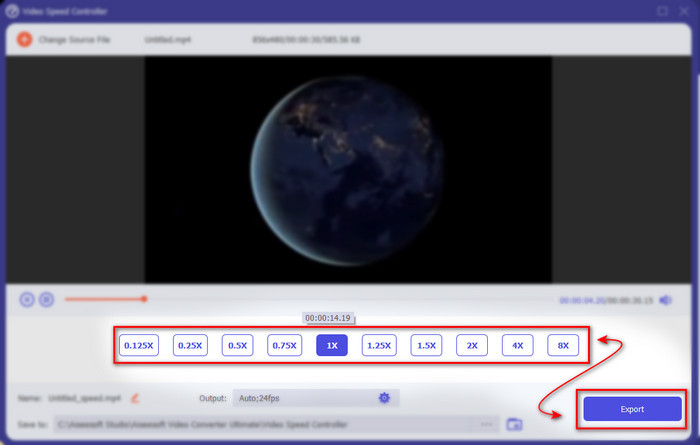
步驟4. 在介面上選擇你要的速度選項(speed option),可以放慢或加速影片。預覽功能只支援 2 倍速及以下。完成調整後,點擊匯出(Export)按鈕以儲存你加速後的影片。
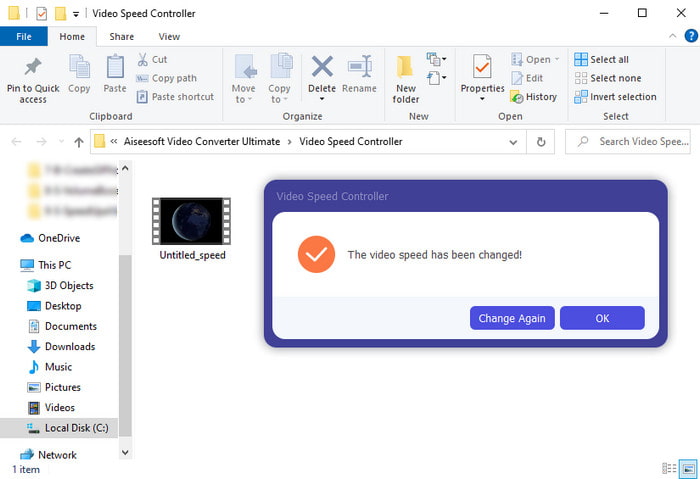
步驟5. 等待數分鐘讓影片匯出,完成後,系統會顯示包含加速影片的資料夾。點擊該影片即可觀看加速版本。
優點
- Video Converter Ultimate 中已經提供了高級和未來派編輯功能。
- 該工具易於使用,但其輸出令人印象深刻。
- 工具界面已經比這裡介紹的其他工具更令人印象深刻。
缺點
- 它是付費的,但不是那麼貴。
- 在使用此工具之前,您需要先下載它。
2. Adobe Premiere Pro
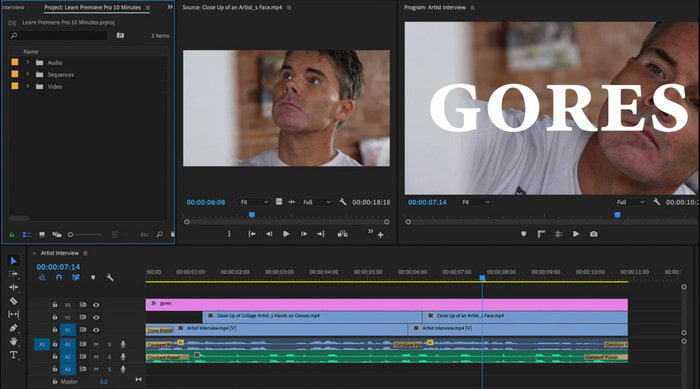
Adobe Premiere Pro 是你能使用的最佳影片剪輯工具之一。這款 Adobe 軟體之所以廣受選用,是因為你幾乎可以在裡面完成所有專業影片剪輯和製作。不過,這款工具比Video Converter Ultimate 貴得多,而且並不算友善易用。你無法一打開就直覺操作,反而需要先搜尋如何在 Premiere 中加速影片的教學。此外,這套工具的學習曲線比預期更陡峭,你需要上 YouTube 看教學影片,還得閱讀相關使用手冊。
優點
- 專業人士使用過的最好的工具之一。
- 該工具可以進行繁重的視頻編輯。
- 界面看起來比其他工具更優雅、更整潔。
缺點
- Adobe Premier Pro 從字面上看價格過高。
- 該工具的學習曲線需要一些時間才能完全使用它。
3.FFmpeg
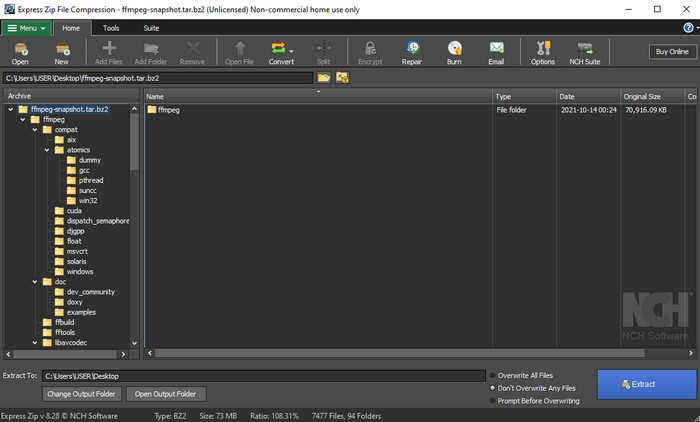
FFmpeg 是業界知名的領先多媒體框架之一。這個工具基本上就像多功能瑞士刀,可處理影片、音訊、串流以及你所需的其他多媒體檔案。雖然它是多用途工具,但軟體本身仍有一些地方有待改進。例如,FFmpeg 的操作介面需要進一步簡化。就像 Adobe Premiere 一樣,這款工具對初學者來說相當難以上手,因為介面過於複雜。整體而言,只要你花時間研究如何使用它,仍然能順利透過 FFmpeg 來加速影片。如果你願意投入大量時間學習這套工具,最終應該會有所收穫,但這會是一段漫長的過程。
優點
- 它是一個開源軟件項目。
- 它支持多種編解碼器。
- 每位想要有效編輯功能的專業人士的絕佳選擇。
缺點
- 不是初學者自行執行的最佳選擇。
- 它支持小範圍的跨平台。
- 非專業人士可以處理它的界面是巨大的。
第 2 部分。 2 加速視頻的最佳 Mac 軟件
1.QuickTime播放器
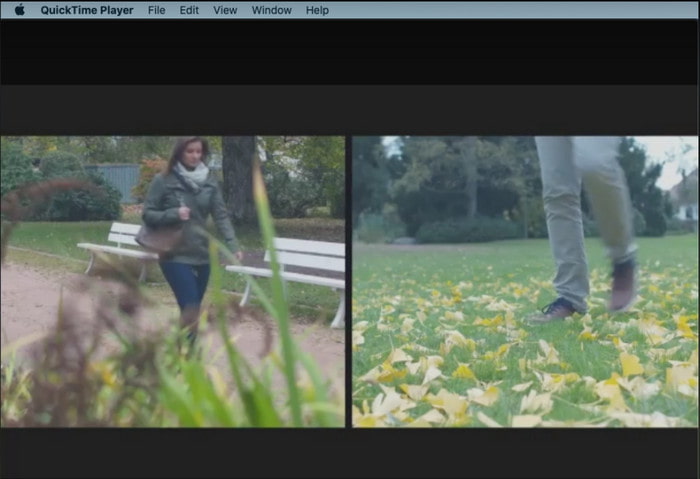
在QuickTime 中學習如何加速影片,比一二三還簡單。因為你不需要另外下載,QuickTime 已預先安裝在每一台 Mac 桌機上。我們都知道 QuickTime Player 是由 Apple Inc. 開發,作為所有 Mac 使用者的原生媒體播放器。雖然這個工具內建了加速與減速功能,但你必須手動操作,多少會比較費工。然而,它的整體介面比 VLC 更乾淨漂亮,但 QuickTime 只適用於 Apple 產品,Windows 上並沒有 QuickTime Player。
優點
- 無需下載該工具,因為它已預先安裝。
- 如果您想使用該工具,則不需要 Internet 連接。
- 借助此工具輕鬆觀看和轉發。
缺點
- 此工具沒有可用的 Windows 版本。
- 手動進行加速和減速。
- 它不支持大規模媒體格式。
2.開拍
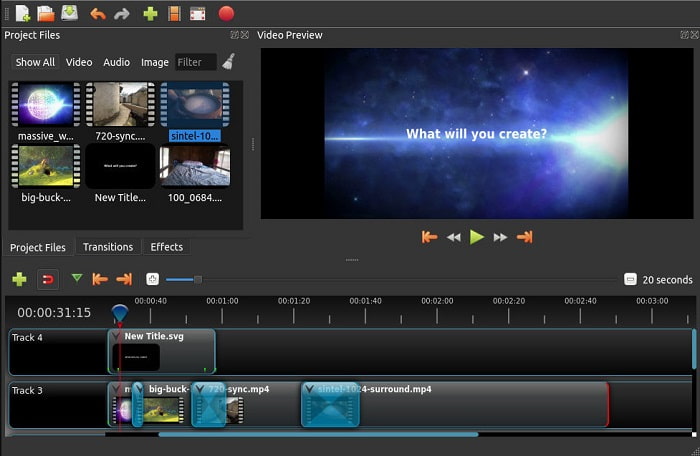
Open Shot 是你能使用的優秀影片剪輯軟體之一,特別適合 Mac 使用者。雖然此工具也支援 Windows,但 Mac 版本表現最佳。此外,利用 Open Shot 也能有效地加速影片。更重要的是,這款軟體完全免費,非常適合對高階、複雜工具沒有太大信心的使用者。基本上,它提供了你可能會用到的各種基本剪輯功能。不過,其中有些功能仍有待新增或更新。
優點
- 它能夠將您的最終視頻輸出保存為您喜歡的其他格式。
- 借助其可用的工具功能,可以輕鬆編輯視頻。
- 它帶有非常直觀的說明供初學者遵循。所以,如果你想學習如何 加快視頻 Windows 10, Mac 或 Linux 這是一個不錯的選擇。
缺點
- 對於想要獲得令人難以置信的輸出的用戶來說,這不是最佳選擇,因為它缺乏一些高級功能。
- 有時該工具會因為您所做的編輯負載或有時因為未知原因而崩潰。
- 對於想要擁有最好的專業人士來說,這不是最佳選擇。
第 3 部分。 有關如何加速視頻 Windows 和 Mac 的常見問題解答
我可以加快視頻中的某個部分嗎?
當然可以。你可以先剪下一段影片片段並將其加速,再把它與其他影片合併,做成一整支都加速過的新影片。舉例來說,如果你有一段想加速的 AVI 檔,你可以依照上述步驟操作,完成後再透過此連結中的最佳 AVI 合併工具將它與其他影片合併。
哪種速度最適合您; 2 倍、4 倍還是 8 倍?
如果你在看電影時把影片速度調到 4 倍以上,就會很難跟上劇情,因為畫面變得太快,人眼無法有效追上。因此,如果你想加快觀影速度,又希望能輕鬆跟上內容,理想的播放速度是 2 倍速。點擊此連結,你將前往另一篇文章,學習如何將影片加速到 2 倍速。
如何減慢快進視頻教程?
如果你下載或轉檔後的影片太快,你可以改用慢動作播放,參考這篇5 大最佳慢動作影片播放器。立刻前往該文章,了解如何將影片播放速度放慢。
結論
總而言之,我們現在更容易理解您可以藉助上述工具輕鬆加速視頻。所有工具都能夠提高視頻速度或減慢視頻速度。此外,有一種工具可以證明即使您提高視頻速度,它也不會延遲視頻。該工具是出色的編輯器 Video Converter Ultimate,該軟件易於使用,是專業人士和初學者的最佳選擇,它具有許多可供您選擇的高級功能等等。因此,如果您可以擁有最好的工具(例如 Video Converter Ultimate),請不要選擇合適的工具。
-
 Windows Media Player 無法播放 MP4? 5 種有效的修復方法
 無法在 Windows Media Player 中播放 MP4?詳細了解在 Windows 10 計算機上的 Windows Media Player 中播放 MP4 的原因和最終解決方案。
-
 [詳細指南] 如何修復 Google Drive 視頻無法在計算機上播放
 Google 雲端硬盤上的視頻無法播放,並顯示“播放此視頻時出現問題”錯誤。它可能是由 Google Drive 本身或 Chrome 問題引起的。本文將詳細介紹6種解決方案。
-
 如何修復 Windows Media Player 無法處理視頻或音頻
 Windows Media Player 突然無法正常工作,無論是否有任何錯誤提示?這可能是由多種原因造成的,本文有4種方法可以解決這個問題。
