


 視頻轉換大師
 屏幕錄影大師
 影片修復
影片修復Mac/Windows/Android/iPhone/Online 上的 6 款最佳視頻反轉器
將影片倒放已成為現今許多剪輯師常用、效果極為吸睛的視覺特效之一。只要把影片反轉播放,就能替現成影片增添驚豔效果,讓畫面更加引人注目。因此,本文將帶你一起看看有哪些最好用的影片倒放工具(video reverser),包含免費與付費方案。如果你已經準備好要展開這段旅程,那就請繫好安全帶,讓我們開始探索吧。

第 1 部分。適用於 PC 和 Mac 的最佳視頻反轉軟件的 2
1. Video Converter Ultimate
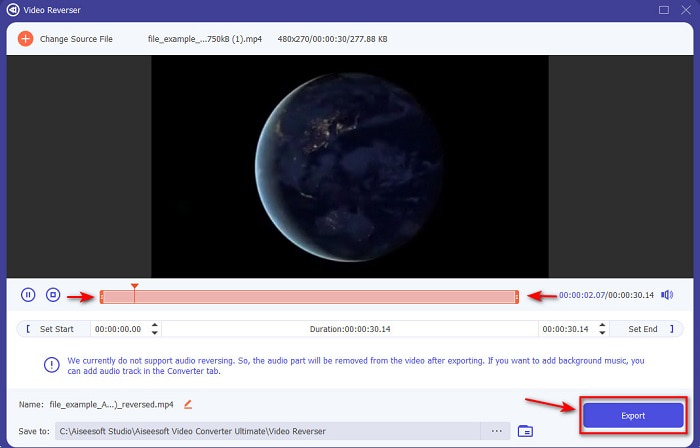
本清單中的第一款,是一個就算不看教學也能輕鬆做出精彩影片的強大轉檔工具。由於操作指示清楚明確,這款工具不論是剪輯新手,或是想做出更出色影片的專業使用者都非常適合使用。Video Converter Ultimate 是頂尖的影片倒放編輯器,也是本篇最推薦的剪輯工具之一。它能幫助使用者在不增加太多負擔的情況下,充分發揮剪輯潛力。正如前面所說,這款工具提供的清楚教學與說明,已經幫助了許多毫無剪輯經驗的使用者。即使你已經是專業等級,也同樣可以利用它做出更令人印象深刻的作品,達到現有剪輯軟體無法達成的效果。
優點
- 與其他編輯器相比,最能使您的視頻看起來非常出色。
- 它是用戶友好的,學習如何使用這個工具不會超過 15 分鐘甚至更少。
- 如果您正在尋找一款全面的工具,那麼這一定是您的首選。
缺點
- 該軟件是付費的,但如果我們要進行比較,Movavi 的價格要貴得多。
- 必須先下載該工具,然後才能使用它。
2. Movavi 視頻套件
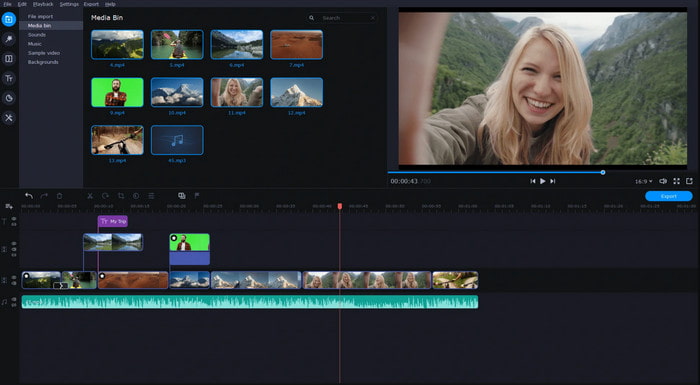
本清單中的另一款工具是 Movavi Video Suite。這款Movavi 影片編輯器倒放功能(Movavi video editor reverse)已經推出一段時間,並且擁有數百萬使用者。它同樣具備類似 Video Converter Ultimate 的進階剪輯功能。此外,它還提供許多實用功能給付費用戶。不過,它的缺點是影片輸出(渲染)過程往往需要較長時間,速度偏慢。再者,這款工具僅支援有限的檔案格式,因此你無法隨心所欲選擇輸出格式,受到支援範圍的限制。
優點
- 易於用作半專業編輯器。
- 界面非常整潔直觀。
- 在 Mac 和 Windows 中可用。
缺點
- 與此列表中的工具相比,該工具非常昂貴。
- 您可以在 Windows 上使用的大多數功能在 Mac 上不可用。
- 它有更少的模板供您選擇。
相關閱讀:
第 2 部分。 2 最佳在線視頻反向器
1. 卡普林
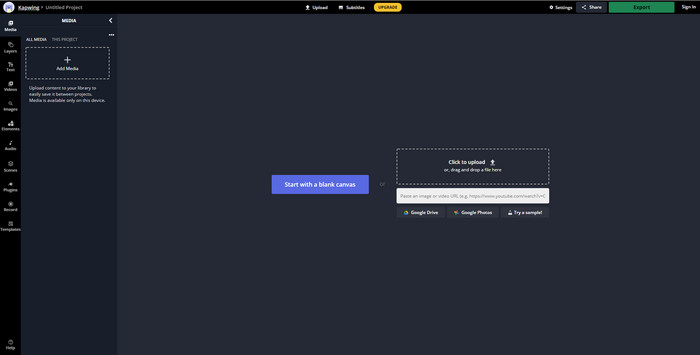
不想花錢?那你可以試試免費的 Kapwing 倒放工具(kapwing reverse)。Kapwing 是最容易上手的線上工具之一,同時也提供部分免費的剪輯功能,但前提是你必須連上網路。這個工具的介面設計相當不錯,風格有點類似線上版的 Adobe Photoshop。不過,上傳和匯出檔案有時會有點麻煩,因為速度完全取決於你的網路狀況。如果網路不穩定,就必須心理準備整個流程會變慢。而且在這裡輸出倒放影片時,畫面右下角會自動加上浮水印。
優點
- 免費的網絡工具。
- 方便使用的。
- 您需要遵循簡單的倒車過程。
缺點
- 依賴互聯網,這意味著如果您沒有互聯網連接,則無法使用此工具。
- 編輯過程很快,但上傳和下載文件需要一些時間。
- 最終輸出的視頻右下角有水印。
2. VideoReverser .com
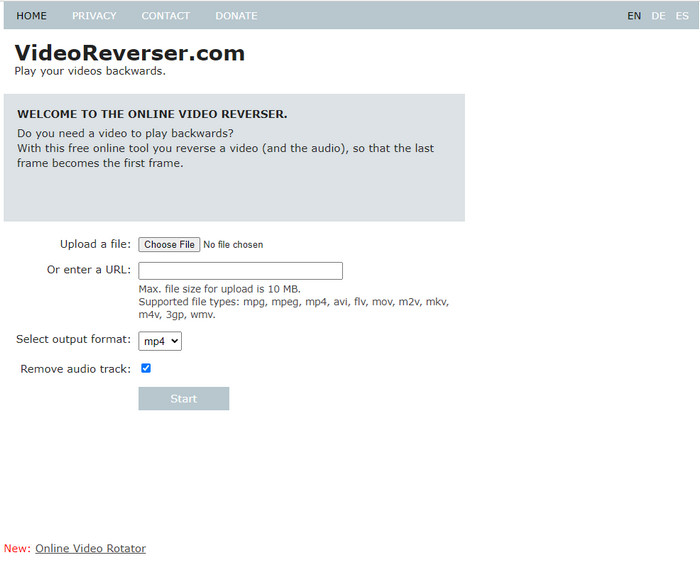
VideoReverser.com 是網路上相當好用的線上影片倒放工具之一,非常適合只想快速、簡單倒放短片的使用者。不過正如其說明所示,你一次只能上傳小於 10 MB 的影片檔。若與本文介紹的其他工具相比,這個檔案大小限制確實偏小。然而,如果你只是想倒放一段短影片,不妨試試看這款工具。
優點
- 如果您訪問該工具,則沒有隱藏費用。
- 易於理解的工具界面。
- 該工具專注於反轉您的視頻。
缺點
- 它支持的格式較少,而且大多數情況下,當您嘗試在此處反轉視頻時,它會失敗。
- 您只能上傳 10 mb 的最大文件大小。
- 如果互聯網不可用,則無法訪問。
第 3 部分。 Android 和 iOS 中最佳視頻反向器應用程序的 2
1. 倒車影像 (Android)
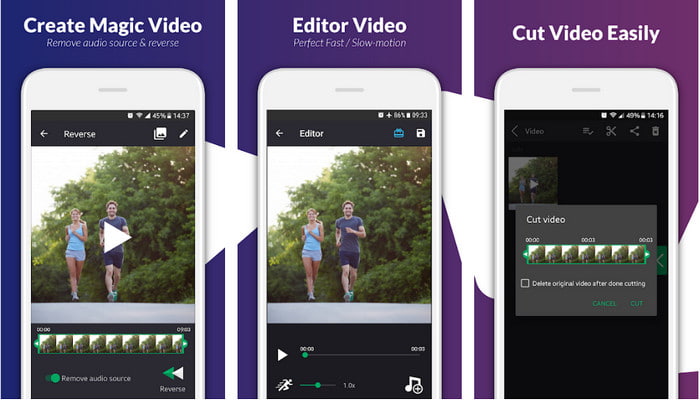
這款 reverse video backward 應用程式目前只在 Play 商店上架,且可免費下載。這個倒放影片軟體非常適合擁有 Android 手機、只想簡單將影片倒放的人使用。不過,許多用戶抱怨它經常當機、即便關閉程式仍會跳出廣告,而且雖然可以在裡面進行影片編輯,但體驗並不好。若將這款工具與 Play 商店裡其他同類型 App 相比,它的整體評價相對偏低。
優點
- 在您下載該工具之前,它會給出一些製作神奇反向效果的想法。
- 它支持 50 種不同的語言,您可以從中選擇。
缺點
- 存在工具因未知原因崩潰的情況。
- 討厭的廣告無處不在,即使您關閉工具廣告也會顯示在您的屏幕上。
- 當我們嘗試時,該工具出現故障。
2.反向視頻編輯器(iOS)
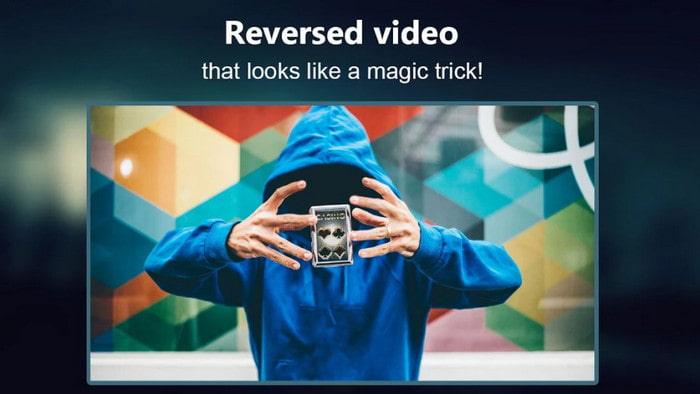
這款影片倒放 App可以在 iOS 免費下載。Reverse Video Editor 在眾多使用者中拿到相當高的評價,顯示為 4.5 顆星,乍看之下似乎相當優秀。你可能會以為這款 App 在各方面表現都很出色,但事實並非如此。開發者會引導使用者在能完整使用功能前,先給予 5 星好評。因此評價有被「誘導」的嫌疑。而且,大多數評論內容空泛、毫無實質資訊,讓人懷疑是機器人帳號所留,用來刻意拉高 App 的人氣。
優點
- 67.4k 用戶對該工具的評價很高。
- 與其他 iOS 反向器相比,它的界面相當不錯。
缺點
- 用戶必須對應用程序評分 5 星才能解鎖應用程序的特殊功能。
- 以下應用程序的評論是無意義的。基本上,如果你想弄清楚應用程序是什麼,那麼不要看評論。
- 此應用程序中仍然存在錯誤,並且大多數情況下,您在應用程序中插入的視頻會凍結。
第 4 部分。 比較圖表
| 特徵 | 視頻轉換器 UltiR | 莫瓦維 | 卡普溫 | VideoReverser.com | 倒退視頻 | 反向視頻編輯器 |
| 反轉功能 |  | | | | | |
| 界面上討厭的廣告 |  | | | | | |
| 導出後水印 | | | | | | |
| 其他編輯功能,如剪切、裁剪等 | | | | | 它可用,但評論說它不起作用。 | 它可用,但評論說它不起作用。 |
| 程序可用性 | 基於桌面的工具 | 基於桌面的工具 | 基於網絡的工具 | 基於網絡的工具 | 基於 Android 可下載的工具 | 基於 iOS 可下載 |
| 價格範圍 | 1個月:$25.00 終身許可證:$55.20 多用戶許可證有效期/5 台 PC:$119.00 | Movavi 視頻編輯器 $39.95 Movavi 視頻編輯器 Plus $59.95 | 免費在線工具 | 免費在線工具 | 沒有在應用程序購買 | 應用內購買 3 到 50 $ 範圍 |
第 5 部分。 關於 Video Reverser 的常見問題解答
為什麼我的反向視頻質量會下降?
大多數工具會降低反向視頻的質量,因為它們不支持更高的視頻質量格式,或者您可能將設置設置為低而不是高。這兩個問題都不能通過更改軟件或調整設置來解決。
我可以使用反向視頻作為過渡嗎?
絕對沒錯。您可以反轉視頻以使其更具視覺吸引力,而不是使用舊版本的動畫過渡。即使您不使用專業的編輯器工具或編輯經驗,您仍然可以通過倒車視頻實現出色的過渡。
如果我反轉我的視頻,它會反轉嗎?
實際上不是,因為反轉和反轉並不相似。儘管它們都在改變視頻的原始外觀,但它們並不相似。例如,如果您反轉視頻,它將從頭到尾播放,而如果您將其反轉,則視頻將顛倒並從頭到尾播放。
結論
總結來說,本文介紹的這些工具各有優點,適用於不同平台與使用情境。無論你是在桌機上作業、透過網路使用線上工具,或是在手機上進行剪輯,都能找到合適的選擇。如果你仍然難以決定要選哪一款,我們會特別推薦你使用 Video Converter Ultimate。它不僅在轉檔功能上表現優異,在剪輯上也突破了一般轉檔軟體的限制。這款工具已經幫助數百萬使用者,如今也準備好幫助你。立刻下載並安裝,盡情享受、探索這款工具所帶來的強大功能與魅力吧。
-
 如何將 MKV 文件轉換為在 PS3 上流暢播放 [已解決]
 想在 PS3 上播放 MKV 視頻嗎?但是,PS3 不能直接播放 MKV 文件。本文將向您展示如何將 MKV 視頻轉換為 PS3 支持的視頻格式,以便在 PS3 上輕鬆播放。
-
 Android DVD 播放器 – 如何在 Android 手機上播放 DVD 視頻
 如何在 Android 手機上播放 DVD 文件?有沒有安卓 DVD 播放器?在本文中,您將了解在有或沒有外部驅動程序的情況下在 Android 手機上播放 DVD 視頻的 3 種方法。
-
 播放 HD/4K 視頻的最佳 10 款免費 Android MP4 播放器
 雖然安卓手機有播放MP4視頻的默認播放器,但不支持調整播放設置等功能。因此,您可以從本文中了解 10 款最佳 Android MP4 播放器。
