


 Video Converter Ultimate
 Gravadora de pantalla
 Reparació de vídeo
Eines pràctiques que necessiteu saber que converteixen SWF a MOV [Resolt]
Es poden trobar vídeos i animacions basades en vectors en fitxers SWF, que es creen amb el programari Adobe Flash. ShockWave Format és un altre nom de Small Web Format, que és l’abreviatura completa. Els fitxers SWF s’utilitzen habitualment per distribuir material multimèdia per internet de manera eficient. Les petites aplicacions web es beneficien d’ActionScripts, que es poden emmagatzemar en aquest format. Si et preguntes si hi ha algun convertidor gratuït de SWF a MOV perquè no pots reproduir un fitxer amb aquest format, aquest és l’article perfecte per a tu, ja que presenta les millors i més eficients eines que pots fer servir per convertir fitxers de vídeo. Comencem!
Part 1. Pròleg: SWF i MOV
SWF és un tipus de fitxer que s’utilitza per transferir text, vídeo, gràfics vectorials i ActionScript per internet. Per utilitzar fitxers SWF cal tenir Adobe Flash Player. El format de fitxer SWF està pensat per ser un format de transferència eficient en recursos que es pot fer servir no només per transmetre gràfics sinó també per a l’anti-aliasing i la visualització en pantalla, entre altres coses. L’anti-aliasing és vital per al renderitzat ràpid de mapes de bits i de les propietats associades, com ara botons interactius, ombrejat i animació.
Tanmateix, els fitxers MOV es codifiquen seguint les directrius de codificació i els estàndards de compressió de dades d’Apple QuickTime Movie, i els fitxers de vídeo produïts en aquest format tenen l’extensió .mov. Apple va desenvolupar exclusivament els criteris d’estàndard i compressió per a pel·lícules digitals i altres clips de vídeo. Com que aquests fitxers MOV es codifiquen amb compatibilitat creuada, es poden reproduir tant en reproductors de vídeo digitals per a Mac com per a Windows. Windows Media Player també incorpora funcionalitats de reproducció per a aquests fitxers MOV, que es poden obrir i visualitzar amb Apple QuickTime Player o VLC Media Player tant en plataformes Mac com Windows.
| Extensió de fitxer | SWF | MOV |
| Tipus d'arxiu | ShockWave Flash Movie | Apple QuickTime Movie |
| Desenvolupat per | Adobe Systems | poma |
| Pros | L'animació web és possible gràcies a l'ús d'un format visual amb scripts lliures. Com que els gràfics es basen en vectors, es poden canviar la mida sense dificultat. carregat en poc temps; | Cada fitxer té components d'àudio i vídeo d'alta qualitat que es guarden en pistes independents i es poden editar tant pel temps com pel contingut. Els fitxers es poden veure amb molts reproductors de vídeo gratuïts diferents. |
| Contres | Ús intensiu de la CPU; un vídeo SWF no es pot reproduir fins que no s'instal·li el connector Flash a l'ordinador; es necessita un programari car per fer, entre altres coses; | L'entorn QuickTime ofereix un rendiment més estable; no obstant això, pot ser necessari un còdec específic per obrir un fitxer.mov. |
Part 2. 3 Eines efectives per utilitzar per convertir SWF a MOV
Opció 1. Convertidor de vídeo gratuït en línia
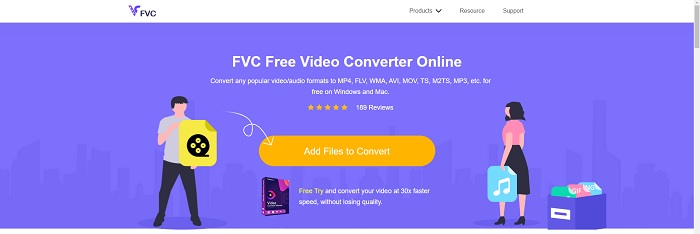
És possible convertir una gran varietat de formats de vídeo i d’àudio amb FVC Free Video Converter Online. El vídeo en alta definició es pot convertir fàcilment a còdecs com MP4, FLV i WMV sense perdre qualitat. No t’has de preocupar per la pèrdua de qualitat en convertir molts vídeos o fitxers d’àudio. Aquesta eina gratuïta de conversió de vídeo és ben coneguda per les seves capacitats de conversió i edició, que permeten als usuaris personalitzar els seus vídeos tant com vulguin.
Pros
- Admet nombrosos formats de fitxer de vídeo.
- Les sortides convertides són d'alta qualitat.
Contres
- Com que es tracta d'una eina web en línia, necessita una connexió més ràpida per convertir un fitxer de gran mida de vídeo.
Opció 2. Conversió gratuïta en línia
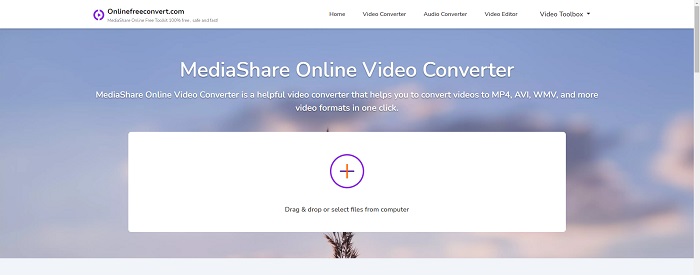
Quan transcodifiqueu el vostre vídeo, aquesta aplicació en línia gratuïta és la millor opció. Aquesta aplicació ofereix dues opcions per mantenir les coses senzilles i fàcils d'utilitzar: tipus de fitxer i resolució. Seguiu les instruccions a la pantalla per utilitzar aquest convertidor en línia.
Pros
- Té una interfície accessible i fàcil d'utilitzar.
- Ofereix altres eines que poden millorar la qualitat del vídeo.
Contres
- No té molts formats de vídeo compatibles.
Opció 3. Qualsevol conv
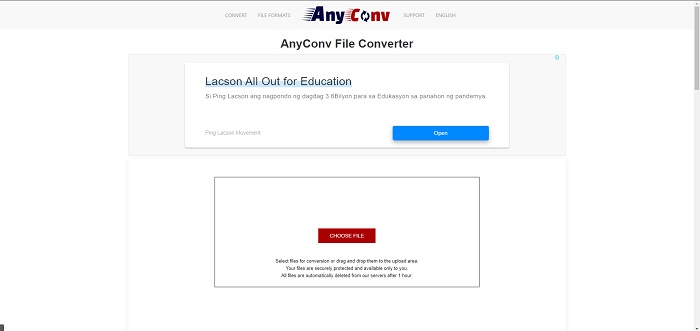
AnyConv és un convertidor en línia amb una interfície d'usuari holandesa. Fins i tot l'edició comercial d'aquesta aplicació és gratuïta. AnyConv també inclou una restricció de conversió de 60 fitxers per hora. Mitjançant el convertidor en línia, podeu convertir fitxers de fins a 50 MB de mida i triar entre més de 300 formats de sortida diferents.
Pros
- Té una àmplia gamma de formats; Admet fins i tot els formats que no són de vídeo i d'àudio com els documents.
- Ofereix instruccions per utilitzar aquest convertidor.
Contres
- Mostra anuncis que no ajuden ni s'adapten al procés de conversió o al contingut en si.
Part 3. Com convertir SWF a MOV a Mac
Aquest article proposa Video Converter Ultimate per als usuaris de Mac que volen convertir SWF a MOV. Hi ha versions d’aquest programari tant per a Windows com per a Mac disponibles per descarregar gratuïtament. El pot utilitzar un ventall ampli de persones, ja que disposa d’una eina fàcil d’utilitzar i una interfície senzilla. Amb aquest programa, pots convertir fitxers d’un format de vídeo a un altre en aproximadament un minut, cosa que el diferencia d’altres aplicacions de conversió i recursos en línia. A més, aquest programari té una sèrie de funcions addicionals que et poden ajudar a millorar encara més el teu vídeo. Suposant que ja has llegit la descripció del programari, comencem:
Pas 1. Per iniciar el procediment de descàrrega, simplement fes clic amb el botó dret sobre la icona Free Download que hi ha a continuació. Aquest programari és compatible amb equips que facin servir tant el sistema operatiu Windows com Mac. Un cop hagis acabat de descarregar el programari, el pots instal·lar i començar a utilitzar-lo seleccionant el botó Start Now a la pantalla principal del programari.
Descàrrega gratuïtaPer a Windows 7 o posteriorDescàrrega segura
Descàrrega gratuïtaPer a macOS 10.7 o posteriorDescàrrega segura
Pas 2. Després d’haver descarregat el programari, l’has d’obrir. Aquesta informació es mostrarà en una finestra quan el programari s’obri per primera vegada.
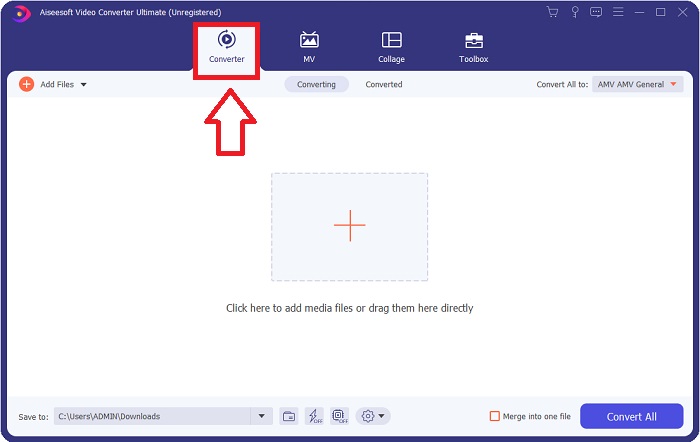
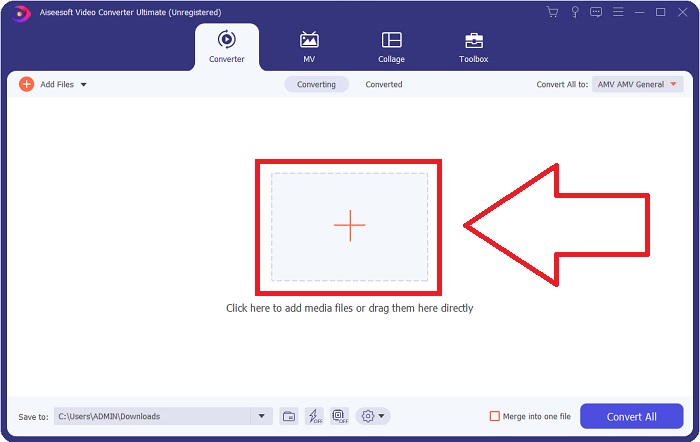
Pas 3. El procés de conversió comença amb la càrrega dels fitxers que vols convertir al convertidor. Arrossega i deixa anar el vídeo que vols convertir sobre el signe + per iniciar el procés de conversió.
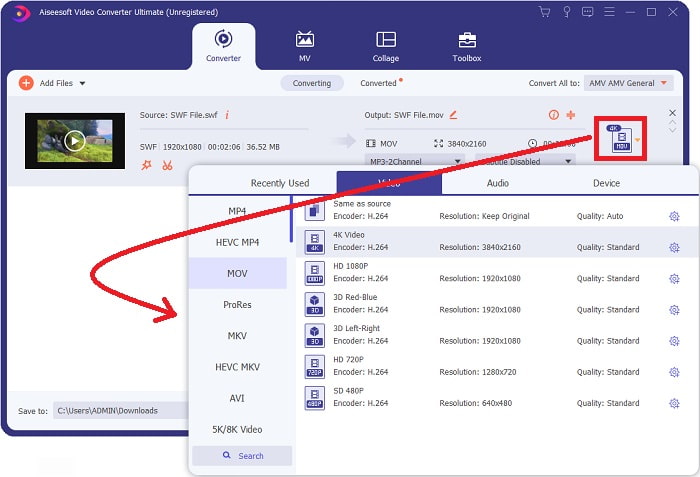
Pas 4. A la part superior dreta de la pantalla apareix un menú d’opcions des del qual pots triar un format de vídeo. Selecciona MOV com a format de vídeo al menú desplegable que apareix. En funció del fitxer MOV que hagis seleccionat, podràs triar entre diverses opcions de qualitat de vídeo. Si la sortida de vídeo que desitges no està disponible, pots ajustar la configuració de qualitat a Windows. Pots modificar la freqüència de fotogrames de la pantalla i la qualitat de l’àudio seleccionant la icona d’engranatge a la part superior dreta. Fes servir el botó Create New per desar els canvis un cop els hagis fet.
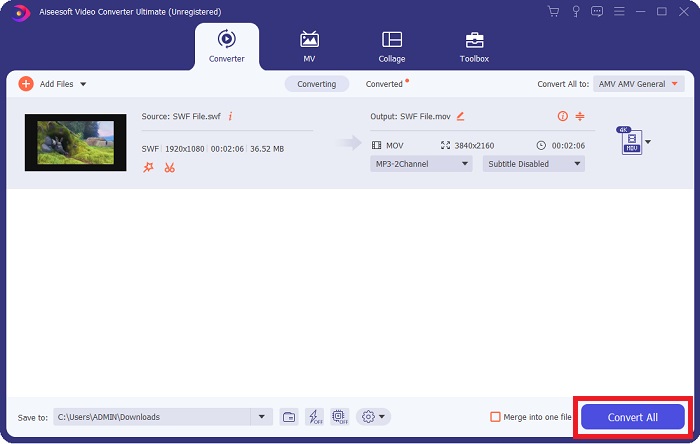
Pas 5. Quan hagis acabat d’editar el vídeo i estigui llest per convertir-se, fes clic a Convert All per iniciar el procés de conversió.
Relacionat:
Part 4. Preguntes freqüents sobre la conversió de SWF a MOV
SWF és un format de vídeo?
Els vídeos i les animacions basades en vectors es poden trobar als fitxers SWF, que es creen amb el programari Adobe Flash. Tanmateix, també es coneix com Shockwave Format, que és l'abreviatura completa de SWF. Desenvolupat originalment per Macromedia, aquest format de fitxer ara és propietat d'Adobe.
Els fitxers SWF són segurs?
Concretament, Flash és propens a una gran varietat de diferents tipus de vulnerabilitats. A causa del fet que el fitxer SWF es baixa als clients i s'executa als seus ordinadors, el vostre servidor no és un perill. Tanmateix, fins i tot si intenteu comprovar si hi ha programari maliciós als fitxers SWF, només rebreu una protecció mínima.
Quin navegador encara és compatible amb Flash 2021?
Adobe Flash quedarà obsolet a Firefox 84, la propera versió important del navegador. Per tal de millorar la velocitat i la seguretat, Firefox 85 (que es publicarà el 26 de gener de 2021) eliminarà la compatibilitat amb Adobe Flash.
Conclusió
Per concloure, totes les coses que s’han tractat en aquest article s’han d’acabar d’aplicar fent servir el programari esmentat anteriorment. Video Converter Ultimate et permet convertir fitxers de vídeo fàcilment i et pot oferir un treball de qualitat en general. A diferència d’altres eines o programes disponibles a internet, aquest programari et pot oferir una experiència fàcil i un resultat excel·lent.
-
 SWF a MP4: Converteix gratuïtament SWF a MP4 en línia i PC
 Com obrir fitxers SWF sense Adobe Flash Player? Agafeu el convertidor SWF a MP4 superior gratuït per canviar gratuïtament SWF a MP4 en línia i a PC / Mac en 3 passos.
-
 [2 solucions] Com convertir fitxers SWF a GIF fàcilment de forma gratuïta
 Si no exporteu el format GIF a través del programari Flash, podeu provar de desar els fitxers en format SWF al principi. A continuació, podeu aprendre dues maneres senzilles de convertir fitxers SWF a GIF d’aquest article.
-
 Millor convertidor de GIF per convertir GIF animat a format MOV [2021]
 Converteix el teu GIF a format MOV d'una manera senzilla sense afectar la qualitat del fitxer de vídeo. Amb passos i diferents eines també.
