


 Video Converter Ultimate
 Gravadora de pantalla
 Reparació de vídeo
Els millors convertidors gratuïts i fàcils d'utilitzar que converteixen WMV a MOV que no us hauríeu de perdre
Microsoft Windows Media Audio (WMA) i Microsoft Windows Media Video (WMV) són formats de compressió d’àudio i vídeo desenvolupats per Microsoft dins del contenidor ASF. Tan bon punt els fitxers WMV o WMA s’han codificat amb els còdecs Windows Media Video i Windows Media Audio, es representen amb l’extensió .asf. Aquests dos formats de vídeo creats per Microsoft només es poden reproduir amb el reproductor de vídeo escollit o bé convertir amb un programari limitat o alguns convertidors en línia. Però si estàs buscant convertidors fiables i de confiança per convertir WMV a MOV, aquest article és perfecte per a tu. Continua llegint per saber-ne més.

Part 1. Breu introducció de WMV i MOV
L'extensió de fitxer WMV representa fitxers de vídeo de Windows Media, comprimits mitjançant un o més formats de compressió de vídeo de Microsoft. Per exemple, alguns programes de tercers l'utilitzen per emmagatzemar animacions breus perquè és un format típic per emmagatzemar el vídeo a Windows. Tot i que d'aparença semblant als fitxers de vídeo de Windows Media, els fitxers d'àudio de Windows Media només inclouen dades d'àudio i no contenen vídeo. Per a aquests fitxers s'utilitza l'extensió WMA.
Tanmateix, el QuickTime File Format (QTFF) és un format de fitxer contenidor multimèdia, i un fitxer MOV és una pel·lícula desada en el QuickTime File Format (QTFF). S’hi emmagatzema una o més pistes, cadascuna amb dades multimèdia diferents (com vídeo, àudio i text) (subtítols). Els fitxers MOV s’utilitzen habitualment per desar pel·lícules i altres fitxers de vídeo, i són fàcils de trobar.
Part 2. La millor manera de convertir WMV a MOV a Mac i Windows
Aquest article proposa Video Converter Ultimate per als usuaris de Mac que vulguin convertir WMV a MOV. Les versions per a Windows i Mac d’aquest programari estan disponibles de manera gratuïta. És un programari que pot utilitzar un ampli ventall de persones gràcies a la seva interfície fàcil d’usar i a les seves eines accessibles. Aquest programari inclou un convertidor de vídeo que admet una gran varietat de formats i pot convertir fitxers en menys d’un minut, a diferència d’altres aplicacions i recursos web. A més, aquest programa disposa de diverses funcions addicionals que et poden ajudar a millorar encara més el teu vídeo. Suposant que ja has llegit la descripció del programari, comencem:
Pas 1. Per començar la descàrrega, fes clic amb el botó dret a la icona Free Download que trobaràs a continuació. Aquest programari funciona tant en equips Windows com Macintosh. Després de descarregar-lo, el pots instal·lar i començar a utilitzar-lo immediatament fent clic a l’opció Start Now.
Descàrrega gratuïtaPer a Windows 7 o posteriorDescàrrega segura
Descàrrega gratuïtaPer a macOS 10.7 o posteriorDescàrrega segura
Pas 2. Després d’haver descarregat el programari, l’has d’obrir. Quan obris el programa per primera vegada, aquesta informació es mostrarà en una finestra. Introdueix el fitxer de vídeo que vols convertir per iniciar el procés de conversió.
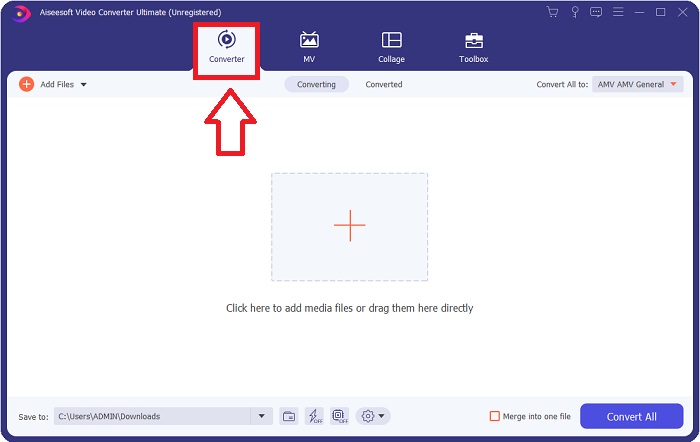
Pas 3. Comença carregant els fitxers que vols convertir al convertidor; arrossega i deixa anar el fitxer de vídeo que vols convertir sobre el signe + per iniciar el procés de conversió.
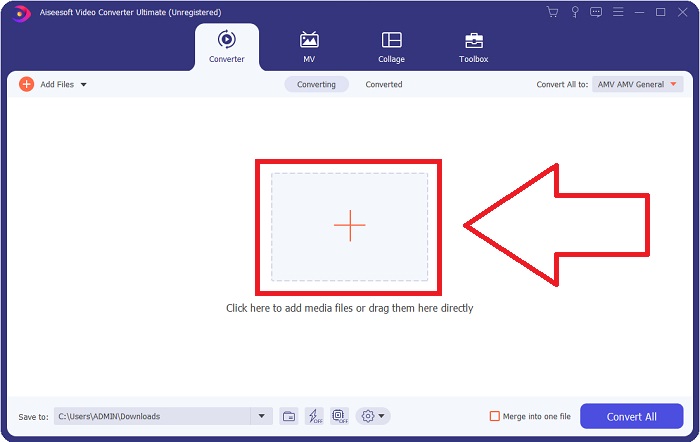
Pas 4: A la part superior dreta de la pantalla apareix un menú d’opcions des del qual pots triar el format de vídeo a reproduir. Selecciona MOV com a format de vídeo al menú desplegable que apareix. Pots triar entre diversos nivells de qualitat de vídeo segons el fitxer MOV que hagis seleccionat. Si la sortida de vídeo desitjada no hi és, pots ajustar la qualitat a Windows. Pots modificar la freqüència de fotogrames de la imatge i la qualitat de l’àudio fent clic a la icona d’engranatge a la part superior dreta. Utilitza el botó Create New per desar els canvis un cop els hagis fet.
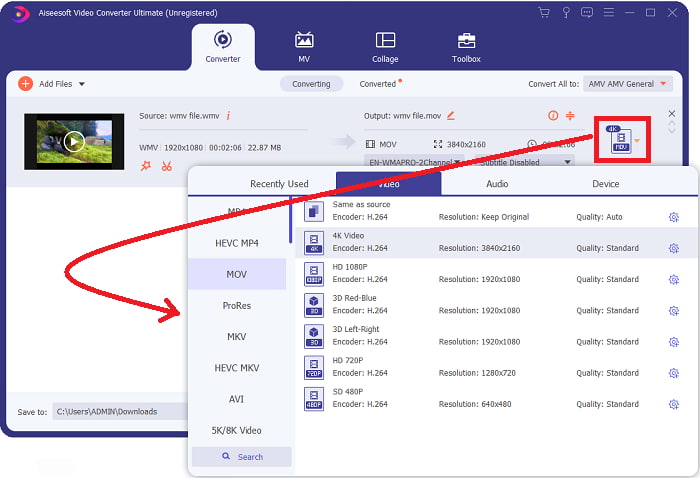
Pas 5. Quan hagis acabat d’editar el vídeo i estigui a punt per convertir, fes clic a Convert All per començar el procés de conversió dels fitxers.
Part 3. Una altra manera eficient de convertir WMV a MOV a Mac i Windows
Mètode 1. Utilitzeu Free Video Converter Online
Amb FVC Free Video Converter Online pots convertir gratuïtament una gran varietat de fitxers multimèdia. Si tens un vídeo d’alta definició, el pots convertir fàcilment a formats com MP4, FLV i WMV sense perdre qualitat. És possible convertir un gran nombre de vídeos o fitxers d’àudio alhora sense sacrificar-ne la qualitat. Amb aquesta eina gratuïta de conversió de vídeo, els usuaris tenen accés a un ampli ventall d’opcions d’edició, que els permeten polir els seus vídeos. Per tant, anem a veure tots els passos:
Pas 1: Fes clic en aquest enllaç per accedir a la pàgina d’inici del convertidor FVC. I comença a convertir els teus fitxers en línia.
Pas 2: Per obtenir el llançador per a l’ordinador, fes clic al botó Add Files to Convert a la part dreta de la pantalla. S’iniciarà automàticament quan el descarreguis de nou. Obre el fitxer a la teva carpeta i torna a iniciar el procés de descàrrega.
Baixa la versió d’escriptori per convertir fitxers per lots.
Pas 3: Abans de començar la conversió, tria el format MOV a la part inferior per iniciar el procés.
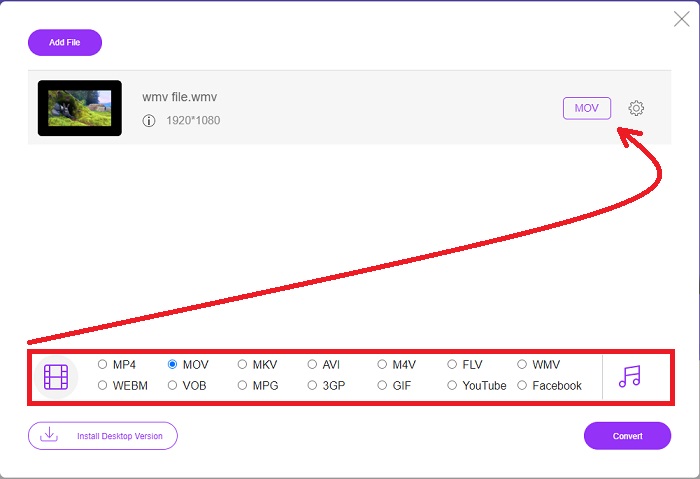
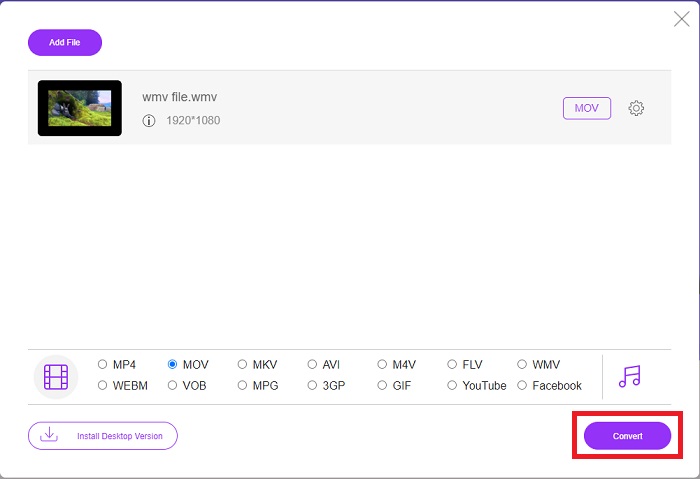
Pas 4: Quan hagis decidit el format al qual vols convertir, fes clic a Convert per començar el procés de conversió.
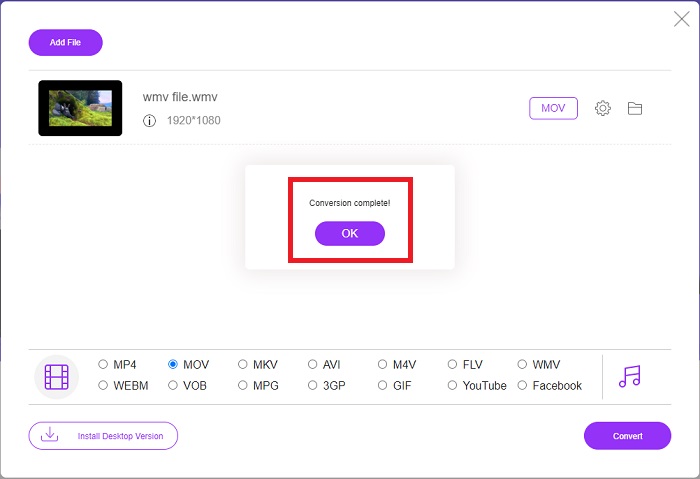
Pas 5: Al cap d’uns minuts, hauries de veure una carpeta que conté el fitxer convertit; la pots obrir i començar a reproduir el vídeo.
Mètode 2. Utilitzeu Video Converter
Intenteu trobar un convertidor de WMV a MOV gratuït? El mètode més ràpid és utilitzar un servei web per convertir els vostres fitxers WMV a format MOV. Quan hagis acabat amb els teus vídeos, pots transferir-los a qualsevol dispositiu i gaudir-los més tard amb l'ajuda d'aquesta eina de conversió de mitjans en línia! Així és com es fa.
Pas 1: Fent clic al botó Add Your Media pots importar el teu fitxer WMV des de l’ordinador, Dropbox o Google Drive per convertir-lo a MOV.
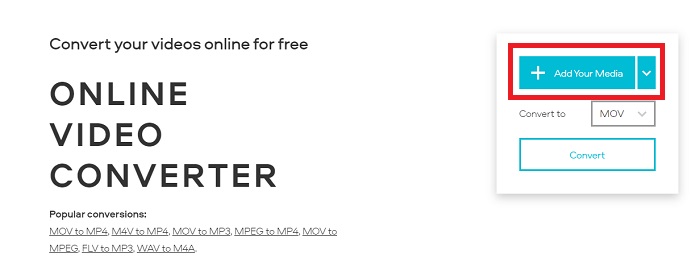
Pas 2: Selecciona MOV com a format de sortida desitjat. Utilitza els paràmetres avançats per millorar la qualitat general del teu vídeo.
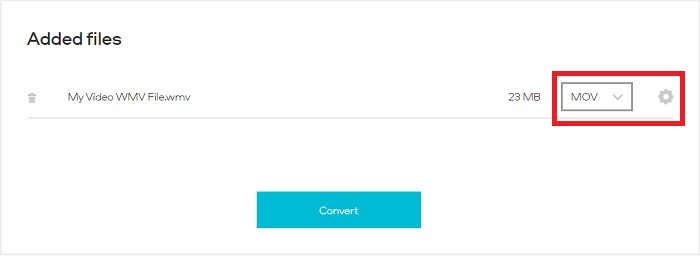
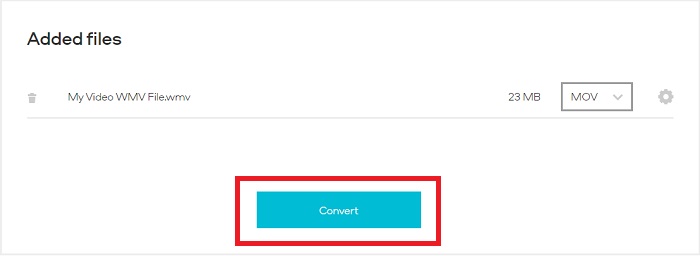
Pas 3: Un cop fetes totes les modificacions, ja pots fer clic al botó Convert.
WMV vs. MOV
Produït per Microsoft, WMV era un dels formats de vídeo més comuns als anys 2000. Es pot veure a la xarxa i reproduir-lo per diversos reproductors multimèdia a Windows. I també és el format de fitxer de vídeo predeterminat de Windows Media Player. Però recentment ha estat assumit per altres formats.
El format MOV es pot utilitzar per emmagatzemar una pel·lícula, un programa de televisió, un videoclip curt o una pel·lícula casolana. De fet, es desa en el format de fitxer QuickTime (QTFF), que va ser introduït per Apple l'any 1991. Els fitxers MOV s'utilitzen sovint quan la gent vol desar un vídeo amb alta qualitat.
Part 4. Preguntes freqüents sobre la conversió de WMV a MOV
MOV i WMV són el mateix?
Els fitxers MOV utilitzen la codificació MPEG-4 per jugar amb QuickTime per a Windows, desenvolupat per Apple per a QuickTime Player. A més de comptar amb el suport de Facebook i YouTube, MOV funciona bé per a la televisió. Els fitxers WMV (Windows Media Viewer) són comparables a MOV (format de vídeo de Mozilla) en qualitat i mida. Microsoft va crear WMV per utilitzar-lo al Windows Media Player.
Quins són els avantatges i els desavantatges de MOV?
Els fitxers MOV s’utilitzen principalment per a l’edició i gairebé gens per a un ús pràctic general. A més del QuickTime Player, només un petit nombre d’aplicacions de reproducció multimèdia admeten aquest format. Els editors de vídeo professionals se’n beneficien d’aquest avantatge. Un inconvenient és la manca d’adopció en dispositius reals.
Encara s'utilitza WMV?
Va ser desenvolupat per Microsoft i s’utilitza habitualment al Windows Media Player. El format de vídeo WMV genera fitxers més petits i més compressibles que els fitxers MP4. Per això és un format popular per a la reproducció de vídeo en línia. L’iPhone i el Mac poden executar el Windows Media Player, que és incompatible amb els dispositius d’Apple.
Conclusió
Com s’ha mostrat anteriorment, hi ha molts convertidors possibles que es poden descarregar o utilitzar a internet en qualsevol moment. Però pel que fa a l’eficiència i a l’elecció del millor convertidor entre d’altres, Video Converter Ultimate és la recomanació final. Amb la seva capacitat per convertir formats de vídeo i àudio de manera ràpida, donar suport a una gran varietat de formats de forma gratuïta i estar disponible per a Windows i Mac. Què esperes? Descarrega’l ara mateix!
Descàrrega gratuïtaPer a Windows 7 o posteriorDescàrrega segura
Descàrrega gratuïtaPer a macOS 10.7 o posteriorDescàrrega segura
-
 3 maneres principals de convertir FLV a WMV a Windows i Mac
 Busqueu la millor manera de convertir FLV a WMV sense perdre qualitat a PC o Mac? Teniu sort ja que aquí compartim tres mètodes per fer la feina fàcilment.
-
 2 maneres més fàcils de convertir fitxers WMV a FLV en PC / Mac
 Com es pot convertir WMV a FLV? En primer lloc, heu de llegir la nostra recomanació i trobar el vostre mètode preferit, i després seguir la nostra guia per fer la feina ràpidament.
-
 [2 solucions] Com convertir vídeos WMV a fitxers GIF de forma gratuïta
 Si voleu retallar les meravelloses parts dels vídeos WMV i fer-ne GIF, podeu obtenir més informació sobre dos mètodes senzills per transferir vídeos WMV a GIF en aquest article.

